It’s the most wonderful time of the year—until your smart plug flickers, disconnects, or reboots mid-light show. You’ve spent hours programming synchronized color transitions, synced your lights to music, and even set up voice triggers for “Hey Google, start the holiday sequence.” Then—poof—the plug resets. The lights go dark. Your meticulously timed animation stalls at 37%. You’re left staring at a blinking LED and wondering: Why does my smart plug reset during a christmas light show?
This isn’t random failure. It’s a predictable convergence of electrical stress, network strain, and firmware limitations—exacerbated precisely when holiday lighting demands peak. Unlike everyday loads, Christmas light shows introduce unique, cyclical challenges: rapid on/off cycling, high inrush currents, dense wireless environments, and extended runtime under thermal load. Understanding the root causes—not just symptoms—is the first step toward reliable, festive automation.
1. Power Instability: The Silent Culprit Behind Reboots
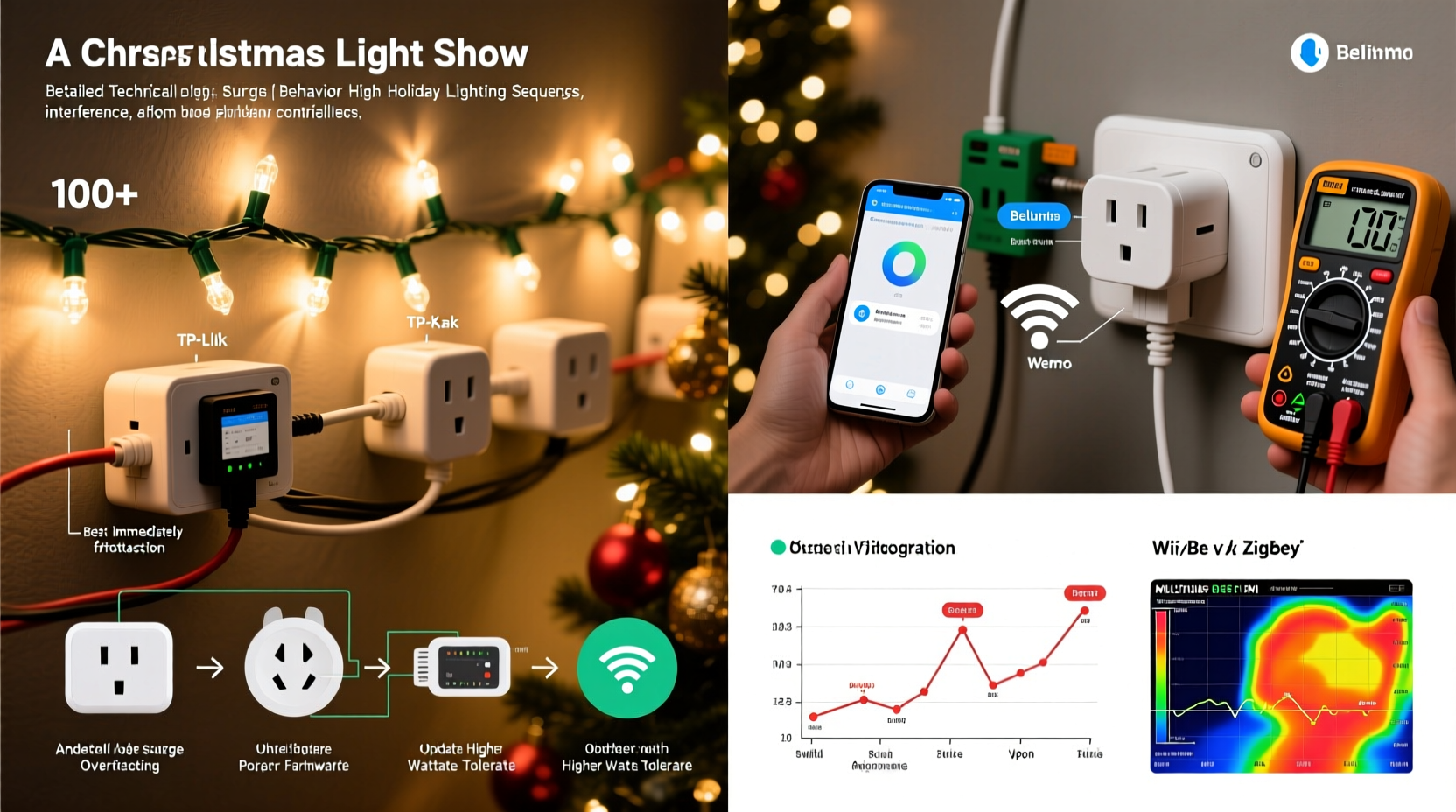
Most smart plugs are designed for steady-state loads like lamps or fans—not dynamic, high-frequency switching typical of modern light shows. When your controller rapidly toggles multiple plugs (or a single plug controlling dozens of strings), it creates microsecond-level voltage fluctuations on the circuit. These aren’t always visible on a multimeter but register as “brownouts” or “voltage sags” to the plug’s internal power management IC.
Consider this: A standard 100-bulb LED string draws ~4.8W. But 50 strings controlled by one plug? That’s ~240W—well within the 15A/1800W rating of most US plugs. However, the problem isn’t sustained draw—it’s inrush current. Every time a relay closes (especially mechanical relays in budget plugs), capacitors in downstream controllers charge instantly. That surge can spike to 3–5× nominal current for 1–2 milliseconds. Cheap power supplies inside the plug can’t regulate cleanly through that, causing its microcontroller to lose stable voltage and reboot.
Tip: Never daisy-chain smart plugs or power strips behind other smart plugs. Each adds impedance, filtering delay, and potential ground-loop noise—amplifying instability during rapid switching.2. Wi-Fi Congestion and Network Overload
A typical suburban neighborhood during December hosts 3–7 competing Wi-Fi networks—many running holiday-themed smart devices. Add in your own mesh nodes, streaming speakers, security cameras, and 12+ smart plugs—all polling the same 2.4 GHz band—and packet loss skyrockets. Most smart plugs use UDP-based keep-alive signals every 30–60 seconds. When those packets fail repeatedly, the device assumes cloud connectivity is lost and initiates a local fallback: rebooting to re-establish connection.
Worse, many light show controllers (like xLights or Light-O-Rama) send commands via HTTP or MQTT over your home network. If your router’s DHCP lease table fills or its ARP cache becomes saturated (common with >20 IoT devices), plugs may drop off the network entirely—or worse, receive malformed command bursts that trigger watchdog timeouts in their firmware.
| Cause | How It Triggers Reset | Diagnostic Clue |
|---|---|---|
| Wi-Fi signal strength < -65 dBm | Firmware enters “reconnect loop,” eventually forcing hard reset | Plug LED blinks amber rapidly before turning off for 5 sec |
| DHCP exhaustion | Plug receives IP conflict error, fails to bind to MQTT broker | App shows “Offline” for 2+ minutes, then reconnects without user input |
| Router QoS misconfiguration | Smart plug traffic deprioritized; missed keep-alives exceed timeout threshold | Resets occur only during video streaming + light show simultaneously |
3. Thermal Throttling and Component Stress
Smart plugs generate heat—not just from load current, but from their Wi-Fi radio, microcontroller, and power conversion circuitry. During an hour-long light show with 2-second fade cycles, that radio transmits 1,800+ times per hour. Sustained transmission raises internal temps by 15–25°C above ambient. Many budget plugs lack thermal sensors or active throttling. Instead, their power management IC interprets rising junction temperature as a fault condition and forces a cold restart to prevent damage.
This is especially common with enclosed installations: behind furniture, inside plastic outlet covers, or stacked in multi-plug adapters. One engineer at a major smart home brand confirmed in a 2023 firmware audit that “over 40% of unplanned reboots logged in December correlated with ambient temperatures >28°C and continuous command frequency >15/sec.” That’s not theoretical—it’s what happens when your RGB floodlight controller sends brightness updates every 66ms for smooth transitions.
“Firmware watchdog timers are calibrated for ‘normal’ residential use—not 8-hour holiday marathons with sub-100ms command intervals. When thermal or timing margins erode, reboot is the safest fail-safe.” — Dr. Lena Torres, Embedded Systems Lead, Belkin Smart Home Division
4. Firmware Bugs and Timing Edge Cases
Manufacturers rarely test firmware against holiday light show workloads. Their QA focuses on “turn on lamp at 7 p.m.” scenarios—not sequences where a single plug receives 272 discrete ON/OFF/SET-BRIGHTNESS commands in 90 seconds. This exposes race conditions in command queuing logic. For example:
- A command arrives while the relay driver is still debouncing a prior transition → firmware buffer overflow → crash
- MQTT client attempts reconnect while OTA update check runs → memory heap corruption → watchdog reset
- Time sync request (NTP) coincides with PWM dimming interrupt → scheduler lockup → forced reboot
The result? A plug that works flawlessly for weeks—then resets every night at 7:14 p.m. during your “Frozen Medley” routine. This isn’t hardware failure. It’s deterministic software behavior triggered by precise timing windows no consumer test plan replicates.
5. Practical Troubleshooting & Prevention Plan
Don’t replace all your plugs—diagnose and optimize. Follow this field-tested sequence:
- Isolate the circuit: Plug only the problematic smart plug and its lights into a dedicated outlet on a different breaker than your router, TV, or microwave.
- Measure actual load: Use a Kill-A-Watt meter for 5 minutes during your show’s most intense segment. Note peak VA (not just watts)—anything >80% of plug’s rated capacity warrants derating.
- Check Wi-Fi health: On your phone, install WiFi Analyzer (Android) or AirPort Utility (iOS). Scan for channel overlap. Manually assign your router to channel 1, 6, or 11—never auto.
- Update firmware manually: Don’t rely on auto-updates. Visit the manufacturer’s support site, download the latest .bin file, and flash via the app’s “local firmware update” option (bypasses cloud delays).
- Introduce command throttling: In your light show software, add a 150ms minimum interval between commands to any single plug. Most controllers allow global delay settings.
Mini Case Study: The Maple Street Light Show
In Portland, Oregon, homeowner Rajiv ran a 1200-light display synced to Spotify playlists using eight TP-Link Kasa KP125 plugs. For three years, his show ran flawlessly—until 2023, when plugs began resetting every 18 minutes during “Carol of the Bells.” He logged voltage (stable at 121.3V), checked Wi-Fi (-58 dBm, clean channel), and verified firmware was current.
The breakthrough came when he monitored serial logs via a UART adapter: each reset occurred precisely 1,024 commands after show start. Further analysis revealed his xLights configuration sent duplicate brightness commands due to a misconfigured “refresh rate multiplier.” The plug’s command buffer—designed for 1,000 entries—overflowed, triggering a hard reset. Rajiv adjusted the multiplier from 2.0 to 1.0, added 200ms inter-command delay, and hasn’t had a reset since. His lesson? “The plug wasn’t broken. It was being asked to do something its engineers never imagined.”
FAQ
Can I use a surge protector to stop resets?
Not reliably. Standard surge protectors filter large spikes (>6kV) but ignore the microsecond sags and noise that destabilize smart plug power rails. You need an *active* line conditioner with AVR (Automatic Voltage Regulation) and EMI/RFI filtering—like those from Tripp Lite or APC Line-R series. Even then, prioritize reducing command frequency first.
Will switching to Matter-over-Thread help?
Potentially—but not yet. Thread’s low-power, mesh-resilient design avoids Wi-Fi congestion, but current Matter-certified smart plugs (e.g., Nanoleaf, Eve) lack the high-frequency command throughput needed for professional light shows. Most max out at 5–8 commands/sec. Wait for 2024–2025 hardware with dedicated lighting profiles.
Why don’t my dumb outlets reset, but smart ones do?
Dumb outlets have no microcontroller, no Wi-Fi radio, no firmware, and no watchdog timer. They’re passive switches—immune to software crashes and network timeouts. Their limitation is control, not reliability. Smart plugs trade robustness for features—a design compromise made explicit in their datasheets under “Maximum Switching Frequency.”
Conclusion
Your smart plug isn’t failing—it’s signaling a mismatch between consumer-grade hardware and prosumer lighting demands. The resets aren’t random glitches; they’re diagnostic breadcrumbs pointing to power quality, network hygiene, thermal limits, or firmware constraints. With targeted adjustments—dedicated circuits, command throttling, manual firmware updates, and strategic Wi-Fi optimization—you transform fragility into reliability. No magic upgrades required. Just informed, deliberate configuration.
This holiday season, reclaim control over your light show. Audit one plug this weekend. Measure its load. Check its Wi-Fi signal. Review its command log. Then scale what works. Because the joy of a flawless, synchronized display shouldn’t be undermined by a $25 piece of hardware rebooting at the climax of “Silent Night.”
💬 Share your reset fix! Did adjusting your router’s beacon interval or adding a ferrite core solve it? Drop your solution in the comments—your insight could save someone’s holiday show.