Modern holiday decorating has evolved far beyond strings of simple white bulbs. Today’s smart Christmas lights offer dynamic color control, scheduling, effects, and—most impressively—voice activation. Whether you're hosting a festive gathering or simply want to adjust the mood from the comfort of your couch, voice-controlled color changes are not only possible but increasingly seamless. The answer is a definitive yes: you can use voice commands to change your Christmas light colors instantly—but only if your setup supports smart technology.
This capability hinges on three key components: compatible smart lights, a connected hub or Wi-Fi-enabled controller, and integration with a voice assistant like Amazon Alexa, Google Assistant, or Apple Siri. When these elements work together, changing the color of your lights becomes as easy as speaking a sentence.
How Voice-Controlled Christmas Lights Work
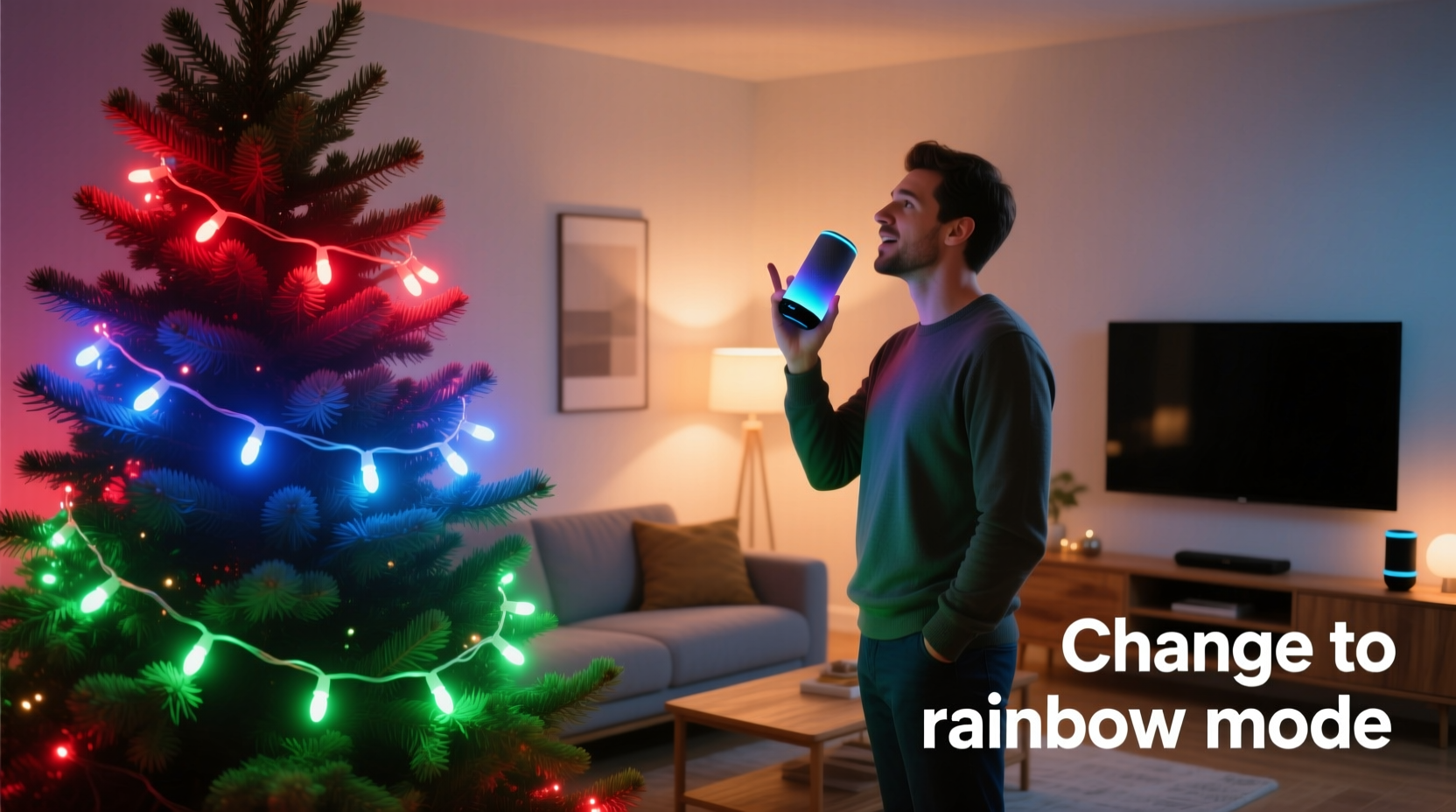
Smart Christmas lights function similarly to other IoT (Internet of Things) devices. Each strand contains embedded microcontrollers that manage LED behavior, including brightness, color, animation, and timing. These strands connect either directly to your home Wi-Fi network or through a bridge device (like a smart hub) that communicates with your home automation ecosystem.
Once connected, the lights appear as controllable devices in your smart home app. From there, they can be grouped, scheduled, and assigned names. Most importantly, they can be linked to a voice assistant platform. This connection allows spoken phrases such as “Alexa, set the tree lights to blue” or “Hey Google, make the porch lights red and green” to trigger immediate changes across your display.
The process relies on natural language processing (NLP). When you speak a command, your voice assistant interprets the intent, identifies the target device (e.g., “Christmas lights”), determines the desired action (“change color”), and sends an instruction over the internet to the light’s server. The response time is typically under two seconds—fast enough to feel instantaneous.
Tip: Name your lights clearly and specifically in your smart home app—for example, “Front Porch Lights” instead of “Device 3”—to avoid confusion during voice commands.Required Components for Instant Color Control
To achieve real-time, voice-driven color adjustments, you need more than just colorful LEDs. Here's what must be in place:
- Smart RGB or RGBW LED Strands: Standard incandescent or non-smart LED lights cannot receive digital signals. You need programmable lights capable of displaying millions of colors via embedded chips (commonly WS2812B or similar).
- Wi-Fi or Hub Connectivity: The lights must connect to your network. Some brands (like Twinkly or GE Color Effects) have built-in Wi-Fi; others require a Zigbee or Z-Wave hub (such as Philips Hue Bridge or Samsung SmartThings).
- Voice Assistant Compatibility: Your lights must be certified to work with Alexa, Google Assistant, or Apple HomeKit. Check packaging or manufacturer specs for compatibility icons.
- Smartphone App Setup: Initial configuration usually requires downloading a brand-specific app (e.g., Lumenplay, MagicLight, or Govee) to pair the lights and sync them with your voice assistant.
- Stable Internet Connection: While local control is improving, most voice commands rely on cloud-based processing. A reliable router minimizes lag or failed requests.
Without any one of these elements, voice control will not function. For instance, even high-end smart lights won’t respond to “Siri, turn the yard lights purple” unless they’re properly added to the Apple Home app and assigned to a room.
Step-by-Step Guide to Enable Voice Control
Setting up voice-controlled Christmas lights takes less than 30 minutes if all components are ready. Follow this sequence:
- Unbox and power on your smart light strand. Plug it into an outlet or connect it to its power adapter.
- Download the companion app (e.g., Govee Home, Twinkly, Philips Hue) and create an account if required.
- Add the device by following in-app instructions—usually involving holding a button until the lights flash or waiting for the app to detect the new device.
- Connect to Wi-Fi by selecting your home network and entering the password within the app.
- Name and group your lights (e.g., “Living Room Tree,” “Backyard Fence”) for easier identification later.
- Link the app to your voice assistant:
- For Alexa: Open the Alexa app → Devices → + → Add Device → Light → Other → Choose your brand.
- For Google: Open Google Home app → Add → Set up device → Have something already set up? → Search for your brand.
- For Apple HomeKit: Scan the HomeKit code on the light’s box or in the app using your iPhone camera.
- Test basic commands: Say, “Alexa, turn on the tree lights,” then try, “Change the tree lights to gold.”
- Refine settings: Use the app to save favorite scenes (e.g., “Holiday Party Mode”) and assign them to voice shortcuts.
After setup, you can issue complex commands like “Hey Google, dim the patio lights to 50% and switch to icy blue” or “Alexa, run the rainbow cycle on the staircase lights.”
Popular Smart Light Brands That Support Voice Commands
Not all smart Christmas lights offer the same level of voice integration. Below is a comparison of leading brands based on responsiveness, ease of setup, and compatibility.
| Brand | Color Range | Wi-Fi/Hub | Alexa | Google Assistant | Apple HomeKit | App Quality |
|---|---|---|---|---|---|---|
| Twinkly | 16 million | Wi-Fi | ✅ | ✅ | ✅ | Excellent (visual editor) |
| Govee | 16 million | Wi-Fi/Bluetooth | ✅ | ✅ | ✅ (select models) | Very Good |
| Philips Hue | 16 million | Hue Bridge | ✅ | ✅ | ✅ | Excellent |
| GE Color Effects | 16 million | Wi-Fi | ✅ | ✅ | ❌ | Good |
| HitLights RGB | 16 million | Zigbee/Wi-Fi | ✅ (via hub) | ✅ (via hub) | ❌ | Fair |
Twinkly stands out for its precision control and music synchronization, while Govee offers budget-friendly options with strong app functionality. Philips Hue remains a premium choice known for reliability and deep ecosystem integration.
“Voice control transforms seasonal lighting from static decoration to interactive ambiance. It’s not just convenience—it’s emotional impact.” — Laura Bennett, Smart Home Lighting Designer at IllumiDesign Labs
Real-World Example: Hosting a Holiday Gathering
Sarah, a homeowner in Portland, recently upgraded her front-yard display with Govee Wi-Fi LED strips wrapped around her porch railing and trees. During a neighborhood cookie exchange, she wanted to shift the atmosphere as evening fell.
At 5:30 PM, she said, “Hey Google, set the outdoor lights to warm white,” creating a cozy welcome. As guests arrived, she switched to “red and green sparkle” with a single command. Later, when kids began caroling, she activated a “rainbow wave” effect to delight the crowd—all without touching a phone or leaving the kitchen.
Her mother, visiting for the first time, remarked, “I remember climbing ladders to swap bulbs. Now you do it with your voice?” Sarah smiled. “And I haven’t even shown you the dance-to-music mode yet.”
This scenario illustrates how voice commands enhance both practicality and entertainment value during the holidays.
Troubleshooting Common Issues
Even well-configured systems can encounter hiccups. Here are frequent problems and fixes:
- Lights don’t respond to voice: Ensure the device is powered, within Wi-Fi range, and still listed in your smart home app. Re-sync if necessary.
- Wrong lights turn on: Double-check device names in your assistant app. Avoid generic labels like “lights” that may trigger multiple fixtures.
- Delayed response: High network traffic or weak signal strength causes lag. Consider a Wi-Fi extender or mesh system.
- Colors don’t match request: Some assistants interpret color names loosely. Instead of “turquoise,” try “cyan” or specify hex codes in the app (e.g., #00CED1).
- Commands misunderstood: Speak clearly and use consistent phrasing. Train your assistant by repeating corrections when errors occur.
Checklist: Ready for Voice-Controlled Lights?
Before purchasing or setting up, verify you meet all requirements:
- ☐ Own or plan to buy smart RGB/RGBW Christmas lights
- ☐ Have a 2.4 GHz Wi-Fi network (required by most smart lights)
- ☐ Possess a compatible voice assistant (Amazon Echo, Google Nest, or iPhone with Siri)
- ☐ Willing to download and configure a mobile app
- ☐ Understand basic home networking (resetting routers, entering passwords)
- ☐ Plan to label each light group clearly
- ☐ Intend to test commands before relying on them for events
Frequently Asked Questions
Can I use voice commands outdoors?
Yes, as long as your outdoor lights are rated for weather resistance (look for IP65 or higher) and remain within range of your Wi-Fi signal. Voice assistants themselves (like indoor speakers) don’t need to be outside—commands are sent over the internet.
Do I need a smart speaker to use voice commands?
Not necessarily. You can use voice control via smartphone assistants (e.g., saying “Hey Siri” to your iPhone or “Ok Google” to your Android). However, hands-free convenience is best achieved with a dedicated smart speaker placed in a central area.
Can I schedule color changes automatically?
Absolutely. Most smart lighting apps allow scheduling. You can program your lights to turn red and green every evening at 5 PM, fade to warm white at midnight, or switch to patriotic colors on December 31st in preparation for New Year’s.
Conclusion: Embrace the Future of Festive Lighting
Voice-controlled Christmas lights are no longer a novelty—they’re a practical upgrade for anyone who values convenience, creativity, and instant ambiance. With the right gear and a few minutes of setup, you can transform your holiday display into a responsive, dynamic experience. No more fumbling with apps in the cold or missing the moment because you’re adjusting settings manually.
The ability to change your Christmas light colors instantly by voice isn’t just about technology—it’s about reclaiming joy and spontaneity during a busy season. Whether you’re setting the mood for family time, surprising guests, or syncing lights to music, voice control puts the magic back in the holidays.
🚀 Ready to go voice-first this holiday season? Pick a compatible smart light system, link it to your assistant, and say your first command today. Share your favorite color combo or routine in the comments—we’d love to hear how you’re lighting up the season!