As holiday traditions merge with modern technology, smart Christmas lights have become a popular way to add flair, automation, and color coordination to seasonal displays. From app-controlled strands to voice-activated sequences synced with music, these devices bring convenience and creativity. But as with any internet-connected device, they also introduce potential security risks. The question isn't whether smart lights can be hacked—it's how likely it is, what the consequences could be, and what you can do to minimize exposure.
Unlike traditional incandescent strings, smart lights connect to your home Wi-Fi, Bluetooth, or a proprietary hub, allowing remote control via smartphone apps or integration with platforms like Amazon Alexa or Google Assistant. This connectivity opens the door to vulnerabilities that, if exploited, could compromise not just your lighting display—but potentially your entire home network.
How Smart Lights Connect—and Where They’re Exposed
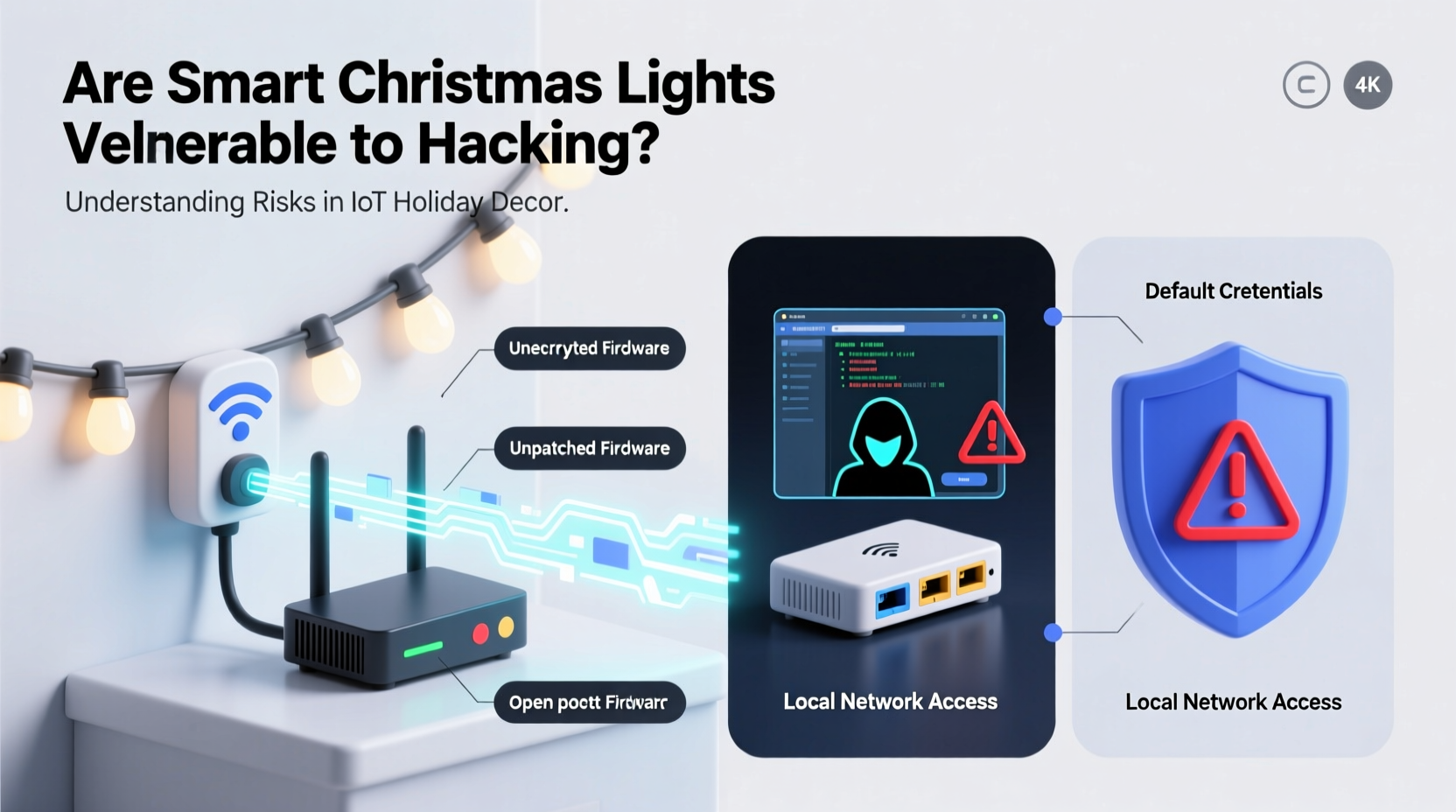
Smart Christmas lights typically use one of three connection types: Wi-Fi, Bluetooth, or Zigbee/Z-Wave via a central hub. Each has different implications for security.
- Wi-Fi-connected lights: These connect directly to your home network. While convenient, they operate on the same network as your computers, phones, and smart TVs—making them an attractive entry point for attackers.
- Bluetooth-enabled lights: Usually limited in range (up to 30 feet), these are less exposed to remote attacks but can still be intercepted by nearby devices using Bluetooth sniffing tools.
- Zigbee or Z-Wave with a hub: These protocols are generally more secure due to mesh networking and built-in encryption. However, the security depends heavily on the hub’s firmware and update practices.
The primary risk lies in weak authentication, outdated firmware, and poor encryption standards. Many budget-friendly smart light brands prioritize cost and ease of use over robust cybersecurity measures. Once a device is compromised, attackers may exploit it as a foothold into your network.
Tip: Always isolate IoT devices like smart lights on a separate network from your primary devices to reduce lateral movement in case of a breach.Real-World Attack Vectors: How Hacking Happens
Hacking smart Christmas lights isn’t just theoretical. Security researchers have demonstrated successful exploits, including full control over lighting systems through unpatched vulnerabilities.
In 2022, a team at the cybersecurity firm PenTest Partners discovered multiple vulnerabilities in popular smart lighting brands. One model used hardcoded credentials in its mobile app, allowing anyone with access to the app’s code to log in remotely. Another used unencrypted communication between the app and the light controller, making it easy to intercept and manipulate commands.
Common attack methods include:
- Man-in-the-Middle (MitM) Attacks: When data between your phone and the lights isn’t encrypted, hackers on the same network can intercept and alter commands—turning lights on/off, changing colors, or even redirecting traffic.
- Firmware Exploits: Outdated firmware may contain known bugs that allow remote code execution. Some devices don’t notify users of updates, leaving them exposed indefinitely.
- Default Credentials: Some lights ship with default usernames and passwords that aren’t required to be changed during setup—making them easy targets for brute-force attacks.
- Network Snooping: If your smart lights broadcast information about your network (e.g., SSID, signal strength), attackers can use this metadata to map your home setup and identify other connected devices.
In one documented case, a homeowner in Austin, Texas reported their holiday display suddenly flashing red and green in a repeating pattern late at night. After investigation, they found an unauthorized device had joined their Wi-Fi and sent commands to the smart lights via a third-party app. Though no critical data was stolen, the incident highlighted how seemingly harmless devices can become vectors for intrusion.
“Any device that connects to your network expands your attack surface. A strand of lights might seem trivial, but it can be the weakest link.” — Dr. Lena Patel, Cybersecurity Researcher at MITRE Corporation
Comparing Security Across Brands and Protocols
Not all smart lights are created equal. The table below compares common models and their security features based on independent testing and manufacturer disclosures.
| Brand/Model | Connection Type | Encryption | Firmware Updates | Security Rating |
|---|---|---|---|---|
| Philips Hue Strips | Zigbee + Hub | AES-128 | Automatic | High |
| Govee RGBIC LED Strips | Wi-Fi / Bluetooth | TLS (partial) | Manual via App | Medium |
| Twinkly Pro LED Strings | Wi-Fi | WPA2 + HTTPS | App Notifications | High |
| Generic Amazon Basics Smart Lights | Wi-Fi | None or weak | None | Low |
This comparison shows a clear trend: premium brands with dedicated hubs and regular firmware updates tend to offer stronger protection. Budget models often lack basic safeguards, increasing the risk of unauthorized access.
Step-by-Step Guide to Securing Your Smart Holiday Lights
You don’t need to abandon smart lights to stay safe. With proper precautions, you can enjoy automated holiday displays without compromising your network. Follow these steps before and during installation:
- Check for Firmware Updates Before Setup: Download the companion app and ensure the device receives the latest firmware immediately upon pairing. Avoid using the lights until this step is complete.
- Use a Guest or IoT-Only Network: Most modern routers support a guest network feature. Assign your smart lights to this isolated network to prevent access to your main devices (laptops, NAS drives, etc.).
- Change Default Credentials: If the app allows account creation, use a strong, unique password. Never reuse passwords from other services.
- Disable Remote Access When Not Needed: Some apps allow cloud-based control. Disable this when you're only using local controls to reduce exposure.
- Review App Permissions: On mobile devices, restrict location, microphone, and contact access for the lighting app. These permissions are rarely necessary for functionality.
- Monitor Network Activity: Use router tools (like those in Asus, Netgear, or Eero systems) to monitor connected devices. Investigate unknown entries immediately.
- Turn Off or Disconnect After the Holidays: Unplug smart lights or disable them in the app after the season ends. This reduces the window of vulnerability.
What’s at Stake? Beyond Just Flashing Lights
The danger of hacked smart lights isn’t just about someone playing with your holiday theme. The real threat lies in network lateral movement—where attackers use a compromised device to pivot to more sensitive systems.
For example, if your smart lights are on the same network as your work laptop, a hacker could exploit the lights to scan for open ports, detect file-sharing services, or launch phishing attacks from within your trusted network. In corporate environments or homes with remote workers, this could lead to data theft or ransomware deployment.
Additionally, some smart lighting systems collect usage data, such as when you turn lights on or off—patterns that can reveal when you’re home or away. This behavioral data, if leaked or sold, could be used for social engineering or physical break-ins.
While no widespread cases of burglaries triggered by hacked Christmas lights have been confirmed, the correlation between IoT data leakage and increased physical risk is well-documented by law enforcement agencies.
FAQ: Common Concerns About Smart Light Security
Can someone hack my smart lights from far away?
Yes—if your lights are connected to the internet via Wi-Fi and linked to a cloud service, they can be targeted remotely. However, most attacks require initial access to your network or knowledge of your account details. Using strong passwords and two-factor authentication reduces this risk significantly.
Do smart lights listen to me like smart speakers?
No, most smart Christmas lights do not have microphones or voice-recording capabilities. They respond only to app commands, scheduled routines, or pre-programmed triggers. However, always verify product specs before purchasing, as some multifunctional holiday controllers may include audio sensors.
Is it safer to use non-smart lights?
From a cybersecurity standpoint, yes. Traditional lights pose no digital risk. However, smart lights can still be used safely with proper network segmentation and updated software. The key is managing risk, not eliminating technology.
Checklist: Secure Your Smart Holiday Display
✅ Smart Light Security Checklist- ☑ Research brand security reputation before buying
- ☑ Update firmware before first use
- ☑ Connect lights to a guest or IoT-only network
- ☑ Use a strong, unique password for the app
- ☑ Disable cloud access if not needed
- ☑ Monitor connected devices weekly
- ☑ Turn off or disconnect after the holiday season
Conclusion: Enjoy the Glow Without the Risk
Smart Christmas lights bring joy, convenience, and dazzling effects to the holiday season. But like any connected device, they come with responsibilities. Awareness, proactive setup, and ongoing maintenance are essential to enjoying their benefits without inviting digital intruders into your home.
Security doesn’t mean sacrificing innovation—it means using it wisely. By isolating devices, staying updated, and questioning defaults, you protect not just your lights, but your entire digital ecosystem. This holiday season, let your lights shine bright, not as a beacon for hackers, but as a symbol of smart, informed choices.
💬 Have you experienced unusual behavior with your smart lights? Share your story or security tips in the comments—your insight could help others stay protected.