The Samsung Gear S3 remains a favorite among smartwatch users for its classic design, rotating bezel, and robust functionality. But like any wearable, the watch band is subject to wear and tear—especially if worn daily. Sweat, friction, and exposure to sunlight can degrade leather or silicone straps over time. Fortunately, replacing the band doesn’t require a visit to a service center or technical expertise. With the right approach, you can swap out your old strap in minutes, right from your living room.
This guide walks you through every detail of replacing your Gear S3 watch band safely and efficiently. Whether you're upgrading to a new style or restoring comfort after years of use, this process is straightforward—and completely doable at home.
Why Replace Your Gear S3 Band?
The original bands that come with the Gear S3 Frontier or Classic models are durable, but not indestructible. Leather dries and cracks, silicone loses elasticity, and metal links can loosen. A damaged band not only affects comfort but also risks losing your device if it snaps unexpectedly.
Replacement offers more than just functionality—it’s an opportunity to personalize your device. Aftermarket bands range from premium Italian leather to sporty fluoroelastomer and brushed stainless steel mesh. Swapping bands lets you match your watch to different occasions: sleek for work, rugged for workouts, elegant for evenings.
“Changing a watch band is one of the easiest upgrades you can make. It refreshes the entire look without buying a new device.” — Daniel Reeves, Wearable Tech Analyst
What You Need Before You Begin
The good news: replacing the Gear S3 band requires no special tools. The watch uses a standard 22mm quick-release spring bar system, compatible with most third-party straps designed for smartwatches or analog watches of the same lug width.
Tip: Always verify the band width before purchasing. The Gear S3 uses 22mm on both lugs—Frontier and Classic models are identical in this regard.Checklist: What to Prepare
- A replacement 22mm watch band (silicone, leather, metal, etc.)
- Clean, flat surface (like a table)
- Soft cloth (to protect screen during handling)
- Optional: small tweezers or toothpick (for stubborn spring bars)
Ensure your hands are clean and dry. Working on a clutter-free surface minimizes the risk of dropping small parts or scratching the watch.
Step-by-Step Guide to Removing the Old Band
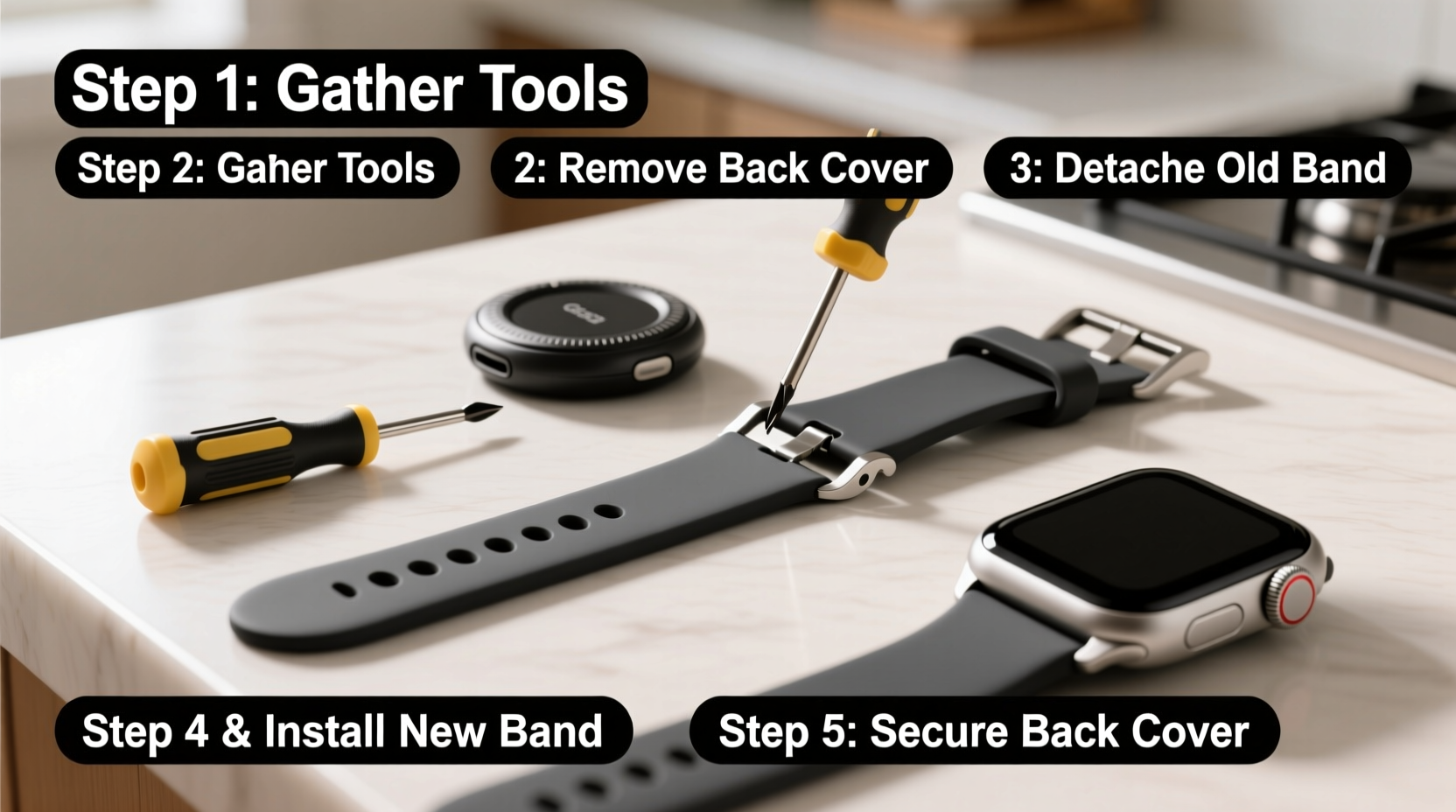
The Gear S3 features spring bars—small metal pins under tension that hold the band to the watch case. These release with gentle pressure, allowing removal without tools.
- Place the watch face-down on a soft cloth to protect the display and rotating bezel.
- Locate the spring bar where the band connects to the watch body. You’ll see a narrow gap between the band and the case.
- Press inward on the band near the connection point. Use your thumbnail or fingernail to push the strap toward the center of the watch. This compresses the spring bar inside.
- As you press, gently pull the outer end of the band away from the watch. The spring bar will retract slightly, releasing one end of the band.
- Repeat on the opposite side to fully detach the band. Once both ends are loose, remove the entire strap.
You may hear a faint click as the spring bar releases. This is normal. If resistance feels excessive, don’t force it—reposition your finger closer to the lug and apply steady pressure.
Tip: If your fingers struggle to get enough grip, use a plastic toothpick or blunt tweezers to depress the spring bar. Avoid metal tools—they can scratch the casing.Installing the New Watch Band
Attaching the new band is even simpler than removing the old one. Most aftermarket bands come pre-equipped with spring bars, so all you need to do is align and snap them into place.
- Align one end of the new band with the lug (attachment point) on the watch. Insert one end of the spring bar into the hole on the watch case.
- Hold the band at a slight angle and press the first end firmly until it clicks into place. You should feel resistance give way as the spring bar expands.
- Pivot the other end of the band toward the second lug. Press it in until it locks securely.
- Test both connections by gently tugging on the band. There should be no wobbling or lateral movement.
If the band doesn’t seat properly, double-check that the spring bar is fully engaged. Some third-party bands have tighter tolerances and may require a bit more pressure.
Do’s and Don’ts When Replacing Bands
| Do | Don’t |
|---|---|
| Use a soft surface to prevent scratches | Apply excessive force when attaching/detaching |
| Verify 22mm compatibility before purchase | Leave the watch face exposed on hard surfaces |
| Inspect spring bars for damage or corrosion | Use sharp metal tools near the casing |
| Clean lugs with a dry cloth before reattaching | Ignore signs of wear on replacement bands |
Real Example: Sarah’s Weekend Upgrade
Sarah had worn her Gear S3 Frontier daily for nearly three years. The original black leather band had frayed at the stitching and felt stiff against her wrist. She bought a brown vintage-style leather band online for $18, advertised as “22mm quick-fit for Samsung Gear S3.”
On a Sunday morning, she laid her watch on a folded towel, used her thumbnail to release the old band, and snapped the new one in place within four minutes. The transformation surprised her—her once-workhorse fitness tracker now looked like a heritage timepiece. She rotated between the new leather band for weekdays and kept the spare silicone strap for gym days.
“I didn’t realize how much a simple change could do,” she said. “It feels like I got a new watch without spending hundreds.”
Frequently Asked Questions
Can I reuse the old spring bars?
It’s not recommended. Spring bars degrade over time and repeated use increases the risk of failure. Most replacement bands come with new ones pre-installed, ensuring a secure fit.
Are all 22mm bands compatible with the Gear S3?
Virtually all 22mm quick-release bands are compatible. However, ensure the band has curved lugs or flexible connectors that conform to the Gear S3’s case shape. Flat-ended bands may not sit flush.
Is it safe to replace the band myself?
Yes. The quick-release system is designed for user replacement. Millions of owners change bands regularly without issue. Just work carefully and avoid using metal tools directly on the casing.
Conclusion: Refresh Your Gear S3 in Minutes
Your Gear S3 is more than a smartwatch—it’s a reflection of your lifestyle. Keeping it looking fresh doesn’t mean upgrading hardware every few years. A simple band swap revitalizes its appearance, enhances comfort, and extends its usable life.
With no tools, minimal effort, and less than ten minutes of your time, you can transform your device from everyday utilitarian to sharply styled companion. Whether you’re switching to a breathable nylon strap for summer hikes or slipping on a polished metal bracelet for a dinner event, the power to customize is in your hands.
💬 Have you replaced your Gear S3 band? Share your favorite brand or style below! Help fellow users discover the best options for comfort, durability, and design.