Every December, driveways and rooftops across North America transform into miniature concert venues. Lights pulse, strobes flash, and candy-cane stripes ripple in time with carols blaring from Bluetooth speakers. What looks like festive whimsy is, in fact, a tightly choreographed convergence of electrical engineering, digital audio processing, and real-time control systems. Synchronized light displays have evolved from simple timers and manual switches into precision-timed spectacles—but most observers never see the layers of technology making it possible. This isn’t just “lights on a timer.” It’s distributed computing at the suburban scale: dozens or hundreds of independent lighting channels responding to millisecond-accurate audio cues, all orchestrated from a single laptop in a garage.
The Core Principle: Audio Is the Conductor
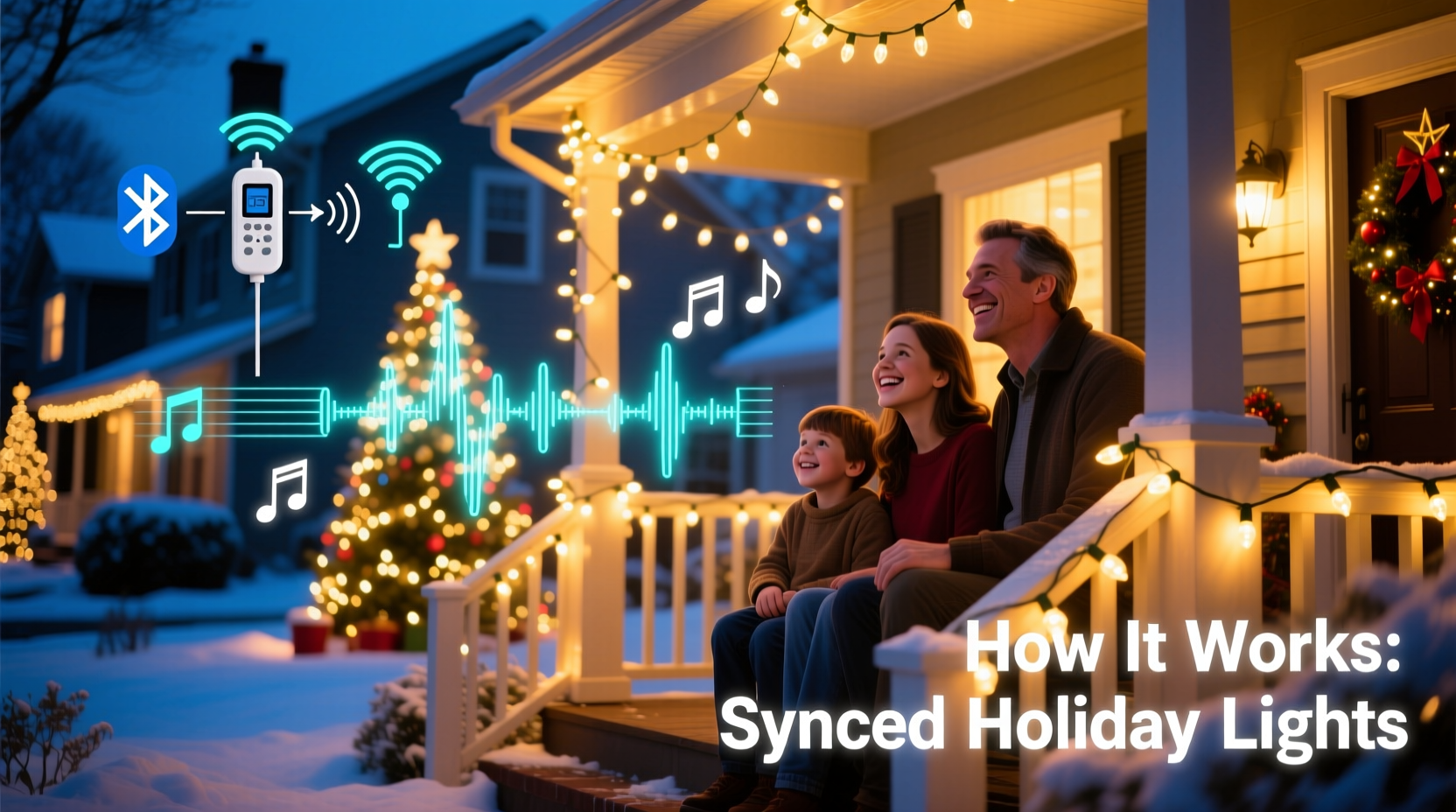
Synchronization begins with a fundamental insight: music provides both structure and timing. A song’s tempo (beats per minute), its waveform shape (peaks, valleys, transients), and its emotional arc (verse, chorus, bridge) serve as a natural score for light behavior. Unlike static displays—where lights stay on for hours—synchronized setups treat each second of audio as a frame in a cinematic sequence. Every blink, fade, chase, or color shift is assigned to a precise moment in the track.
This requires three interdependent components: an audio source, a controller system, and addressable lights. The audio must be pre-recorded and precisely edited—not streamed live—to ensure zero latency and repeatable timing. Controllers then interpret that audio file using one of two primary methods: audio analysis (automated beat detection) or manual sequencing (frame-by-frame programming). Most high-quality residential displays rely heavily on the latter, because automated tools often misread complex arrangements—like layered percussion or sustained synth pads—as multiple beats when only one expressive cue exists.
Tip: Always export your final audio track as a 44.1 kHz, 16-bit WAV file—no compression, no variable bit rate. MP3 artifacts confuse beat-detection algorithms and introduce unpredictable timing drift.Hardware Architecture: From Laptop to Lamp Post
A typical residential synchronized display uses a layered hardware stack:
- Sequencing computer: Usually a Windows laptop running software like xLights, Vixen Lights, or Light-O-Rama. This machine handles design, timing, and output generation—not real-time playback.
- Controller hub: A dedicated device (e.g., Falcon F16v3, SanDevices E68x, or Light-O-Rama CTB16PC) that receives data packets over Ethernet or USB and translates them into electrical signals.
- Light strings: Not ordinary mini-lights. These are addressable LED strips or nodes, typically using WS2811, WS2812B, or APA102 chips. Each LED—or group of LEDs—has a unique digital address, allowing individual control over brightness and RGB color.
- Power infrastructure: Dedicated 15–20A circuits, outdoor-rated power supplies, and fused distribution panels. A 300-node display may draw 300–500 watts at peak; larger ones exceed 2,000 watts.
Crucially, modern systems avoid analog dimming (which causes flicker and inconsistent color). Instead, they use Pulse Width Modulation (PWM) at frequencies above 1 kHz—fast enough to eliminate visible strobing while preserving smooth fades and transitions.
How Timing Actually Works: The Role of the “Show Clock”
At the heart of synchronization lies the show clock—a virtual timeline measured in milliseconds, anchored to the start of the audio file. Sequencing software divides this timeline into discrete steps, commonly ranging from 20 ms (50 steps/second) to 50 ms (20 steps/second). A step represents the smallest controllable unit of change: e.g., “at 12,470 ms, set channel 7 to full red; at 12,490 ms, fade channel 12 to 30% blue.”
During playback, the controller doesn’t “listen” to the audio—it follows a precomputed instruction list aligned to that same millisecond grid. The audio plays simultaneously through a separate amplifier/speaker system, but the lights respond only to the timed commands. This decoupling ensures reliability: even if the speaker cuts out, the lights continue their choreography uninterrupted.
Latency—the delay between command and physical response—is minimized through hardware design. Modern controllers process incoming data within 1–3 ms. Combined with fast LED response times (<0.1 ms), total system latency stays under 5 ms—imperceptible to the human eye. That’s why a bass drum hit at 1:22.34 in the song triggers a corresponding white flash at exactly the same perceived moment.
The Sequencing Workflow: From Song to Spectacle
Creating a synced display is more composition than configuration. Here’s how experienced hobbyists approach it:
- Select and edit the track: Trim silence, normalize volume, and verify consistent tempo. Many use Audacity or Adobe Audition to generate a beat grid overlay.
- Map the display: In software, assign physical light channels (e.g., “front roof left,” “garage door arch”) to logical groups in the sequencer.
- Build the timeline: Manually place effects—chases, twinkle, color wipes—aligned to lyrical phrasing or instrumental accents. Seasoned creators spend 8–12 hours sequencing a 3-minute song.
- Test and refine: Run short segments overnight to check for timing drift, color bleed, or power sag. Adjust brightness curves to compensate for ambient light conditions.
- Deploy and schedule: Export the show file to the controller. Set a Raspberry Pi or dedicated PC to auto-launch the show nightly from 5:00 p.m. to 10:00 p.m. via cron or Task Scheduler.
“Synchronization isn’t about matching beats—it’s about matching intention. A sustained violin note might call for a slow amber gradient across the eaves; a cymbal crash demands a full-white strobe across every node. The best displays tell stories, not just keep time.” — Derek Lin, founder of HolidayLEDs.com and 14-year display designer
Why Neighbors Do It: Beyond Aesthetics
The rise of synchronized displays isn’t purely technological—it reflects shifting social patterns. Since the mid-2010s, community light walks have become organized events, with local Facebook groups mapping “light trails” and families planning routes like museum tours. Municipalities now issue permits for displays exceeding 500W or involving amplified sound—recognizing their role in seasonal civic engagement.
There are practical drivers, too. Pre-synchronized shows reduce electricity waste: instead of running all lights at full brightness for five hours, sequences dim non-featured sections by up to 70%, cutting energy use by 40–60% compared to traditional displays. And because controllers log voltage, temperature, and error states, homeowners detect failing nodes before entire strands go dark—a maintenance advantage invisible to passersby.
Common Pitfalls and How to Avoid Them
| Issue | Root Cause | Solution |
|---|---|---|
| Lights lagging behind music | Audio playback device introducing Bluetooth or software latency; mismatched sample rates | Use wired audio output; disable audio enhancements in OS settings; verify 44.1 kHz sample rate matches sequencer project settings |
| Random pixel flickering or color shifts | Voltage drop across long LED runs; undersized power injection | Inject 5V power every 3–5 meters on WS2812B strips; use thicker gauge wire (16 AWG minimum) for main feeds |
| Controllers freezing mid-show | Overheating in enclosed enclosures; insufficient SD card write endurance | Mount controllers in ventilated, shaded enclosures; use industrial-grade microSD cards rated for continuous write workloads |
| Colors appearing washed out at night | Overdriving LEDs causing thermal color shift; lack of ambient light calibration | Cap maximum brightness at 70–80% in software; sequence during dusk to observe real-world color balance |
Mini Case Study: The Henderson Family Display, Maple Grove, MN
In 2019, the Hendersons installed a modest 200-node display using a $120 Light-O-Rama starter kit. Their first attempt—syncing “Jingle Bells” with automatic beat detection—produced erratic flashing: lights pulsed on hi-hat hits instead of melody accents, and the chorus lacked visual impact. Frustrated, they attended a regional “Light Hacking Meetup” and learned manual sequencing. Over six weeks, they rebuilt the show: assigning warm white pulses to vocal phrases, using deep blue sweeps for piano arpeggios, and reserving full RGB bursts for the final “Oh!” They added motion sensors to trigger a 15-second “welcome sequence” for approaching cars. By 2023, their display drew over 1,200 visitors weekly—and inspired three neighbors to launch their own synchronized setups. Their secret? “We treat the house like an instrument,” says Sarah Henderson. “The roofline is our bass line. The windows are our harmony. And the driveway arch? That’s our soloist.”
FAQ
Do I need expensive equipment to get started?
No. A functional starter setup costs under $300: a $60 Raspberry Pi 4, $40 Falcon F16v3 controller, $80 of WS2812B pixels, and free xLights software. Many enthusiasts begin with a single 5-meter strip on a porch railing before expanding. The barrier isn’t cost—it’s time investment in learning sequencing logic.
Can I sync lights to Spotify or Apple Music?
Not reliably. Streaming services introduce variable latency, dynamic range compression, and unannounced track edits (e.g., radio edits or alternate mixes). For synchronization, you need absolute timing fidelity—only achievable with locally stored, uncompressed, and manually verified audio files.
Is it safe to run synchronized displays year after year?
Yes—if designed properly. Quality controllers include surge protection, thermal cutoffs, and short-circuit isolation. Addressable LEDs last 30,000–50,000 hours (10+ years of seasonal use). The greatest risk isn’t electronics failure—it’s tripping hazards from exposed cables or overloaded household circuits. Always consult a licensed electrician before connecting to permanent wiring.
Conclusion: The Magic Is in the Method
Synchronized Christmas lights endure because they merge technical rigor with heartfelt expression. Behind every shimmering snowflake animation or pulsing reindeer silhouette lies hours of waveform analysis, voltage calculations, and aesthetic judgment. It’s engineering dressed as joy—precision made personal. You don’t need a degree in embedded systems to participate. You need curiosity, patience, and willingness to treat your home’s exterior as a canvas for collaborative storytelling. As neighborhoods grow more connected—not just digitally, but socially—these displays become shared landmarks: places where strangers pause, children point, and elders smile at melodies that haven’t changed in decades. The technology evolves rapidly, but the impulse remains timeless: to turn light into language, and music into memory.
💬 Have you built or visited a synchronized display that moved you? Share your story, your biggest “aha” moment, or your favorite song-to-light translation in the comments—we’ll feature standout insights in next month’s community spotlight!