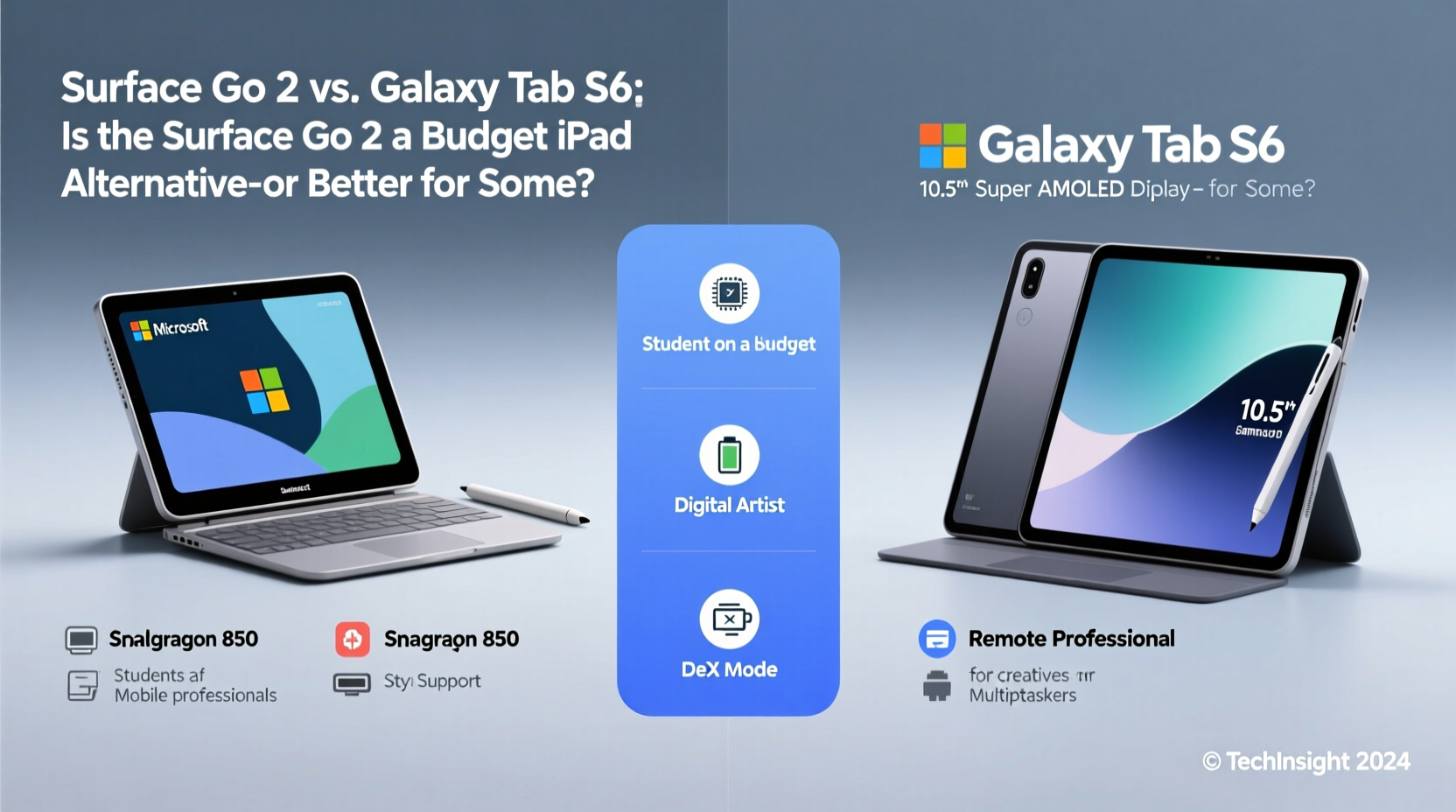
The tablet market today is crowded with high-end devices that blur the line between mobile convenience and desktop productivity. Two models often compared—though in different leagues—are the Microsoft Surface Go 2 and the Samsung Galaxy Tab S6. On paper, the Galaxy Tab S6 appears superior: faster processor, brighter display, premium build, and advanced S Pen support. The Surface Go 2, meanwhile, runs full Windows 10/11, has a detachable keyboard, and targets budget-conscious professionals. But is it merely a \"cheap iPad alternative,\" as some claim? Or does it offer tangible advantages over the more powerful Android-based Tab S6 for specific users?
The answer depends not on specs alone, but on how you work, what software you rely on, and your long-term goals. Let’s break down where each device excels—and who should choose which.
Operating System: Full Desktop vs. Mobile Ecosystem
This is the most fundamental difference. The Surface Go 2 runs a full version of Windows (Home or Pro), meaning it can install traditional desktop applications like Microsoft Office (not just mobile versions), Adobe Photoshop, AutoCAD, Visual Studio Code, and legacy business tools. It supports multiple windows, background processes, file system access, and even domain joining in enterprise environments.
In contrast, the Galaxy Tab S6 runs Android with Samsung’s One UI enhancements. While DeX mode offers a desktop-like interface, it still operates within Android’s sandboxed environment. You’re limited to apps from the Google Play Store or sideloaded APKs. Even with keyboard and mouse support, multitasking remains constrained by app compatibility and OS limitations.
Tip: If your workflow relies on .exe files, local databases, or internal company software, the Surface Go 2 is likely your only viable option—even if it’s less powerful.Productivity & Workflows: Who Benefits More?
For students managing research papers, coding assignments, and citation software, the Surface Go 2 shines. It natively supports LaTeX editors, Python IDEs, and academic tools like EndNote or SPSS via desktop installation. With a Type Cover (sold separately), it becomes a mini-laptop capable of handling complex documents, spreadsheets, and presentations without compatibility issues.
The Galaxy Tab S6, while excellent for note-taking with its low-latency S Pen and split-screen apps, struggles when faced with heavy document formatting or specialized software. Microsoft Office on Android lacks many advanced features found in the desktop suite—such as mail merge, macro support, or VBA scripting. For casual use, this isn’t an issue. But for anyone doing serious academic or administrative work, these omissions matter.
“Many users don’t realize how much they depend on desktop workflows until they switch to mobile OS. The moment you need to edit a PDF form or run a batch script, Android hits a wall.” — David Lin, IT Consultant at EduTech Solutions
Performance Comparison: Raw Power vs. Practical Use
Looking at hardware, the Galaxy Tab S6 clearly wins. It features a Qualcomm Snapdragon 855, up to 8GB RAM, and a vibrant 120Hz AMOLED display. The Surface Go 2, even in its best configuration, uses an Intel Pentium Gold or Core i3 processor, maxes out at 8GB RAM, and has a modest 10.5-inch LCD screen with 1920x1280 resolution.
Yet benchmarks don’t tell the whole story. In real-world scenarios, the Surface Go 2 handles light multitasking—web browsing, Word docs, Zoom calls—with acceptable fluidity, especially when upgraded to the Core i3 model. Its fanless design keeps it silent, though sustained CPU loads may lead to throttling.
The Tab S6 feels snappier during gaming, media playback, and stylus input. However, under prolonged productivity tasks involving multiple browser tabs and cloud services, Android’s memory management can cause apps to reload frequently—a frustration absent in Windows’ true multitasking environment.
Hardware Showdown: Key Differences at a Glance
| Feature | Surface Go 2 | Galaxy Tab S6 |
|---|---|---|
| OS | Windows 10/11 Home or Pro | Android 9 (upgradable), One UI |
| Processor | Intel Pentium Gold 4425Y or Core i3-10100Y | Qualcomm Snapdragon 855 |
| RAM | 4GB or 8GB | 6GB or 8GB |
| Storage | 64GB eMMC or 128GB SSD | 128GB UFS (expandable) |
| Display | 10.5” PixelSense LCD (1920x1280) | 10.5” Super AMOLED 120Hz (2560x1600) |
| Pen Support | Sold separately (Surface Pen) | Included (S Pen), lower latency |
| Keyboard | Type Cover (optional, extra cost) | Folio Keyboard (optional) |
| Ports | USB-C, Surface Connect, microSD | USB-C, headphone jack |
| Battery Life | Up to 10 hours | Up to 14 hours |
Real-World Case: The Hybrid Student Worker
Meet Lena, a graduate student in public policy who also works part-time as a data analyst. She needs to write lengthy reports, manipulate Excel datasets, attend virtual lectures, and take handwritten notes during field interviews. Initially, she bought a Galaxy Tab S6 for its sleek design and S Pen. While she loved sketching diagrams and annotating PDFs, she hit a wall when trying to use SPSS and merge large CSV files into pivot tables. The Android version of Excel couldn’t handle her macros, and remote desktop solutions were unreliable on campus Wi-Fi.
She traded it for a Surface Go 2 with the Core i3 and 8GB RAM. Though the screen wasn’t as vivid, she could run full Excel, connect to her university’s secure network via OpenVPN, and type comfortably using the Type Cover. She used OneNote with the Surface Pen for lecture notes and exported them directly into her thesis draft. For her, the trade-off in display quality was worth gaining seamless integration with her required software stack.
Lena’s experience illustrates a growing trend: users prioritizing functionality over flashiness. When your job or studies demand specific desktop-grade tools, hardware elegance takes a back seat.
When the Galaxy Tab S6 Is the Better Choice
The Tab S6 absolutely dominates in creative fields that benefit from a responsive stylus and rich media consumption. Artists, illustrators, and designers appreciate the S Pen’s pressure sensitivity and tilt recognition directly supported in apps like Clip Studio Paint and Adobe Illustrator Draw. The AMOLED screen delivers richer colors and deeper blacks, ideal for photo editing or watching reference videos.
Additionally, casual users who consume content, browse social media, and prefer touch-first navigation will find the Tab S6 more intuitive and enjoyable. Its longer battery life, stereo speakers tuned by AKG, and seamless integration with Samsung smartphones make it a strong lifestyle companion.
Checklist: Which Tablet Should You Choose?
- Choose the Surface Go 2 if:
- You regularly use Windows-only software (e.g., .exe installers, local databases).
- Your school or workplace requires domain login or specific desktop applications.
- You want a lightweight laptop replacement for writing, coding, or light office work.
- You already own other Microsoft services (OneDrive, Office 365, Teams).
- You value USB-C peripheral support and file system access.
- Choose the Galaxy Tab S6 if:
- You prioritize display quality, audio, and stylus performance.
- You create digital art or consume a lot of video content.
- You own a Samsung phone and want seamless ecosystem integration (Samsung Flow, Smart Switch).
- You prefer touch-first apps and don’t need full desktop software.
- You want longer battery life and quieter operation (no active cooling).
Frequently Asked Questions
Can the Surface Go 2 replace my laptop completely?
For basic productivity tasks—writing, web research, email, video conferencing—it can serve as a primary device, especially with the Core i3 and 8GB RAM. However, avoid it for resource-heavy tasks like video editing or software development with multiple VMs.
Is the Surface Pen better than the S Pen?
No. The S Pen has lower latency, no charging requirement, and comes included. The Surface Pen must be purchased separately and requires AAAA batteries or recharging, depending on model. That said, both work well for note-taking and annotation.
Does the Surface Go 2 run modern apps smoothly?
Yes, but with caveats. Web apps like Gmail, Google Docs, and Zoom perform adequately. Native desktop apps may feel sluggish on the base Pentium model. Upgrade to the Core i3 version for a noticeably smoother experience.
Conclusion: Value Beyond Specs
The Surface Go 2 isn’t trying to beat the Galaxy Tab S6 in raw power or design finesse. Instead, it fills a niche: affordable Windows portability. For students, remote workers, educators, and enterprise users locked into Windows ecosystems, it offers something the Tab S6 cannot—true PC functionality in a tablet form.
Calling it a “cheap iPad alternative” misunderstands its purpose. It’s not competing with iPads or Android tablets on entertainment value. It’s a minimalist entry point into desktop computing—one that supports legacy systems, enterprise security, and professional software suites.
If your priorities are screen brilliance, stylus precision, and multimedia immersion, the Galaxy Tab S6 is the better pick. But if you need a device that integrates seamlessly with office networks, runs full Windows apps, and functions as a compact workstation, the Surface Go 2 isn’t just “good enough”—it’s uniquely suited.
🚀 Ready to decide? Assess your daily tasks: Do you live in Windows apps or mobile ones? Your answer will guide the right choice—not marketing claims or benchmark scores.