For students navigating the demands of lectures, note-taking, research, and group projects, choosing the right device can make or break academic success. Two popular options often compared are the Apple iPad Air and the Microsoft Surface Go. Both promise portability, functionality, and modern design — but they differ significantly in ecosystem, input methods, software capabilities, and value. For students operating on a tight budget, every dollar counts. This guide breaks down the key differences between the iPad Air and Surface Go to help you decide which device delivers the best balance of affordability, performance, and long-term utility.
Price and Value Comparison
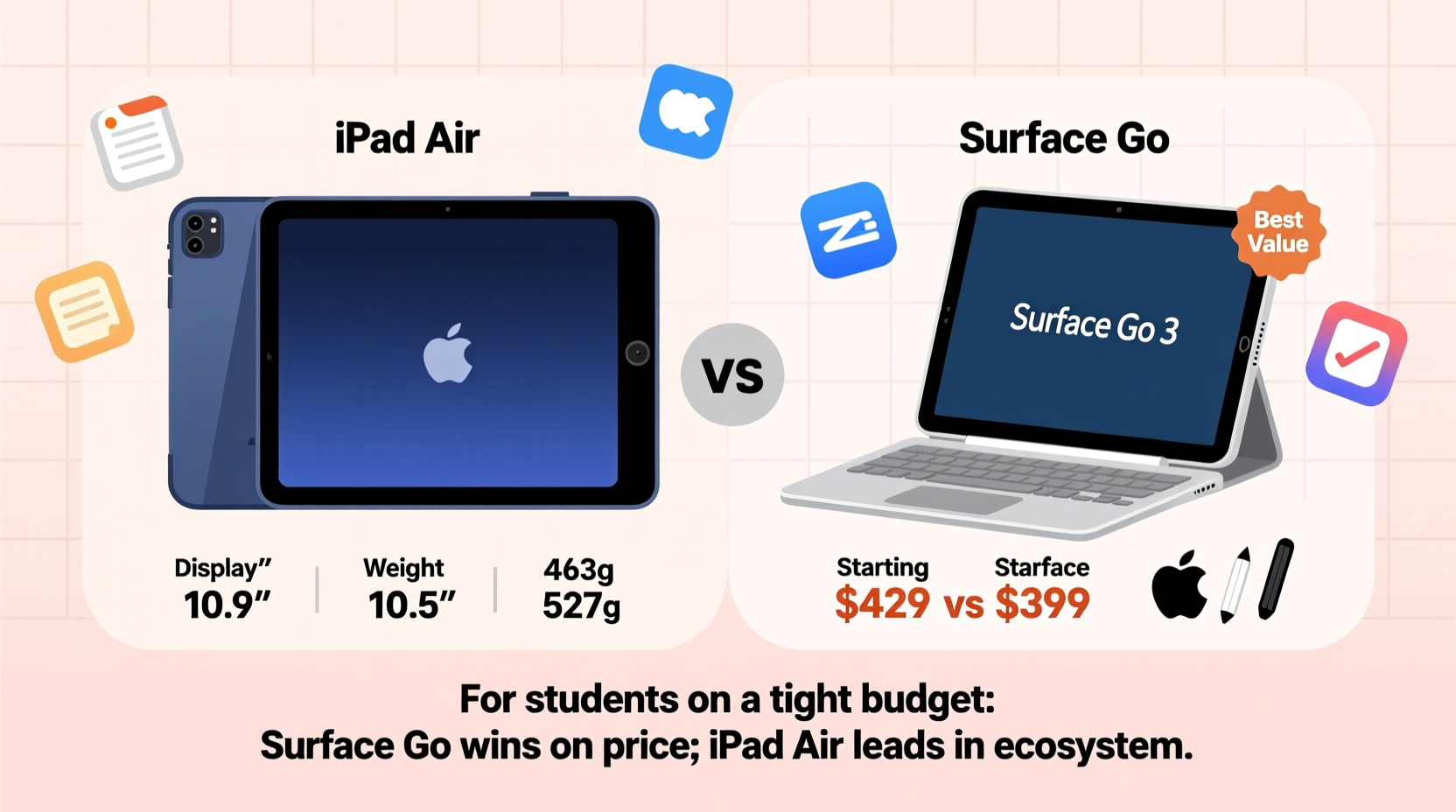
When evaluating devices for students, upfront cost is just one piece of the puzzle. Long-term value — including durability, software support, accessory costs, and versatility — plays an equally important role.
The base model iPad Air starts at $599 (as of latest release), while the Surface Go begins at $399 for the tablet-only configuration. At first glance, the Surface Go appears more budget-friendly. However, this entry-level model typically includes only 4GB of RAM and 64GB of eMMC storage — both limitations that can hinder multitasking and file storage over time.
In contrast, the iPad Air comes standard with 64GB of faster flash storage and 4GB of RAM, offering smoother performance out of the box. But the true cost of ownership increases when adding essential accessories. The iPad Air does not include a keyboard or stylus, and pairing it effectively for student work requires investing in either the Magic Keyboard ($249) or a third-party alternative, plus the Apple Pencil ($129). These additions can push the total cost well above $900.
The Surface Go also requires a separate purchase for its Type Cover ($99–$129) and Surface Pen ($99), bringing its fully equipped price close to $700–$750 — still notably less than a fully kitted iPad Air setup.
Tip: Consider refurbished or previous-generation models. A prior-gen iPad Air or Surface Go 3 can offer substantial savings without sacrificing core functionality.Operating System and Software Ecosystem
The choice between iPadOS and Windows 11 Home (in S Mode on base Surface Go models) fundamentally shapes how you interact with your device.
iPadOS is optimized for touch-first workflows, media consumption, and app-based productivity. It excels in apps like Notability, GoodNotes, Procreate, and Kindle, making it ideal for visual learners, art students, or those who prefer handwritten notes. However, iPadOS still lacks full desktop-class multitasking and file management. While Split View and Slide Over allow limited multitasking, complex workflows involving multiple windows or document types remain cumbersome.
Windows 11 on the Surface Go offers a familiar desktop environment. You can run full versions of Microsoft Office (Word, Excel, PowerPoint), Chrome or Edge with multiple tabs, PDF editors, coding tools, and even lightweight photo editing software like Paint.NET. Even though the Surface Go’s Intel processor (typically Pentium Gold or Core i3) isn’t powerful, it handles traditional desktop applications better than iPadOS can emulate.
Students in STEM fields, business, or computer science may find the ability to install development environments, access university lab software via remote desktop, or use specialized statistical packages crucial — features largely unavailable on iPad unless using web-based alternatives.
“While tablets have made great strides, nothing replaces a full OS when you're writing a thesis or debugging code.” — Dr. Lisa Tran, Computer Science Lecturer at University of Washington
Performance and Real-World Usability
Under the hood, the iPad Air uses Apple’s M1 chip (on newer models), delivering exceptional performance for its class. This means fast app launches, smooth handwriting recognition, quick note syncing, and excellent battery life (up to 10 hours). The M1 also ensures the device will remain supported with iOS updates for five to six years, extending its usable lifespan.
The Surface Go, depending on the generation, uses either an Intel Pentium Gold or low-end Core i3 processor. These chips are adequate for web browsing, email, and light document editing but struggle under heavier loads. Opening large PDFs, running multiple browser tabs, or switching between apps can result in noticeable lag. Battery life is rated up to 11 hours, but real-world usage often sees 6–7 hours under typical student conditions.
In practice, the iPad Air feels snappier and more responsive, especially when using stylus input or media-heavy apps. The Surface Go holds an advantage in external connectivity — it includes a USB-C port, microSD card slot, and a Surface Connect port, allowing for easier expansion and peripheral support. The iPad Air has only a single USB-C port, limiting plug-and-play flexibility without adapters.
Table: Key Specifications Compared
| Feature | iPad Air (5th Gen) | Surface Go 3 |
|---|---|---|
| Starting Price | $599 | $399 |
| Processor | Apple M1 | Intel Pentium Gold / Core i3 |
| RAM | 8GB | 4GB or 8GB |
| Storage | 64GB / 256GB (SSD) | 64GB eMMC / 128GB SSD |
| Display | 10.9” Liquid Retina (2360×1640) | 10.5” PixelSense (1920×1280) |
| OS | iPadOS 17 | Windows 11 Home in S Mode |
| Battery Life | Up to 10 hours | Up to 11 hours (real-world: ~6–7) |
| Ports | 1x USB-C | 1x USB-C, microSD, Surface Connect |
| Stylus Support | Apple Pencil (2nd gen) | Surface Pen (sold separately) |
| Keyboard Support | Magic Keyboard or Smart Keyboard | Type Cover |
Educational Use Cases and Student Workflows
Different majors and learning styles benefit from different tools. Understanding how each device supports common student tasks is critical.
Note-Taking: The iPad Air shines here. With the Apple Pencil, students can write naturally in apps like GoodNotes or Notability, annotate PDFs, sketch diagrams, and record audio synced to their notes. The high refresh rate and low latency make handwriting feel intuitive. The Surface Go supports the Surface Pen and works well with OneNote, but the display resolution and digitizer precision aren’t quite as refined.
Writing Papers and Research: The Surface Go provides a more traditional laptop-like experience. Running full desktop browsers and word processors allows seamless citation management with tools like Zotero or EndNote. Copy-pasting between multiple documents, managing folders, and working with spreadsheets is more efficient on Windows.
Collaboration and Presentations: Both devices support Microsoft Teams, Zoom, and Google Meet. However, the Surface Go can run full PowerPoint with animation previews and presenter view, while the iPad version of PowerPoint lacks some advanced features. That said, AirPlay and screen mirroring make the iPad easy to connect to classroom displays wirelessly.
Tip: If your curriculum relies heavily on handwritten notes, diagrams, or creative work, prioritize stylus accuracy and app support. For text-heavy, research-based programs, lean toward full desktop software availability.Mini Case Study: Sarah, Pre-Med Student
Sarah is a second-year biology major preparing for medical school. Her daily routine includes attending lectures, annotating dense textbook PDFs, drawing anatomical sketches, and collaborating on group presentations.
She initially considered the Surface Go due to its lower price. After testing both devices at her campus bookstore, she opted for the iPad Air. “I tried taking notes on the Surface Go, but the pen felt laggy, and I couldn’t easily organize my notebooks by subject,” she explained. “On the iPad, I use Notability to record lectures while writing notes, and I can quickly flip back to yesterday’s page. When I study, I highlight key terms and draw flowcharts directly on slides.”
Sarah did face challenges writing longer essays, so she pairs her iPad with a Bluetooth keyboard and uses Google Docs. She acknowledges the higher cost but believes the investment pays off in efficiency and reduced stress during exam periods.
Step-by-Step Guide: Choosing the Right Device for Your Needs
Follow this decision-making process to determine which device aligns best with your academic lifestyle:
- Assess your primary tasks. List the top three activities you’ll perform daily (e.g., note-taking, essay writing, coding).
- Evaluate software needs. Do you require full desktop applications? Are there specific programs your department recommends?
- Test handwriting input. Visit a store and try writing or sketching on both devices. Pay attention to palm rejection, pressure sensitivity, and responsiveness.
- Calculate total cost. Include keyboard, stylus, protective case, and potential cloud storage subscriptions.
- Check institutional support. Does your school offer discounts, loaner programs, or software licenses for either platform?
- Consider longevity. How many years do you expect to use this device? iPads generally receive longer software support than entry-level Windows tablets.
Frequently Asked Questions
Can the Surface Go replace a laptop for college?
Yes, but with caveats. The Surface Go can handle basic productivity tasks, web research, and document creation. However, students in engineering, programming, or data analysis may find its hardware too limited. Upgrading to the Core i3/8GB RAM model improves performance, but increases cost significantly.
Is the iPad Air worth the extra cost for students?
If your workflow benefits from natural note-taking, visual learning, or creative apps, yes. The M1 chip ensures future-proofing, and iPadOS continues to evolve with desktop-like features. However, if you primarily type papers and use traditional office software, the added expense may not be justified.
Can I run Microsoft Office on both devices?
Absolutely. Both offer free versions of Word, Excel, and PowerPoint. On the Surface Go, you get the full desktop suite with macro support and advanced formatting. On the iPad, the apps are touch-optimized but lack certain advanced features like VBA scripting or complex pivot tables.
Final Recommendation Checklist
- ✅ Choose the iPad Air if:
- You take lots of handwritten or annotated notes.
- You’re in a visual or creative field (art, design, medicine).
- You value long software support and smooth performance.
- You already own other Apple devices (iPhone, Mac).
- ✅ Choose the Surface Go if:
- You need full Windows compatibility for school software.
- Your budget is under $500 and accessories aren’t included.
- You prefer a traditional keyboard-and-mouse interface.
- You need expandable storage via microSD.
Conclusion: Make the Choice That Fits Your Academic Journey
The iPad Air and Surface Go represent two distinct philosophies in mobile computing. The iPad Air prioritizes elegance, responsiveness, and touch-centric creativity. The Surface Go emphasizes compatibility, affordability, and desktop familiarity. Neither is universally superior — the best choice depends on how you learn, what you study, and how you manage limited funds.
For students on a tight budget, the Surface Go offers a lower entry point and practical Windows functionality. But if you anticipate heavy use of digital ink, multimedia, or long-term ownership, the iPad Air’s superior performance and ecosystem may justify its higher price. Whichever you choose, equip it wisely, maintain it carefully, and leverage its strengths to stay organized, focused, and ahead in your studies.
💬 Have experience with either device in school? Share your story in the comments to help fellow students make informed decisions.