For streamers who share their lives with pets, integrating animal care into the streaming experience can deepen audience engagement. One innovative way to do this is by linking a smart automatic dog feeder to Twitch donations—so every contribution triggers a treat drop or meal portion for your dog. This setup not only rewards donors with real-time interaction but also adds entertainment and authenticity to your live streams. With the right hardware, software, and configuration, you can build a reliable system that feeds your dog based on viewer generosity.
Why Integrate a Dog Feeder with Twitch Donations?
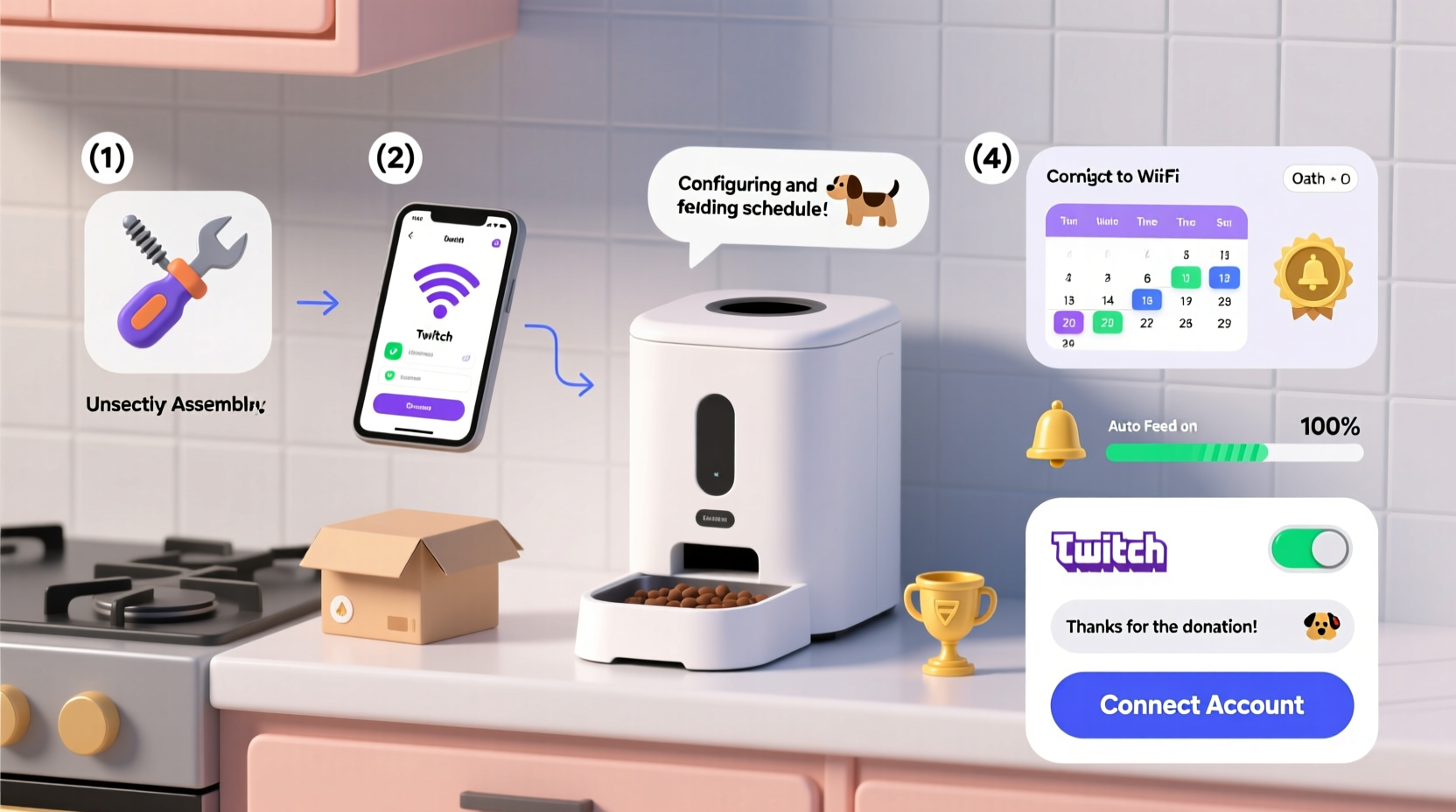
Streaming has evolved beyond gameplay and commentary. Pet-friendly content now draws millions of viewers, especially when animals react to live events. By connecting your dog’s feeder to donation alerts, you create a feedback loop: fans donate → dog gets fed → streamers react → community feels involved. It's interactive, heartwarming, and memorable.
This integration works best with platforms like Streamlabs or Nightbot, which support API-driven actions from donations. When configured correctly, each donation—regardless of amount—can trigger a precise motorized release of kibble via a connected feeding device.
Tip: Start with small treat portions per donation to avoid overfeeding. Use high-quality treats that won’t clog the dispenser.Required Equipment and Software
To successfully link your dog feeder to Twitch donations, you’ll need both physical components and digital tools. Below is a breakdown of what’s essential:
| Category | Item | Purpose |
|---|---|---|
| Hardware | Smart Auto Feeder (e.g., PetSafe Smart Feed, Wopet, or DIY Arduino-based) | Dispenses food on command via Wi-Fi or Bluetooth |
| Hardware | Relay Module (if building custom) | Controls motor activation remotely |
| Software | Streamlabs OBS or StreamElements | Captures donation events and triggers alerts |
| Integration | IFTTT (If This Then That) or Zapier | Bridges donation data with hardware control |
| Development | Webhooks / Custom Script (Node.js/Python) | Sends HTTP requests to activate feeder |
If using a commercial feeder with an open API (like some models from SureFeed), integration becomes simpler. Otherwise, many streamers opt for Raspberry Pi or ESP32-based DIY feeders controlled through home automation systems such as Home Assistant or Node-RED.
Step-by-Step Setup Process
- Create a Donation Alert System
Connect your Twitch account to Streamlabs or StreamElements. Enable donation alerts so every tip triggers a notification event in your dashboard. - Set Up Your Feeding Device
If using a pre-built smart feeder, ensure it’s connected to your Wi-Fi network and controllable via its app. For DIY solutions, program the microcontroller to accept remote commands (e.g., via MQTT or REST API). - Link Donation Events to Actions
In Streamlabs, go to “Alertbox” settings and enable webhooks. Copy the webhook URL provided under “Custom Alerts.” Alternatively, use IFTTT: create an applet where “Twitch donation received” triggers “Make a web request.” - Configure the Webhook Endpoint
Host a lightweight server (using services like Glitch, Heroku, or a local machine with port forwarding) that listens for incoming POST requests from the donation alert. The script should parse the event and send a signal to your feeder. - Test Communication Flow
Simulate a donation in Streamlabs to verify the webhook fires. Check logs on your server to confirm receipt. Then manually trigger the feeder via code to validate hardware functionality. - Finalize Automation
Once both ends work independently, connect them. When the webhook receives a donation payload, have the server execute a function—such as turning on a GPIO pin for 2 seconds (to dispense one portion) or calling a mobile app API.
Real Example: How Streamer \"BarkToTheFuture\" Did It
Jamie Rivera, known online as BarkToTheFuture, streams coding tutorials with her Border Collie, Pixel, often sitting beside her. After noticing frequent donations saying “Feed Pixel!”, she decided to automate it.
She used a Wopet automatic feeder modified with a NodeMCU ESP8266 module, allowing custom firmware uploads. She created a Streamlabs alert that sent JSON data to a webhook hosted on Glitch. A Node.js server parsed the donation and triggered a relay circuit connected to the feeder’s button mechanism.
Within two weeks, her average donation frequency increased by 40%, and followers loved watching Pixel rush to the feeder after a $5+ tip. Jamie emphasized safety: “I limited it to one treat per donation, capped at five treats per hour. My vet approved the plan before launch.”
“We’re seeing more human-animal-digital ecosystems emerge. When done responsibly, tech-augmented pet care strengthens emotional bonds—not just between owner and pet, but between creators and communities.” — Dr. Lena Torres, Animal-Computer Interaction Researcher, MIT Media Lab
Best Practices and Safety Checklist
- ✅ Use only veterinarian-approved treats or kibble portions
- ✅ Limit total daily activations to prevent overfeeding
- ✅ Implement a delay between triggers (minimum 30 seconds)
- ✅ Monitor your pet’s weight and eating habits post-integration
- ✅ Keep manual override access available at all times
- ✅ Secure all cables and electronics out of pet reach
- ✅ Test extensively in dry runs before going live
Common Pitfalls and How to Avoid Them
While exciting, this integration carries risks if poorly executed. Some common issues include:
- Overfeeding: Without limits, enthusiastic fans could trigger dozens of feeds in an hour.
- Hardware failure: Jams or power loss may result in missed feeds or continuous dispensing.
- Security vulnerabilities: Open webhooks can be exploited if not authenticated.
To mitigate these, implement rate-limiting logic in your server code. For example:
if (lastFeedTime === null || Date.now() - lastFeedTime > 30000) {
  activateFeeder();
  lastFeedTime = Date.now();
}
Additionally, use signed webhooks or API keys to authenticate incoming requests and prevent unauthorized access.
Frequently Asked Questions
Can I integrate any automatic feeder with Twitch?
Not all feeders support external control. Look for models with open APIs, Wi-Fi connectivity, or physical buttons that can be actuated via relays. Alternatively, build a universal adapter using servo motors to press the button automatically.
Is it safe for my dog to receive treats this way?
Yes—if managed responsibly. Consult your vet to determine appropriate treat size and frequency. Set software limits to cap daily servings and monitor your pet’s behavior and weight regularly.
What if the feeder fails during a stream?
Have a backup plan. Announce the feature with transparency: “When you donate, Pixel *should* get a treat—but tech glitches happen!” Keeping expectations realistic maintains trust even if automation fails momentarily.
Conclusion: Turn Generosity Into Meaningful Moments
Integrating an auto dog feeder with Twitch donations blends technology, pet care, and community engagement in a novel way. Done thoughtfully, it enhances viewer experience while bringing joy to your pet. More than a gimmick, it reflects a growing trend of personalized, interactive streaming where fans feel part of everyday life.
The key lies in balancing fun with responsibility—ensuring your dog stays healthy, your system remains secure, and your audience feels genuinely connected. Whether you're using off-the-shelf tools or crafting a custom solution, the process teaches valuable skills in IoT, automation, and digital storytelling.
💬 Ready to bring your furry co-host into the spotlight? Start small, test thoroughly, and share your journey. Your viewers—and your dog—will thank you.