For years, the LG Gram has reigned as the ultra-portable laptop king—lightweight, durable, and impressively efficient. Meanwhile, Samsung’s Galaxy Book line has been chasing relevance, often dismissed as an afterthought in a market dominated by Dell, Apple, and Lenovo. But with recent models like the Galaxy Book4 Ultra and Book4 Pro, Samsung is making bold moves. The question now isn’t whether they’re trying—it’s whether they’ve finally built something truly competitive against the LG Gram.
This isn’t just about specs on paper. It’s about real-world usability: battery life that lasts through back-to-back meetings, keyboards that don’t fatigue your fingers during long writing sessions, and build quality that survives daily commutes. Let’s break down where each brand stands today—and whether Samsung has earned its place at the premium table.
Battle of the Basics: Design & Build Quality
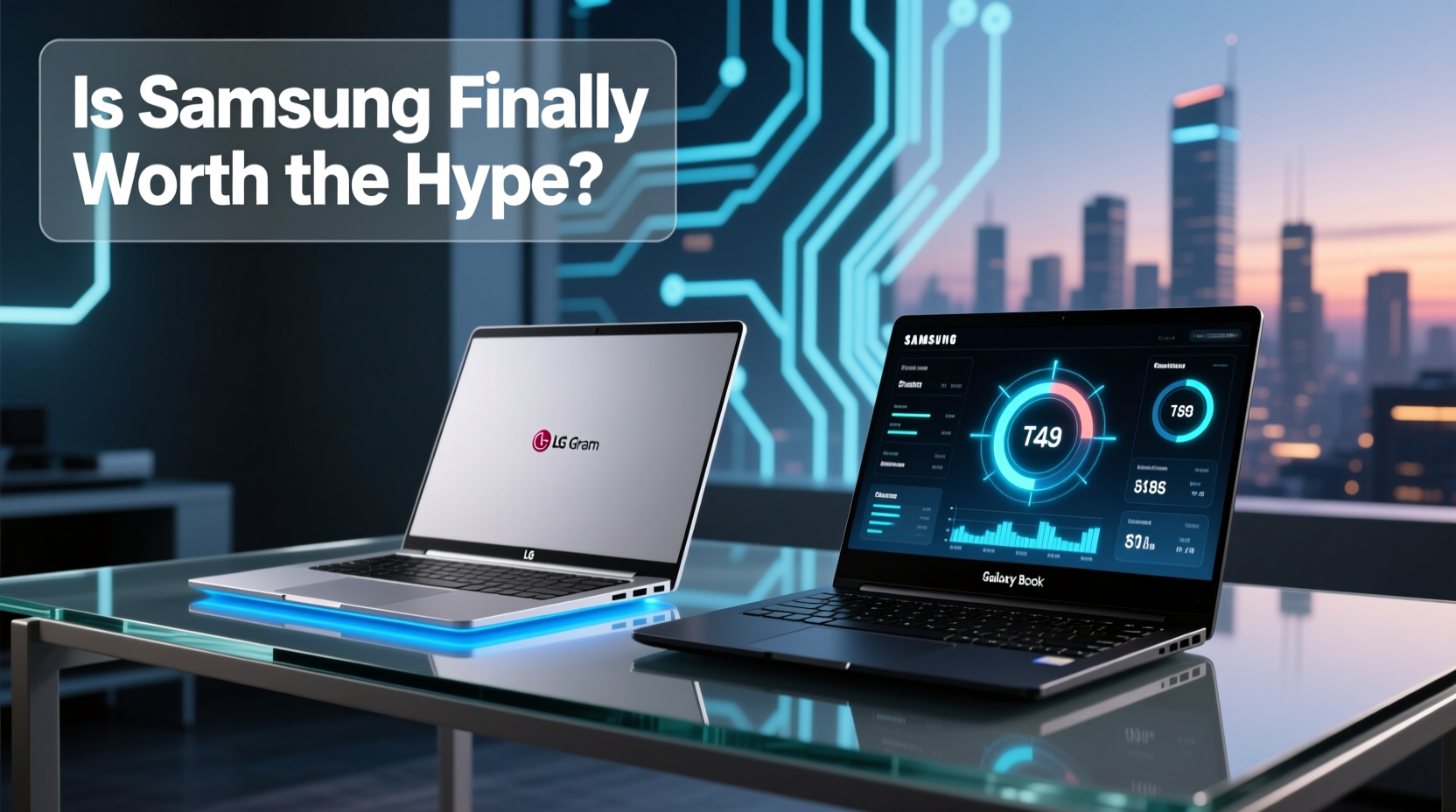
The LG Gram series has always prioritized one thing above all: weight. Models like the 16-inch Gram weigh under 2.6 pounds—less than most 13-inch laptops. This is achieved through a magnesium alloy chassis and meticulous engineering that trims every possible gram without sacrificing structural rigidity. The result is a laptop that feels almost unreal in your hands—a featherweight champion.
Samsung, on the other hand, leans into premium materials. The Galaxy Book4 Ultra features a CNC-machined aluminum body that feels more akin to a MacBook than a Windows ultrabook. It’s heavier—around 3.9 pounds for the 16-inch model—but that extra mass brings a sense of solidity and luxury. The brushed metal finish resists fingerprints better than expected, and the hinge opens smoothly with one hand.
Tip: If you travel frequently or carry your laptop all day, prioritize weight. For desk-based professionals who value aesthetics and sturdiness, lean toward Samsung.One area where Samsung pulls ahead is display integration. The Galaxy Book4 features slimmer bezels and a taller 3:2 aspect ratio screen, which is ideal for document work and web browsing. LG still uses a traditional 16:10 format, which is fine but less modern in feel.
Performance: Real-World Speed vs. Raw Power
Under the hood, both brands have upgraded significantly. The latest LG Gram models now offer Intel Core Ultra 7 processors with integrated Arc graphics and AI acceleration. Battery life remains stellar—up to 25 hours in mixed use—thanks to efficient tuning and large-capacity batteries.
Samsung goes further. The Galaxy Book4 Ultra pairs Intel’s top-tier Core Ultra 9 processor with a dedicated NVIDIA RTX 4050 GPU. This isn’t just for show. For creative professionals editing video or running AI tools locally, that GPU makes a tangible difference. However, this power comes at a cost: battery life drops to around 10–12 hours under moderate load, barely half of what the LG Gram delivers.
For everyday tasks—browsing, email, Office apps, streaming—both perform flawlessly. But if your workflow includes photo editing, light gaming, or machine learning inference, Samsung’s hardware advantage becomes meaningful.
“Samsung’s move to include discrete GPUs in their flagship Galaxy Books signals a shift from ‘mobile companion’ to ‘creative workstation.’ That changes the game.” — David Kim, Senior Editor at TechPulse Asia
Display and Audio: Who Offers the Better Experience?
Both brands deliver excellent screens, but with different philosophies.
The LG Gram typically offers WQXGA (2560x1600) IPS panels with good brightness (500 nits) and accurate color reproduction. They’re reliable for content consumption and professional use, though not HDR-certified or particularly vibrant.
Samsung opts for AMOLED or OLED displays across its higher-end Galaxy Books. These panels are richer, deeper, and more immersive. With near-infinite contrast ratios, true blacks, and up to 100% DCI-P3 coverage, they’re ideal for media creators and entertainment. The 3K resolution on the 16-inch model is sharp without being excessive.
Audio follows a similar pattern. LG includes decent dual speakers tuned by Meridian, delivering clear mids and highs but lacking bass. Samsung integrates quad speakers with AKG tuning and Dolby Atmos support. In side-by-side tests, the Galaxy Book produces fuller sound with better spatial separation—noticeable when watching films or joining virtual conferences.
| Feature | LG Gram 16 (2024) | Samsung Galaxy Book4 Ultra |
|---|---|---|
| Weight | 2.54 lbs (1.15 kg) | 3.90 lbs (1.77 kg) |
| Processor | Intel Core Ultra 7 | Intel Core Ultra 9 |
| Graphics | Intel Arc (integrated) | NVIDIA RTX 4050 (dedicated) |
| Display | 16” IPS, 2560x1600, 60Hz | 16” AMOLED, 2880x1800, 60Hz |
| Battery Life | Up to 25 hours | Up to 12 hours |
| Ports | 2x Thunderbolt 4, HDMI, USB-A, microSD | 2x Thunderbolt 4, HDMI, USB-A, headphone jack |
| Price (Base) | $1,599 | $1,899 |
Seamless Ecosystem: Samsung’s Hidden Advantage
If you own a Samsung smartphone, the Galaxy Book becomes more than just a laptop—it becomes part of a connected ecosystem. Features like Quick Share allow file transfers between devices with a single click. You can answer phone calls and texts directly from the laptop. Even clipboard syncing works reliably across devices.
Link to Windows, Samsung’s version of Microsoft’s Your Phone app, is far more stable and feature-complete. It supports multi-window app streaming, drag-and-drop file sharing, and remote control of your phone’s interface—all without requiring constant Bluetooth pairing or Wi-Fi alignment.
LG offers nothing comparable. While it integrates well with standard Windows tools, there’s no proprietary bridge to Android phones. If you're deep in the Samsung universe (Galaxy S24, Z Fold, Watch, etc.), this ecosystem synergy alone could justify choosing the Galaxy Book over the LG Gram.
Mini Case Study: A Freelancer’s Dilemma
Take Maria, a freelance graphic designer based in Seoul. She used an LG Gram for two years—loved the portability, but struggled when rendering mockups or exporting layered PSD files. After switching to the Galaxy Book4 Pro, she noticed immediate improvements in export speed and preview responsiveness. “The OLED screen made client presentations pop,” she said. “And being able to drag assets straight from my Galaxy phone saved me at least 30 minutes per project.”
She did miss the lighter weight initially, but adapted quickly. For her, the trade-off was worth it: productivity gains outweighed the slight increase in bag weight.
Who Should Choose Which? A Practical Checklist
Choosing between these two depends on your priorities. Use this checklist to guide your decision:
- Choose the LG Gram if:
- You carry your laptop daily and value extreme lightness.
- Your work is mostly text-based or involves long stretches away from outlets.
- You prefer proven reliability over flashy new features.
- You don’t need high-end graphics performance.
- Choose the Samsung Galaxy Book if:
- You’re already invested in the Samsung mobile ecosystem.
- You do creative work that benefits from a high-quality OLED display.
- You want future-proof specs, including discrete GPU options.
- You spend most of your time near power sources or don’t mind charging midday.
Frequently Asked Questions
Is the Samsung Galaxy Book better than the LG Gram for students?
It depends on lifestyle. Students who attend many in-person classes and walk across campus may prefer the LG Gram’s lightweight design. Those focused on digital art, coding, or multimedia projects might benefit more from the Galaxy Book’s superior screen and processing power.
Can the Galaxy Book replace a desktop for creative professionals?
In many cases, yes. With up to 32GB RAM, fast SSDs, and an RTX GPU, the Galaxy Book4 Ultra handles Adobe Premiere, Lightroom, and Blender reasonably well. It won’t match a full desktop workstation, but it’s among the most capable Windows ultrabooks available.
Does the LG Gram still lead in battery life?
Absolutely. No current Samsung laptop comes close to the LG Gram’s 20+ hour endurance. If unplugged longevity is your top priority, the Gram remains unmatched.
Final Verdict: Is Samsung Finally Worth the Hype?
The answer is yes—but with nuance. Samsung hasn’t dethroned the LG Gram; instead, it has carved out a compelling alternative. Where LG excels in minimalism and efficiency, Samsung shines in integration, display quality, and creative performance.
The Galaxy Book line is no longer a side project. It’s a serious contender for professionals who want a premium Windows experience tightly linked to their mobile devices. And for users tired of compromises in screen quality or cross-device workflows, Samsung’s investment in software and hardware cohesion pays off.
So, is Samsung finally worth the hype? If you value ecosystem synergy, visual fidelity, and balanced performance, then absolutely. But if your definition of excellence starts with how light a laptop feels in your backpack, the LG Gram remains the gold standard.
🚀 Ready to upgrade? Test both laptops in person if possible—hold them, type a paragraph, watch a video. Real-world feel matters more than any spec sheet. Then decide which vision of productivity fits your life.