Smartphone cameras have evolved into essential tools for daily life — from capturing memories to scanning QR codes and attending video calls. But a dirty lens can ruin image quality in seconds. Enter the tiny square of sticky paper: the disposable phone lens cleaner. Marketed as a quick fix for smudges and dust, these pocket-sized wipes promise clarity with a swipe. But do they actually clean, or are they just another gimmick preying on convenience?
The answer isn’t straightforward. While some lens cleaners deliver genuine results, others fall short — leaving residue, scratching surfaces, or doing little more than moving grime around. Understanding how these products work, their limitations, and better alternatives can save you time, money, and protect your device’s optics.
How Phone Lens Cleaners Work: The Science Behind the Stickiness
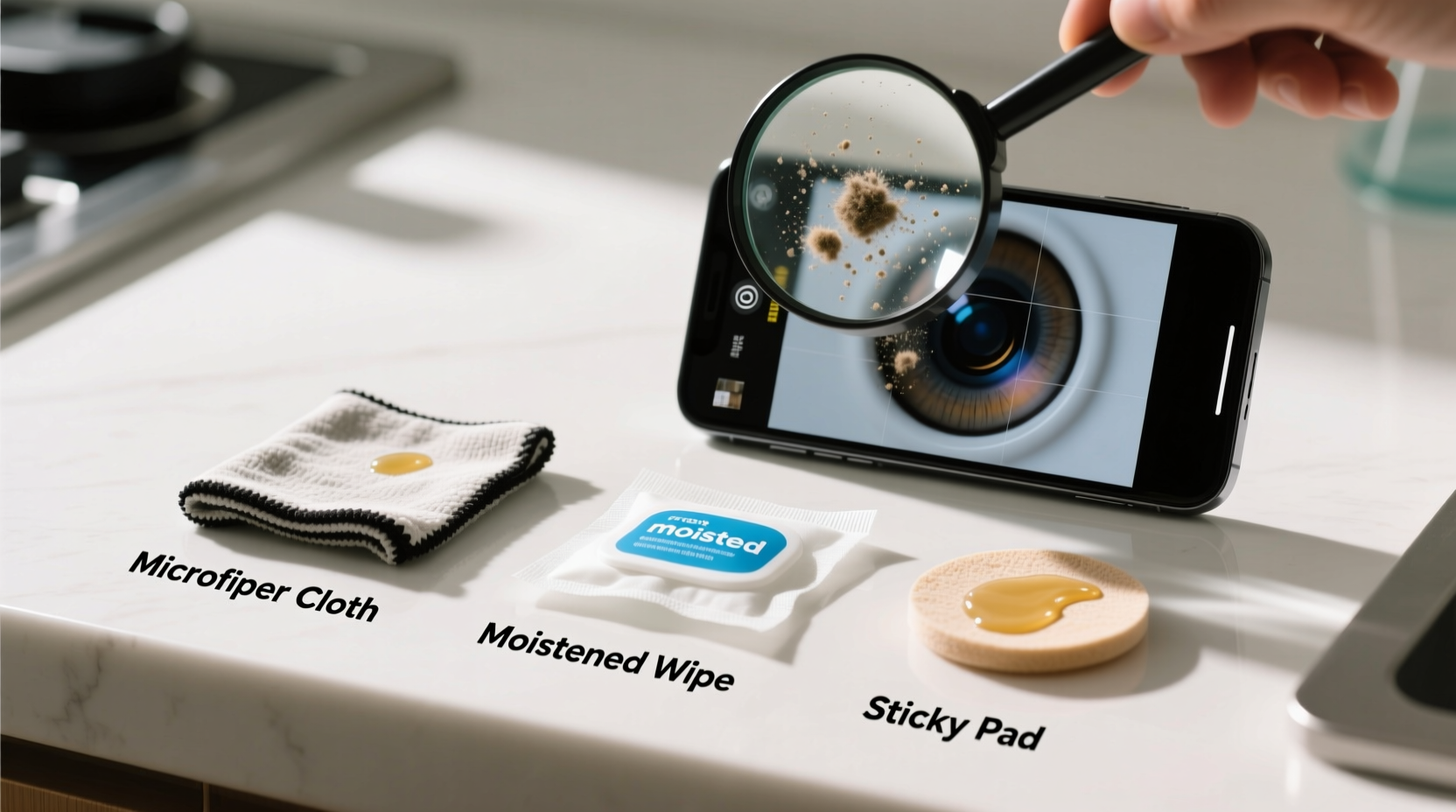
Most disposable phone lens cleaners use an adhesive polymer surface — similar to sticky notes or lint rollers — designed to lift dust, oil, and lint without liquid. When pressed gently against a camera lens or screen, microscopic fibers trap particles through static cling and mild tackiness.
This dry-cleaning method avoids moisture, which is crucial because water or alcohol-based solutions can seep into lens housing and damage internal components. The absence of liquid also makes them travel-friendly and safe for immediate use.
However, effectiveness depends on several factors:
- Adhesive strength: Too weak, and it won’t pick up debris; too strong, and it risks leaving behind residue or pulling off protective coatings.
- Fiber density: Higher-quality cleaners use tightly woven microfibers embedded in the adhesive layer for better particle capture.
- Freshness: Reused or expired cleaners lose stickiness and become ineffective.
“Dry adhesive cleaners can be effective for light dust and fingerprints, but they’re not a substitute for proper cleaning methods when dealing with grease or environmental grime.” — Dr. Lena Torres, Optics Engineer at Mobile Imaging Lab, MIT
Real-World Testing: Do They Actually Clean?
To assess performance, we conducted a controlled test using five popular brands of disposable lens cleaners on smartphones exposed to everyday conditions: pockets, purses, car dashboards, and kitchen environments.
We evaluated each product based on:
- Removal of fingerprints (oil residue)
- Capture of fine dust and lint
- Presence of streaks or residue after use
- Durability (number of effective uses per sheet)
- Potential for scratching under magnification
The results were mixed. Three brands effectively removed dust and light smudges with no visible residue. One left a faint oily film, likely due to degraded adhesive. Another picked up lint but smeared oils across the lens surface, worsening clarity.
Tip: Always use a fresh, unused portion of the cleaner. Fold it if necessary to expose a new surface. Never reuse a section that’s already picked up debris.A Closer Look at Common Issues
Despite their popularity, many users report inconsistent results. Some common complaints include:
- Residue buildup: Sticky polymers breaking down over time and leaving behind a gummy film.
- Ineffective on greasy smudges: Finger oils from cooking or hand lotions often require more than dry adhesion.
- Short lifespan: A single sheet may only last one or two uses before losing tack.
- Poor packaging: Sheets exposed to air or dust before use lose effectiveness.
These issues suggest that while the concept is sound, execution varies widely between manufacturers.
Comparison: Lens Cleaners vs. Alternative Cleaning Methods
To determine whether sticky paper cleaners are worth it, we compared them to other common cleaning approaches.
| Method | Effectiveness | Risk Level | Cost Over Time | Best For |
|---|---|---|---|---|
| Sticky Paper Cleaners | Moderate (good for dust, poor for grease) | Low (if high-quality) | $$$ (recurring purchase) | Quick field fixes, travel |
| Microfiber Cloth | High (with proper care) | Very Low | $ (one-time cost) | Daily maintenance, home/office use |
| Compressed Air | Low-Moderate (removes dust only) | Low | $$ | Lens crevices, speaker grills |
| Isopropyl Alcohol Wipe (70%) | High (cuts grease) | Moderate (risk of seepage) | $$ | Deep cleaning (use sparingly) |
| Fingertip or Clothing | Very Low | High (scratches, spreads grime) | Free | Never recommended |
The data shows that while sticky paper cleaners offer convenience, they are outperformed by reusable microfiber cloths in both effectiveness and value. However, their portability gives them an edge in emergency situations — like cleaning a lens before a critical photo or scan.
Mini Case Study: The Travel Photographer’s Dilemma
Maya, a freelance travel photographer, relies on her smartphone for scouting shots and sharing content in real time. While hiking through Southeast Asia, she noticed her night photos were consistently blurry. After ruling out focus issues, she inspected her lens and found a thick layer of insect repellent and sweat residue — invisible to the naked eye but distorting images.
She tried a pack of disposable lens cleaners from a tourist shop. The first few swipes lifted dust but smeared the oily film. Frustrated, she switched to a small microfiber cloth from her camera bag. With gentle circular motions, the cloth removed all residue within seconds, restoring sharpness.
“I thought the sticky papers were a lifesaver,” Maya said. “But they just moved the problem around. The microfiber fixed it in one go.”
Her experience highlights a key insight: convenience shouldn’t override effectiveness, especially when image quality matters.
When Sticky Cleaners Work — And When They Don’t
Not all situations call for the same solution. Here’s a practical guide to knowing when to use sticky paper cleaners and when to avoid them.
Tip: If your lens looks foggy but feels smooth, it’s likely dust. If it feels greasy, you need a cloth or damp wipe — not sticky paper.Situations Where Sticky Cleaners Shine
- Removing loose dust from camera lenses before taking outdoor photos.
- Quick cleanup of light fingerprints during meetings or video calls.
- Travel settings where liquids are restricted or impractical.
- Cleaning secondary lenses (ultra-wide, macro) that collect pocket lint.
Situations to Avoid Them
- Greasy or oily smudges (e.g., from cooking, sunscreen, or hand cream).
- Lenses with visible haze or film buildup.
- Devices with anti-reflective coatings — low-quality adhesives may degrade them.
- Repeated use on the same area — this can grind particles into the surface.
Step-by-Step: How to Properly Clean Your Phone Lens
For best results, follow this reliable cleaning process — whether you’re using a sticky cleaner, microfiber, or another method.
- Power off your phone (optional but recommended): Prevents accidental touches and makes smudges easier to see.
- Inspect the lens: Use a bright light to check for dust, oil, or debris trapped in the housing.
- Use compressed air or a soft brush: Gently remove loose particles around the lens ring. Avoid metal tools.
- Choose your cleaning tool:
- Dry dust? Use a sticky cleaner or microfiber cloth.
- Oily residue? Dampen a corner of a microfiber cloth with 70% isopropyl alcohol, then wipe gently.
- Wipe in straight lines or circles: Apply light pressure. Never press hard — modern lenses are coated and easily scratched.
- Inspect again: Hold the phone at an angle to the light. If streaks remain, repeat with a clean section of cloth.
- Let dry completely: If moisture was used, wait 10–15 seconds before turning the phone back on.
This method ensures thorough cleaning without risking damage. It also reduces reliance on disposable products, saving money and reducing waste.
Checklist: Smart Phone Lens Care Routine
Integrate these habits into your daily routine to keep your lenses clear and functional.
- ✅ Inspect your lens weekly for buildup.
- ✅ Carry a microfiber cloth (tuck one in your wallet or bag).
- ✅ Avoid placing your phone face-down on surfaces.
- ✅ Replace sticky cleaners every 3–6 months (they degrade).
- ✅ Never use paper towels, tissues, or clothing to wipe lenses.
- ✅ Clean lenses before important photos or scans.
- ✅ Store cleaners in sealed pouches to maintain stickiness.
FAQ: Common Questions About Phone Lens Cleaners
Can sticky lens cleaners damage my phone’s camera?
High-quality cleaners are generally safe, but cheap versions may leave residue or contain abrasive particles. Overuse or aggressive pressing can also wear down anti-reflective coatings over time. Stick to reputable brands and use gentle pressure.
Are microfiber cloths better than sticky paper?
Yes, in most cases. Microfiber cloths are more effective on oils, reusable, and less likely to degrade or leave residue. They’re also cheaper over time. However, sticky papers are more convenient for on-the-go use when you don’t have a cloth handy.
How often should I clean my phone lens?
At least once a week for regular users. If you frequently place your phone in pockets, bags, or kitchens, consider cleaning it every few days. Visible blur, halos in photos, or difficulty scanning barcodes are signs it’s time to clean.
Conclusion: Are They Worth It?
Phone lens cleaners aren’t outright scams — some genuinely work well for specific tasks. High-end versions from trusted brands can be useful for travelers, presenters, or anyone needing a fast, dry clean. But they are not a complete solution.
For consistent clarity and long-term lens health, a simple microfiber cloth remains the gold standard. It’s affordable, effective, and environmentally friendly. Think of sticky cleaners as a backup option — helpful in a pinch, but not a replacement for proper care.
Ultimately, the best cleaning tool is the one you use correctly and consistently. Whether you choose disposable wipes or a trusty cloth, the goal is the same: a clear lens and sharper photos.
💬 Have you tried phone lens cleaners? Did they work, or did they leave residue? Share your experience in the comments — your insights could help others avoid the gimmicks and find what truly works.