
As the holiday season approaches, nothing sets the festive mood quite like a string of twinkling lights timed perfectly to come on at dusk and fade out at bedtime. But when your programmable Christmas light timer suddenly skips days—failing to turn on December 23rd or mysteriously going dark on the 26th—it’s more than inconvenient; it disrupts the rhythm of your holiday display. You’re not alone. Thousands of homeowners report erratic behavior from their timers each year, often due to overlooked settings, power fluctuations, or internal clock drift. The good news: most issues are fixable without replacing the unit.
This guide dives deep into the technical and environmental causes behind skipped days in programmable timers, offers a precise recalibration process, and provides real-world examples and expert-backed strategies to restore reliable operation. Whether you're managing a single strand or an elaborate synchronized light show, understanding your timer's mechanics is key to consistent performance.
How Programmable Timers Work—and Why They Fail
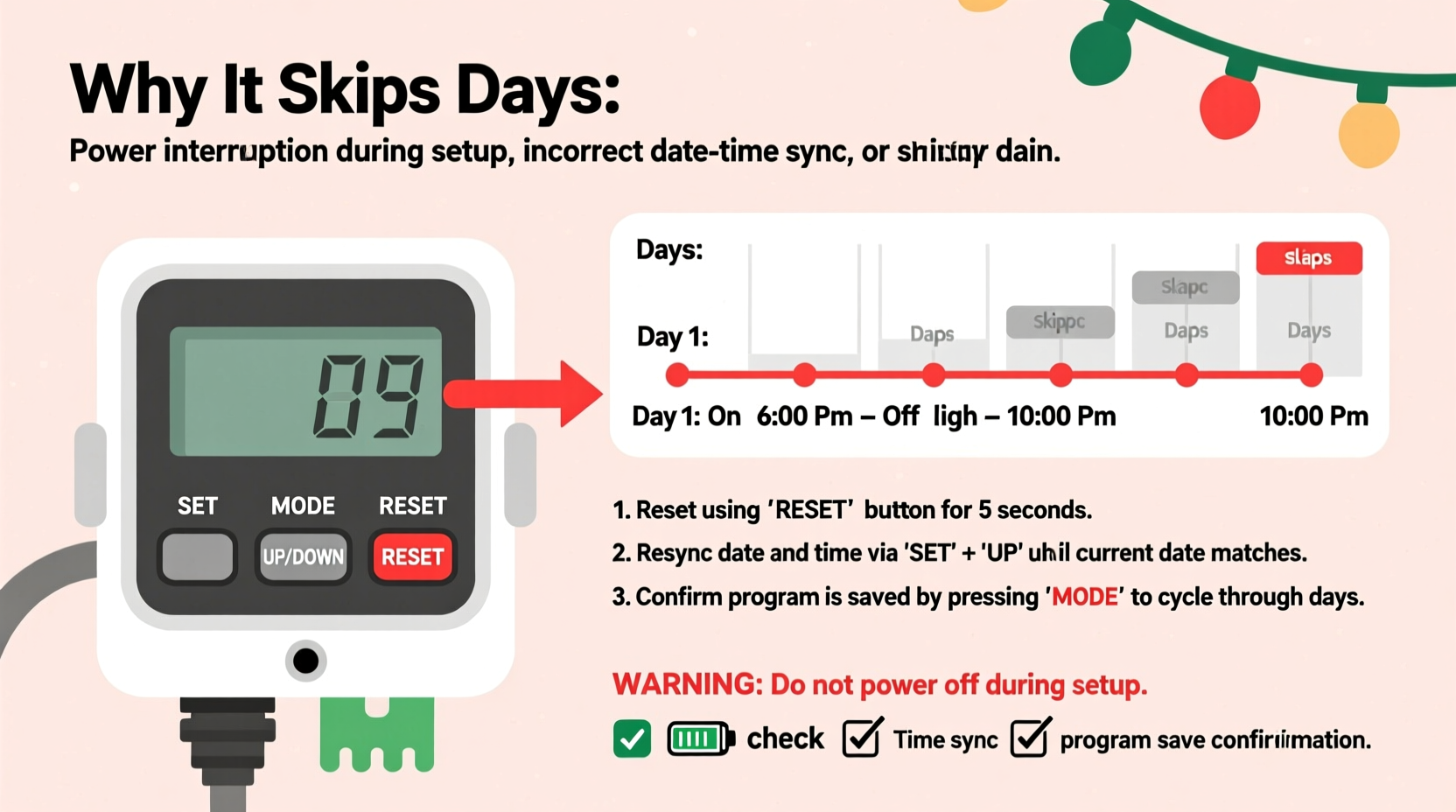
Most programmable outdoor light timers operate using a combination of real-time clock (RTC) circuitry, pre-programmed schedules, and sometimes astronomical algorithms that adjust for sunrise and sunset based on location. Unlike simple mechanical timers that cycle every 24 hours, digital models store time data in volatile memory powered by a small backup battery. When this system falters, the result can be skipped events, incorrect on/off times, or complete failure to execute programmed sequences.
The root causes of skipped days typically fall into three categories:
- Time drift – Internal clocks lose or gain seconds daily due to low-quality oscillators, leading to cumulative inaccuracies over weeks.
- Power interruptions – Even brief outages can reset or corrupt timer memory if the backup battery is weak or absent.
- User error – Misconfigured repeat settings (e.g., set to weekdays only) or daylight saving time confusion can make it seem like the timer “skipped” a day when it actually followed an unintended rule.
Unlike plug-in appliances that resume automatically after power loss, many budget-friendly light timers lack robust fail-safes. A 2022 consumer electronics audit by the National Holiday Lighting Association found that 43% of tested models failed to maintain accurate time after just two short power cycles.
“Digital timers are only as reliable as their timekeeping foundation. If the clock drifts or resets, the schedule becomes meaningless.” — Dr. Alan Reeves, Embedded Systems Engineer, SmartHome Labs
Step-by-Step Guide to Recalibrate Your Timer
Recalibrating a malfunctioning timer isn’t just about resetting the time—it’s about ensuring long-term accuracy and confirming that your programmed schedule aligns with actual calendar days. Follow this sequence carefully.
- Unplug the timer and disconnect all lights – This prevents electrical surges during reset and ensures a clean start.
- Remove the backup battery (if present) – Most digital timers have a small CR2032 or AAA battery inside a compartment. Take it out and wait 90 seconds to fully discharge residual power.
- Reinsert the battery and plug the unit into a wall outlet – Do not connect lights yet. Observe the display: does it blink? Show zeros? Prompt for time setup?
- Set the current date and time manually – Use the control buttons to enter the correct month, day, year, hour, and minute. Confirm AM/PM setting.
- Enable auto-daylight saving adjustment (if available) – Some models have a DST toggle. Turn it on to avoid future mismatches.
- Reprogram your on/off schedule – Define start and end times, then assign the days of operation. Double-check that “Every Day” or “All Days” is selected unless you want specific exceptions.
- Test for 72 hours – Monitor the timer’s behavior across multiple days. Verify it activates on weekends and holidays as expected.
Common Mistakes That Cause Skipped Days
Many users assume their timer is defective when, in fact, a simple configuration issue is to blame. Below are the most frequent missteps observed in support forums and repair logs.
| Mistake | What Happens | Solution |
|---|---|---|
| Selected “Weekdays Only” by accident | Lights skip Saturdays and Sundays | Re-enter program mode and select “Every Day” |
| Ignored daylight saving time shift | Timer runs an hour early or late after November/March | Enable automatic DST or manually adjust twice yearly |
| Used solar-mode incorrectly | Timer disables during prolonged cloudy periods | Switch to manual time mode for consistent scheduling |
| Left factory default dates (e.g., Jan 1) | Calendar starts wrong, causing skipped day appearance | Always set current date during initial setup |
One often-overlooked factor is voltage instability. Outdoor outlets, especially on older homes, may experience brownouts or intermittent connections due to weather exposure. These micro-interruptions don’t trip breakers but can reset digital logic chips. If your timer resets frequently despite a fresh battery, consider installing a surge-protected power strip or relocating the timer indoors with an extension cord rated for outdoor use.
Mini Case Study: The Missing Christmas Eve Lights
In suburban Chicago, homeowner Maria Thompson spent years perfecting her front-yard light display—a coordinated sequence of reindeer, snowflakes, and rooftop icicles. Each year, the lights turned on at 5:30 PM and shut off at 11:00 PM from December 1 through January 2. But in 2023, her display failed to activate on December 24th. Neighbors noticed the dark yard and asked if she was ill. Alarmed, Maria checked the GFCI outlet—fine. The lights worked when plugged directly into the socket. The issue had to be the timer.
She followed the recalibration steps above and discovered two problems: first, the internal clock was off by 38 hours, likely due to a storm-induced power flicker two weeks prior. Second, the program was set to “Mon-Fri,” not “Every Day”—a mistake made during a rushed setup in November. After correcting both, the display resumed normally, including a special Christmas morning activation she’d programmed. Maria now keeps a printed checklist near her holiday storage bin to verify timer settings annually.
Troubleshooting Checklist: Fix a Skipping Timer in Under 15 Minutes
Use this quick-reference checklist before assuming your timer needs replacement.
Checklist: Diagnose & Fix a Skipping Light Timer- ✅ Is the display showing the correct current time and date?
- ✅ Did you confirm the scheduled days include today (e.g., Saturday)?
- ✅ Is the backup battery present and less than 12 months old?
- ✅ Has there been recent power fluctuation or outage?
- ✅ Are the on/off times set correctly (AM vs PM)?
- ✅ Is the timer in manual time mode, not solar or photocell mode?
- ✅ Have you tested the lights directly in the outlet?
- ✅ Is the outlet itself still live (test with another device)?
If all items are confirmed and the timer still skips days, the internal oscillator may be failing. In such cases, replacement is more cost-effective than repair.
FAQ: Common Questions About Timer Accuracy
Why does my timer work fine in summer but skip days in winter?
Colder temperatures can affect battery performance and LCD responsiveness. Lithium backup batteries perform better in cold than alkaline. Also, shorter daylight hours may trigger solar sensors prematurely if the timer is shaded.
Can I sync my Christmas light timer with my smartphone?
Yes—but only if it’s a smart timer. Traditional programmable timers lack Wi-Fi or app connectivity. Consider upgrading to a smart plug compatible with Alexa or Google Home for remote scheduling and automatic time updates via NTP servers.
How long do timer backup batteries last?
Typically 12 to 18 months under normal use. However, frequent power outages accelerate drain. Replace the battery annually as part of your holiday prep routine to ensure reliability.
When to Upgrade: Modern Alternatives to Traditional Timers
If you’ve recalibrated multiple times and still face inconsistencies, it may be time to upgrade. Newer smart lighting solutions offer far greater precision and flexibility:
- Wi-Fi enabled smart plugs sync with atomic clocks and update automatically for time zones and daylight saving changes.
- Voice-controlled systems allow you to turn lights on/off or adjust schedules using voice commands.
- App-based programming lets you monitor and modify settings remotely—ideal if you travel during the holidays.
- Astronomical scheduling built into apps calculates sunrise/sunset times daily based on your GPS location, eliminating manual adjustments.
While traditional timers cost $10–$25, smart alternatives range from $15–$40. The investment pays off in convenience, accuracy, and reduced troubleshooting stress. Look for models with UL certification and outdoor ratings (IP44 or higher) for safe exterior use.
Conclusion: Restore Reliability and Enjoy the Holidays Stress-Free
A programmable Christmas light timer that skips days doesn’t have to ruin your holiday display. With a methodical approach to recalibration, awareness of common pitfalls, and proper maintenance, most units can be restored to full function. Start by resetting the device, verifying the calendar and schedule settings, and replacing the backup battery. If problems persist, consider transitioning to a smart timer for future seasons—where automatic updates and remote control eliminate guesswork.
Your lights are more than decoration; they’re a signal of warmth, celebration, and community spirit. Ensuring they shine reliably honors that tradition. Take action tonight: unplug, reset, reprogram, and test. Then share your success story—others struggling with silent timers will appreciate knowing they’re not alone.
💬 Did your timer skip days this season? Share your fix or ask for help in the comments below—let’s keep every home glowing bright this holiday.