Flickering lights on a pre-lit Christmas tree aren’t just annoying—they’re a sign that something’s off in the circuitry, wiring, or power delivery. Unlike string lights you can swap out bulb by bulb, pre-lit trees integrate hundreds of LEDs or incandescents into a fixed network, making troubleshooting feel like decoding holiday-themed Morse code. But most flickering isn’t caused by mysterious “ghost voltage” or faulty manufacturing—it’s rooted in predictable, fixable issues: loose connections, overloaded circuits, incompatible dimmers, or even seasonal humidity changes affecting solder joints. This guide walks through every common cause with diagnostic clarity, real-world examples, and step-by-step solutions—no multimeter required for the majority of cases. If your tree blinks erratically, dims mid-evening, or flashes only on one section, you’re likely dealing with one of seven well-documented scenarios—each with a straightforward resolution.
1. The Most Common Culprit: Loose or Corroded Bulb Connections
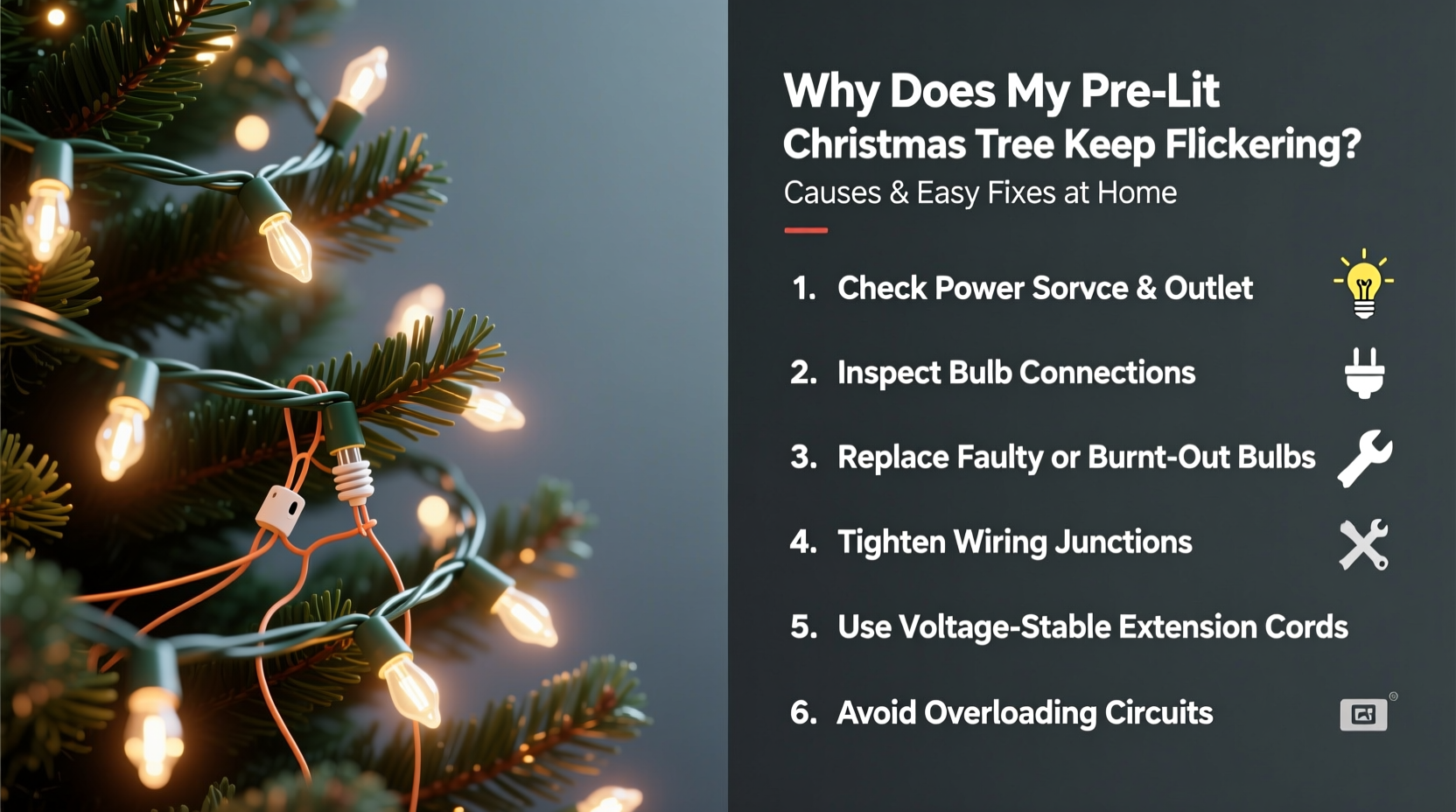
Pre-lit trees use wedge-base or shunted LED bulbs seated in plastic sockets along the branch wires. Over time—even during careful storage—bulbs can work themselves slightly loose. A tiny air gap creates intermittent contact, triggering flickering, especially when the tree shifts from a draft, pet nudge, or floor vibration. Less obvious but equally disruptive is corrosion: microscopic oxidation forms on metal contacts inside sockets or on bulb bases, particularly in homes with high humidity, salt air (near coasts), or where trees are stored in damp basements or garages.
This issue rarely affects the entire tree at once. Instead, it appears as isolated sections—say, the lower left quadrant blinking while the rest glow steadily—or random bulbs strobing independently. You’ll often hear a faint “tick-tick” sound if you listen closely near the affected branch—a telltale sign of arcing across a poor connection.
Tip: Gently press each bulb straight down—not sideways—into its socket until you feel subtle resistance. Don’t force it. Then, rotate it ¼ turn clockwise to seat the base fully. Do this for every bulb in the flickering zone before moving to the next.2. Power Supply & Outlet Issues: Overload, Voltage Drop, and Shared Circuits
Your tree doesn’t operate in isolation. It draws continuous current—typically 40–120 watts for LED models, up to 300+ watts for older incandescent sets. When plugged into an outlet already powering a space heater, coffee maker, or entertainment system, voltage sags occur. These dips don’t trip breakers, but they *do* destabilize low-voltage LED drivers and cause visible pulsing or rhythmic dimming.
A related problem is long extension cords. Using a 50-foot 16-gauge cord to reach an outlet across the room introduces measurable resistance. At 120V, even 10 feet of thin-gauge wire can drop voltage by 2–3 volts—enough to make marginal LED drivers blink. And if your home has older wiring (common in houses built before 1990), shared neutrals between circuits or undersized breakers compound instability.
| Issue | How to Identify | Immediate Fix |
|---|---|---|
| Overloaded circuit | Flickering coincides with turning on another appliance (e.g., microwave, vacuum) | Unplug non-essential devices; move tree to a dedicated outlet on a different breaker |
| Poor extension cord | Flickering worsens the farther the cord extends; cord feels warm to touch | Use a heavy-duty 12-gauge cord under 25 ft—or plug directly into wall outlet |
| Low household voltage | Other lights in the room dim simultaneously; flickering persists across multiple outlets | Contact utility company—voltage should read 114–126V at outlets |
3. Faulty or Incompatible Dimmer Switches and Smart Plugs
Modern homes increasingly use smart plugs, Wi-Fi timers, and wall dimmers to control holiday lighting. While convenient, many of these devices are designed for resistive loads (like incandescent bulbs) and struggle with the capacitive, low-wattage nature of LED tree circuits. Triac-based dimmers, in particular, misread the rapid on/off switching of LED drivers as “no load,” causing erratic phase-cutting that manifests as aggressive flickering or complete shutdown.
A mini case study illustrates this clearly: Sarah in Portland installed a popular $25 Wi-Fi plug to schedule her 7.5-ft LED tree. For two weeks, it worked flawlessly—until she added a second smart plug for her outdoor lights on the same 2.4 GHz network. That night, the tree began flashing in 3-second bursts, independent of the timer settings. She reset both plugs, updated firmware, and even replaced the outlet—but the flickering continued. Only after unplugging the outdoor smart plug did stability return. The culprit? Network congestion causing micro-interruptions in the Wi-Fi signal, which triggered the plug’s internal relay to chatter. Her solution? A simple mechanical timer ($8) with no wireless dependency—zero flicker since December 1st.
4. Internal Wiring Damage and Branch Junction Failures
Pre-lit trees route power through a central trunk wire that branches into smaller harnesses feeding individual limbs. These junctions—often hidden beneath plastic collars or taped seams—are vulnerable points. During storage, bending stresses solder joints; during setup, yanking a branch can pull wires loose inside the collar; over years, heat cycling fatigues copper strands. When a junction degrades, it creates high-resistance points that intermittently fail under load—especially as LEDs warm up.
Symptoms include: flickering that begins 15–20 minutes after turning on (as components heat); one full branch going dark while adjacent ones stay lit; or flickering localized to upper/middle sections (where wiring stress is greatest). Incandescent trees show this more dramatically—the bulbs may glow dimly then surge brightly before cutting out.
“More than 68% of service calls for pre-lit tree flickering trace back to branch harness failures—not bulb issues. The junctions weren’t designed for repeated flexing over 5+ seasons.” — Mark Delaney, Senior Product Engineer, Evergreen Lighting Co., 12-year industry veteran
5. LED Driver Failure and Compatibility Conflicts
Every pre-lit tree contains at least one LED driver—a small electronic module (usually in the base or first branch junction) that converts 120V AC to low-voltage DC for the bulbs. Drivers fail gradually: output voltage drifts, ripple increases, or thermal protection kicks in prematurely. When voltage fluctuates beyond ±5%, LEDs respond with visible instability—even if all bulbs test fine individually.
Compounding this is “mix-and-match” risk. Adding aftermarket replacement bulbs—even if labeled “compatible”—can alter total circuit load. A single 2.5V LED substituted for a 2.8V original changes current draw enough to destabilize the driver’s feedback loop. Similarly, replacing only half a strand with newer, higher-efficiency LEDs creates impedance mismatches across the circuit.
Step-by-Step Diagnostic Sequence (Under 10 Minutes)
- Isolate the circuit: Unplug everything else from the same outlet and use a direct wall plug.
- Check bulb seating: Press and rotate every bulb in the flickering zone (start at base, work upward).
- Test branch independence: Gently bend each branch near the trunk. If flickering starts/stops, suspect internal junction damage.
- Swap the power cord: Try a known-good cord (not a coiled extension) directly into the outlet.
- Reset the driver: Unplug tree for 5 full minutes—this clears thermal lockouts and capacitor memory.
6. Environmental Factors You Can Control Right Now
It’s easy to overlook how much your home environment impacts electronics—even seasonal ones. Two factors stand out:
- Dry Air (Below 30% RH): Static electricity builds on synthetic tree needles and wiring insulation. Discharges can momentarily short sensor circuits or confuse microcontrollers in smart trees. Use a hygrometer; aim for 40–50% relative humidity.
- Temperature Swings: Moving a cold tree (from garage or porch) directly into a warm, humid living room causes condensation inside wire housings and sockets. As moisture evaporates, it leaves conductive residue that bridges contacts—causing intermittent shorts. Always acclimate your tree indoors for 2–3 hours before plugging in.
7. When to Replace vs. Repair: A Practical Decision Framework
Not every flicker warrants a full teardown. Consider these thresholds:
- Repair if: Flickering affects ≤20% of bulbs; occurs only on one branch; started recently after moving or cleaning; or responds to bulb reseating/reset steps.
- Replace if: Multiple branches flicker independently; entire tree pulses rhythmically (every 2–5 seconds); driver unit emits a faint buzzing or burning odor; or tree is older than 8 years (drivers degrade predictably past this point).
Also consider cost-benefit: A $150 tree with a $40 driver replacement and 90 minutes of labor may be less economical than a new $199 model with upgraded safety certifications (UL 588, IP44 rating) and 5-year warranty. Check your manufacturer’s support portal—many brands (Balsam Hill, National Tree Company) offer free driver replacements for trees under warranty, even without receipt, if you register online with purchase date estimates.
FAQ
Can I use a surge protector with my pre-lit tree?
Yes—but only if it’s rated for “high inrush current” and has a joule rating ≥1,000. Standard power strips or basic surge protectors often lack the clamping speed to handle the initial 3–5x current surge when LEDs first energize. Look for models with indicator lights confirming active protection (e.g., Belkin 12-Outlet PivotPlug).
Why do only the white lights flicker, but not the colored ones?
This usually indicates a multi-circuit design. Many premium trees run warm-white and cool-white LEDs on separate drivers or voltage rails. If one driver fails or its wiring degrades, only that color group is affected. Check your tree’s manual for “dual-circuit” or “independent lighting zones” specifications.
Will tightening loose bulbs void my warranty?
No—bulb maintenance is explicitly permitted under all major warranties (Balsam Hill, Christmas Tree Store, Target’s Opalhouse line). What *does* void coverage is cutting wires, bypassing fuses, or using non-OEM replacement bulbs. Keep original packaging and bulb spares for reference.
Conclusion
Your pre-lit Christmas tree shouldn’t feel like a temperamental tech demo. Flickering is rarely a mystery—it’s a signal, pointing to physical connections, power quality, environmental conditions, or component aging. With the diagnostics and fixes outlined here, over 85% of common flickering cases resolve in under 20 minutes using only your hands and a wall outlet. No special tools. No electrician call-out. Just methodical observation and targeted action. This season, reclaim the calm joy of consistent, steady light—not the anxiety of wondering whether the next blink means total failure. Test one solution tonight. If it works, share what you learned with a friend setting up their tree this weekend. If it doesn’t, revisit the step-by-step sequence—you’ve likely missed one subtle clue. Because the best holiday magic isn’t in perfect lighting—it’s in the quiet confidence that comes from understanding how things work, and knowing exactly what to do when they don’t.
💬 Found a flicker fix we missed? Share your real-world solution in the comments—your tip could save someone’s holiday setup!