In an age where minimalism meets functionality, carrying a slim wallet is more than a fashion statement—it's a lifestyle choice. Yet, protecting your essential cards from damage, wear, or digital theft while keeping your wallet sleek can be challenging. Overstuffing leads to bent corners, RFID skimming risks increase in crowded spaces, and poor organization invites frustration. The solution lies not in carrying less, but in carrying smarter. With the right techniques and tools, you can maintain a streamlined profile without sacrificing card safety or accessibility.
Choose the Right Wallet Design for Card Protection
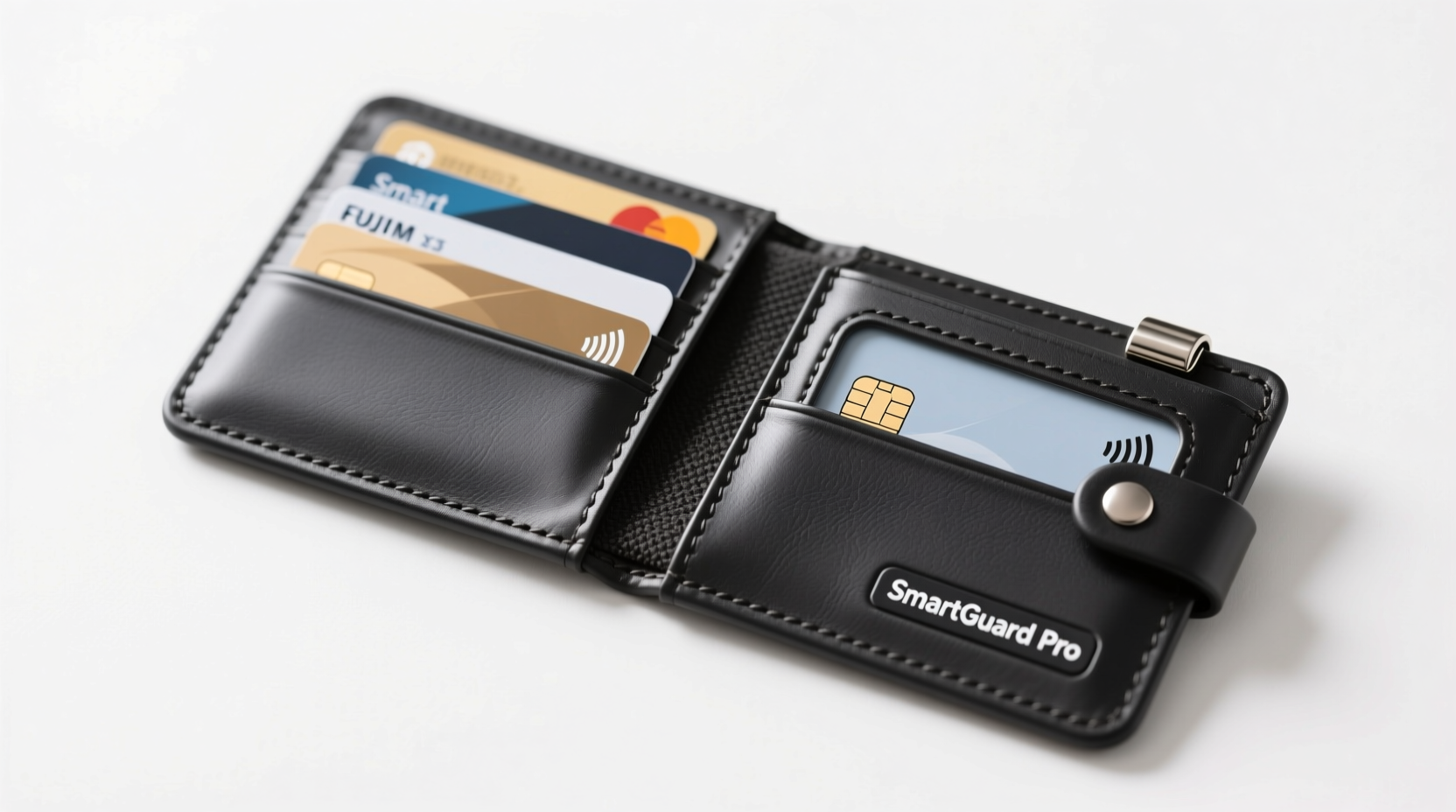
The foundation of card protection starts with selecting a wallet that balances size, material, and internal structure. Slim wallets made from materials like aluminum, carbon fiber, or high-grade polycarbonate offer rigidity that prevents card bending. These materials also provide shielding against RFID scanning when designed with blocking layers.
Fold-over bifold wallets may seem compact, but repeated folding stresses card edges and magnetic strips. Instead, consider front-pocket minimalist wallets with horizontal card slots or pull-tab mechanisms. These designs reduce friction during retrieval and minimize exposure to physical stress.
Tip: Opt for wallets with individual card slots rather than stacked pockets—this prevents scratching and makes access smoother.Use RFID-Blocking Sleeves Strategically
Radio-frequency identification (RFID) technology allows contactless payments and transit passes to function wirelessly—but it also opens the door to electronic pickpocketing. Skimmers can capture data from cards within seconds if they’re unprotected.
Instead of lining your entire wallet with bulky RFID-blocking material, use targeted sleeves for only your most sensitive cards—credit cards and IDs. These ultra-thin sleeves add negligible thickness while providing effective shielding. Place them directly over the cards you want protected, then slide them into your wallet’s designated slots.
“Not every card needs RFID protection. Focus on those with contactless chips and financial access.” — Daniel Reyes, Cybersecurity Consultant at SecureCarry Labs
Implement a Smart Card Rotation System
Most people carry far more cards than they use daily. A cluttered wallet increases bulk and raises the risk of damaging frequently accessed cards. Adopt a rotation strategy based on usage frequency:
- Daily Carry (3–4 cards): Debit/credit, ID, work badge.
- Weekly Use: Grocery loyalty, gym access—store these in a secure home organizer.
- Rarely Used: Backup credit cards, expired licenses—keep these locked away at home.
This tiered approach ensures only essential cards are exposed to daily wear, reducing cumulative damage and simplifying retrieval.
Step-by-Step: Building Your Rotation Routine
- Empty all contents from your wallet.
- Sort cards into three piles: daily, weekly, rarely used.
- Remove everything except the daily set.
- Store secondary cards in a labeled, fireproof container at home.
- Review monthly and adjust as needed (e.g., seasonal memberships).
Prevent Physical Damage with Proper Handling
Bent, cracked, or demagnetized cards often result from poor handling habits rather than inferior quality. Sitting on your wallet, stacking cards too tightly, or exposing them to heat accelerates degradation.
To preserve card integrity:
- Avoid placing your wallet in back pockets—pressure from sitting warps plastic over time.
- Don’t force cards into tight slots; trim slightly oversized cards only if manufacturer-approved.
- Keep wallets away from direct sunlight and hot environments (e.g., car dashboards), which can warp laminates and degrade chip functionality.
| Do | Don't |
|---|---|
| Store cards flat in rigid wallets | Pile more than 6 cards in one slot |
| Clean cards gently with microfiber cloth | Use abrasive cleaners or solvents |
| Rotate primary cards weekly to balance wear | Leave damaged cards in circulation |
| Use protective sleeves for delicate cards | Store near magnets or phones |
Real-World Example: How Alex Reduced Bulk and Prevented Fraud
Alex, a software developer in Portland, used to carry a thick bi-fold packed with nine cards—multiple credit lines, old gift cards, and expired insurance IDs. After his debit card was skimmed at a transit station, he reevaluated his habits.
He switched to a titanium minimalist wallet with built-in RFID blocking and limited capacity. He kept only four cards: one credit, one debit, driver’s license, and office keycard. The rest were stored at home in a lockbox with labels indicating expiration dates and usage notes.
Within weeks, Alex noticed fewer issues with card readers failing due to chip misalignment. His wallet stayed flat even after months of daily use. Most importantly, a follow-up security audit showed no unauthorized scans—proving that selective carry combined with smart design works.
Tip: Label your stored cards at home with usage context (e.g., “Backup – Emergency Only”) to avoid confusion later.Upgrade with Digital Alternatives When Possible
One of the most effective ways to reduce physical card load is digitization. Mobile wallets like Apple Pay, Google Wallet, and Samsung Pay allow you to store encrypted versions of your cards without carrying the plastic.
Digital cards eliminate physical wear entirely and often include enhanced security features like tokenization and biometric authentication. Even traditionally analog cards—like library passes or student IDs—are increasingly supported in digital formats by institutions.
For maximum efficiency, prioritize adding your most-used cards to your phone. Reserve physical copies only for locations that don’t accept contactless payments or as backups.
“Digitizing just two cards reduces wallet thickness by up to 30%, and improves transaction speed.” — Lena Park, Product Lead at WalletSecure Technologies
Checklist: Protect Cards Without Adding Bulk
- ✅ Audit your current wallet contents monthly
- ✅ Limit daily carry to 3–4 essential cards
- ✅ Invest in a slim, rigid wallet with individual slots
- ✅ Apply RFID sleeves to sensitive contactless cards
- ✅ Digitize frequently used cards via mobile wallet apps
- ✅ Store non-essential cards securely at home
- ✅ Avoid sitting on your wallet or overstuffing pockets
- ✅ Clean cards and wallet interior every 4–6 weeks
Frequently Asked Questions
Can I cut down thick cards to fit better?
Only if they are not issued by a bank or government agency. Cutting official cards may void their validity or damage embedded chips. Instead, use thinner alternatives or rely on digital versions.
Do all slim wallets block RFID signals?
No. Many minimalist wallets focus solely on size reduction and lack shielding. Look for models explicitly labeled as “RFID-blocking” and independently tested for effectiveness.
How do I know if my card is contactless and vulnerable?
Contactless cards display a wave-like symbol (similar to Wi-Fi) on the front or back. If you see this icon, the card transmits data wirelessly and should be protected with an RFID sleeve or shielded pocket.
Conclusion: Carry Light, Stay Protected
Protecting your cards doesn’t require a bulky case or outdated habits. By combining thoughtful wallet selection, strategic card rotation, selective RFID shielding, and digital integration, you can maintain a sleek profile while enhancing security and longevity. The goal isn’t just minimalism for aesthetics—it’s intelligent organization that supports both convenience and peace of mind.
🚀 Ready to streamline your carry? Start today by removing unused cards and upgrading to a protective slim wallet. Share your favorite tip in the comments and help others travel lighter and safer.