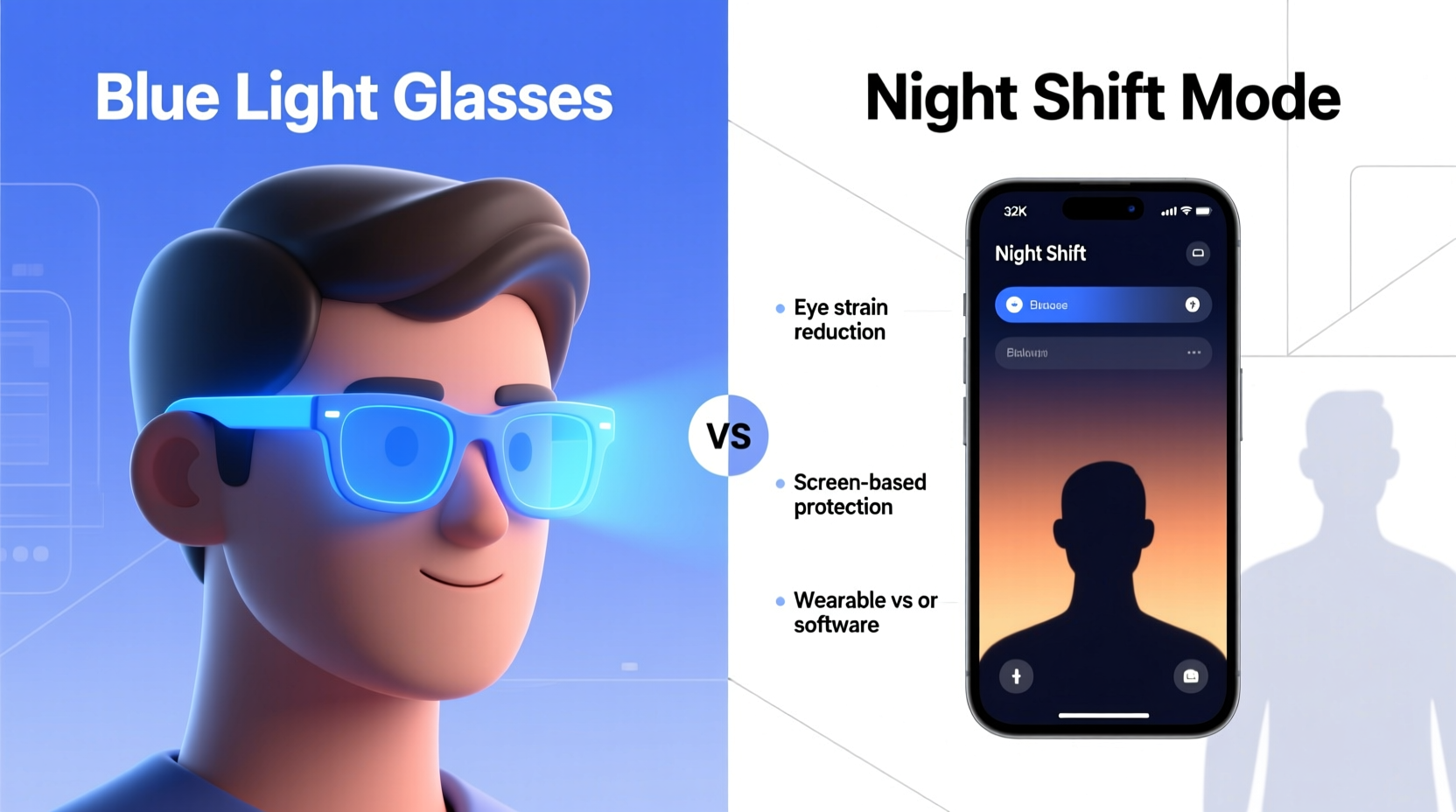
In an era dominated by screens—laptops, smartphones, tablets, and televisions—concerns about blue light exposure have surged. Many people now report eye strain, disrupted sleep, and headaches after prolonged screen use. In response, two popular solutions have emerged: blue light glasses and Night Shift mode (or similar software features like f.lux, Night Light, or True Tone). But which is more effective? And do you actually need physical blue light-blocking glasses if your devices already have built-in screen filters?
This article breaks down the science behind blue light, compares the functionality of blue light glasses and Night Shift mode, and evaluates whether investing in physical glasses is truly necessary for most users.
Understanding Blue Light and Its Impact
Blue light is part of the visible light spectrum, ranging from approximately 380 to 500 nanometers (nm). It's naturally emitted by the sun and plays a key role in regulating circadian rhythms—the body’s internal clock that governs sleep-wake cycles. Exposure to natural blue light during the day boosts alertness, mood, and cognitive function.
However, artificial sources of blue light—especially LED screens—emit concentrated amounts of high-energy visible (HEV) light, particularly in the 415–455 nm range. Prolonged exposure, especially in the evening, can interfere with melatonin production, the hormone responsible for signaling sleep. This disruption may lead to difficulty falling asleep, reduced sleep quality, and daytime fatigue.
Additionally, digital eye strain—a condition recognized by the American Optometric Association—can result from extended screen time. Symptoms include dry eyes, blurred vision, headaches, and neck or shoulder pain. While blue light isn’t the sole culprit, it contributes to visual discomfort, especially under low-light conditions.
“Evening exposure to blue-rich light from screens can delay melatonin onset by up to 90 minutes, significantly impacting sleep onset.” — Dr. Charles Czeisler, Harvard Medical School
How Night Shift Mode Works
Night Shift mode, first introduced by Apple and since adopted in various forms across Android, Windows, and third-party apps, adjusts the color temperature of your screen. Instead of emitting cooler, blue-rich light, the display shifts toward warmer tones (more yellow/red) in the evening.
The mechanism relies on either a user-defined schedule or geolocation-based sunset/sunrise data. For example, if you set Night Shift to activate at 7 PM, your screen gradually transitions to a warmer hue, reducing the intensity of blue wavelengths.
While this doesn’t eliminate blue light entirely, it reduces the proportion of short-wavelength blue light relative to other colors. Studies suggest this shift can lessen melatonin suppression. A 2018 study published in *Chronobiology International* found that using Night Shift-like settings reduced subjective reports of alertness and improved sleep onset latency in participants exposed to screens before bedtime.
However, limitations exist:
- Night Shift only affects the device it’s enabled on—not ambient lighting or secondary screens.
- Color accuracy is compromised, which can be problematic for designers, photographers, or video editors.
- The effect varies by device brightness; a very bright warm screen can still emit enough light to disrupt sleep.
How Blue Light Glasses Work
Blue light glasses feature lenses coated or infused with materials that selectively filter out specific wavelengths of blue light, typically between 400–450 nm. Unlike software adjustments, they provide a physical barrier that works across all screens and lighting environments.
These glasses come in different tints:
- Clear lenses: Block ~10–20% of blue light; suitable for daytime computer use.
- Yellow/amber lenses: Block up to 65–90% of blue light; ideal for evening use.
- Red-tinted lenses: Used in extreme cases, such as night shift workers; block nearly all blue and green light.
Because they are not dependent on device settings, blue light glasses offer consistent protection regardless of how many screens you’re using. They also preserve screen color fidelity—important for professionals who rely on accurate visuals.
A 2020 randomized controlled trial published in *Sleep Medicine* found that participants wearing amber-tinted blue light glasses two hours before bedtime experienced significant improvements in sleep quality and melatonin levels compared to a placebo group.
Comparing Effectiveness: Glasses vs Software
To determine which solution offers better protection, consider several factors: timing, consistency, environmental control, and individual needs.
| Feature | Night Shift Mode | Blue Light Glasses |
|---|---|---|
| Blue Light Reduction | Moderate (shifts color temperature) | High (physically blocks wavelengths) |
| Cross-Device Protection | No (device-specific) | Yes (all screens and ambient light) |
| Color Accuracy | Compromised | Preserved (especially with clear lenses) |
| Cost | Free (built-in feature) | $20–$100+ |
| User Control | Flexible scheduling | Wear when needed |
| Effect on Sleep | Modest improvement | Significant improvement (in clinical studies) |
| Eye Strain Relief | Limited | Moderate to high (depending on lens type) |
The table illustrates that while Night Shift mode is convenient and cost-effective, it lacks the comprehensive protection offered by blue light glasses. For individuals serious about minimizing blue light exposure—especially those working late, using multiple devices, or sensitive to light—glasses may provide superior results.
When You Might Not Need Blue Light Glasses
Despite their benefits, blue light glasses aren’t essential for everyone. Consider these scenarios where Night Shift mode alone may suffice:
- You limit screen use after 8 PM and prioritize good sleep hygiene.
- You primarily use one device in the evening and can fully control its settings.
- You don’t experience noticeable eye strain or sleep disturbances.
- You're on a tight budget and prefer free solutions.
In such cases, combining Night Shift with behavioral changes—like reducing screen brightness, increasing text size, and taking regular breaks—can effectively mitigate risks without additional hardware.
Real-World Example: Sarah’s Evening Routine
Sarah, a 32-year-old graphic designer, regularly works on her laptop and iPad until 10 PM. She noticed increasing difficulty falling asleep and frequent morning headaches. Initially, she enabled Night Shift on both devices but still felt fatigued.
After reading about blue light glasses, she purchased a pair with amber lenses. She began wearing them two hours before bed while continuing to use Night Shift. Within a week, she reported falling asleep faster and waking up less groggy. Her eye strain decreased significantly, even though her workload remained unchanged.
For Sarah, the combination of software and physical protection was key. The glasses ensured consistent filtering, especially when she switched between devices or glanced at her phone, which didn’t always have Night Shift active.
Expert Recommendations and Best Practices
Healthcare and vision experts emphasize a layered approach. Relying solely on one method may leave gaps in protection.
“The most effective strategy combines environmental controls, behavioral habits, and—if needed—physical aids like blue light glasses.” — Dr. Lisa Ostrin, University of Houston College of Optometry
Here’s a checklist to optimize your blue light protection:
Checklist: Maximize Blue Light Protection- Enable Night Shift or similar mode on all devices after sunset.
- Reduce overall screen brightness in the evening.
- Use the 20-20-20 rule: Every 20 minutes, look at something 20 feet away for 20 seconds.
- Limit screen time 1–2 hours before bed when possible.
- Consider amber-tinted blue light glasses if you work late or use multiple screens.
- Avoid bright overhead lights at night; opt for warm, dim lighting.
- Keep phones out of bed and use airplane mode or “Do Not Disturb” to reduce temptation.
Step-by-Step Guide to Reducing Blue Light Exposure
Follow this timeline to build a sustainable routine:
- 6:00 PM – Activate Night Shift: Set your devices to switch to warm mode automatically.
- 7:00 PM – Dim Room Lighting: Replace cool-white bulbs with warm LEDs or use lamps with orange shades.
- 8:00 PM – Start Wearing Blue Light Glasses (if using): Put on amber lenses during screen work.
- 9:00 PM – Reduce Screen Brightness: Lower brightness to the minimum comfortable level.
- 10:00 PM – Begin Wind-Down Routine: Stop using screens; switch to reading a physical book or listening to music.
- 10:30 PM – Prepare for Sleep: Practice relaxation techniques like deep breathing or light stretching.
This structured approach ensures gradual disengagement from stimulating light and mental activity, supporting natural melatonin release.
Frequently Asked Questions
Can I use Night Shift instead of blue light glasses?
Yes, for many people, Night Shift is sufficient—especially if combined with good screen habits. However, if you continue to experience sleep issues or eye strain, adding blue light glasses may provide extra benefit.
Do blue light glasses work during the day?
Clear-lens blue light glasses can help reduce eye strain during daytime computer use without distorting colors. However, blocking blue light during daylight hours may reduce alertness, so use them selectively based on your sensitivity.
Are expensive blue light glasses better than cheap ones?
Not necessarily. Look for glasses that specify the wavelength range blocked (ideally 400–450 nm) and have independent lab testing. Some affordable brands offer comparable performance to premium options.
Conclusion: Do You Need the Physical Glasses?
The answer depends on your lifestyle, sensitivity, and goals. Night Shift mode is a smart, accessible tool that offers meaningful protection for casual users who follow healthy screen habits. It’s free, easy to use, and effective when properly configured.
However, if you frequently work late, use multiple screens, struggle with sleep, or experience persistent eye discomfort, blue light glasses provide a more robust and consistent solution. They act as a personal shield, independent of device settings, offering peace of mind and measurable physiological benefits.
Ultimately, the best approach is not choosing one over the other—but combining both. Use Night Shift as your baseline defense and consider adding blue light glasses when you need stronger protection. Technology should serve your health, not compromise it.
🚀 Ready to improve your sleep and eye comfort? Start tonight: enable Night Shift, dim your lights, and assess whether blue light glasses could be your next step. Share your experience or questions in the comments below—we’d love to hear how you manage screen time and protect your well-being.
![How To Choose The Best Dress For A Wedding Guest [2026 Guide]](https://s.alicdn.com/@sc02/kf/A4fc73ee8061e4ff3a1fd686fb70df2590.jpg)