When shopping for a new 4K television, two names consistently rise to the top: Roku TVs and Samsung 4K models. One represents affordability and simplicity through a streamlined smart platform, the other stands for premium engineering and cutting-edge display technology. But when you sit in front of both, does the difference in image quality justify the price gap? The answer isn’t as simple as “Samsung is better.” It depends on what you value—raw picture performance, ease of use, or long-term versatility.
This comparison dives deep into panel technology, color accuracy, contrast, motion handling, and real-world viewing experiences to determine whether the visual leap from a budget Roku TV to a high-end Samsung 4K model is dramatic—or barely noticeable.
Understanding the Core Differences
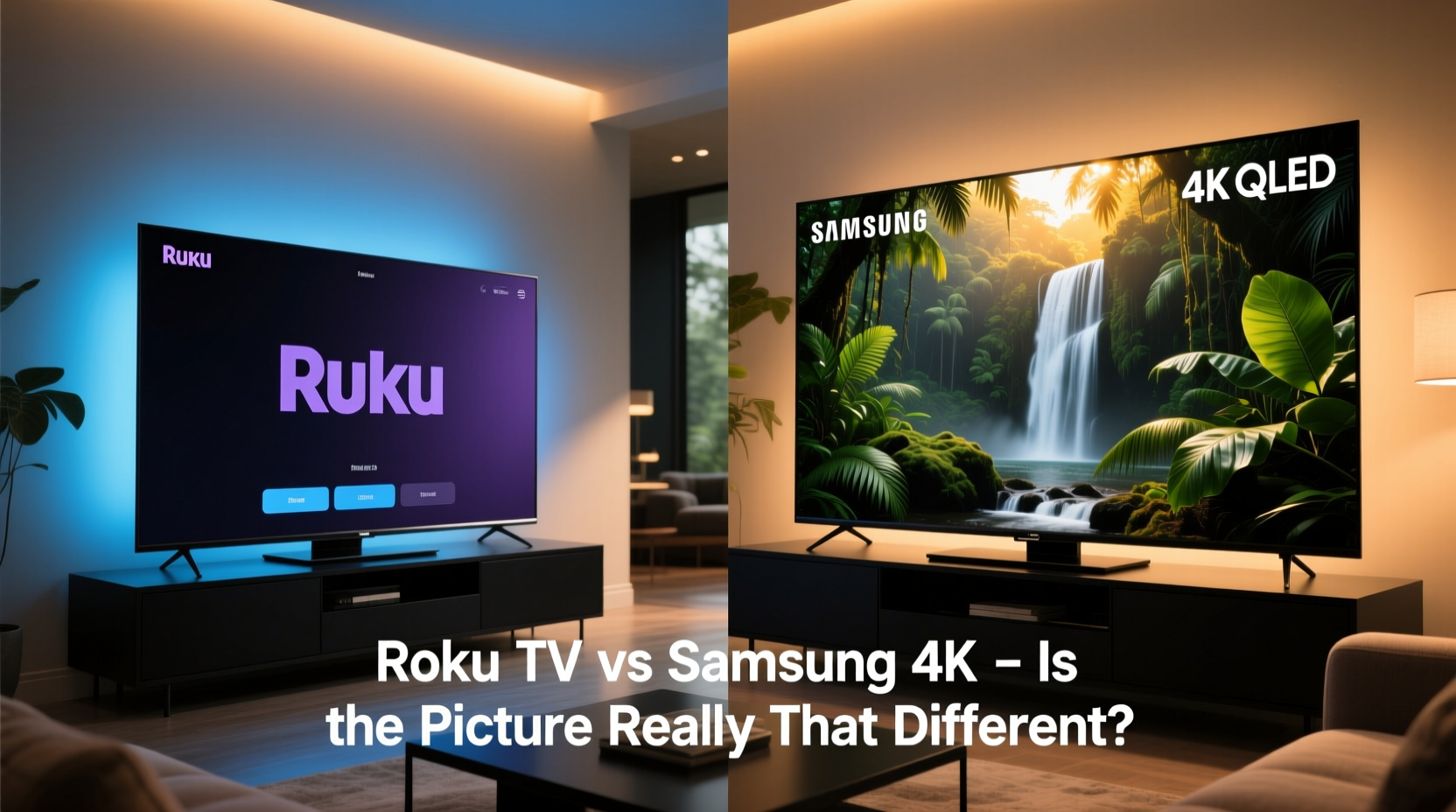
Roku TVs are not a brand themselves but rather televisions manufactured by various companies—Hisense, TCL, Sharp—that run Roku’s operating system. These sets typically prioritize cost-efficiency, making them popular among cord-cutters who want access to streaming apps without overspending. Samsung, on the other hand, designs and builds its own panels using advanced technologies like Quantum Dot (QLED), full-array local dimming (FALD), and AI-powered upscaling.
The most immediate distinction lies in hardware. While entry-level Roku TVs often use basic LED-backlit LCD panels with limited brightness and contrast control, even mid-tier Samsung 4K models incorporate superior backlighting systems and wider color gamuts. This doesn’t mean all Roku TVs look poor—but it does mean there's a ceiling to their performance that Samsung routinely exceeds.
Tip: Always view TVs in person under realistic lighting conditions; spec sheets can't capture how a screen performs in your living room.Picture Quality: Where the Lines Blur and Break
Premium Samsung 4K TVs, particularly those labeled QLED or featuring HDR10+ support, deliver richer blacks, brighter highlights, and more lifelike colors than most Roku-branded sets. Samsung’s use of Quantum Matrix technology in higher-end models allows for precise control over backlight zones, reducing blooming and enhancing depth in dark scenes.
In contrast, many budget Roku TVs rely on edge-lit LED systems, which struggle with uniformity and produce grayish blacks in dimly lit environments. Their peak brightness rarely exceeds 300 nits, while Samsung’s flagship Neo QLED models can reach over 2,000 nits—critical for impactful HDR content.
However, for casual viewers watching sitcoms, news, or standard dynamic range (SDR) content in moderately lit rooms, the difference may be subtle. If you're not watching native 4K HDR material regularly, or if your room has significant ambient light, a well-calibrated mid-range Roku TV might satisfy your needs just as well as a pricier Samsung.
“Panel quality matters more than resolution alone. Two 4K TVs can look dramatically different based on contrast ratio and color volume.” — David Kim, Senior Display Analyst at TechVision Labs
Smart Interface and User Experience Comparison
While Samsung uses its Tizen OS, Roku TVs run the Roku interface—one of the most user-friendly smart platforms available. The simplicity of Roku’s home screen, fast app loading times, and universal search across streaming services give it an edge in usability, especially for less tech-savvy users.
Samsung’s Tizen is robust and feature-rich but can feel cluttered. It includes voice assistants (Bixby, Alexa), smart home integration, and ambient mode+, but some find the menu structure less intuitive. That said, Samsung has improved responsiveness in recent models, closing the speed gap between the two platforms.
If seamless navigation and quick access to free ad-supported content (like The Roku Channel) matter most, Roku wins on convenience. But if you’re invested in the broader Samsung ecosystem—phones, tablets, soundbars—the integration benefits tilt the scale toward Samsung.
Performance & Features Comparison Table
| Feature | Roku TV (Mid-Range) | Samsung 4K QLED (Mid-to-High Tier) |
|---|---|---|
| Display Technology | LED-LCD (Edge-lit) | Quantum Dot LED (FALD) |
| Peak Brightness (HDR) | 300–500 nits | 800–2000+ nits |
| Contrast Ratio | Limited (no local dimming or basic) | High (with local dimming zones) |
| Color Accuracy | Adequate (covers ~80% DCI-P3) | Excellent (covers >95% DCI-P3) |
| Smart Platform | Roku OS (simple, fast) | Tizen OS (feature-rich) |
| HDR Support | HDR10, HLG | HDR10, HDR10+, Dolby Vision* |
| Gaming Features | Basic VRR, 4K@60Hz | FULL HDMI 2.1, 4K@120Hz, ALLM, FreeSync |
*Dolby Vision support varies by Roku TV model; most Samsung QLEDs include it.
Real-World Viewing: A Mini Case Study
Consider Sarah, a remote worker who streams Netflix after dinner and occasionally watches sports with friends. She bought a TCL 6-Series Roku TV two years ago and recently visited a friend who owns a Samsung QN90B QLED. During a side-by-side test of *Stranger Things* in HDR, the Samsung clearly showed deeper shadows, more defined facial details in dark scenes, and brighter neon lights. However, during daytime viewing of YouTube videos and cable news, the difference was negligible.
She noted that her Roku TV boots faster and remembers her favorite apps better. Her friend praised the Samsung’s sleek design and gaming capabilities but admitted he rarely used 120Hz mode. For Sarah, upgrading wouldn’t enhance her daily experience enough to justify the $800 price difference.
This scenario illustrates a key insight: perceived picture quality depends heavily on content type, viewing environment, and personal expectations. Enthusiasts will appreciate Samsung’s precision; average users may not notice the upgrade unless they’re watching demanding content in optimal conditions.
What You Should Prioritize When Choosing
Deciding between a Roku TV and a Samsung 4K model shouldn’t hinge solely on specs or marketing claims. Instead, evaluate your actual usage patterns:
- Are you a movie buff? Invest in Samsung for superior contrast and HDR performance.
- Do you mostly stream via apps like Hulu or Peacock? Roku’s interface makes access easier and quicker.
- Is your room bright? Higher brightness on Samsung helps, but anti-glare coatings matter too.
- Do you game? Samsung’s HDMI 2.1 support offers smoother gameplay with next-gen consoles.
- Budget-conscious? Many Roku TVs offer excellent value under $500.
Action Checklist Before Buying
- Measure your viewing distance and choose screen size accordingly (e.g., 55” for 6–8 feet).
- Determine primary content types: movies, live TV, gaming, or mixed use.
- Check available HDMI ports and ensure one supports HDMI 2.1 if gaming.
- Read professional reviews focusing on real-world picture tests, not just lab results.
- Try demo units in-store with familiar content (e.g., a show you know well).
Frequently Asked Questions
Can a Roku TV display true 4K content?
Yes, most modern Roku TVs support native 4K resolution and HDR10. However, the quality of upscaling lower-resolution content varies, and panel limitations can affect clarity compared to higher-end displays.
Does Samsung’s smart platform beat Roku in usability?
Roku remains simpler and faster for most users. Samsung’s Tizen offers more features and deeper customization but has a steeper learning curve. For older adults or minimalists, Roku is often preferred.
Is the picture difference worth the extra cost?
For cinephiles and gamers in controlled lighting, yes. For general viewing in typical living rooms, the improvement may be visible but not transformative. Assess your priorities before paying a premium.
Final Thoughts: Picture Quality Isn’t Everything
The picture on a Samsung 4K TV is objectively better than that of most Roku TVs—especially when comparing flagship models. Superior contrast, brightness, color volume, and motion processing make Samsung a leader in visual fidelity. But \"better\" doesn’t always mean \"necessary.\"
Roku TVs excel in accessibility, speed, and value. They bring high-definition streaming within reach of nearly every household without sacrificing core functionality. For millions of users, the difference in picture quality simply doesn’t impact their enjoyment enough to warrant doubling their budget.
Ultimately, the right choice depends on your lifestyle. If you crave cinematic immersion and future-proof features, Samsung delivers. If you want a no-fuss, reliable TV that gets you straight to your shows, Roku remains a smart, capable option.
💬 Have you switched from a Roku TV to Samsung or vice versa? Share your experience below—your insights could help someone make their next big decision.