The Samsung Galaxy Tab A series has long been a go-to choice for budget-conscious users who still want reliable performance and solid build quality. With the release of the Galaxy Tab A8, many owners of the older A7 model are asking: is the upgrade really worth it? Or does the A7 still hold up in today’s tablet landscape? The answer depends on your usage, expectations, and how much you value newer features versus proven reliability.
This detailed breakdown compares the two models across key categories—design, display, performance, battery life, software, and real-world usability—to help you make an informed decision without falling for marketing hype.
Design and Build Quality: Subtle Changes, Similar Feel
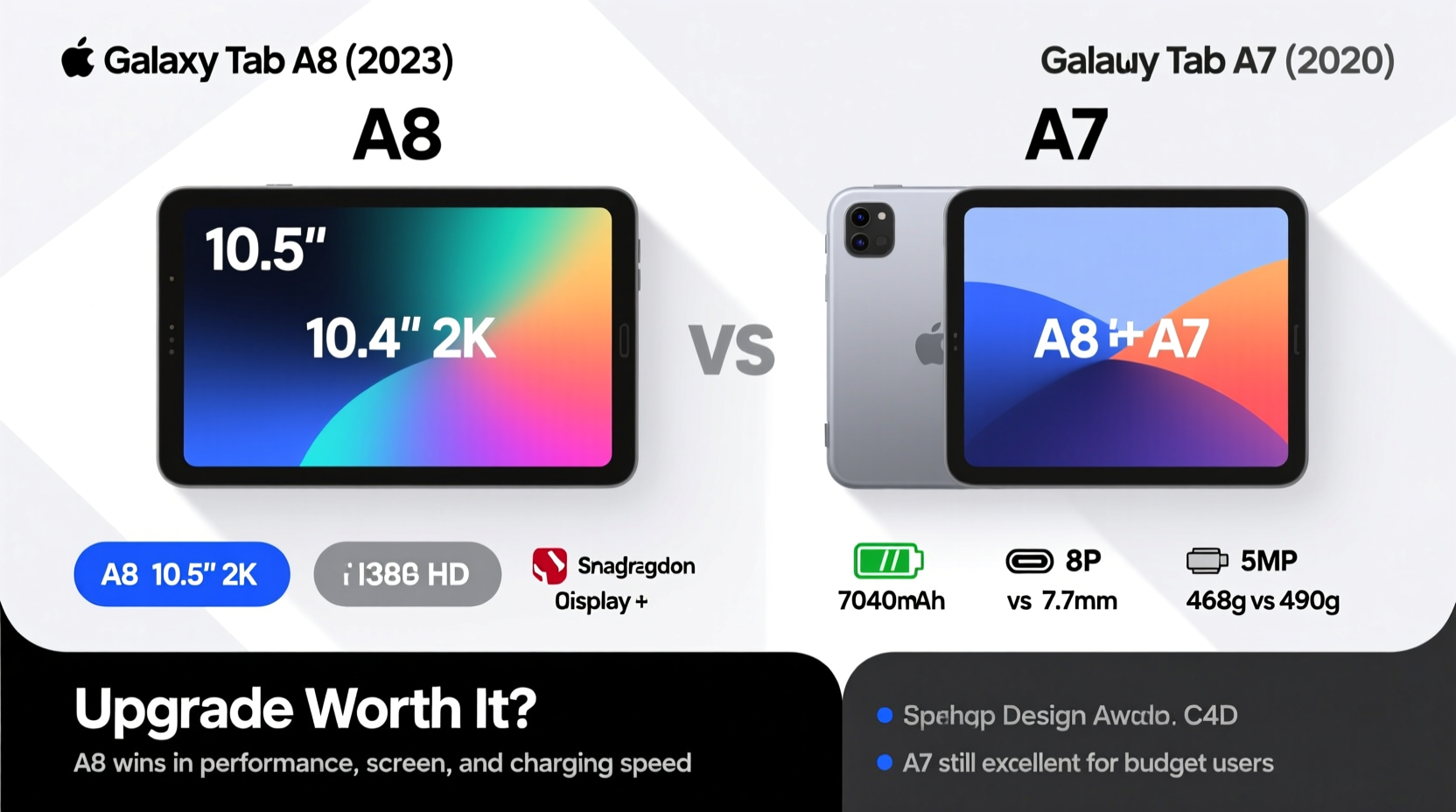
At first glance, the Galaxy Tab A8 and A7 look nearly identical. Both tablets feature slim bezels, a plastic chassis, and a minimalist design that prioritizes portability over premium materials. They’re lightweight (around 500g) and easy to hold for extended reading or streaming sessions.
The A8 does introduce a slightly more refined finish and improved speaker grilles, but these are subtle upgrades. Neither model is water-resistant, nor do they support S Pen natively without third-party accessories. If you're upgrading from the A7, don’t expect a dramatic change in hand feel or durability.
Tip: Use a protective case with screen cover—both models use standard glass that scratches easily.Display: Bigger and Brighter, But Not Revolutionary
The Galaxy Tab A8 comes with a 10.5-inch WUXGA+ (1920 x 1200) display, compared to the A7’s 8.7-inch or 10.4-inch variants depending on region and model. The larger screen on the A8 provides more real estate for multitasking, video watching, and light productivity work.
Brightness and color accuracy are improved on the A8 thanks to better panel tuning and support for adaptive brightness. While both tablets use LCD technology (not OLED), the A8 delivers a noticeably clearer image, especially in well-lit environments. For users who consume a lot of media, this upgrade alone may justify the switch.
Performance: A Noticeable Leap in Speed and Multitasking
Under the hood, the differences become more pronounced. The Galaxy Tab A8 runs on a MediaTek Helio G99 processor, paired with 4GB of RAM and Android 12 (upgradable to newer versions). In contrast, the A7 typically uses a slower Exynos 7904 chip with 3GB of RAM and launched with Android 10.
In practical terms, the A8 handles app switching, web browsing with multiple tabs, and even light gaming (like Minecraft or Among Us) far more smoothly. The extra gigabyte of RAM makes a tangible difference when running background apps or using split-screen mode.
“Tablets in this price range often skimp on RAM, but the A8’s 4GB configuration sets a new baseline for what budget users should expect.” — David Lin, Mobile Tech Analyst at TechPulse Weekly
If you use your tablet for schoolwork, remote learning, or managing household tasks, the A8’s responsiveness will reduce frustration caused by lag or app reloads.
Battery Life and Charging: Comparable Endurance
Both tablets pack around 7,000mAh batteries, so actual usage time is quite similar. Expect 10–12 hours of mixed use—streaming videos, browsing, and messaging—with either device. However, the A8 benefits from a slightly more power-efficient chipset and updated software optimizations, which can extend battery longevity over time.
Charging remains slow on both: only 15W fast charging is supported, and the included charger is often 10W. Neither model supports wireless charging. Over the long term, the A8’s newer battery chemistry may degrade slower, but this won’t be noticeable in the first 1–2 years.
Software and Long-Term Support
This is where the A8 pulls significantly ahead. It ships with Android 12 and is eligible for at least two major OS updates and four years of security patches. The A7, depending on the variant, received only one major update (to Android 11 or 12) and limited security support, especially if purchased early after launch.
Ongoing software updates mean better app compatibility, improved security, and access to newer Android features like enhanced digital wellbeing tools or improved voice assistant integration. For families or older users relying on the tablet for daily communication and services, staying current matters.
Detailed Comparison Table
| Feature | Galaxy Tab A8 | Galaxy Tab A7 |
|---|---|---|
| Display Size | 10.5 inches | 10.4 inches (or 8.7” in Lite) |
| Resolution | 1920 x 1200 | 1200 x 2000 |
| Processor | MediaTek Helio G99 | Exynos 7904 |
| RAM | 4GB | 3GB |
| Storage | 64GB (expandable via microSD) | 32GB/64GB (expandable) |
| Battery | 7,040 mAh | 7,040 mAh |
| OS (Launch) | Android 12 | Android 10 |
| Updates | 2 OS + 4 years security | 1 OS + 3 years security |
| Rear Camera | 8 MP | 8 MP |
| Front Camera | 5 MP | 5 MP |
| Speakers | Quad speakers (tuned by AKG) | Stereo speakers |
| Weight | ~508g | ~476g (10.4”) / ~366g (8.7”) |
Real-World Example: The Homebound Learner
Consider Maria, a middle-school student using her family’s Galaxy Tab A7 for online classes. Over time, she noticed increasing delays when opening Google Classroom, frequent crashes during video calls, and difficulty keeping up with assignments due to sluggish performance. Her younger brother also used the tablet for YouTube Kids, compounding multitasking strain.
After upgrading to the A8, Maria experienced faster login times, smoother Zoom sessions, and could keep her notes open alongside her lesson videos without constant reloading. The larger screen reduced eye strain during long study periods. While the A7 wasn’t broken, the A8 made daily use significantly less frustrating—a common experience among households pushing older budget tablets beyond their limits.
When to Upgrade: A Practical Checklist
Not everyone needs the A8. Use this checklist to decide:
- ✅ Upgrade if: Your A7 feels slow or struggles with modern apps.
- ✅ Upgrade if: You want longer software support (important for kids’ devices).
- ✅ Upgrade if: You watch a lot of video and prefer a bigger, sharper screen.
- ✅ Upgrade if: You rely on split-screen or multi-window workflows.
- ❌ Stay with A7 if: It still performs well and meets your basic needs.
- ❌ Stay with A7 if: You primarily use it for reading, music, or simple browsing.
- ❌ Stay with A7 if: Budget is tight—the A7 remains available at deep discounts.
Frequently Asked Questions
Can the Galaxy Tab A7 still run popular apps in 2024?
Yes, most mainstream apps like YouTube, Netflix, WhatsApp, and Google Meet still run on the A7. However, heavier apps or newer versions may load slowly or crash under multitasking pressure.
Does the A8 support the S Pen?
No, neither the A8 nor A7 supports the S Pen natively. You can use third-party active pens for note-taking, but expect limited precision and no built-in storage.
Is the price difference justified?
The A8 typically costs $50–$80 more than the A7 at retail. Given the improvements in screen size, performance, RAM, and software support, this premium is reasonable for users who depend on their tablet daily. Casual users may find the A7 offers better value per dollar.
Final Verdict: Who Should Upgrade?
The Galaxy Tab A8 isn’t a revolutionary leap, but it’s a meaningful evolution. It addresses the main pain points of the A7—sluggish performance, limited RAM, and shorter software lifespan—with thoughtful upgrades that enhance everyday usability.
If you're still satisfied with your A7 and mainly use it for light tasks, there’s no urgent need to upgrade. But if you’ve noticed slowdowns, want a larger screen, or plan to rely on the tablet for education or home organization over the next few years, the A8 is absolutely worth the investment.
Samsung has struck a balance with the A8: it’s not flashy, but it’s dependable, future-proofed, and built for real-life demands. Sometimes, progress isn’t about radical change—it’s about making the familiar just a little bit better.
🚀 Ready to make your decision? Evaluate your current tablet’s performance, consider your usage patterns, and choose the device that fits your lifestyle—not just the latest label.