
Carpal tunnel syndrome (CTS) affects millions of office workers, remote employees, and digital creatives who spend hours each day using a traditional computer mouse. The repetitive motion and awkward wrist positioning associated with standard mice contribute significantly to strain on the median nerve in the wrist—the primary cause of CTS. As awareness grows, ergonomic and vertical mouse designs have emerged as solutions aimed at reducing this risk. But which design is truly more effective at preventing or alleviating symptoms?
This article examines the biomechanics, research findings, and real-world performance of both ergonomic and vertical mice to determine which offers superior protection against carpal tunnel syndrome. We’ll break down posture mechanics, compare product types, and offer actionable guidance for making an informed choice based on your work habits and physical needs.
The Anatomy of Mouse-Induced Wrist Strain
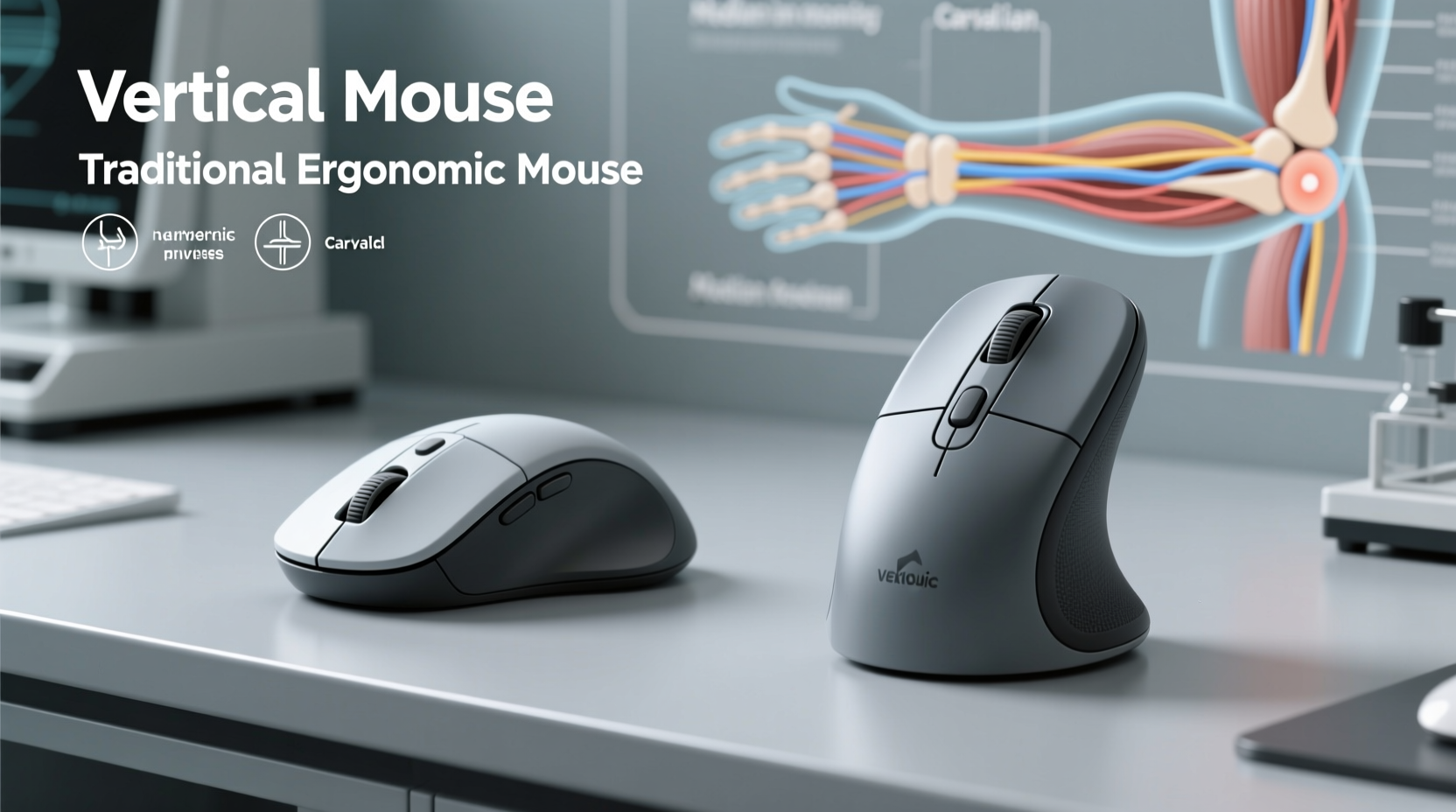
When using a conventional mouse, the hand rests in a pronated position—palm facing down, forearm twisted slightly inward. This posture places the wrist in ulnar deviation (angled toward the pinky side) and often leads to sustained muscle tension in the forearm flexors. Over time, this can compress the median nerve as it passes through the carpal tunnel, leading to pain, numbness, and tingling in the thumb, index, and middle fingers.
A 2022 study published in the Journal of Occupational Rehabilitation found that prolonged use of a flat mouse increased electromyographic (EMG) activity in the forearm muscles by up to 37% compared to neutral postures. Elevated muscle activity correlates directly with fatigue and long-term injury risk.
“Neutral wrist alignment is critical in preventing cumulative trauma disorders. Even small adjustments in device angle can significantly reduce tissue stress.” — Dr. Lena Patel, Biomechanics Researcher, University of Colorado School of Medicine
What Are Ergonomic Mice? Design Principles and Benefits
Ergonomic mice are designed to support a more natural hand and arm posture. Unlike traditional flat mice, they feature contoured shapes that fit the hand’s anatomy, promoting a relaxed grip and minimizing awkward angles. These devices aim to reduce pressure on tendons and nerves by aligning the wrist closer to a neutral position.
Key features of ergonomic mice include:
- Contoured shape: Fits the palm and supports finger placement without strain.
- Thumb rest: Reduces load on gripping muscles.
- Adjustable sensitivity: Minimizes excessive movement.
- Split or tilted design: Encourages a handshake-like grip.
Popular models like the Microsoft Sculpt Ergonomic Mouse or Logitech MX Vertical (which overlaps with vertical design) exemplify these principles. However, not all ergonomic mice are created equal—some merely repackage traditional layouts with slight curves, offering minimal functional improvement.
Tip: Look for ergonomic mice that elevate the thumb side of the hand slightly to promote forearm supination, reducing ulnar deviation.Vertical Mice: A Radical Posture Shift
Vertical mice take ergonomics a step further by rotating the hand into a near-vertical “handshake” orientation—typically between 50° and 90° from horizontal. This rotation aligns the forearm bones (radius and ulna) in a parallel configuration, drastically reducing muscle strain and nerve compression.
Research conducted at Cornell University’s Ergonomics Laboratory demonstrated that vertical mice reduce forearm muscle activity by an average of 28% compared to standard mice. Participants reported lower discomfort levels after just one week of use, particularly in the wrist and distal forearm.
The most notable benefit of vertical mice is their ability to minimize pronation—the twisting of the forearm that forces the wrist out of alignment. By maintaining a neutral forearm posture, vertical designs address one of the root causes of carpal tunnel development.
Common Challenges with Vertical Mice
Despite their advantages, vertical mice come with a learning curve. Users accustomed to flat surfaces may initially find the grip unfamiliar or tiring. Precision tasks like graphic design or gaming might require adaptation due to altered movement dynamics. Additionally, some vertical models are bulkier, limiting portability.
Comparative Analysis: Ergonomic vs Vertical Mice
| Feature | Ergonomic Mice | Vertical Mice |
|---|---|---|
| Wrist Angle | Moderate improvement over flat mice (~15–30° tilt) | Significant improvement (50–90° rotation) |
| Forearm Pronation | Reduced moderately | Minimized effectively |
| Muscle Activity Reduction | 10–20% | 25–35% |
| Learning Curve | Low to moderate | Moderate to high |
| Portability | Generally good | Limited (bulkier designs) |
| Best For | Office workers, light users, transitional adopters | High-risk individuals, chronic pain sufferers, heavy users |
While both designs improve upon the standard mouse, vertical mice consistently outperform general ergonomic models in reducing biomechanical stress. Their structural advantage lies in addressing the core issue—forearm pronation—rather than simply cushioning its effects.
Real-World Impact: A Case Study
Sarah Thompson, a 38-year-old data analyst, began experiencing tingling in her right hand after five years of full-time desk work. Diagnosed with early-stage carpal tunnel syndrome, she was advised to modify her workstation. Initially, she switched to an ergonomic mouse with a curved design. While comfort improved slightly, her symptoms persisted after four weeks.
Upon recommendation from her occupational therapist, Sarah transitioned to a vertical mouse (the Evoluent VM4). Within two weeks, she reported a noticeable reduction in nighttime numbness. After six weeks, her EMG test showed decreased muscle tension in the flexor digitorum superficialis—the muscle group most involved in mouse clicking.
“The vertical mouse felt strange at first,” Sarah said. “But once I got used to it, my wrist stopped aching by mid-afternoon. It’s been eight months now, and I haven’t needed any corticosteroid injections.”
Action Plan: How to Choose the Right Mouse for Carpal Tunnel Prevention
Selecting the best mouse isn’t just about design—it’s about matching the tool to your usage patterns, physical condition, and workspace setup. Follow this step-by-step guide to make an informed decision:
- Assess your current symptoms: If you experience numbness, tingling, or pain in your hand or wrist, consult a healthcare provider before relying solely on equipment changes.
- Evaluate daily usage: More than 4 hours of daily mouse use increases risk; prioritize maximum ergonomic benefit (favor vertical).
- Test hand size compatibility: Larger hands may benefit more from vertical mice with full palm support; smaller hands should look for compact ergonomic options.
- Consider your desk layout: Ensure adequate space for free arm movement. Avoid cramped setups that restrict shoulder mobility.
- Try before you buy: Many manufacturers offer trial periods. Use this window to assess comfort over multiple days.
- Combine with other interventions: Pair your new mouse with proper chair height, keyboard position, and regular stretch breaks.
Checklist: Signs You Need a Mouse Upgrade
- Experience wrist or forearm fatigue after short computer sessions
- Feel numbness or tingling in fingers (especially thumb, index, middle)
- Notice reduced grip strength or clumsiness with fine motor tasks
- Rest your wrist on the desk edge while using the mouse
- Rely on pain relievers to manage hand discomfort
- Spend more than 3 hours daily using a mouse
Frequently Asked Questions
Can switching to a vertical mouse reverse carpal tunnel symptoms?
While no mouse can cure carpal tunnel syndrome, studies show that using a vertical mouse can significantly reduce symptom severity and slow progression—especially when combined with medical treatment and lifestyle changes. In early stages, many users report symptom reversal due to reduced nerve compression.
Are vertical mice suitable for left-handed users?
Yes, though options are more limited. Models like the Delux M618S and Somecute Vertical Mouse offer ambidextrous designs. True symmetrical vertical mice are rare, so left-handed users should verify handedness compatibility before purchasing.
How long does it take to adjust to a vertical mouse?
Most users adapt within 1–2 weeks. Initial discomfort usually stems from underused forearm muscles adjusting to a new posture. Limit continuous use to 1–2 hours per day during the first week, gradually increasing as comfort improves.
Expert Consensus and Long-Term Recommendations
Medical and ergonomic experts increasingly advocate for vertical mice as the gold standard in preventive design. According to the American Society for Surgery of the Hand (ASSH), “Modifying input devices to maintain neutral wrist posture is among the most effective non-invasive strategies for reducing carpal tunnel risk.”
Dr. Rajiv Mehta, a hand surgeon at Massachusetts General Hospital, emphasizes proactive intervention: “We’re seeing younger patients with CTS due to poor ergonomics. Switching to a vertical mouse at the first sign of discomfort can delay or even prevent surgery.”
For those already diagnosed with mild to moderate CTS, combining a vertical mouse with nerve gliding exercises and night splinting has shown synergistic benefits in clinical settings.
Conclusion: Prioritizing Long-Term Hand Health
When comparing ergonomic and vertical mice, the evidence clearly favors vertical designs for maximizing carpal tunnel risk reduction. Their ability to maintain a neutral forearm posture addresses the fundamental biomechanical flaw of traditional computing tools. While ergonomic mice offer a gentler transition, they often fall short in delivering the deep structural correction needed for high-risk users.
Your hands are essential tools—protect them with intention. Whether you're managing early symptoms or building a future-proof workstation, investing in a vertical mouse is one of the most impactful steps you can take. Don’t wait for pain to dictate change. Evaluate your current setup, test a vertical option, and commit to sustainable computing habits today.
🚀 Ready to protect your wrists? Start by replacing your flat mouse with a vertical model—even a 30-day trial could be the first step toward lasting relief. Share your experience or questions below to help others make smarter choices.