
For millions who spend hours typing every day, wrist pain is more than an inconvenience—it can be a chronic condition that affects work performance, comfort, and long-term health. As remote work and digital lifestyles become the norm, the tools we use matter more than ever. Among them, the keyboard plays a pivotal role in hand and wrist biomechanics. But does switching from a standard keyboard to an ergonomic model actually reduce or prevent wrist pain? The answer lies in understanding design, posture, and how repetitive strain develops over time.
Standard keyboards have dominated offices for decades, but their flat, inline layout forces wrists into unnatural positions during prolonged use. Ergonomic keyboards, on the other hand, are engineered to align with the body’s natural posture, reducing strain on tendons, nerves, and joints. This article explores the differences between these two types, evaluates clinical evidence, and provides actionable guidance for anyone seeking relief from typing-related discomfort.
The Anatomy of Wrist Pain from Typing
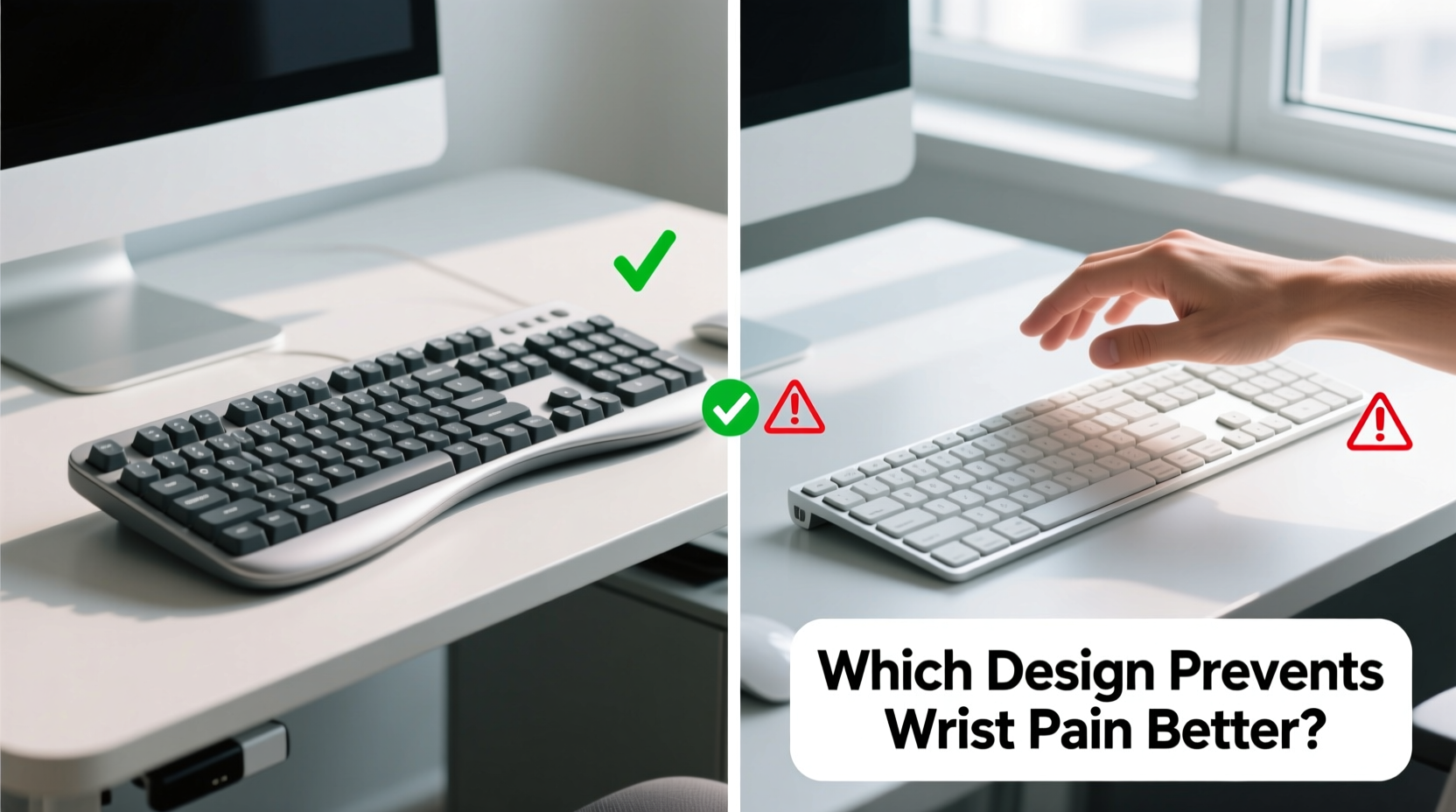
Wrist pain associated with keyboard use typically stems from repetitive strain injuries (RSIs), including carpal tunnel syndrome, tendonitis, and ulnar deviation. These conditions develop gradually due to sustained awkward postures, forceful keystrokes, and lack of rest.
When using a standard keyboard, several biomechanical stressors come into play:
- Ulnar Deviation: Hands angle inward toward the little finger, straining the wrist ligaments.
- Wrist Extension: The wrist bends upward to reach keys, compressing nerves in the carpal tunnel.
- Shoulder Tension: Hunched shoulders and forward-leaning posture increase load on upper extremities.
- Non-neutral Posture: Forearms are not aligned naturally with hands, increasing muscle fatigue.
These factors compound over time. According to the Occupational Safety and Health Administration (OSHA), musculoskeletal disorders account for nearly 33% of all workplace injuries, with computer users among the most affected.
Tip: Even minor adjustments—like raising your chair or lowering your desk—can significantly reduce wrist extension while typing.How Ergonomic Keyboards Work
Ergonomic keyboards are designed to minimize the physical strain caused by traditional models. They achieve this through structural innovations that promote neutral wrist alignment and reduce awkward joint angles.
Common ergonomic features include:
- Split Design: Keys are separated into left and right halves, allowing users to position each side shoulder-width apart.
- Tented Layout: The keyboard slopes upward in the center (like a tent), enabling palms to face each other in a handshake-like position.
- Negative Tilt: The front edge is higher than the back, encouraging a downward wrist slope instead of upward extension.
- Curved Key Rows: Keys follow the natural arc of fingers, reducing lateral stretching.
Unlike standard keyboards—which assume a one-size-fits-all approach—ergonomic models adapt to human anatomy rather than forcing adaptation to the tool.
“Neutral wrist posture isn’t just about comfort; it’s about reducing median nerve pressure. Studies show up to 50% lower compression in split, tented configurations.” — Dr. Lena Patel, Occupational Therapist & Hand Biomechanics Researcher
Comparative Analysis: Ergonomic vs Standard Keyboards
To understand which keyboard type better prevents wrist pain, consider both short-term usability and long-term health outcomes. Below is a detailed comparison across key categories.
| Feature | Standard Keyboard | Ergonomic Keyboard |
|---|---|---|
| Wrist Angle | Extended (bent upward) | Neutral or slightly flexed |
| Hand Position | Palms down, fingers parallel | Palms facing each other (reduced ulnar deviation) |
| Forearm Alignment | Often misaligned with shoulders | Better alignment due to split/tented design |
| Typing Force Required | Moderate to high (depending on switch type) | Generally lower due to optimized key travel |
| Learning Curve | None – familiar layout | Moderate (3–7 days to adjust) |
| Pain Reduction Evidence | Limited; may exacerbate existing issues | Strong clinical support for RSI prevention |
| Average Cost | $15–$50 | $80–$250 |
The data consistently favors ergonomic keyboards when the goal is injury prevention. A 2021 study published in *Applied Ergonomics* found that participants using split ergonomic keyboards reported a 42% reduction in wrist discomfort after four weeks compared to those using conventional models.
Real-World Impact: A Case Study
Jamal Rivera, a technical writer based in Portland, began experiencing sharp wrist pain after transitioning to full-time remote work in 2020. Initially dismissing it as temporary fatigue, he soon developed numbness in his right thumb and index finger—classic signs of early carpal tunnel syndrome.
His doctor recommended immediate changes to his workstation. He replaced his flat membrane keyboard with a tented, split ergonomic model and adjusted his chair height to ensure elbows remained at 90 degrees. Within three weeks, Jamal noticed reduced tingling. By week six, his pain had decreased by over 70%, and he no longer needed nighttime wrist braces.
“I was skeptical at first,” Jamal said. “But once I got used to the split layout, my hands just felt lighter. It’s like switching from hard-soled shoes to orthopedic ones—you don’t realize how much strain you were under until it’s gone.”
This experience reflects broader trends: many users report significant symptom improvement within weeks of adopting ergonomic hardware, especially when combined with proper desk setup.
Actionable Steps to Reduce Wrist Pain
Switching keyboards alone isn't always enough. To maximize protection against wrist pain, integrate device changes with behavioral and environmental adjustments. Follow this step-by-step guide:
- Assess Your Current Setup: Sit at your desk and check if your wrists are bent upward or angled inward while typing.
- Select the Right Ergonomic Model: Choose a split keyboard with adjustable tenting (e.g., Kinesis Freestyle Edge or Logitech ERGO K860).
- Position Correctly: Align the center gap of the keyboard with your body’s midline. Keep elbows close to your sides.
- Adjust Tenting Angle: Start with 10–15 degrees of tilt; increase gradually as comfort allows.
- Use Wrist Rests Wisely: Only rest palms during pauses—not while actively typing—to avoid pressure buildup.
- Take Microbreaks: Every 20–30 minutes, pause for 20 seconds to stretch hands and rotate wrists.
- Incorporate Stretching Exercises: Perform finger fans, wrist circles, and forearm stretches daily.
Expert-Backed Checklist for Preventing Typing-Related Wrist Pain
Use this checklist to evaluate and improve your typing environment:
- ✅ Keyboard allows hands to remain in a neutral, handshake-like position
- ✅ Wrists are not resting on hard surfaces during active typing
- ✅ Shoulders are relaxed, not hunched forward
- ✅ Elbows form a 90–110 degree angle
- ✅ Monitor is at eye level to prevent leaning
- ✅ Regular breaks are scheduled (at least 5 minutes every hour)
- ✅ Keyboard has minimal key resistance (low-force switches preferred)
- ✅ Workstation encourages movement (standing desk option ideal)
Completing this checklist doesn’t guarantee pain elimination, but it drastically reduces risk factors linked to cumulative trauma disorders.
Frequently Asked Questions
Can an ergonomic keyboard cure carpal tunnel syndrome?
No single device can \"cure\" carpal tunnel syndrome, which often requires medical intervention such as splinting, therapy, or surgery. However, ergonomic keyboards can significantly reduce symptoms and slow progression by minimizing nerve compression during daily activities.
How long does it take to get used to an ergonomic keyboard?
Most users adapt within 3 to 10 days. Initial discomfort or typing inaccuracies are normal. Experts recommend practicing for 1–2 hours per day at first, gradually increasing usage as muscle memory develops.
Are wireless ergonomic keyboards as effective as wired ones?
Yes. Wireless connectivity doesn’t affect ergonomics. Many top-rated ergonomic models (like the Microsoft Sculpt Ergonomic or Perixx PERIBOARD-513) are wireless and offer greater flexibility in positioning without sacrificing responsiveness.
Conclusion: Making the Smart Choice for Long-Term Comfort
The evidence is clear: ergonomic keyboards outperform standard models in preventing wrist pain. While they require an adjustment period and a higher initial investment, their long-term benefits—reduced discomfort, improved posture, and lower risk of chronic injury—make them a worthwhile upgrade for anyone who types regularly.
Prevention is always more effective—and less costly—than treatment. Whether you're a programmer, writer, student, or administrative professional, your hands deserve tools that support, not strain, their function. Investing in an ergonomic keyboard isn't just about comfort; it's a commitment to sustainable productivity and physical well-being.
💬 Have you made the switch to an ergonomic keyboard? Share your experience, tips, or questions in the comments—your insights could help someone avoid years of avoidable pain.