There are few household frustrations quite like pressing a button on your TV remote and getting no response—only for the same button to work perfectly five seconds later. Intermittent remote performance is more than just annoying; it disrupts your viewing experience and often leads to unnecessary replacements. But before you toss your remote or schedule a technician, understand that this issue is usually rooted in simple, fixable causes. From battery degradation to signal interference, multiple factors can affect how reliably your remote communicates with your television. This guide breaks down the most common reasons behind inconsistent remote operation and provides practical, step-by-step solutions to restore full functionality.
Understanding How TV Remotes Work
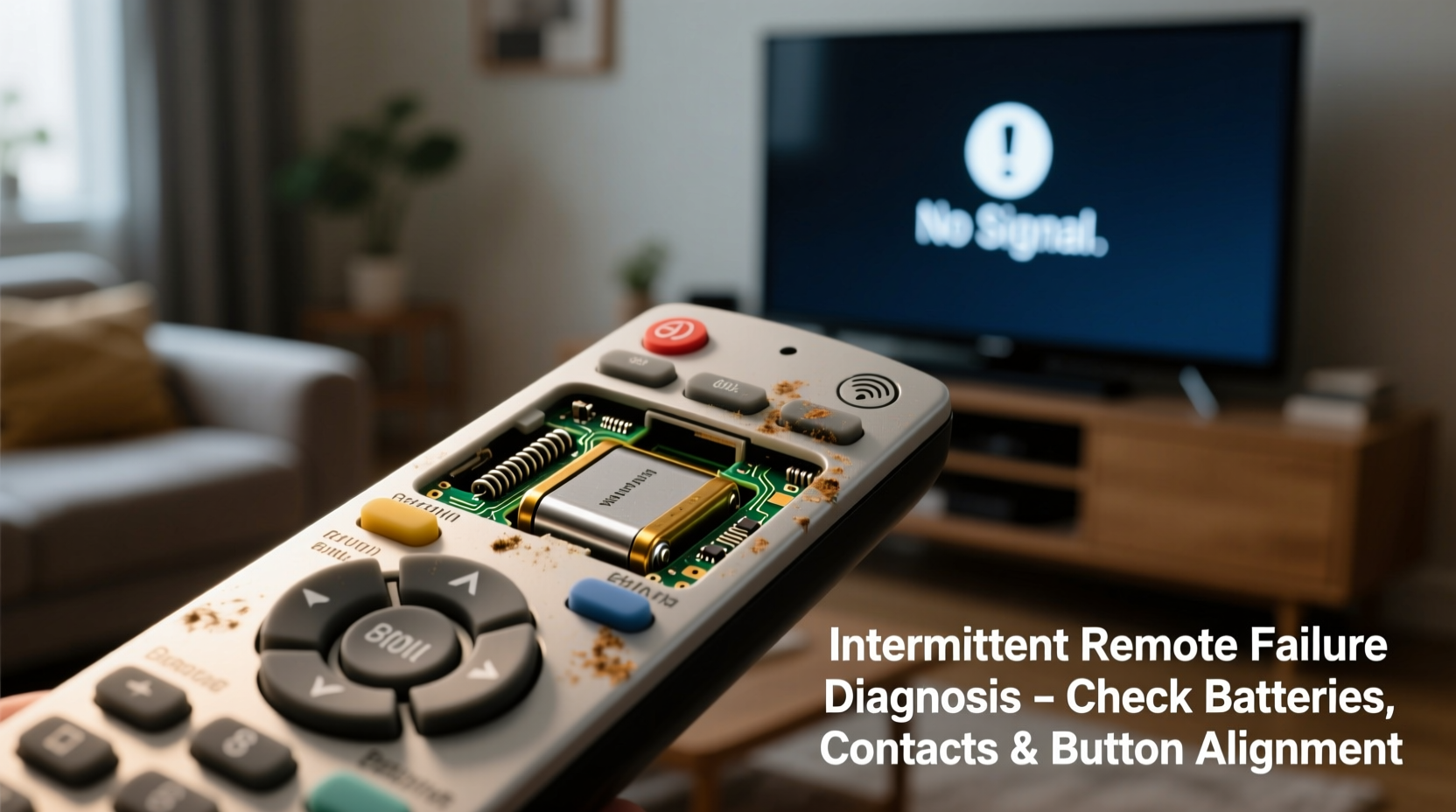
Most modern TV remotes operate using infrared (IR) signals or radio frequency (RF), depending on the model and brand. Infrared remotes require a direct line of sight between the remote and the TV’s IR sensor. When you press a button, an LED at the front of the remote emits a pulse of invisible light that encodes a specific command. The TV detects this signal and executes the action—changing channels, adjusting volume, or powering off.
Radio frequency remotes, used in advanced systems like those from Roku, Apple TV, or high-end smart TVs, don’t need line-of-sight. They transmit commands via Bluetooth or Wi-Fi, allowing control even when the remote is pointed away or stored inside a cabinet. However, both types are susceptible to environmental and mechanical issues that lead to inconsistent performance.
Intermittency doesn't always mean the remote is broken. It may simply be struggling to send or maintain a reliable signal due to internal wear, external interference, or user habits. Identifying the root cause is the first step toward resolution.
Common Causes of Intermittent Remote Functionality
Several technical and environmental factors contribute to a remote working only sometimes. Understanding these helps pinpoint the issue without resorting to guesswork.
Battery Issues
The most frequent culprit behind erratic remote behavior is weak or poorly seated batteries. Even if the batteries aren’t completely dead, low voltage reduces the strength of the IR signal. Corrosion on battery contacts or dirt buildup can also interrupt electrical flow, causing sporadic function.
Tip: Replace batteries every 6–12 months, even if they seem functional. Use high-quality alkaline batteries for consistent power delivery.Signal Obstruction
Infrared signals are easily blocked by physical objects. A lamp, picture frame, or even someone walking between the remote and TV can interrupt transmission. Dust, smoke residue, or smudges on the TV’s IR sensor window can also absorb or scatter the signal, reducing responsiveness.
Remote Sensor Interference
Bright sunlight or fluorescent lighting can flood the TV’s IR receiver with ambient light, drowning out the remote’s signal. Similarly, other electronic devices emitting IR radiation—such as air conditioners, heaters, or halogen lamps—can interfere with communication.
Worn-Out Buttons or Internal Damage
Over time, the conductive pads beneath rubber buttons degrade. Oxidation, spills, or repeated use can create gaps in conductivity, leading to missed inputs. Internal circuitry may also suffer from moisture damage or loose solder joints, especially in older remotes.
Software Glitches or Pairing Failures (RF/Bluetooth Remotes)
If your remote uses RF or Bluetooth, pairing errors or firmware bugs can cause intermittent disconnection. Smart remotes may lose sync after a system update or power cycle, requiring re-pairing with the TV.
“Many customers assume their remote is faulty when the real issue lies in signal interference or outdated firmware. Simple resets and cleaning often resolve 70% of cases.” — Daniel Reyes, Senior Technician at HomeTech Support Group
Step-by-Step Troubleshooting Guide
Follow this logical sequence to diagnose and fix your remote’s inconsistent behavior.
- Replace the batteries with fresh, high-quality ones. Ensure correct polarity and clean the metal contacts with a cotton swab dipped in rubbing alcohol if corrosion is visible.
- Test the remote in a dark room to eliminate interference from sunlight or artificial lighting. Point directly at the TV sensor, located near the front panel.
- Clean the remote and TV sensor. Wipe the remote’s front lens with a dry microfiber cloth. Gently clean the TV’s IR sensor with a soft brush or compressed air.
- Check for obstructions. Move furniture, lamps, or reflective surfaces that might block or reflect the IR beam.
- Verify line of sight. Stand where you normally use the remote and ensure nothing interrupts the path between the remote and TV.
- Test with another device. If your remote controls a soundbar or cable box, see if it responds consistently. This helps determine if the issue is with the remote or the TV.
- Try a phone camera test. Point the remote at your smartphone camera and press any button. If the IR LED flashes on screen, the remote is transmitting. No flash indicates a hardware failure.
- Reset or re-pair RF/Bluetooth remotes. For smart remotes, consult your TV manual to initiate a pairing reset. This often resolves connectivity hiccups.
- Update TV firmware. Outdated software can cause compatibility issues. Check your TV’s settings menu for available updates.
- Use the TV’s built-in controls. If the remote still fails, operate the TV manually to confirm it’s receiving input—ruling out TV-side malfunctions.
Tips and Best Practices for Long-Term Reliability
Maintaining consistent remote performance goes beyond fixing current issues. Proactive care prevents future failures.
Tip: Store your remote in a designated spot away from moisture, heat, and direct sunlight to prolong battery life and prevent internal damage.- Avoid placing heavy objects on top of the remote, which can compress internal components.
- Keep drinks away from the remote to prevent liquid damage.
- Use rechargeable batteries with a charging station to reduce waste and ensure readiness.
- Regularly wipe down the remote with a dry cloth to remove oils and dust.
- For households with pets or children, consider protective silicone covers to shield buttons and circuitry.
Do’s and Don’ts: Remote Maintenance Checklist
| Do’s | Don’ts |
|---|---|
| Replace batteries proactively every 6–12 months | Don’t mix old and new batteries |
| Clean battery contacts quarterly | Don’t use abrasive cleaners on the remote |
| Store remote in a cool, dry place | Don’t expose the remote to extreme temperatures |
| Re-pair Bluetooth remotes after firmware updates | Don’t ignore firmware update notifications |
| Test remote functionality monthly | Don’t assume the TV is broken without testing alternatives |
Real-World Example: A Case of Misdiagnosed Failure
Consider the case of Maria, a homeowner in Austin, Texas, who replaced her Samsung TV remote twice within a year, believing each was defective. After the third remote showed similar issues—working only when she stood directly in front of the TV—she contacted a technician. Upon inspection, the specialist noticed intense afternoon sunlight flooding the living room, hitting the TV’s front panel directly. The IR sensor was overwhelmed by ambient light, making it nearly impossible for the remote signal to register during daylight hours. The solution? Installing sheer curtains to diffuse sunlight. After that, all three remotes—including the supposedly “dead” ones—worked flawlessly. This case underscores how environmental factors, not hardware defects, often drive intermittent performance.
Frequently Asked Questions
Can a phone camera really detect if my remote is sending a signal?
Yes. Most smartphone cameras can detect infrared light, which appears as a faint purple or white glow when you press a button on the remote. If you see no light, the remote isn’t transmitting, indicating a battery, circuit, or LED issue.
Why does my remote work better when I hold it sideways or closer to the TV?
This typically points to alignment or signal strength problems. Holding the remote closer compensates for weak battery power. Angling it may align the IR diode better with the TV’s sensor, especially if the lens is dirty or partially blocked.
Is it worth repairing an old remote, or should I just buy a new one?
Simple fixes like cleaning or battery replacement cost nothing and often restore function. For remotes with damaged internal circuits, universal replacements or smartphone apps (like Android TV Remote or iOS Remote) offer affordable, feature-rich alternatives. Repairing complex circuitry is rarely cost-effective unless it’s a rare or proprietary model.
Conclusion: Take Control of Your Viewing Experience
An intermittently working TV remote doesn’t have to be a permanent annoyance. By understanding the underlying causes—battery health, signal interference, physical obstructions, and internal wear—you can quickly diagnose and resolve the issue. Most fixes are simple, inexpensive, and take less than ten minutes. Regular maintenance and mindful usage habits go a long way in ensuring your remote remains responsive for years. Don’t rush to replace it; instead, apply the strategies outlined here to restore seamless control over your entertainment system.
💬 Have a remote that acts up at random times? Try the phone camera test and share your results in the comments. Let’s troubleshoot together!