Smart lighting systems have transformed homes into dynamic, responsive environments. Programmable LED strips, smart bulbs, and addressable light arrays allow users to design intricate color transitions, synchronized effects, and mood-based automation. But when a firmware update disrupts carefully crafted sequences—especially by causing lights to skip steps—it can be both frustrating and puzzling. This behavior isn’t random; it’s often rooted in changes to timing protocols, memory handling, or command parsing introduced during the update. Understanding the technical shifts behind this issue is key to restoring smooth, reliable performance.
The Hidden Impact of Firmware Updates on Light Sequencing
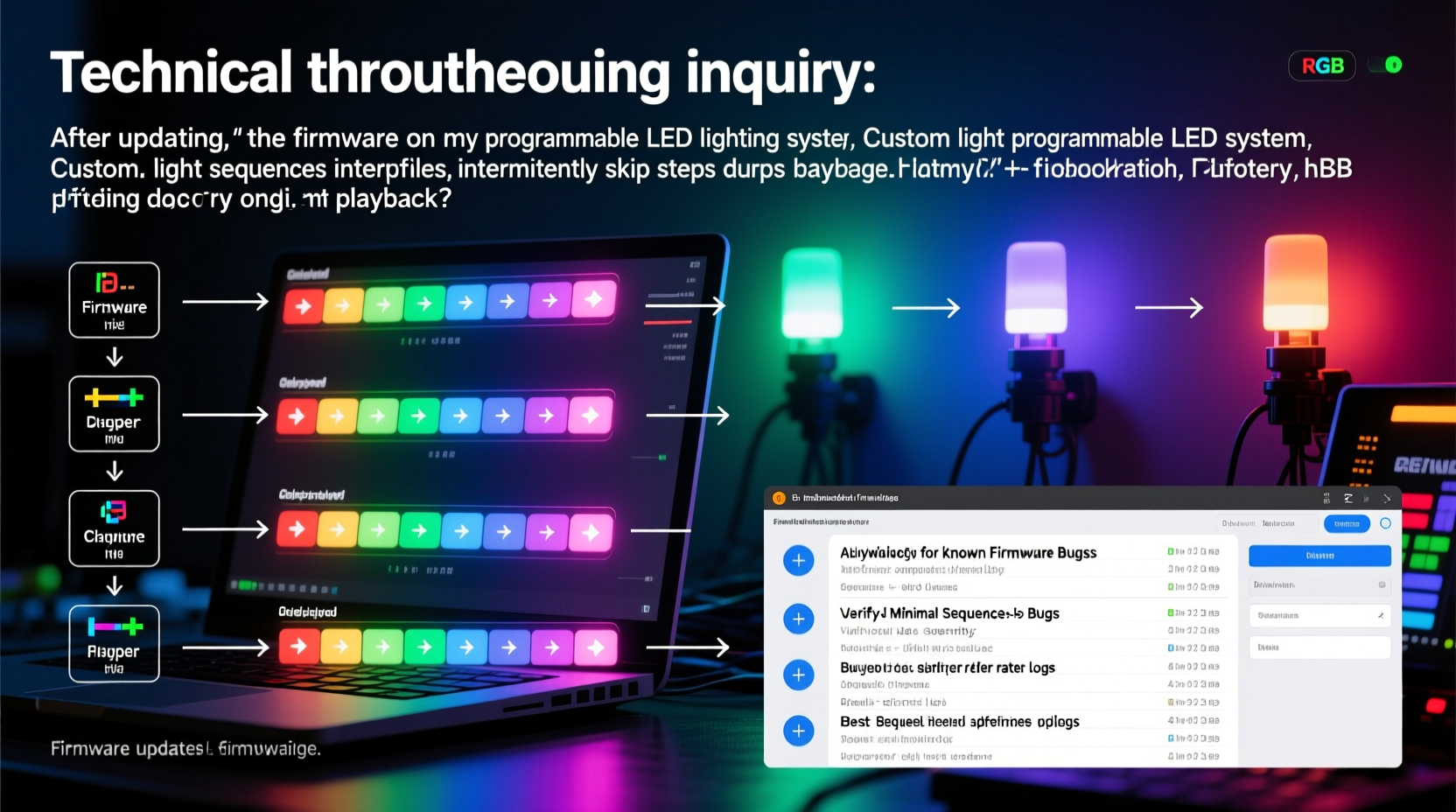
Firmware updates are essential for security, stability, and new features. However, they can also alter low-level operations that directly affect how your lights interpret and execute sequences. What worked flawlessly before may behave differently afterward—not because the hardware changed, but because the software layer controlling it did.
One common cause of skipped steps is a change in the frame processing rate. Many programmable lights rely on precise timing between color or brightness commands. If the updated firmware introduces a delay in instruction handling or increases the minimum interval between steps, rapid transitions may be dropped to maintain system stability. For example, a sequence calling for 30 color changes per second might now only support 20 due to revised buffer management.
Another factor is backward compatibility. Some manufacturers prioritize newer features over legacy sequence formats. Custom scripts saved in older file types or using deprecated APIs may not parse correctly, leading to missing frames or abrupt jumps. In such cases, the lights aren't malfunctioning—they're simply following an incomplete or misinterpreted instruction set.
Tip: Always back up existing sequences before applying firmware updates. Export them as JSON or text files so you can compare pre- and post-update behavior.Common Technical Causes Behind Skipped Steps
Skip behavior rarely stems from a single point of failure. Instead, it's typically the result of overlapping factors introduced or exposed by the update. Below are the most frequent culprits:
- Altered Timing Resolution: Firmware may now enforce longer minimum intervals between steps, truncating fast sequences.
- Buffer Overflow Handling: Newer versions might drop frames instead of queuing them when data arrives too quickly.
- Command Parsing Changes: Syntax that was previously accepted may now be flagged as invalid, skipping malformed entries silently.
- Memory Allocation Shifts: If the update restructures how sequences are stored in onboard memory, long chains may be truncated or compressed.
- Protocol Version Mismatch: Controllers and apps may no longer communicate using the same protocol version, leading to misaligned instructions.
These issues are particularly noticeable in DIY platforms like WLED, ESP8266/ESP32-based controllers, or proprietary ecosystems such as LIFX or Nanoleaf, where fine-grained control is expected.
“After a firmware update, even minor changes in interrupt handling can desynchronize LED refresh cycles. It’s not about broken code—it’s about timing margins being recalibrated.” — Dr. Alan Reyes, Embedded Systems Engineer at SmartHome Labs
Step-by-Step Guide to Diagnose and Fix Skipped Steps
Restoring seamless playback requires systematic troubleshooting. Follow this timeline to isolate and resolve the root cause:
- Revert Temporarily (if possible): Check if your controller supports rolling back to the previous firmware. This confirms whether the issue is update-related.
- Test with a Minimal Sequence: Create a short, three-step transition (e.g., red → green → blue) with 1-second intervals. If this works, the problem likely involves complexity or timing density.
- Inspect Logs or Debug Output: Use serial monitoring (for Arduino-based systems) or app diagnostics to check for dropped packets or parsing errors.
- Adjust Transition Speeds: Double the duration between steps. If skipping stops, the original sequence exceeded the new timing threshold.
- Re-upload the Sequence: Delete and re-import your custom script. The update may require revalidation of stored profiles.
- Clear Cache and Reset Controller: Perform a soft reset or power cycle. Some firmware updates don’t fully initialize until a clean boot.
- Update Companion Apps: Ensure your mobile or desktop control app is also updated. Mismatched versions often cause communication glitches.
Do’s and Don’ts After a Firmware Update
| Action | Recommendation | Reason |
|---|---|---|
| Do test basic functions first | ✅ Yes | Verifies core operation before diving into complex sequences |
| Do assume old settings are still valid | ❌ No | Settings may be deprecated or restructured silently |
| Do document your current setup | ✅ Yes | Helps identify what changed post-update |
| Don’t ignore changelogs | ❌ No | Changelogs often list breaking changes affecting sequences |
| Do reach out to community forums | ✅ Yes | Others may have found workarounds or patches |
Real Example: Recovering a Festival Lighting Setup
Jessica, a stage technician managing ambient lighting for a local music festival, relied on a 16-foot WS2812B strip programmed with a pulsing rainbow wave synced to beat drops. After updating her WLED controller from v0.13.0-b1 to v0.14.1, she noticed the wave would \"jump\" every few seconds, skipping entire gradient phases.
She began by reviewing the changelog and discovered that v0.14 introduced stricter frame rate limiting to reduce Wi-Fi congestion. Her original sequence ran at 50 FPS, but the new cap was 30 FPS. Any excess frames were automatically discarded without warning.
Using the WLED web interface, she adjusted her animation speed and regenerated the effect using the built-in sine palette with reduced density. She also switched from HTTP API calls to direct UI-based saving, ensuring compatibility with the new storage format. Within 20 minutes, the sequence played smoothly again—proving that understanding the update’s intent was more valuable than brute-force debugging.
Checklist: Post-Update Recovery Plan
Post-Firmware Update Checklist – Restore Smooth Sequences
- ☐ Back up current sequences before any future update
- ☐ Read the official changelog thoroughly
- ☐ Test default effects to confirm hardware functionality
- ☐ Reduce step frequency in custom sequences temporarily
- ☐ Re-save all user-defined patterns via the updated interface
- ☐ Verify app and controller versions match
- ☐ Monitor device logs for dropped frame warnings
- ☐ Join user communities to report or find fixes
Frequently Asked Questions
Can a firmware update permanently damage my lights?
No. Firmware updates modify software, not hardware. Even failed flashes can usually be recovered via safe modes or factory resets. Skipped steps are a behavioral issue, not physical damage.
Why do only some of my sequences skip steps while others work fine?
This suggests the issue is tied to specific parameters—such as transition speed, length, or color depth. Sequences with slower, simpler transitions are less likely to exceed new thresholds. Review each sequence’s timing and complexity individually.
Is there a way to prevent this from happening again?
Yes. Always review changelogs before updating, use version-controlled backups of sequences, and test updates on one device before rolling them out across your entire setup. Treating firmware like software—with caution and planning—minimizes disruptions.
Expert Insight: Designing Future-Proof Sequences
As smart lighting evolves, flexibility becomes as important as creativity. Modern firmware increasingly prioritizes network stability and energy efficiency over raw performance, which means ultra-fast sequences may become obsolete unless properly optimized.
“The best sequences aren’t the fastest—they’re the most resilient. Build in padding, avoid edge-case timing, and structure your effects to degrade gracefully under load.” — Lin Zhao, Lead Developer at OpenRGB Project
This philosophy applies especially to open-source platforms where updates come frequently and without extensive user testing. Writing robust sequences—those that adapt to varying frame rates and buffer conditions—ensures longevity beyond any single firmware version.
Conclusion: Regain Control With Confidence
Skipped steps after a firmware update are not a dead end—they’re a signal that the rules of engagement have changed. Whether you're managing holiday displays, home ambiance, or professional installations, understanding the interplay between software updates and sequence execution empowers you to adapt quickly and effectively. By combining diagnostic discipline with preventive habits, you can maintain flawless light shows across updates.
Don’t let unexpected behavior discourage experimentation. Instead, treat each issue as a learning opportunity to deepen your mastery of smart lighting systems. The next time an update rolls out, you won’t just react—you’ll be ready.
💬 Have you experienced skipped steps after a firmware update? Share your story, solution, or question below—your insight could help someone else restore their perfect glow.