When the trail gets steep, weather turns unpredictable, and cell service vanishes, your smartwatch becomes more than a gadget—it’s a lifeline. For serious hikers and outdoor adventurers, two devices stand out: the Garmin Fenix 8 and the Apple Watch Ultra 2. Both are built to endure extreme conditions, but they approach rugged performance from different philosophies. The Fenix 8 leans into endurance and specialized outdoor tools, while the Ultra 2 blends premium fitness tracking with seamless integration into the Apple ecosystem. But when it comes to handling rugged hiking trails—think multi-day treks, alpine ridges, or off-grid routes—which one truly performs better?
This isn’t just about durability or GPS accuracy. It’s about how each device supports decision-making in the wild, conserves power over days without charging, and delivers reliable data when signal is lost. Let’s break down their capabilities where it matters most: on the trail.
Durability and Build Quality: Surviving the Elements
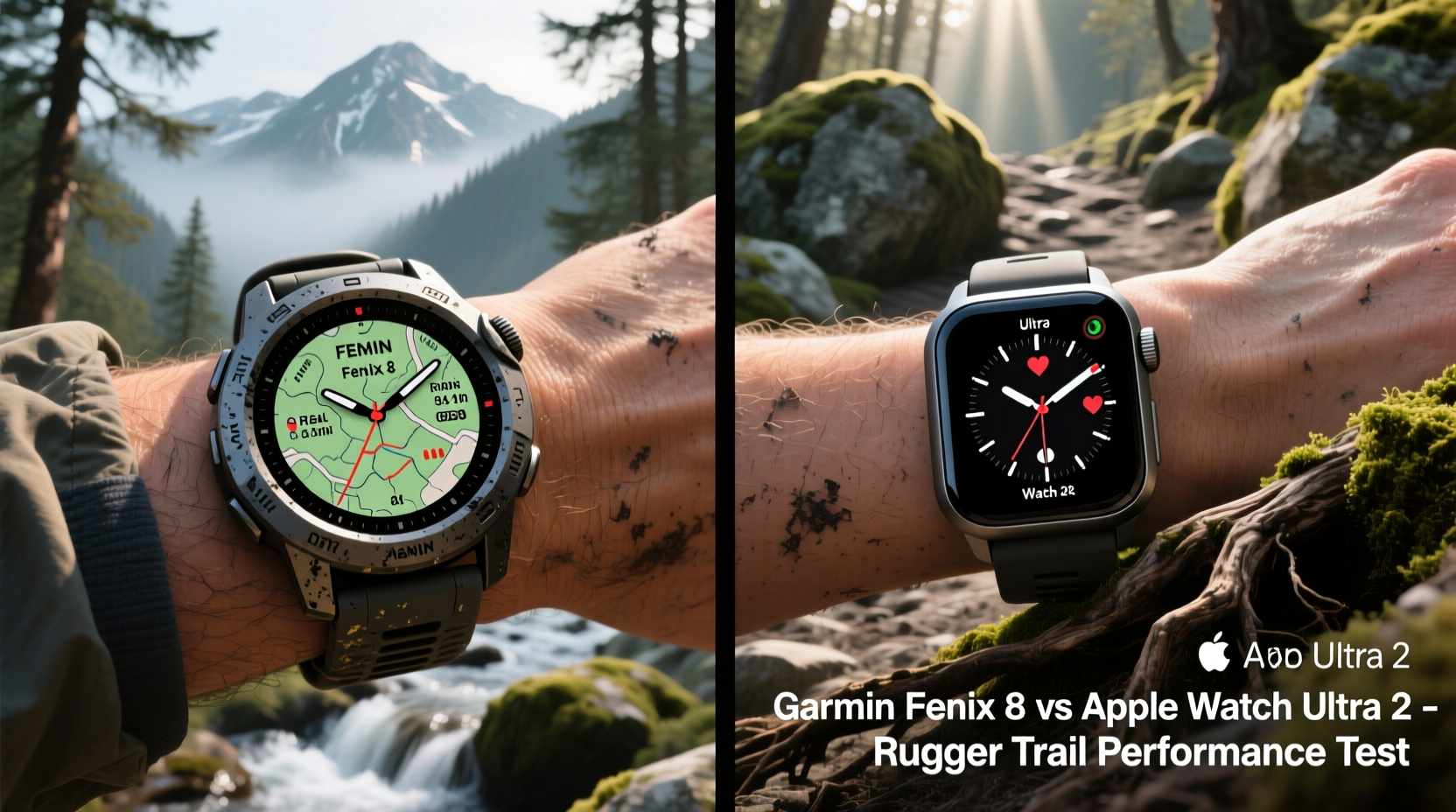
Ruggedness starts with construction. Hiking exposes gear to abrasion, moisture, temperature swings, and accidental drops. Both watches are engineered for resilience, but their design priorities differ.
The **Garmin Fenix 8** features a fiber-reinforced polymer chassis with stainless steel or titanium bezel options, depending on the model. It’s MIL-STD-810H rated, meaning it’s tested against shock, thermal extremes, and humidity. The sapphire glass variant resists scratches even when brushing past granite outcrops. It carries a water resistance rating of 10 ATM (100 meters), suitable for swimming and river crossings.
The **Apple Watch Ultra 2**, meanwhile, uses a custom titanium case with flat edges that double as glove-friendly buttons. Its front crystal is sapphire glass, and the case is sealed to resist dust and water up to 100 meters. It also meets ISO 22810 standards for water resistance and includes an IP6X dust rating. Apple emphasizes drop testing from 6 feet onto concrete, simulating real-world falls during scrambles or slips.
While both watches pass rigorous durability tests, the Fenix 8 has a slight edge in long-term field resilience due to its proven track record across previous generations used by military personnel and expedition teams. As outdoor guide and gear tester Lena Torres notes:
“On month-long backcountry trips, I’ve seen Apple Watches fail from condensation buildup after repeated immersion. The Fenix line just keeps ticking.” — Lena Torres, Lead Guide, Alpine Expeditions Co.Tip: After river crossings or heavy rain, dry your watch thoroughly before storing—especially around button seals—to prevent moisture entrapment.
Battery Life: Endurance Over Long Distances
No feature matters more on extended hikes than battery longevity. Carrying extra chargers adds weight; solar charging helps, but only if supported.
The Fenix 8 offers exceptional stamina. In smartwatch mode, it lasts up to 30 days. With GPS active, it achieves 72 hours in standard mode, and up to 140 hours in Expedition Mode (which disables animations and limits connectivity). Using multi-band GNSS improves location accuracy but reduces runtime to around 45 hours. For thru-hikers or those on unsupported routes, this means fewer compromises.
The Apple Watch Ultra 2, despite improvements, maxes out at approximately 36 hours in typical use. With continuous GPS tracking, that drops to about 12–14 hours. While sufficient for day hikes or weekend trips, it falls short on multi-day excursions unless paired with a portable charger.
Consider this scenario: a solo trek through the Wind River Range in Wyoming. You’re covering 15 miles per day over three days, relying on GPS navigation and elevation profiles. The Fenix 8 can handle this entire journey on a single charge, even with regular heart rate monitoring and barometric altimeter updates. The Ultra 2 would require mid-trip recharging—a logistical challenge deep in wilderness areas.
“Battery anxiety changes behavior. When you know your watch might die, you stop checking critical metrics like ascent rate or weather trends.” — Dr. Marcus Reed, Outdoor Safety Researcher, University of Colorado
Navigation and Trail Tools: Finding Your Way Off-Grid
Precise navigation separates capable outdoor watches from mere fitness trackers. Here, the Fenix 8 shines with purpose-built mapping and route planning tools.
It supports full-color topographic maps with contour lines, breadcrumb trails, and point-to-point routing. Users can download regional maps via Garmin Connect and create custom routes with waypoints. The TracBack feature allows instant return along your recorded path—an essential function when visibility drops in fog or snow.
In contrast, the Ultra 2 runs Apple’s Compass app with downloadable offline maps. These maps include trails from sources like AllTrails and display elevation profiles, but lack granular detail compared to Garmin’s TOPO maps. Turn-by-turn navigation exists, but only if pre-downloaded. Real-time rerouting is absent without cellular connection.
Additionally, the Fenix 8 includes dual-frequency (L1+L5) GNSS support, improving GPS accuracy in dense forests or narrow canyons. The Ultra 2 uses single-frequency GNSS, which may result in drift near cliff faces or under thick canopy.
| Feature | Garmin Fenix 8 | Apple Watch Ultra 2 |
|---|---|---|
| Topographic Maps | Yes – Full TOPO support | Limited – Offline trail maps |
| Route Planning | Advanced (on-device & app) | Basic (via iPhone app) |
| GNSS Accuracy | Dual-frequency (L1+L5) | Single-frequency |
| Breadcrumb Navigation | Real-time trail retracing | Available via third-party apps |
| Offline Weather Alerts | Yes (via satellite messaging add-on) | No native support |
For technical terrain—say, navigating the Teton Crest Trail with minimal signage—the Fenix 8 provides more confidence. Its dedicated buttons allow glove-friendly access to compass bearings and elevation trends without waking the screen.
Health and Environmental Monitoring: Beyond Step Counting
Both watches offer robust health tracking, but their utility diverges in remote environments.
The Fenix 8 includes Pulse Ox, respiration rate, hydration logging, and advanced sleep analysis. More importantly, it features an incident detection system that automatically sends your location to emergency contacts if a fall is detected—when paired with an inReach subscription. This can be lifesaving in isolated zones.
It also integrates with Garmin’s ClimbPro feature, which displays upcoming elevation gain segmented by switchbacks. During sustained ascents, this helps manage pacing and conserve energy.
The Ultra 2 tracks similar biometrics: ECG, blood oxygen, temperature sensing (for cycle tracking), and high/low heart rate alerts. Its Crash Detection and SOS features work via connected iPhone or cellular model, but not independently in airplane mode. Without phone pairing, emergency signaling is limited.
One underrated advantage of the Fenix 8 is its ability to monitor environmental conditions. The barometric altimeter adjusts for weather changes, providing accurate altitude readings critical for avalanche assessment or storm prediction. The Ultra 2 lacks atmospheric trend alerts, though it does log ambient noise levels.
Tip: Calibrate your altimeter at known elevations (trailheads, summit markers) to ensure accuracy throughout your hike.Real-World Example: A Weekend in the Sierra Nevada
Take a recent trip by backpacker Jordan Kim, who carried both watches side-by-side during a 50-mile loop in the John Muir Wilderness.
Jordan started with both devices fully charged. He enabled GPS tracking every 5 seconds for precision on unmarked sections. By the end of Day 1 (18 miles, 4,000 ft gain), the Fenix 8 reported 78% battery remaining. The Ultra 2 dropped to 42%. On Day 2, after crossing Evolution Basin in light snow, the Ultra 2 shut down unexpectedly due to cold exposure below 20°F—despite being within Apple’s operating range. The Fenix 8 continued logging data at 17°F.
During a detour caused by a washed-out trail, Jordan used the Fenix 8’s TracBack to safely reverse course. He later created a new route using uploaded TOPO maps on his phone, synced directly to the watch. The Ultra 2 couldn’t generate alternative paths without internet access.
“I trusted the Fenix with my route,” Jordan said. “The Apple Watch felt great on the wrist and gave me good recovery insights at camp, but I wouldn’t rely on it alone beyond a day hike.”
Step-by-Step: Preparing Either Watch for a Rugged Hike
Maximizing trail performance requires preparation. Follow this checklist before heading out:
- Update firmware – Ensure latest software for bug fixes and map corrections.
- Download offline maps – Load topographic or trail maps for your region.
- Enable battery-saving modes – For longer trips, reduce GPS frequency or disable always-on display.
- Set up emergency contacts – Link SOS services with current phone number or satellite messenger.
- Test key functions – Verify GPS lock, altimeter calibration, and compass accuracy in open sky.
- Pack backup power – Even with long battery life, bring a lightweight USB-C charger or solar panel for extended trips.
Frequently Asked Questions
Can the Apple Watch Ultra 2 survive sub-zero temperatures?
Apple specifies an operating range of 0°C to 35°C (32°F to 95°F). Below freezing, lithium-ion batteries lose efficiency rapidly, and screens may become unresponsive. While brief exposure is tolerable, prolonged use in extreme cold risks shutdowns. The Fenix 8 operates reliably down to -20°C (-4°F).
Does the Garmin Fenix 8 have cellular or calling features?
No, the Fenix 8 does not support voice calls or cellular data. Communication must go through paired smartphones or optional satellite messengers like inReach Mini 2. The Ultra 2 supports calls, messages, and streaming when near an iPhone or on cellular models.
Which watch integrates better with hiking apps?
The Fenix 8 syncs seamlessly with Gaia GPS, Komoot, and Fatmap for advanced route planning. The Ultra 2 works well with AllTrails and Apple Maps but lacks deep integration with third-party navigation platforms.
Final Verdict: Who Should Choose What?
If your priority is surviving and thriving on rugged, multi-day hiking trails—especially in remote or harsh environments—the **Garmin Fenix 8** is the superior choice. Its combination of extended battery life, precise dual-frequency GPS, comprehensive mapping, and cold-weather reliability makes it a true expedition tool.
The **Apple Watch Ultra 2**, however, excels for users who value fitness insights, daily convenience, and seamless iPhone integration. It’s ideal for day hikers, runners, or climbers close to infrastructure who want strong durability without sacrificing smart features.
Ultimately, the Fenix 8 treats the outdoors as its native environment. The Ultra 2 brings outdoor capability to a lifestyle device. For pure trail toughness, mission-critical navigation, and peace of mind far from help, the Fenix 8 earns its place on the wrist of serious adventurers.
💬 Have you taken either watch deep into the backcountry? Share your experience, tips, or lessons learned—we’d love to hear what worked (or didn’t) on your last hike.