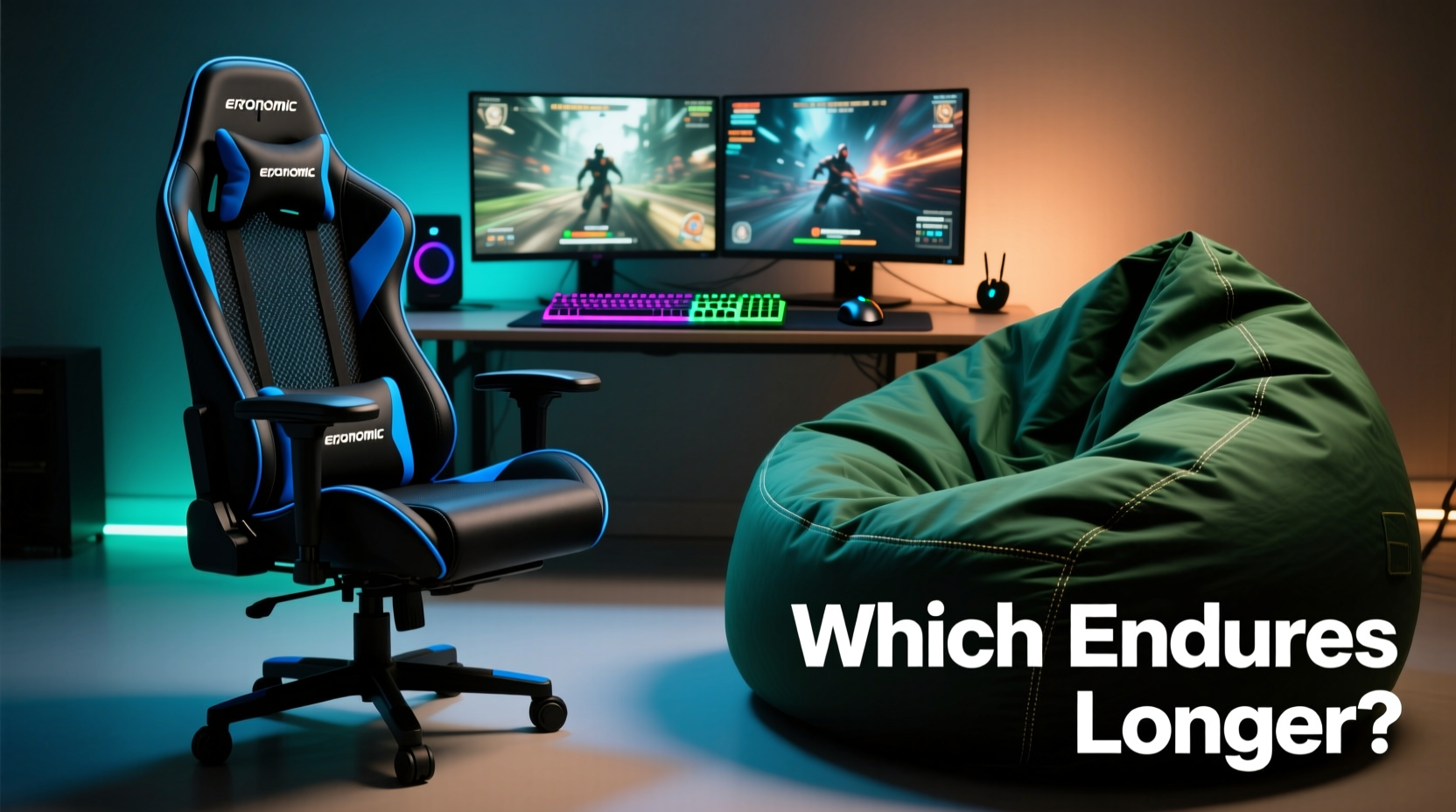
Spending hours immersed in a game requires more than just skill and focus—it demands physical endurance. Whether you're grinding through a competitive ranked season or diving into a 20-hour RPG campaign, your seating choice can make or break the experience. Two popular options dominate home gaming setups: the ergonomic office chair and the plush, casual bean bag. But when it comes to long gaming sessions, which one truly supports your body, enhances performance, and prevents long-term strain?
The answer isn't as simple as comfort versus support. It's about understanding how each option affects spinal alignment, circulation, muscle fatigue, and even mental focus over time. While a bean bag may feel like a cozy retreat after a long day, an ergonomic chair is engineered with biomechanics in mind. Let’s explore the real-world implications of each choice.
Understanding the Physical Demands of Gaming Marathons
Gaming marathons aren’t just mentally taxing—they’re physically demanding. Sitting for extended periods—often exceeding six to eight hours—can lead to stiffness, reduced blood flow, and repetitive strain injuries. The human body wasn’t designed for static postures, yet most gamers settle into one position for hours on end, eyes locked on screen, fingers dancing across controllers or keyboards.
Key physiological concerns during prolonged sitting include:
- Poor lumbar support leading to lower back pain
- Neck and shoulder tension from forward head posture
- Circulatory issues due to restricted leg movement
- Reduced core engagement causing slouching and fatigue
These risks are amplified when seated on furniture not designed for sustained use. A surface that feels soft and inviting at hour one might become a source of discomfort by hour five. This is where design intent matters. Ergonomic chairs are built for function; bean bags prioritize relaxation.
Tip: Even with the best chair, take a micro-break every 30–45 minutes—stand, stretch, or walk briefly to reset circulation.Evaluating the Ergonomic Chair: Engineering for Endurance
An ergonomic gaming chair is not just a marketing term—it’s a product category rooted in occupational health science. These chairs are designed to support natural spinal curvature, promote active sitting, and reduce musculoskeletal stress during long sedentary tasks.
Core features include:
- Adjustable lumbar support – Targets the lower back curve, preventing slouching
- Contoured seat pan – Distributes weight evenly, reducing pressure on thighs
- Height-adjustable armrests – Align wrists with keyboard level, minimizing strain
- Synchro-tilt mechanism – Allows reclining while maintaining contact with the backrest
- Head and neck support – Often via adjustable headrests to prevent forward head tilt
A well-designed ergonomic chair encourages what ergonomists call “dynamic sitting”—small shifts in posture that engage core muscles and keep joints mobile. This subtle movement helps delay fatigue and supports better blood flow.
“Prolonged static postures are a primary contributor to chronic back pain in young adults, especially among desk-based and digital hobby users.” — Dr. Lena Torres, Occupational Physiotherapist
Real-World Example: Competitive Gamer Recovery
Consider Alex, a 24-year-old streamer who regularly logs 10-hour days during tournament seasons. After two years of using a standard bean bag in his bedroom setup, he began experiencing persistent lower back pain and numbness in his left leg. A visit to a physiotherapist revealed early signs of sciatic nerve irritation due to prolonged pelvic tilt and poor spinal alignment.
Switching to a high-back ergonomic chair with adjustable lumbar support and seat depth, Alex reported noticeable improvement within three weeks. He still uses his bean bag for short breaks or casual viewing, but all serious gameplay now happens at a properly set-up desk station.
Examining the Bean Bag: Comfort Without Compromise?
Bean bags have evolved from 1970s novelty furniture into modern, stylish loungers marketed specifically for gaming and media rooms. Many models now include back bolsters, foam inserts, and fabric blends meant to mimic supportive seating.
However, despite these upgrades, bean bags remain fundamentally limited by their lack of structure. Unlike rigid-backed chairs, they conform entirely to the user’s body—which sounds ideal until you consider what happens over time.
When you sink into a bean bag, your pelvis typically tilts backward, flattening the natural curve of your lower spine. This posture, known as \"posterior pelvic tilt,\" increases disc pressure in the lumbar region and forces neck and shoulder muscles to compensate for the lack of upper back support.
Additionally, bean bags offer no consistent point of reference for posture. Shift slightly, and the entire support system changes. There’s no fixed armrest height, no stable base for typing, and often no way to maintain eye-level screen alignment.
Where Bean Bags Shine
That said, bean bags aren’t without merit. They excel in specific scenarios:
- Short-term relaxation – Ideal for unwinding between matches or watching streams
- Kid-friendly spaces – Soft, lightweight, and safe for younger users
- Secondary seating – Great for guest spots or lounge zones in larger setups
- Portability – Easy to move around living rooms or dorms
But for marathon sessions, the absence of adjustability and structural consistency becomes a liability rather than a luxury.
Side-by-Side Comparison: Key Features Compared
| Feature | Ergonomic Chair | Bean Bag |
|---|---|---|
| Lumbar Support | Adjustable, targeted support for lower back | Limited or absent; relies on user positioning |
| Postural Stability | High – maintains spinal alignment | Low – encourages slouching and asymmetry |
| Adjustability | Seat height, armrests, recline, depth | None – fixed shape once filled |
| Durability (Long-Term Use) | 5–10 years with proper care | 2–4 years; filling compresses over time |
| Cooling & Breathability | Mesh panels, breathable fabrics common | Often heat-retaining materials; prone to overheating |
| Price Range | $150–$600+ | $80–$300 |
| Best For | Extended gaming, productivity, precision tasks | Leisure, short sessions, secondary seating |
Action Plan: Choosing and Optimizing Your Setup
Selecting the right seat is only half the battle. How you use it determines long-term outcomes. Follow this step-by-step guide to ensure optimal comfort and health during gaming marathons.
- Assess Your Primary Use Case
Are you playing competitively, creating content, or casually browsing? If your hands are on a keyboard or controller for hours, prioritize support. - Measure Your Desk and Screen Height
Ensure your eyes are level with the top third of the screen. An ergonomic chair allows precise height adjustment to match. - Test Seating Options In-Person if Possible
Sit in both types for at least 15 minutes. Note any pressure points, difficulty reaching controls, or postural drift. - Set Up Active Sitting Habits
Use the chair’s recline function periodically. Lean back at a 100–110° angle to reduce spinal load. - Incorporate Movement Breaks
Every 45 minutes, stand up, stretch your hamstrings, roll your shoulders, and look away from the screen. - Supplement, Don’t Replace
Keep the bean bag nearby for cooldown periods—but return to your ergonomic chair for active gameplay.
FAQ: Common Questions Answered
Can I use a bean bag safely for long gaming sessions?
Occasionally, yes—but not routinely. Extended use increases the risk of poor posture, muscle fatigue, and joint discomfort. If you choose a bean bag, limit sessions to under 90 minutes and pair it with frequent standing breaks.
Do expensive ergonomic chairs make a difference?
Yes. Higher-end models use superior foam density, breathable mesh, and durable mechanisms that last longer and provide more precise adjustments. Look for certifications like BIFMA or GREENGUARD for safety and performance standards.
Is there a hybrid option available?
Some brands offer “gaming loungers” or structured floor seats with back support and armrests. While closer to ergonomic ideals than traditional bean bags, they still lack the adjustability and stability of full chairs. Best used as transitional seating, not primary workstations.
Final Verdict: What Wins for Gaming Marathons?
The data, expert insight, and real-world evidence converge on one conclusion: the ergonomic chair is the superior choice for gaming marathons.
While bean bags win on initial comfort and aesthetic appeal, they fail to deliver sustained support. Their lack of adjustability, instability, and tendency to encourage slouching make them unsuitable for extended use. In contrast, ergonomic chairs are purpose-built for endurance, offering customizable support that adapts to individual bodies and promotes healthier sitting habits.
This doesn’t mean banning bean bags altogether. They serve a valuable role in relaxation zones, secondary lounges, or downtime areas. But when it comes to serious play—especially sessions lasting four hours or more—the ergonomic chair is unmatched in promoting physical well-being, focus, and longevity.
“The best gaming setup isn’t just about performance hardware—it’s about protecting the operator. Your chair is part of your toolkit.” — Marcus Lin, Esports Wellness Consultant
Your Next Move: Invest in Sustainable Comfort
If you’re still gaming from a couch or floor cushion, now is the time to upgrade. Think of your chair not as furniture, but as protective gear—an investment in your health, stamina, and enjoyment.
Start by measuring your current setup. Evaluate whether your spine stays aligned, your arms rest comfortably, and your legs allow for circulation. Then, test a few ergonomic models, read verified reviews, and prioritize adjustability over aesthetics.
You don’t need the most expensive model on the market. But you do need one that supports your body correctly. Even mid-range ergonomic chairs outperform premium bean bags in long-term usability.
💬 Have you switched from a bean bag to an ergonomic chair—or vice versa? Share your experience below. Help fellow gamers make informed choices about comfort, health, and performance.