When tackling home improvement tasks—whether building a deck, assembling furniture, or installing heavy shelving—you’ll often encounter stubborn screws that resist standard tools. Two of the most common power tools in a DIYer’s arsenal are the cordless drill and the impact driver. While they may look similar and both drive screws, their performance diverges significantly when dealing with high-torque applications. Choosing the wrong tool can mean stripped screws, damaged materials, or wasted effort. Understanding the functional differences between a cordless drill and an impact driver is essential for selecting the right one when facing tough fastening jobs.
Understanding Torque and How It Affects Screw Driving
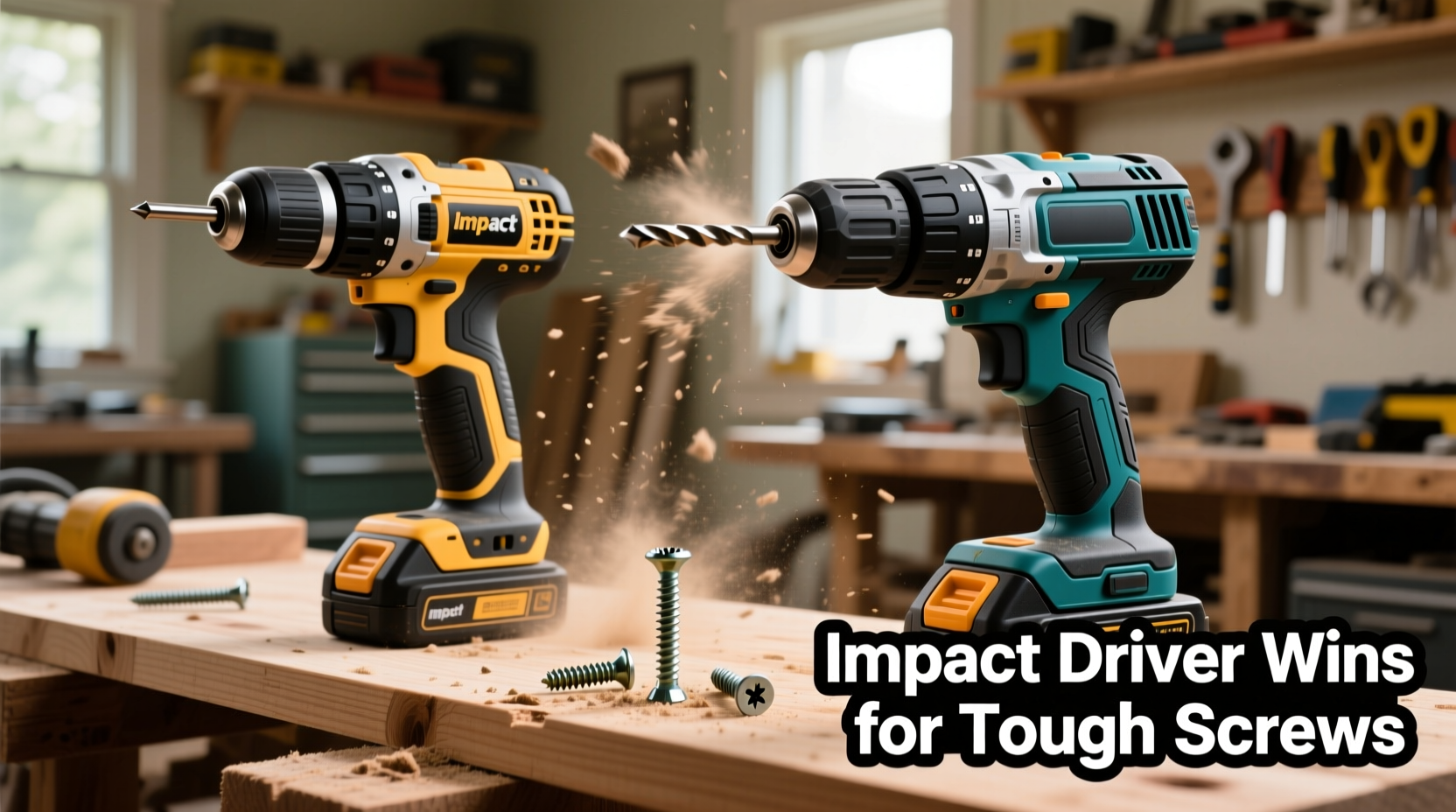
Torque is rotational force—the power a tool uses to turn a screw into wood, metal, or composite material. In practical terms, higher torque means the tool can drive larger or longer screws into dense materials without stalling. However, torque alone doesn’t tell the full story. The way that torque is delivered—smoothly or in bursts—makes a critical difference in performance.
A cordless drill delivers consistent rotational force. When resistance increases (like hitting hardwood or encountering a knotted grain), the motor slows down. If the resistance exceeds the drill’s maximum torque, the chuck stalls or the screw head strips. Most standard drills range from 300 to 600 inch-pounds of torque, sufficient for light-duty tasks but limited under pressure.
An impact driver, on the other hand, combines rotation with concussive blows—up to 50 impacts per second—along the axis of the bit. This hammering action breaks through friction and resistance without overloading the motor. As a result, impact drivers typically deliver 1,000 to 1,800 inch-pounds of torque, far surpassing most cordless drills. This makes them exceptionally effective at driving long lag bolts, structural screws, or hardened fasteners into tough substrates.
“Torque matters, but delivery method matters more. Impact drivers win on tough screws because they overcome static friction where drills simply spin out.” — Mark Reynolds, Professional Carpenter & Tool Instructor
Key Differences Between Cordless Drills and Impact Drivers
While both tools operate on rechargeable batteries and resemble each other in size, their internal mechanisms and intended uses differ fundamentally. Below is a detailed comparison highlighting these distinctions.
| Feature | Cordless Drill | Impact Driver |
|---|---|---|
| Primary Function | Drilling holes and driving screws | Driving high-torque fasteners |
| Torque Output | 300–600 in-lbs (typical) | 1,000–1,800+ in-lbs |
| Force Delivery | Continuous rotation | Rotary + axial hammering |
| Chuck Type | Keyed or keyless (3-jaw), holds round shanks | Hex collet (1/4\"), accepts bits directly |
| Size & Weight | Slightly bulkier, heavier | More compact, lighter |
| Noise Level | Moderate (motor whine) | Loud (rattling percussion) |
| Best For | General drilling, light screwdriving, pilot holes | Decking, framing, metal-to-metal fastening |
The hex shank design of impact driver bits allows for a secure, wobble-free fit, reducing bit slippage under load. Meanwhile, the traditional chuck on a drill accommodates various bit sizes but introduces slight play, especially with worn chucks. This small gap can lead to cam-out (bit slipping from screw head) when driving tough screws at high speed.
Tip: Never use an impact driver for precision drilling—its percussive force damages drill bits and creates inaccurate holes.Real-World Scenarios: When Each Tool Excels
To understand which tool performs better on tough screws, consider how they behave in typical home projects.
Scenario 1: Installing Deck Screws in Pressure-Treated Wood
Pressure-treated lumber is dense and prone to splitting if screws aren’t driven carefully. Long 3-inch composite deck screws require significant torque to seat flush without stripping. A cordless drill may struggle halfway through, especially if the wood has a knot or moisture swelling. Users often have to pre-drill pilot holes to avoid breaking bits or damaging screw heads.
In contrast, an impact driver powers through the same material with minimal resistance. The pulsing action prevents the bit from camming out, even when using aggressive square or star-drive screws. Many deck builders rely solely on impact drivers for this reason, reserving drills only for initial layout drilling.
Scenario 2: Mounting Heavy Kitchen Cabinets to Wall Studs
This task involves driving 3-inch screws into wooden studs behind drywall. While not as dense as decking, the length and depth required demand steady torque. A cordless drill with adjustable clutch settings can handle this job cleanly, allowing control over depth to prevent over-driving. The clutch disengages once resistance reaches a preset level, protecting both the screw and cabinet surface.
An impact driver will complete the job faster but risks over-driving unless used gently. Because impact drivers lack clutches, users must rely on technique to stop before damaging the cabinet. For finish work where appearance matters, a drill offers greater finesse.
Scenario 3: Assembling Metal Shelving Units or Garage Storage
Self-tapping screws into thin steel frames often bind due to heat buildup or misalignment. A cordless drill might stall or strip the screw head mid-insertion. An impact driver’s burst force clears minor binding instantly, seating screws reliably. Its compact size also helps in tight corners where larger drills won’t fit.
“I switched to an impact driver for my garage shelving project, and it cut assembly time in half. No more broken bits or sore wrists.” — Dana M., DIY Enthusiast from Portland, OR
Step-by-Step Guide: Choosing the Right Tool for Tough Screws
Follow this decision-making process to determine whether a cordless drill or impact driver is best suited for your next project involving difficult fasteners.
- Assess the Screw Type and Material: Are you using long structural screws, lag bolts, or self-tapping metal screws? Is the substrate hardwood, engineered lumber, or metal? If yes, lean toward an impact driver.
- Evaluate Depth and Precision Needs: Do screws need to be flush or slightly recessed without damaging surrounding material? If so, a drill with a clutch gives better control.
- Check Bit Compatibility: Ensure you have hex-shank bits for an impact driver or standard bits for a drill. Using the wrong bit reduces efficiency and safety.
- Consider Pre-Drilling Requirements: Hardwoods or brittle composites often need pilot holes. If you're already drilling, a cordless drill can perform both steps. But if multiple large pilot holes are needed, a dedicated drill remains necessary regardless.
- Test One Fastener First: Drive a single screw using your preferred tool. Check for bit slippage, material splitting, or over-driving. Adjust tool choice accordingly before proceeding.
Can You Use an Adapter? Limitations and Risks
Some manufacturers offer hex-to-chuck adapters, allowing impact driver bits to be used in a standard drill or vice versa. While convenient, these come with trade-offs.
Using an impact bit in a regular drill works fine—but you lose the benefit of impact force. Conversely, inserting a standard drill bit into an impact driver via adapter is risky. The torsional stress can snap the bit near the shank, especially with cheaper models. Moreover, the loose fit increases vibration, reducing accuracy and shortening bit life.
For optimal performance and safety, match the tool to the bit type. Avoid hybrid setups unless absolutely necessary and only with high-quality, rated components.
Essential Checklist for Handling Tough Screws at Home
- ✅ Identify screw type and material density before starting
- ✅ Select the correct driver bit (Phillips, Pozi, Square, Torx)
- ✅ Use impact-rated bits with impact drivers
- ✅ Pre-drill pilot holes in hardwood or near edges to prevent splitting
- ✅ Match screw length and gauge to application (e.g., 3\" lags for decking)
- ✅ Maintain proper angle during driving to avoid bit slippage
- ✅ Keep battery charged—low voltage reduces torque output
- ✅ Store bits in a labeled case to prevent mix-ups
Frequently Asked Questions
Can a cordless drill drive the same screws as an impact driver?
Yes, but with limitations. A cordless drill can handle shorter, thinner screws in softwood or drywall. However, when faced with long structural screws, lag bolts, or dense materials like pressure-treated lumber or hardwood, the drill often lacks sufficient torque and may strip the screw head or stall. Pre-drilling becomes almost mandatory with a drill, whereas an impact driver frequently eliminates that step.
Is it worth owning both a cordless drill and an impact driver?
For serious DIYers, yes. A cordless drill excels at versatility—drilling holes, driving small screws, and handling precision tasks. An impact driver dominates in high-torque scenarios like deck building, fencing, or working with metal. Together, they cover nearly all fastening needs. Entry-level homeowners may start with a combo kit that includes both, ensuring future flexibility.
Do impact drivers damage screws more than drills?
They can, if misused. The high torque and lack of clutch control mean it's easier to over-drive or break screws, especially brittle ones or those in soft materials. However, with proper technique—using the right bit, applying steady pressure, and releasing early—impact drivers actually reduce screw damage by minimizing cam-out. The key is matching the tool to the task and practicing control.
Conclusion: Make the Right Choice for Your Next Project
When it comes to driving tough screws in home projects, the impact driver clearly outperforms the cordless drill in raw power and efficiency. Its ability to deliver high torque through a pulsating mechanism makes it ideal for demanding applications where drills falter. That said, the cordless drill remains indispensable for its precision, versatility, and built-in clutch control—especially in finish work or mixed drilling/screwing tasks.
The smart approach isn't choosing one over the other permanently, but understanding their strengths and deploying them appropriately. For homeowners serious about improving their toolkit, investing in both tools pays dividends in time saved, reduced frustration, and better results. Start by evaluating your most frequent projects: if you’re building decks, assembling outdoor furniture, or working with thick materials, an impact driver should be your go-to. For general repairs, hanging shelves, or light carpentry, your trusty cordless drill still holds its ground.
🚀 Ready to upgrade your home toolkit? Test an impact driver on your next tough-screw job and feel the difference. Share your experience or ask questions in the comments below—let’s build smarter together.