In today’s connected homes, choosing the right streaming device can make a significant difference in how you enjoy your favorite shows, movies, and apps. Two dominant formats have emerged: the compact streaming stick and the slightly bulkier streaming box. While both deliver high-quality video and access to major platforms like Netflix, Hulu, and Disney+, they differ in design, functionality, and feature sets. Understanding these differences is essential for making an informed decision based on your entertainment setup and long-term needs.
At first glance, the streaming stick appears to be the more modern solution—small, unobtrusive, and plug-and-play. But appearances can be deceiving. Streaming boxes often pack more processing power, connectivity options, and future-proof capabilities. This article breaks down the key distinctions between streaming sticks and streaming boxes, focusing specifically on which offers more features and why that matters for different types of users.
Design and Physical Integration
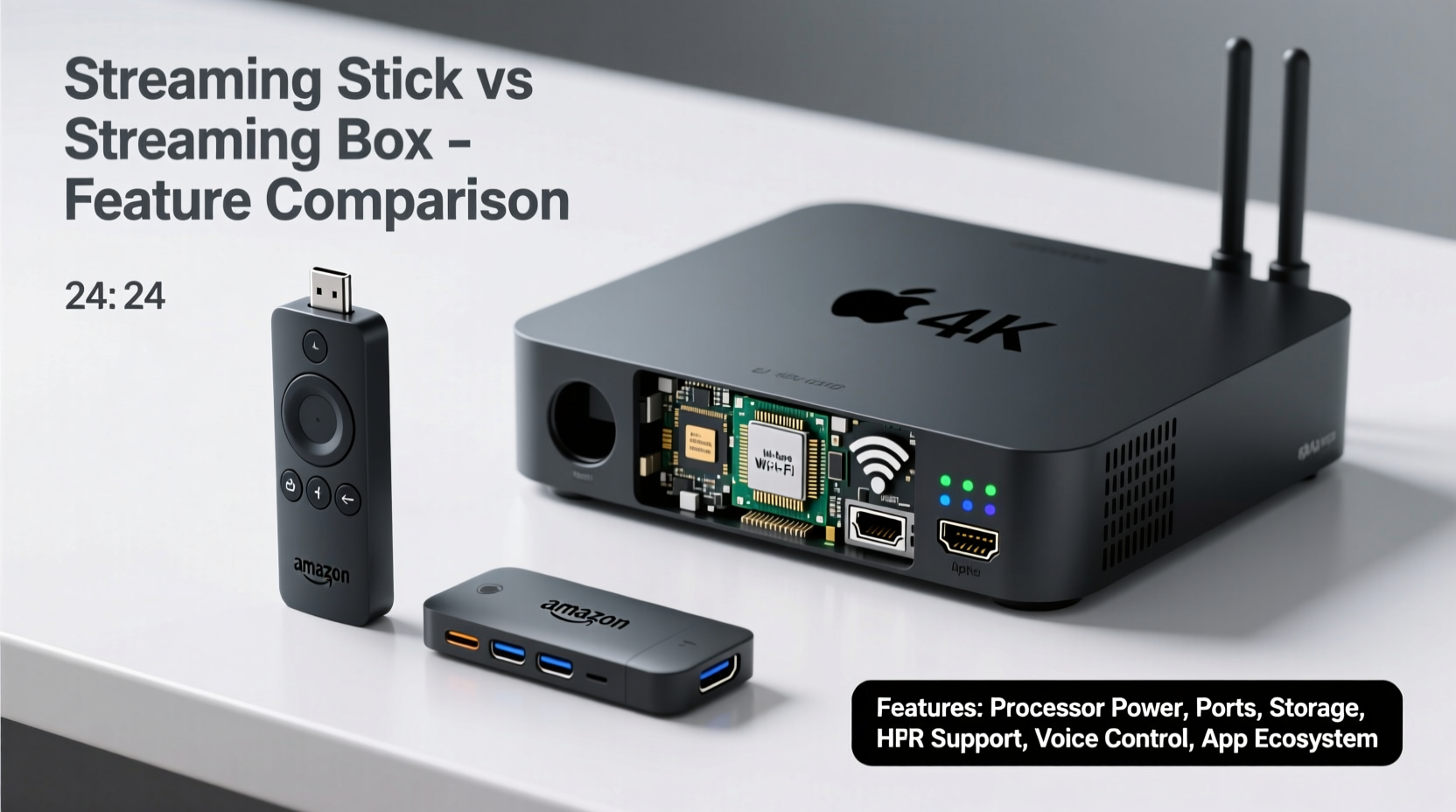
The most obvious difference lies in physical form. A streaming stick is designed to plug directly into your TV’s HDMI port, often drawing power from a USB port on the same television. Its minimalist footprint makes it ideal for users who want a clean, clutter-free setup. Because it's so small, it's also easier to transport—perfect for travelers or those who frequently switch rooms.
Streaming boxes, by contrast, sit beside or behind your TV and connect via HDMI cable. They typically require their own power adapter, adding another cord to your entertainment center. However, this larger form factor allows for better heat dissipation, more internal components, and additional ports. The extra space enables manufacturers to include Ethernet, optical audio, multiple USB ports, and even SD card slots—features rarely found on sticks.
Tip: If your TV lacks enough HDMI ports, a streaming stick frees up space compared to a box that requires a separate cable.Performance and Processing Power
Performance is where the divide becomes more pronounced. Most streaming sticks use lower-power processors and limited RAM due to size constraints. While this is sufficient for 1080p and even 4K HDR content on major platforms, multitasking or running demanding apps (like cloud gaming services) may reveal limitations.
Streaming boxes, especially premium models like the Apple TV 4K or NVIDIA Shield TV, are built with higher-end hardware. These devices often feature quad-core CPUs, ample RAM (up to 3GB or more), and dedicated GPUs. As a result, they offer faster app launches, smoother navigation, quicker voice search responses, and better support for advanced codecs like Dolby Vision and Atmos.
For example, the Amazon Fire TV Stick 4K Max performs well for casual viewing but operates within thermal limits due to passive cooling. In contrast, the NVIDIA Shield TV Pro includes active cooling (a small fan), allowing sustained performance during intensive tasks such as transcoding media from a home server or playing AAA-level cloud games via GeForce NOW.
“Higher-end streaming boxes are essentially mini-computers—they handle complex workflows and maintain stability under load far better than most sticks.” — David Lin, Senior Editor at TechStream Review
Connectivity and Expandability
This is one area where streaming boxes consistently outshine sticks. Let’s examine common connection options and how each device type compares:
| Feature | Streaming Stick | Streaming Box |
|---|---|---|
| HDMI Output | Yes (direct plug-in) | Yes (via cable) |
| Ethernet Port | Rare (requires USB adapter) | Common (Apple TV, Shield, Roku Ultra) |
| USB Ports | None or micro-USB for power only | 1–2 full-size USB ports (for storage, webcams, etc.) |
| Optical Audio Out | No | Available on select models |
| SD Card Slot | No | Yes (e.g., NVIDIA Shield) |
| Wi-Fi Standards | Wi-Fi 5 or Wi-Fi 6 (on newer models) | Wi-Fi 6E, MIMO, mesh support (higher-end boxes) |
| Bluetooth Support | Limited (remote + headphones) | Multiple device pairing (game controllers, sound systems) |
The table highlights a clear trend: streaming boxes provide greater flexibility. Need to connect a wired network for stable 4K streaming? Boxes usually have Ethernet. Want to plug in a hard drive to play locally stored films? Only possible with a box. Planning to use your streamer for retro gaming emulators? Storage expansion through USB or SD cards gives boxes a decisive edge.
Software Ecosystem and Advanced Features
Both sticks and boxes run operating systems optimized for TV interfaces—Fire OS, Roku OS, Android TV/Google TV, tvOS—but implementation depth varies significantly. Streaming boxes often receive longer software support, more frequent updates, and access to developer tools not available on sticks.
Take the Apple TV 4K: it integrates deeply with the broader Apple ecosystem. Users can AirPlay content from iPhones, sync HomeKit scenes, use Siri across devices, and even control smart lights when starting a movie. Similarly, the NVIDIA Shield supports AI upscaling, Plex media server integration, and Linux-based customization—features absent from any current streaming stick.
Another critical advantage is app availability. While mainstream apps like YouTube and Spotify are universally supported, niche or productivity apps (such as VLC, Kodi builds, or Plex clients) tend to launch first—and function best—on boxes with greater memory and processing headroom.
Real-World Example: The Home Theater Enthusiast
Consider Mark, a film buff who owns a 7.2-channel surround system and a large library of Blu-ray rips stored on a NAS drive. He wants seamless playback with correct subtitles, chapter selection, and lossless audio output. A standard streaming stick won’t suffice—he needs a device that supports FLAC, DTS:X, and Matroska container formats. His solution? The NVIDIA Shield TV Pro. It connects via Ethernet for reliability, reads files over SMB from his NAS, uses an external USB DAC for audiophile-grade sound, and automatically fetches metadata using Plex. None of this would be feasible with a typical streaming stick.
When a Streaming Stick Makes More Sense
Despite their limitations in raw features, streaming sticks excel in specific scenarios. Their simplicity appeals to users who prioritize ease of use over technical capability. For instance:
- Families using basic streaming services (Netflix, Hulu, Peacock)
- Apartments or dorm rooms with minimal equipment
- Secondary TVs where performance demands are low
- Users upgrading older TVs without smart capabilities
Devices like the Roku Express+ or Amazon Fire TV Stick Lite offer excellent value under $30. They’re easy to set up, come with intuitive remotes, and receive regular security patches. For millions of viewers, these devices provide everything needed without unnecessary complexity.
Tip: Use a flexible HDMI extender if your stick blocks adjacent ports or doesn’t fit flush behind the TV.Step-by-Step Guide: Choosing Based on Your Needs
Follow this decision-making process to determine whether a stick or box suits your lifestyle better:
- Assess your primary usage: Are you watching mainstream content, or do you need advanced media playback?
- Check your internet setup: Do you have reliable Wi-Fi? If not, a box with Ethernet is preferable.
- Evaluate your audio/video system: Using a soundbar or AV receiver? A box with optical or eARC support ensures better compatibility.
- Consider future plans: Will you add cloud gaming, local media servers, or smart home integrations later?
- Budget accordingly: Sticks start at $25; premium boxes cost $100–$200. Decide if extra features justify the price.
Frequently Asked Questions
Can I upgrade storage on a streaming stick?
No. Most streaming sticks have fixed internal storage (typically 8–16GB), and there’s no way to expand it. Some allow file caching, but installing large apps or storing media locally isn’t practical.
Do streaming boxes work with all TVs?
Yes. Any TV with an HDMI input can use a streaming box. Just ensure the box supports the resolution and HDR format of your display (e.g., Dolby Vision, HLG).
Are streaming sticks less secure than boxes?
Not inherently. Both receive firmware updates and encryption standards. However, lower-cost sticks may stop receiving updates after 2–3 years, while premium boxes (like Apple TV) get OS upgrades for 5+ years.
Final Verdict: Which Has More Features?
There’s no ambiguity: **streaming boxes offer significantly more features** than streaming sticks. From superior hardware and expanded connectivity to deeper software ecosystems and future-ready capabilities, boxes are designed for users who demand versatility and performance.
That said, “more features” doesn’t always mean “better choice.” For straightforward streaming needs, a stick delivers convenience, affordability, and simplicity. But if you care about audio fidelity, local media access, gaming potential, or smart home integration, a streaming box is the only logical option.
The market reflects this divergence. Entry-level sticks dominate sales volume due to low prices and mass appeal. Yet, among tech-savvy users, enthusiasts, and home theater builders, streaming boxes remain the preferred platform for serious media consumption.
Conclusion: Make the Right Choice for Your Setup
Understanding the trade-offs between streaming sticks and boxes empowers you to invest wisely in your home entertainment. While sticks win on portability and price, boxes lead decisively in features, expandability, and long-term utility. Before purchasing, ask yourself: Will I want more than just Netflix and YouTube in six months? Does my network or audio setup require wired connections? Am I planning to integrate gaming or personal media?
If the answer to any of these is yes, a streaming box will serve you far better. But if you're looking for a simple, no-fuss way to bring streaming to an older TV, a stick remains a smart, compact solution.
🚀 Ready to upgrade your streaming experience? Evaluate your current setup, consider your future needs, and choose the device that unlocks the full potential of your TV—whether that’s a sleek stick or a powerful box.