
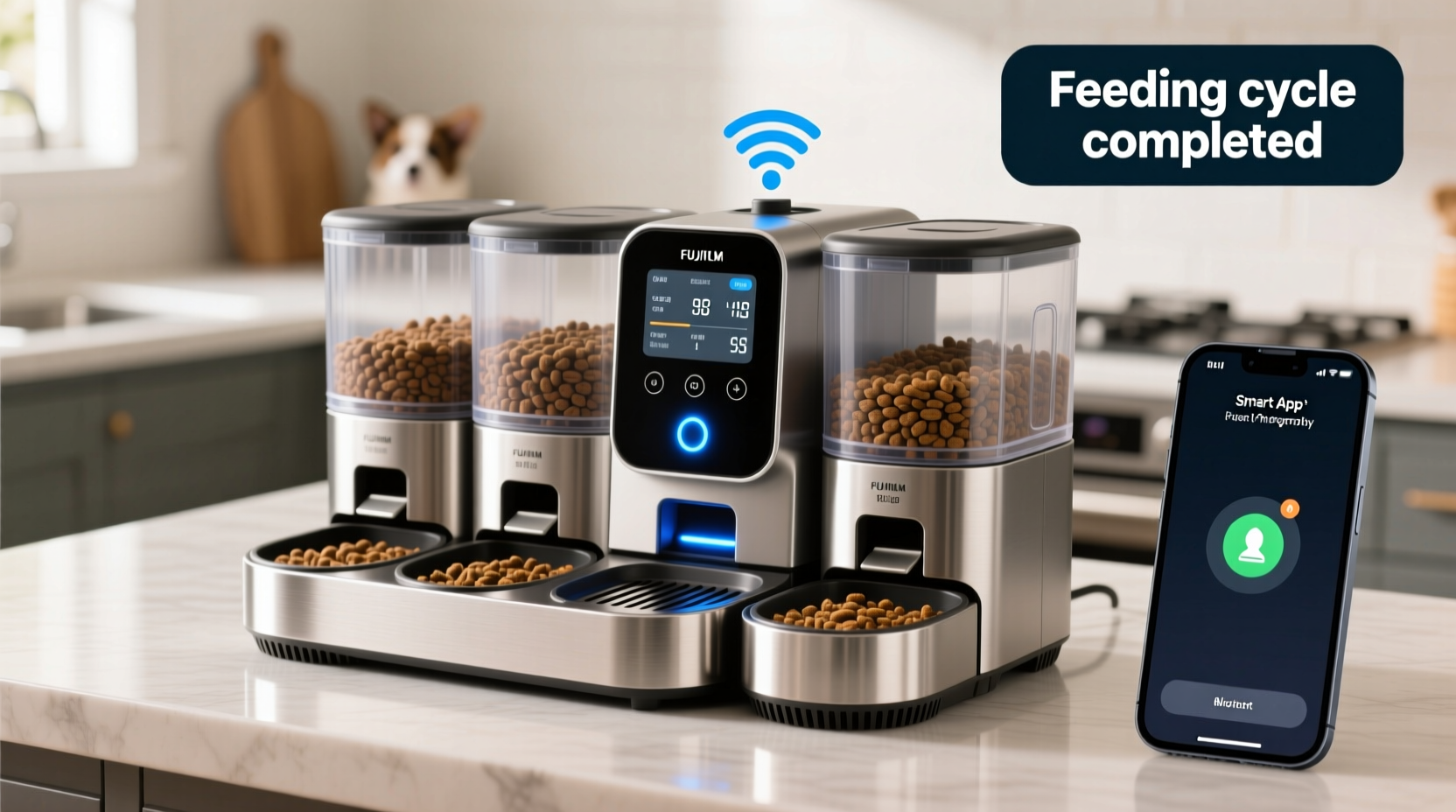
For pet owners managing more than one animal, ensuring each pet eats the right amount at the right time can be a daily challenge. Whether you're juggling meal schedules for two cats with different dietary needs or coordinating feeding times between a senior dog and a high-energy puppy, consistency is key to long-term health. Automatic feeders have evolved from simple timed dispensers into smart, connected devices that offer precise portion control, multi-pet scheduling, and real-time alerts via mobile apps. The right device doesn’t just save time—it prevents overfeeding, reduces food aggression, and supports medical diets when needed.
This guide explores what makes an automatic feeder ideal for households with multiple pets, evaluates top models based on performance and reliability, and provides actionable advice to help you choose the best solution for your unique situation.
Why Portion Control Matters in Multi-Pet Households
In homes with multiple animals, uncontrolled access to food often leads to weight gain, nutritional imbalances, and behavioral issues like food guarding. One study published by the Association for Pet Obesity Prevention found that over 60% of cats and dogs in the U.S. are overweight or obese—many due to inconsistent feeding practices. When pets share space, dominant animals may consume more than their fair share, while shy or older pets eat less.
Portion-controlled feeders address this by dispensing exact amounts at scheduled times. This precision helps veterinarians manage conditions like diabetes, pancreatitis, or kidney disease, where calorie intake must be strictly monitored. It also simplifies adherence to prescription diets when one pet requires special food.
Tip: Always consult your vet before adjusting portion sizes—ideal amounts vary by breed, age, activity level, and health status.Key Features to Look for in a Multi-Pet Feeder
Not all automatic feeders are built to handle complex multi-animal environments. To ensure success, prioritize these features:
- Multiple compartments or dual dispensers: Allows separation of different foods (e.g., wet vs. dry, prescription vs. regular).
- Individualized scheduling: Each pet should have customized feeding times and portion sizes.
- Wi-Fi connectivity and mobile app integration: Enables remote monitoring, manual feeding triggers, and instant alerts.
- Portion accuracy: Look for feeders with calibrated augers or gravity-fed mechanisms that dispense consistent amounts.
- Power backup: Battery or UPS support ensures operation during outages.
- Secure lid mechanism: Prevents clever pets from accessing food early.
- Large hopper capacity: Reduces refill frequency—especially important for larger dogs.
“Smart feeders with app alerts give owners peace of mind, especially when traveling or working long hours. They’re not just convenience tools—they’re part of responsible pet care.” — Dr. Lena Patel, DVM, Veterinary Behavior Specialist
Top 5 Feeders for Multiple Pets: Comparison Table
| Model | Max Pets Supported | Portion Control | App Alerts | Hopper Size | Price Range |
|---|---|---|---|---|---|
| Petkit Fresh Element Mini | 2–3 small/medium pets | Yes (adjustable 1–15g increments) | Yes (iOS/Android) | 4L | $120–$140 |
| Whistle Smart Feeder | Up to 4 pets | Yes (customizable per pet profile) | Yes + video monitoring | 6L | $250 |
| Arf Pets Smart Dual Bowl | 2 pets (dual independent bowls) | Yes (separate controls per bowl) | Yes (push notifications) | 2 x 3.5L | $180 |
| Vipp Kitchen Pet Feeding System | 2 pets | Yes (precision motorized dispensing) | Yes (real-time alerts & usage logs) | 5L | $295 |
| Wopet Automatic Feeder (Dual Tank) | 2 pets | Yes (manual portion setting) | Yes (basic app interface) | 2 x 2.5L | $90–$110 |
The Whistle Smart Feeder stands out for its AI-powered recognition of individual pets via RFID tags and integrated camera system, making it ideal for homes where pets roam freely but require strict dietary separation. Meanwhile, the Arf Pets model excels in simplicity and reliability, offering true dual-bowl independence—a rare feature among competitors.
Real-World Example: Managing Two Cats with Conflicting Diets
Sarah Thompson, a graphic designer from Portland, adopted two rescue cats: Milo, who has chronic kidney disease, and Luna, who struggles with obesity. Both require specialized diets, but Luna would eat Milo’s low-phosphorus food if given the chance. After several failed attempts with manual feeding and timed dispensers, Sarah invested in the Arf Pets Smart Dual Bowl.
She programmed separate schedules: Milo receives ¼ cup at 7 AM and 7 PM, while Luna gets ⅓ cup at 8 AM and 6 PM. The app sends confirmation every time a meal is dispensed, and Sarah uses the manual override when she’s delayed returning home. Within six weeks, Luna lost 0.8 lbs, and Milo’s bloodwork showed improved stability.
“It’s not just about convenience,” Sarah says. “It’s about giving each cat what they need without constant supervision. The peace of mind is worth every penny.”
Step-by-Step Guide to Setting Up Your Multi-Pet Feeder
Installing and optimizing a smart feeder takes more than plugging it in. Follow this sequence for seamless integration:
- Choose the location: Place the feeder on a flat, stable surface away from direct sunlight and moisture. Ensure there’s enough clearance around it so pets don’t knock it over.
- Download and set up the app: Create an account and connect the device via Wi-Fi. Test the connection stability—poor signal can delay alerts.
- Create individual pet profiles: Input names, weights, ages, and dietary requirements. Some apps allow photo uploads for visual identification.
- Calibrate portion sizes: Use a measuring cup to verify dispensed amounts. Adjust settings until accuracy is within ±5% of target.
- Set feeding schedules: Start with current mealtimes and gradually shift if needed. Avoid drastic changes that could upset digestion.
- Test the system: Run a dry run for 24 hours without pets present. Confirm all alerts arrive and portions dispense correctly.
- Introduce pets gradually: Let them sniff and explore the device. Manually dispense a treat through the app to create positive associations.
- Monitor and adjust: Review app logs weekly for missed meals or error messages. Clean the dispenser tube monthly to prevent clogs.
Common Pitfalls and How to Avoid Them
Despite their sophistication, automatic feeders aren't foolproof. Awareness of common issues prevents frustration:
- Clogging with moist or oddly shaped kibble: Stick to dry, uniform pellets under 12mm in diameter. Avoid soft-moist foods unless the feeder explicitly supports them.
- Over-reliance on technology: Always maintain a manual override plan. If Wi-Fi drops or power fails, have a backup feeding strategy ready.
- Incorrect portion calibration: Don’t assume default settings are accurate. Measure output manually during setup.
- Neglecting cleaning: Residue buildup attracts pests and promotes mold. Disassemble and clean every 2–4 weeks.
- Ignoring pet behavior: Some animals become anxious around mechanical noises. Introduce the device slowly and observe reactions.
Frequently Asked Questions
Can one feeder truly serve three or more pets?
It depends on the model and feeding logistics. Most feeders handle two pets reliably. For three or more, consider either a high-capacity single-dispenser unit with staggered timing or multiple smaller units placed in separate zones to prevent competition.
Do app alerts work internationally?
Yes, as long as the feeder remains connected to your home Wi-Fi network. The app communicates via cloud servers, so you’ll receive alerts regardless of your physical location—handy for travelers or remote caregivers.
Are smart feeders safe for puppies and kittens?
Generally yes, but supervise initial use. Very young animals may not understand how the device works and could miss meals. Also, ensure the food opening isn’t too high for small breeds.
Checklist: Before You Buy a Multi-Pet Feeder
- ☐ Determine how many pets need scheduled feeding
- ☐ Note any special dietary restrictions or medical needs
- ☐ Measure your available floor space near power outlets
- ☐ Confirm Wi-Fi strength in the intended placement area
- ☐ Check kibble size compatibility with dispenser mechanism
- ☐ Review customer feedback on reliability and app performance
- ☐ Verify warranty and customer support availability
- ☐ Budget for potential replacement parts (e.g., auger motors)
Final Thoughts: Investing in Long-Term Pet Wellness
An automatic feeder with portion control and app alerts is more than a gadget—it's a tool for promoting lifelong health across multiple pets. By eliminating guesswork and human inconsistency, these systems empower owners to deliver precise nutrition tailored to each animal’s needs. Whether you’re managing a blended household of cats, dogs of varying sizes, or pets with medical conditions, the right feeder brings structure, accountability, and peace of mind.
The upfront cost may seem steep, but when weighed against potential veterinary bills from obesity or malnutrition, it’s a smart preventive investment. Combine technology with attentive observation, and you create an environment where every pet thrives—not just survives.
💬 Have experience with a multi-pet feeder? Share your story or ask questions in the comments below—your insights could help another pet owner make a confident decision today.