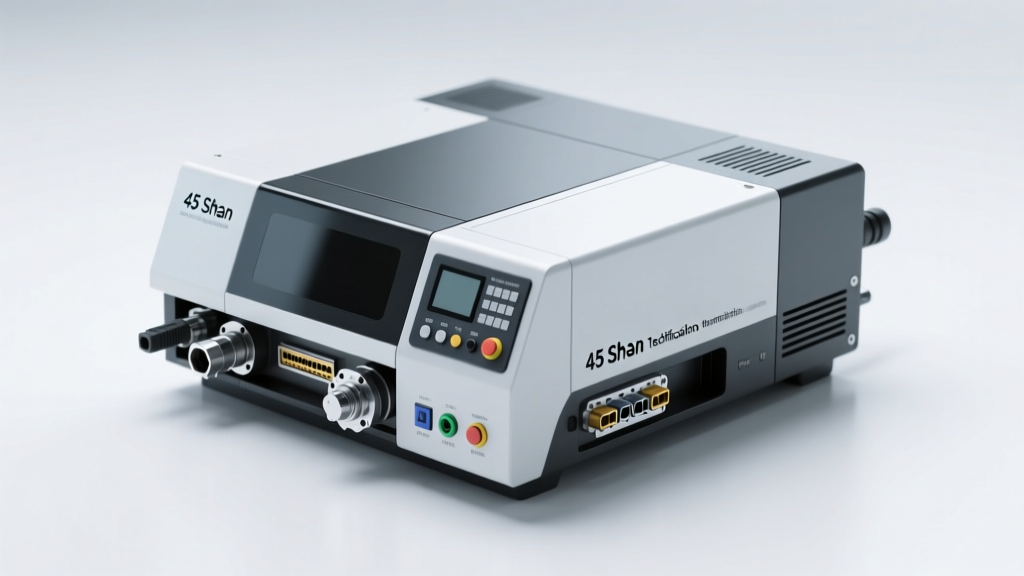
Types of Document Digitization Software
Document digitization software plays a crucial role in transforming physical records into structured, searchable, and accessible digital formats. With the rise of digital transformation, organizations across industries are leveraging various types of digitization tools to improve efficiency, ensure compliance, and enhance data security. These solutions range from basic scanning tools to advanced AI-powered platforms that automate classification and retrieval.
Optical Character Recognition (OCR) Software
OCR software converts scanned images of printed or handwritten text into machine-readable, editable digital text. This technology is foundational for digitizing paper-based archives, enabling full-text searchability and integration with content management systems.
Advantages
- Converts static images into searchable, editable text
- Supports multiple languages and fonts
- Integrates with DMS and workflow automation tools
- Advanced versions use AI to interpret handwriting and degraded documents
Limitations
- Accuracy depends on image quality and clarity
- Handwriting recognition can be inconsistent
- May require post-processing corrections
Best for: Libraries, legal firms, healthcare providers, and any organization digitizing legacy paper records
Document Management Systems (DMS)
A Document Management System (DMS) provides a centralized platform for storing, organizing, tracking, and securing digital documents. Beyond storage, DMS platforms offer robust features such as version control, user permissions, audit trails, and workflow automation to support regulatory compliance and operational efficiency.
Advantages
- Centralized document repository with access controls
- Version history and change tracking
- Enforces data governance and compliance (e.g., GDPR, HIPAA)
- Seamless integration with office suites and ERP systems
Limitations
- Can be complex to set up and maintain
- Higher cost for enterprise-grade solutions
- Requires user training and change management
Best for: Corporate environments, government agencies, and regulated industries needing secure, auditable document handling
Cloud-Based Digitization Tools
Cloud-based digitization tools enable users to scan, upload, store, and share documents via internet-connected platforms. These solutions offer scalability, remote access, and real-time collaboration, making them ideal for distributed teams and hybrid work models.
Advantages
- Accessible from any device with internet connectivity
- Automatic backups and disaster recovery
- Real-time collaboration and file sharing
- Low upfront infrastructure costs
Limitations
- Dependent on internet availability and speed
- Security concerns with sensitive data in third-party clouds
- Ongoing subscription costs can accumulate
Best for: Small to medium businesses, remote teams, educational institutions, and mobile professionals
Automated Indexing & Tagging Software
Using artificial intelligence and natural language processing, this software automatically analyzes document content to extract key information, assign metadata, and generate searchable tags. This eliminates the need for manual categorization, drastically reducing processing time for large document volumes.
Advantages
- Reduces manual labor and human error
- Enables intelligent search through metadata
- Improves retrieval speed and accuracy
- Scalable for high-volume document processing
Limitations
- Initial setup may require training data
- Performance varies with document structure and language
- Higher cost for advanced AI-driven systems
Best for: Financial institutions, insurance companies, legal departments, and enterprises managing complex document ecosystems
| Type | Core Function | Accuracy | Scalability | Ideal Use Case |
|---|---|---|---|---|
| OCR Software | Text extraction from images | High (with clean input) | Medium to High | Digitizing printed/handwritten archives |
| DMS | Storage, organization, security | N/A (system reliability) | High | Enterprise document governance |
| Cloud-Based Tools | Remote access & collaboration | Depends on OCR integration | Very High | Remote teams and file sharing |
| Automated Indexing | AI-powered classification | High (after training) | Very High | Large-scale document processing |
Expert Tip: For optimal results, combine OCR with automated indexing and a secure DMS. This creates a powerful digitization pipeline that converts, organizes, and protects documents efficiently—ideal for digital transformation initiatives.
Industrial Applications of Document Digitization Software
Document digitization software has revolutionized how industries manage, store, retrieve, and secure vast volumes of paper-based information. By converting physical documents into searchable digital formats using technologies such as Optical Character Recognition (OCR), automated indexing, cloud storage, and intelligent document management systems (DMS), organizations across sectors achieve greater efficiency, compliance, and data accessibility. The following sections explore the transformative impact of digitization software in key industries.
Legal Industry
Document Management & Case Efficiency
Law firms and legal departments handle an immense volume of sensitive documentation, including contracts, litigation records, court filings, depositions, and correspondence. Document digitization software enables the scanning, secure storage, and rapid retrieval of these files through keyword search, metadata tagging, and full-text indexing.
This dramatically reduces the time spent locating case files, allowing attorneys to respond faster to client needs and court deadlines. For example, a lawyer preparing for trial can instantly access past rulings, client agreements, and evidence documents from any location with proper authorization.
Compliance and Data Security
The legal sector is subject to strict regulatory requirements regarding data privacy (e.g., GDPR, HIPAA when handling health-related cases) and record retention policies. Digitized document systems provide audit trails, access controls, encryption, and version tracking to ensure compliance.
Moreover, digital backups protect against physical loss due to fire, flood, or theft. Firms that digitize their archives not only mitigate risks but also demonstrate due diligence in safeguarding client confidentiality and meeting jurisdictional mandates.
Healthcare Industry
Patient Record Digitization
Hospitals, clinics, and private practices generate extensive patient documentation, including medical histories, diagnostic reports, treatment plans, prescriptions, and insurance claims. Document digitization software converts paper charts into structured electronic health records (EHRs), enabling seamless integration with hospital information systems.
Clinicians can access complete patient histories in real time, improving diagnostic accuracy, reducing redundant tests, and enhancing continuity of care. Emergency departments benefit significantly from instant access to critical medical data during life-threatening situations.
Research and Pharmaceutical Applications
Pharmaceutical companies and research institutions use digitization tools to archive clinical trial data, regulatory submissions, lab reports, and intellectual property documents. OCR-powered searchability allows researchers to quickly locate relevant studies or compliance records.
Digital document management also supports FDA 21 CFR Part 11 compliance by ensuring data integrity, electronic signatures, and secure audit logs. This accelerates drug development cycles and streamlines regulatory approval processes.
Education Sector
Administrative Efficiency
Educational institutions—from K–12 schools to universities—manage vast quantities of administrative records such as student transcripts, enrollment forms, faculty contracts, and accreditation documents. Digitization software automates the organization of these files using intelligent tagging and categorization.
Administrators can process admissions, transfer requests, and graduation clearances more efficiently. Automated workflows reduce manual errors and free staff to focus on student support rather than paperwork.
Academic Research and Preservation
Universities house valuable research papers, theses, dissertations, and historical archives. Digitizing these materials preserves fragile documents and makes them accessible to students and scholars worldwide via institutional repositories.
Digitized academic content can be indexed, cited, and integrated into digital learning platforms. Additionally, metadata enrichment improves discoverability in academic databases, boosting the visibility and impact of scholarly work.
Financial Services
Regulatory Compliance and Risk Mitigation
Banks, accounting firms, investment houses, and insurance providers are required to maintain accurate financial records for audits, tax reporting, and regulatory oversight (e.g., SOX, PCI-DSS, Basel III). Document digitization ensures that invoices, bank statements, tax returns, audit trails, and client portfolios are securely stored and easily retrievable.
Digital document management reduces the risk of data loss, unauthorized access, or non-compliance penalties. Version control and user activity logs enhance transparency during internal and external audits.
Operational Agility and Client Service
Cloud-based digitization platforms allow financial professionals to access critical documents remotely, supporting hybrid work models and faster client response times. Loan processing, account opening, and wealth management services become more efficient with automated document capture and validation.
For example, a mortgage application can be processed faster when income verification, credit reports, and property deeds are digitized and routed automatically through approval workflows. This leads to improved customer satisfaction and competitive advantage.
| Industry | Key Use Cases | Primary Benefits |
|---|---|---|
| Legal | Case file management, contract archiving, e-discovery | Faster retrieval, regulatory compliance, enhanced security |
| Healthcare | Patient records, insurance claims, clinical research | Improved care coordination, HIPAA compliance, reduced errors |
| Education | Student records, research archives, accreditation docs | Efficient administration, global access, preservation |
| Financial Services | Audit reports, client portfolios, transaction records | Risk reduction, faster audits, improved client service |
Important: While digitization offers numerous advantages, successful implementation requires careful planning. Organizations should invest in secure, scalable platforms, train staff on best practices, and establish clear data governance policies. Migrating legacy documents must be done systematically to avoid data corruption or loss. Choosing compliant, reputable software vendors ensures long-term reliability and protects sensitive institutional and personal information.
Product Specifications and Features of Document Digitization Software
Document digitization software plays a vital role in transforming physical records into secure, searchable, and easily accessible digital assets. As organizations across industries move toward paperless operations, selecting the right digitization tool becomes essential for efficiency, compliance, and long-term scalability. Below is a comprehensive overview of the technical specifications, key features, and best practices for implementing document digitization solutions.
Scanning Resolution
High-resolution scanning ensures clarity and accuracy in digitized documents, especially for archival or legal purposes. Most modern document digitization tools support adjustable resolutions ranging from 300 to 1200 dpi, allowing users to balance image quality with file size.
- 300 dpi – Ideal for standard office documents and general use
- 600 dpi – Recommended for detailed technical drawings, small fonts, or historical documents
- 1200 dpi – Used in high-precision environments like medical imaging or archival preservation
Best Practice: Use auto-detection settings when scanning mixed document types to optimize resolution dynamically.
File Formats
Versatile file format support enhances compatibility and usability across platforms. Leading digitization software supports multiple output formats to meet diverse business needs.
- PDF – Universal format ideal for sharing and printing with embedded metadata
- JPEG/PNG – Best for image-based documents or web publishing
- TIFF – Preferred for archival due to lossless compression and high fidelity
- Editable formats (DOCX, XLSX) – Enabled via OCR for post-scan editing in Microsoft Office or Google Workspace
Pro Tip: Enable dual-output (PDF + searchable text) for maximum flexibility in retrieval and editing.
Optical Character Recognition (OCR)
OCR is a cornerstone feature that converts scanned images into machine-readable, searchable text. Advanced OCR engines support multiple languages, handwriting recognition, and complex layouts (e.g., tables, columns).
- Enables full-text search across thousands of documents in seconds
- Supports compliance workflows by making audit trails easily navigable
- Integrates with AI-powered data extraction for automated form processing
- Accuracy rates exceed 98% with high-quality scans and clean fonts
Key Insight: Look for software with AI-enhanced OCR that learns from corrections to improve future accuracy.
Storage Capacity & Management
Modern digitization platforms must handle large-scale document volumes efficiently. Cloud integration allows scalable, secure, and redundant storage options.
- Supports hybrid storage: local servers, private cloud, or public cloud (e.g., AWS, Azure, Google Drive)
- Automatic tiered storage moves inactive files to lower-cost archives
- Version control tracks changes and prevents accidental overwrites
- Batch upload and drag-and-drop interfaces simplify large-scale ingestion
Scalability Note: Enterprise-grade systems can manage petabytes of data with automated lifecycle policies.
Processing Speed
Speed is critical for organizations digitizing high volumes of paperwork. High-performance software leverages multi-threading, GPU acceleration, and batch processing to minimize delays.
- Bulk scanning supports hundreds of pages per hour with auto-feeder compatibility
- Real-time OCR and indexing allow immediate searchability after scan
- Distributed processing enables parallel workflows across departments
- Background processing keeps the UI responsive during large jobs
Efficiency Gain: Automated workflows reduce manual handling by up to 70% in document-intensive industries.
Security Features
Data security is non-negotiable, especially for regulated industries like healthcare, finance, and legal services.
- End-to-end encryption (AES-256) for data at rest and in transit
- Role-based access control (RBAC) restricts viewing, editing, and downloading privileges
- Two-factor authentication (2FA) and single sign-on (SSO) integration
- Compliance with GDPR, HIPAA, SOC 2, and ISO 27001 standards
- Audit trails log all user actions for accountability and forensic analysis
Critical for Compliance: Ensure your software provides built-in retention scheduling and secure deletion protocols.
Core Functional Features
Document Organization
Efficient organization reduces retrieval time and improves productivity. Modern tools offer intelligent classification and metadata tagging.
- Automated tagging based on content, date, sender, or document type
- Custom indexing fields (e.g., invoice number, patient ID, contract ID)
- Smart folders and dynamic filters for quick navigation
- AI-driven categorization learns from user behavior to suggest correct placements
Time-Saving Benefit: Users report up to 60% faster document retrieval with proper indexing.
Integration Capabilities
Seamless integration with existing business systems eliminates silos and streamlines workflows.
- Native connectors for ERP (SAP, Oracle), CRM (Salesforce, HubSpot), and ECM (SharePoint, Dropbox)
- RESTful APIs for custom integrations with internal applications
- Zapier or Microsoft Power Automate support for no-code automation
- Email integration for direct import from Outlook or Gmail
Workflow Advantage: Trigger invoice processing directly from scanned documents into accounting software.
Mobile Access
Remote and field workers benefit from mobile-optimized digitization apps available on iOS and Android.
- Capture documents using smartphone cameras with auto-crop and enhancement
- Offline mode allows scanning without internet; syncs when connection resumes
- Secure sharing via encrypted links or direct upload to company repositories
- Biometric login (fingerprint, face ID) ensures device-level security
Field Productivity: Sales reps, inspectors, and service technicians can digitize forms in real time.
Collaboration Tools
Many advanced platforms include collaboration features for team-based document management.
- Shared workspaces with permission settings
- Commenting, annotations, and version comparison
- Task assignment and approval workflows
- Real-time notifications and activity feeds
Team Efficiency: Reduces email clutter and accelerates decision-making cycles.
Step-by-Step Guide: How to Use Document Digitization Software
- Assess Document Needs
Begin by evaluating the scope of your digitization project. Consider:
- Total volume of documents (pages, boxes, file cabinets)
- Sensitivity level (public, internal, confidential)
- Primary use cases (archival, retrieval, editing, sharing)
- Industry-specific compliance requirements (e.g., HIPAA for medical records)
- Choose the Right Software
Select a solution that aligns with your organization’s size, budget, and technical infrastructure. Key decision factors include:
- Scalability for future growth
- User-friendliness and training requirements
- Vendor reputation and customer support
- Free trials or demo availability
- Prepare Documents
Proper preparation ensures high-quality scans and efficient processing:
- Remove staples, paper clips, and sticky notes
- Repair torn pages or fragile documents
- Sort documents into logical batches (e.g., by year, department, or type)
- Create a master inventory list for tracking
- Scan Documents
Use flatbed scanners, document feeders, or mobile apps depending on volume and condition:
- Set appropriate resolution (300–600 dpi for most business needs)
- Select color, grayscale, or black-and-white mode based on content
- Enable auto-crop, deskew, and brightness correction for clean results
- Preview and re-scan poor-quality images immediately
- Implement OCR
Activate OCR to make text searchable and editable:
- Choose language and layout detection settings
- Test OCR accuracy on sample documents
- Correct errors manually or train the system for recurring issues
- Export to editable formats if needed (Word, Excel)
- Organize Digital Files
Build a consistent digital filing system:
- Create a hierarchical folder structure (e.g., Department > Year > Document Type)
- Apply metadata tags (date, author, client name)
- Use automated rules to sort incoming documents
- Train staff on naming conventions and retrieval methods
- Secure Data Storage
Protect digital assets with robust security measures:
- Store backups in geographically redundant locations
- Enable encryption and access logging
- Define retention periods and automated deletion schedules
- Conduct regular security audits and user access reviews
Expert Recommendation: Start with a pilot project—digitize a small batch of non-critical documents to test workflow efficiency, software performance, and user adoption. Use feedback to refine processes before scaling organization-wide. Prioritize software with excellent customer support and regular updates to ensure long-term success.
| Use Case | Recommended Feature Set | Ideal Software Tier | Expected ROI Timeline |
|---|---|---|---|
| Small Business (Invoicing, Contracts) | Mobile scanning, PDF export, basic OCR, cloud sync | Standard/Prosumer | 3–6 months |
| Legal Firm (Case Files, Discovery) | High-resolution scanning, advanced OCR, redaction tools, audit logs | Premium/Enterprise | 6–12 months |
| Healthcare Provider (Patient Records) | HIPAA compliance, encrypted storage, role-based access, e-signature | Compliance-Focused | 6–9 months |
| Education (Student Records, Archives) | Batch scanning, metadata tagging, searchable archives, multi-user access | Mid-tier with Scalability | 9–18 months |
Additional Considerations
- AI & Machine Learning: Emerging tools use AI to auto-classify documents, extract key data fields, and predict user needs.
- Sustainability Impact: Reducing paper usage lowers environmental footprint and storage costs.
- Disaster Recovery: Digitized documents are safer from fire, flood, or physical loss when backed up offsite.
- User Training: Provide onboarding sessions and quick-reference guides to maximize adoption.
- Vendor Lock-in: Choose software with open APIs and standard export formats to maintain flexibility.
Document and Product Safety in Document Digitization Software
In today's digital-first environment, organizations rely heavily on document digitization software to streamline operations, enhance collaboration, and reduce physical storage costs. However, with the increasing volume of sensitive data being converted and stored electronically, ensuring both document safety and product safety is essential. This guide provides a comprehensive overview of best practices, security measures, and compliance strategies to protect your digital assets and maintain the integrity of your digitization tools.
Security Warning: A single data breach can result in financial loss, reputational damage, and legal penalties. Always implement layered security controls and conduct regular audits to safeguard digitized documents and the software used to manage them.
Document Safety: Protecting Your Digital Information
Document safety focuses on securing the content of digitized files throughout their lifecycle—from creation and storage to access and disposal. Implementing robust document safety protocols ensures data confidentiality, integrity, and availability, especially when handling sensitive or regulated information.
- Backup Regularly
Regular backups are one of the most effective defenses against data loss due to hardware failure, cyberattacks, or accidental deletion. Automated backup solutions—whether cloud-based (e.g., AWS S3, Google Cloud) or local (e.g., NAS drives)—ensure that critical documents are preserved and recoverable.
Best practices include scheduling daily incremental backups and weekly full backups, storing copies in geographically separate locations, and periodically testing restoration procedures to verify data integrity.
- Access Controls
Implement role-based access control (RBAC) to ensure that only authorized personnel can view, edit, or share specific documents. Most document management systems (DMS) support granular permissions based on user roles (e.g., admin, editor, viewer).
For example, HR departments may restrict employee records to designated managers, while financial teams limit access to budget documents. Multi-factor authentication (MFA) adds an extra layer of protection for high-sensitivity areas.
- Data Encryption
Encrypt documents both at rest (stored on servers or devices) and in transit (during upload, download, or sharing). Advanced encryption standards like AES-256 provide strong protection against unauthorized access.
Encryption is especially critical for compliance with regulations such as GDPR (General Data Protection Regulation), HIPAA (Health Insurance Portability and Accountability Act), and CCPA. Even if data is intercepted or stolen, encryption renders it unreadable without the proper decryption keys.
- Compliance with Legal and Regulatory Standards
Organizations must align their digitization practices with industry-specific legal requirements. For instance, healthcare providers must adhere to HIPAA’s rules on patient data retention and privacy, while EU-based companies must follow GDPR guidelines for consent and data portability.
Noncompliance can lead to severe penalties—up to €20 million or 4% of annual global turnover under GDPR. A compliant document safety strategy includes retention policies, data minimization, and documented audit processes.
- Audit Trails
Audit trails log every interaction with a document, including who accessed it, when it was modified, and what changes were made. This transparency is vital for accountability and forensic investigations in regulated industries like finance, legal, and healthcare.
These logs also support internal reviews and help detect suspicious behavior, such as unauthorized access attempts or bulk downloads. Many DMS platforms offer real-time alerts and exportable audit reports for compliance reporting.
Product Safety: Securing the Digitization Software Itself
Product safety refers to the inherent security of the document digitization software—its design, development, and ongoing maintenance. A secure product reduces vulnerabilities that could be exploited by attackers to gain access to sensitive data.
- Secure Coding Practices
Software developers should follow secure coding standards (e.g., OWASP Top 10) to prevent common vulnerabilities such as SQL injection, cross-site scripting (XSS), and insecure deserialization.
Using input validation, parameterized queries, and secure frameworks helps build resilient applications from the ground up. Code reviews and static analysis tools further strengthen the development process.
- Regular Updates and Patching
Software vendors frequently release updates to address newly discovered security flaws. Delaying updates increases exposure to known exploits.
Enable automatic update notifications and establish a patch management policy to ensure timely deployment. For example, applying security patches within 30 days of release is a widely accepted best practice.
- Testing for Vulnerabilities
Proactive security testing is crucial for identifying weaknesses before attackers do. Organizations should conduct regular vulnerability scans and penetration tests on their document digitization systems.
Tools like Nessus, Burp Suite, or third-party ethical hacking services can simulate real-world attacks and uncover configuration errors, outdated libraries, or misconfigured permissions. Findings should be prioritized and remediated promptly.
- Data Segregation
Also known as data isolation, this practice involves separating sensitive data from less critical information using different storage environments, virtual networks, or access zones.
For example, a company might store financial records in a private cloud with strict firewall rules, while general operational documents reside in a shared workspace. In the event of a breach, this limits lateral movement and contains the impact.
- User Training on Security
Human error remains one of the leading causes of security incidents. Employees may inadvertently click phishing links, use weak passwords, or share credentials.
Regular security awareness training can significantly reduce these risks. Topics should include recognizing social engineering attacks, creating strong passwords, using MFA, and following document sharing policies. Simulated phishing campaigns can reinforce learning and measure improvement over time.
| Security Area | Key Measures | Compliance Alignment | Recommended Tools/Standards |
|---|---|---|---|
| Document Backup | Automated cloud/local backups, offsite storage | ISO 27001, NIST SP 800-53 | AWS Backup, Veeam, Acronis |
| Access Control | Role-based permissions, MFA, single sign-on (SSO) | GDPR, HIPAA, SOC 2 | Okta, Microsoft Azure AD, Google Workspace Admin |
| Data Encryption | AES-256, TLS 1.3, end-to-end encryption | GDPR, HIPAA, PCI-DSS | BitLocker, VeraCrypt, Let's Encrypt |
| Secure Development | Code reviews, SAST/DAST testing | OWASP, ISO/IEC 27034 | GitHub Advanced Security, SonarQube, Checkmarx |
| Vulnerability Management | Regular scans, penetration testing, patching | ISO 27001, CIS Controls | Nessus, Qualys, Metasploit |
Expert Tip: Combine technical safeguards with organizational policies. Establish a formal Document Security Policy that outlines backup schedules, access rules, encryption standards, and incident response procedures. Regularly review and update this policy to reflect evolving threats and business needs.
Additional Recommendations for Long-Term Safety
- Conduct annual third-party security audits to validate your document safety posture
- Use digital signatures and watermarks to verify document authenticity and prevent tampering
- Implement data loss prevention (DLP) tools to monitor and block unauthorized transfers of sensitive files
- Retire outdated software versions and migrate to supported platforms with active security updates
- Designate a data protection officer (DPO) if required by regulations like GDPR
Ultimately, document and product safety are not one-time tasks but ongoing processes. By integrating robust security practices into both your digital workflows and software infrastructure, you protect not only your data but also your organization’s reputation and legal standing. When in doubt, consult cybersecurity professionals to assess your current setup and recommend improvements tailored to your specific environment.
Frequently Asked Questions About Document Digitization Software
Q1: What is document digitization software?Document digitization software is a powerful technological solution designed to convert physical documents—such as paper files, forms, contracts, and records—into digital formats like PDF, JPEG, or searchable text files. This transformation is typically achieved through scanning and Optical Character Recognition (OCR) technology, which not only captures the visual image of the document but also makes the text machine-readable.
By digitizing documents, organizations can significantly reduce physical storage needs, streamline access to information, and enhance collaboration across departments or remote teams. These tools are essential in modern workplaces aiming to improve efficiency, reduce clutter, and support environmentally sustainable practices by minimizing paper usage.
Q2: Which businesses need to invest in document digitization software?Any organization that handles large volumes of paper-based documentation can benefit from investing in document digitization software. However, certain industries gain particularly significant advantages due to regulatory requirements, data sensitivity, and operational complexity:
- Law Firms: Manage extensive case files, contracts, and legal correspondence. Digitization enables secure archiving, fast retrieval during litigation, and compliance with confidentiality standards.
- Healthcare Organizations: Handle patient records, insurance claims, and medical histories. Digital systems support HIPAA compliance, improve patient care coordination, and reduce errors from illegible handwriting.
- Educational Institutions: Maintain student transcripts, enrollment forms, and administrative records. Digitization simplifies record-keeping, supports remote learning initiatives, and enhances data accessibility for staff and faculty.
- Financial Services: Process loan applications, tax documents, and transaction records. Digital workflows ensure audit readiness, reduce processing times, and strengthen fraud detection through better tracking.
- Government Agencies: Store public records, permits, and citizen data. Digitization improves transparency, speeds up service delivery, and reduces administrative overhead.
Ultimately, any business seeking to modernize operations, reduce costs, and improve data accuracy should consider adopting document digitization solutions.
Q3: Does document digitization software improve document security?Yes, document digitization software significantly enhances document security compared to traditional paper-based systems. Physical documents are vulnerable to loss, theft, fire, or unauthorized access, whereas digital platforms offer advanced protection mechanisms:
- Encryption: Files are encrypted both at rest and in transit, ensuring that sensitive data remains unreadable to unauthorized users.
- User Access Controls: Administrators can define role-based permissions, restricting who can view, edit, download, or share specific documents.
- Audit Trails: Every action taken on a document—such as viewing, editing, or sharing—is logged, providing traceability and accountability.
- Data Compliance: Many solutions are designed to meet industry-specific regulations such as GDPR, HIPAA, SOX, and CCPA, helping organizations avoid legal penalties and maintain trust.
- Backup & Disaster Recovery: Digital documents can be automatically backed up to secure cloud servers, protecting against data loss from hardware failure or natural disasters.
These features collectively create a more secure, compliant, and resilient document management environment than paper-based alternatives.
Q4: Can companies integrate their existing systems with digitization software?Yes, most modern document digitization platforms are built with integration capabilities that allow seamless connectivity with existing business systems. This interoperability is crucial for maintaining workflow continuity and maximizing return on investment. Common integrations include:
| System Type | Integration Benefit | Example Use Cases |
|---|---|---|
| ERP (e.g., SAP, Oracle) | Automates financial and operational data flow | Digitized invoices automatically update accounting records |
| CRM (e.g., Salesforce, HubSpot) | Enhances customer data management | Client contracts and correspondence are linked directly to customer profiles |
| HRIS (e.g., Workday, BambooHR) | Streamlines employee onboarding and record-keeping | Digitized employment forms and performance reviews stored securely |
| Cloud Storage (e.g., Google Drive, SharePoint) | Centralizes access and collaboration | Scanned documents synced across teams and devices |
| Email & Collaboration Tools | Enables direct import/export of documents | Attach digitized files to emails or Slack messages without switching apps |
Integration is typically achieved via APIs, pre-built connectors, or middleware platforms. When selecting digitization software, businesses should verify compatibility with their current tech stack to ensure smooth implementation and minimal disruption.
Q5: How can organizations ensure the accuracy of scanned documents?Ensuring the accuracy of scanned documents is critical for maintaining data integrity and operational efficiency. Inaccurate scans can lead to misfiled records, incorrect data entry, and compliance risks. To maximize scanning accuracy, organizations should follow best practices across several key areas:
- Use High-Quality Scanners: Invest in reliable scanners with high DPI (dots per inch) resolution (300–600 DPI recommended) to capture clear images, especially for small text or handwritten notes.
- Optimize OCR Settings: Configure Optical Character Recognition (OCR) engines to match document types—e.g., use "handwriting recognition" mode for forms or "machine print" for typed documents. Train the system on recurring templates for better results.
- Prepare Documents Properly: Remove staples, flatten creased pages, and align documents correctly in the feeder to prevent skewing or double-feeds.
- Select Appropriate Resolution and Format: Use TIFF or PDF/A for archival purposes and searchable PDFs for editable content. Higher resolution improves readability but increases file size—balance quality with storage needs.
- Validate Scanned Output: Implement a review process where staff verify a sample of digitized documents for text accuracy, completeness, and metadata tagging. Automated validation tools can flag anomalies like missing pages or unreadable sections.
- Maintain Scanner Hygiene: Regularly clean scanner glass and rollers to avoid smudges, streaks, or dust affecting image quality.
By combining the right hardware, software settings, and procedural checks, organizations can achieve high levels of scanning accuracy, ensuring that digital documents are trustworthy, searchable, and ready for long-term use.