
For small business owners juggling tight budgets and big marketing goals, tools like Canva can be a game-changer. With its drag-and-drop interface and ready-made templates, Canva makes professional design accessible—even without experience. But when growth demands more than just basic graphics, the question arises: Is upgrading to Canva Pro truly worth it?
The free version of Canva offers a solid starting point. However, as your brand scales, so do your visual needs—social media campaigns, branded assets, team collaboration, and consistent content output. This is where Canva Pro enters the conversation. To help you decide whether the investment pays off, we’ll break down key differences, analyze real-world use cases, and evaluate whether the upgrade aligns with the practical realities of running a small business.
Understanding the Core Differences
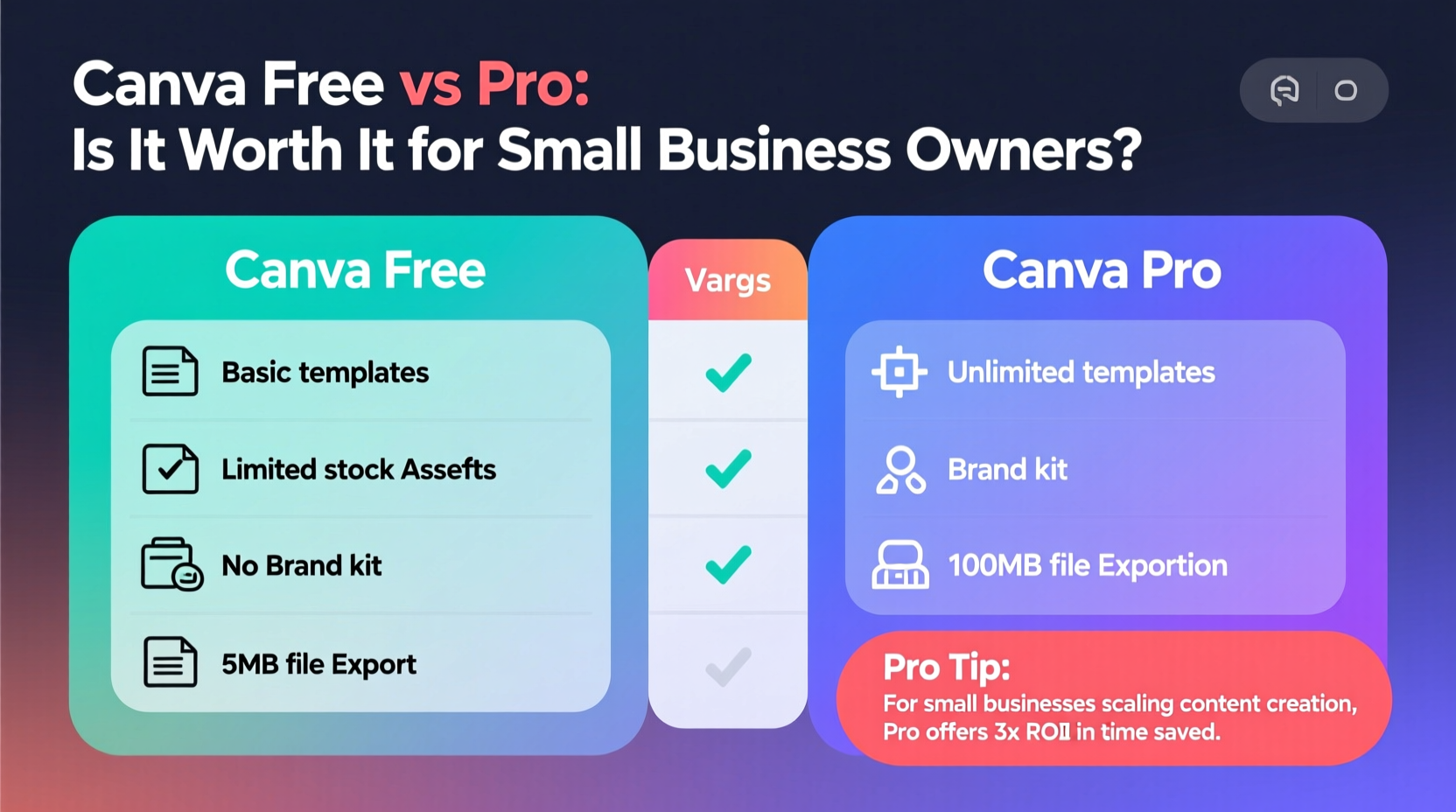
At first glance, both Canva Free and Canva Pro share the same intuitive interface and library of templates. But beneath the surface, there are significant functional gaps that directly impact productivity, branding, and scalability.
Canva Free serves individuals or very early-stage businesses needing occasional designs—think one-off social posts or simple flyers. It includes access to thousands of templates, basic photo editing, and limited storage. However, restrictions on brand kits, team collaboration, and premium content quickly become bottlenecks as demand grows.
Canva Pro, priced at $12.99/month (billed annually) or $14.99/month (monthly), lifts these limitations. It introduces advanced features such as brand kit integration, background remover, scheduling, custom templates, and expanded cloud storage. More importantly, it enables collaboration across teams and ensures consistency in visuals—a critical factor for building trust and recognition.
Feature Comparison: Free vs Pro
| Feature | Canva Free | Canva Pro |
|---|---|---|
| Brand Kit (logos, colors, fonts) | No | Yes – save and apply brand elements instantly |
| Background Remover | No | Yes – AI-powered tool included |
| Content Scheduler | No | Yes – schedule directly to Facebook, Instagram, LinkedIn |
| Team Collaboration (up to 5 members) | Limited sharing only | Full team workspace with permissions |
| Storage Space | 5GB | 1TB + folder organization |
| Custom Templates & Locking | No | Yes – create reusable, locked templates |
| Magic Resize | No | Yes – convert designs to multiple formats instantly |
| Premium Elements Access | Watermarked or unavailable | Unlimited use of photos, videos, icons, audio |
This table highlights how Pro isn’t just “more” of the same—it’s a shift from individual creation to scalable brand management. For solo entrepreneurs managing everything themselves, some of these may seem excessive. But for those planning ahead, even modest growth can expose the limitations of the free tier.
Tip: If you're using Canva daily and hitting upload limits or manually adjusting colors/fonts each time, it's already costing you time—time that could be saved with a Brand Kit.When Canva Pro Starts Paying for Itself
The true value of Canva Pro lies not in its features alone, but in the cumulative time savings and improved output quality. Consider this: if you spend 30 minutes per week resizing a single graphic for different platforms (Instagram post, story, Pinterest pin), that’s two hours a month. At $25/hour (a conservative estimate for small business owner time), that’s $50 in lost productivity—more than the annual cost of Canva Pro.
With Magic Resize, the same task takes under five minutes. Multiply that by weekly content calendars, email headers, ads, and presentation decks, and the efficiency gains compound rapidly.
Another hidden cost of the free version is inconsistency. Without a Brand Kit, team members or freelancers might use slightly different shades of blue or outdated logos. Over time, this erodes professionalism and confuses customers. A study by Lucidpress found that consistent branding increases revenue by up to 23%. Canva Pro helps maintain that consistency effortlessly.
“Small businesses often underestimate the ROI of design efficiency. Saving 10–15 minutes a day adds up to over 60 hours a year—nearly two full workweeks.” — Dana Richards, Small Business Technology Consultant
Real Example: A Local Bakery’s Turnaround
Sarah runs a boutique bakery in Portland, handling all her own marketing. Initially, she used Canva Free to create Instagram posts and weekly flyers. As orders grew, so did her content load. She began outsourcing design tasks to a part-time assistant, but coordination was messy—files were scattered, fonts didn’t match, and product photos had inconsistent backgrounds.
After switching to Canva Pro, Sarah created a Brand Kit with her logo, signature color palette (#F4A7B9 for pink frosting, #3E2723 for chocolate brown), and preferred font (Playfair Display). She uploaded high-res product images and used the background remover to standardize them. Then, she built reusable templates for promotions, menu updates, and holiday specials.
Her assistant now works independently using approved templates, reducing review time from 45 minutes to 10. Sarah also started scheduling posts in advance, freeing up weekends. Within three months, her engagement rose 35%, and she attributed much of that to more polished, cohesive visuals.
The $155 annual investment paid for itself within eight weeks when she landed a catering contract after posting a professionally designed event menu on LinkedIn.
Key Features That Deliver Real Business Value
Not every Pro feature matters equally. Here are the ones that deliver tangible returns for small business owners:
- Brand Kit: Ensures every piece of communication reflects your identity accurately. No more digging through old emails for the right logo version.
- Background Remover: Instantly clean product photos without hiring a designer or learning Photoshop. Ideal for e-commerce stores, food brands, or service providers showcasing their work.
- Magic Resize: Turn one design into ten formats—ideal for repurposing blog graphics into social snippets, ads, or email headers.
- Content Scheduler: Post directly to social platforms without third-party tools. Great for maintaining consistency during vacations or busy seasons.
- Folder Organization & Team Access: Keep campaigns organized, assign roles, and prevent accidental edits—all crucial as you onboard contractors or employees.
Checklist: Is It Time to Upgrade?
If you answer “yes” to three or more of these, Canva Pro is likely a smart investment:
- You create social media content more than twice a week.
- You’ve hit the upload limit on Canva Free (you’re deleting old files to add new ones).
- You collaborate with others (freelancers, VA, team members) on designs.
- Your branding lacks consistency across platforms.
- You frequently resize designs manually for different platforms.
- You pay for stock photos elsewhere (e.g., Shutterstock, Adobe Stock).
- You spend more than 20 minutes weekly formatting visuals.
Smart Implementation: How to Maximize Your Canva Pro Investment
Signing up for Canva Pro is just the start. To get real value, implement a system:
Step-by-Step Setup Guide
- Set Up Your Brand Kit: Go to \"Brand Hub\" and upload your logo, set primary and secondary colors, and define your default fonts. Apply these globally to ensure consistency.
- Create Master Templates: Design one perfect template for common needs—weekly promo, product launch, testimonial post. Lock editable fields so others can update text/images without breaking layout.
- Organize with Folders: Create folders by campaign, platform, or quarter (e.g., “Q3 Social,” “Email Headers,” “Print Materials”). Share relevant folders with team members.
- Train Your Team: Record a short Loom video showing how to use templates and Brand Kit. Save it in your shared drive.
- Integrate Scheduling: Connect your social accounts and begin scheduling a week or month in advance. Use Canva’s analytics (via scheduled links) to track engagement trends.
- Review Monthly: Audit what’s working. Archive outdated designs. Update templates seasonally.
Frequently Asked Questions
Can I try Canva Pro before buying?
Yes. Canva offers a 30-day free trial of Pro with full access to all features. You’ll need to enter payment details, but you can cancel anytime before the trial ends to avoid charges. Use this period to test team collaboration, scheduling, and background removal on real projects.
Is Canva Pro worth it if I only do occasional designs?
If you create fewer than four graphics per month and don’t need branding control or collaboration, the free version is sufficient. However, if you anticipate growth—or want to future-proof your workflow—the upgrade cost is minimal compared to potential time savings.
Can multiple people use one Canva Pro account?
Technically yes, but it’s not recommended. Sharing logins violates Canva’s terms and creates security and accountability issues. Instead, consider Canva Teams ($119.99/year for up to 5 members), which offers better permissions, admin controls, and audit trails. For solopreneurs, a single Pro seat is usually enough.
Final Verdict: Making the Decision
For most small business owners beyond the startup phase, Canva Pro isn’t just worth it—it’s essential. The $12.99 monthly fee represents less than the cost of a single hour of freelance design work, yet unlocks tools that prevent recurring expenses and inefficiencies.
The real return isn’t measured in dollars alone, but in confidence. Confidence that your brand looks professional everywhere. Confidence that your team won’t misuse logos. Confidence that you can scale content without scaling stress.
That said, timing matters. If you're still validating your business idea or operating on zero revenue, stick with the free version. But once you’re generating consistent income—even $1,000/month—and investing in marketing, upgrading to Canva Pro becomes a strategic lever, not an expense.
“The best tools don’t just save time—they elevate perception. When your visuals look premium, customers assume your product is too.” — Marcus Lin, Brand Strategist for SMBs
Take Action Today
Don’t let outdated workflows hold your brand back. Start your Canva Pro free trial today. Set up your Brand Kit. Create one reusable template. See how much smoother your next content cycle feels.
If you're already using Canva Pro, ask yourself: Are you using it to its full potential? Revisit your folders, refine your templates, and teach your team the shortcuts that save minutes every day.
💬 Have questions about optimizing Canva for your business? Share your experience or challenges in the comments—let’s build smarter workflows together.