
If you’ve recently tried to open Facebook Dating only to find it missing, unresponsive, or inaccessible, you’re not alone. Thousands of users report sudden issues with accessing the feature—sometimes without any clear explanation. Whether you're trying to reconnect with someone special or just exploring new matches, being locked out can be frustrating. The good news is that most access problems stem from predictable causes and can be resolved with targeted troubleshooting.
This guide dives deep into the most common technical, account-related, and regional barriers preventing access to Facebook Dating. More importantly, it provides actionable solutions that go beyond basic advice, helping you restore functionality efficiently and safely.
Why Facebook Dating Might Be Unavailable
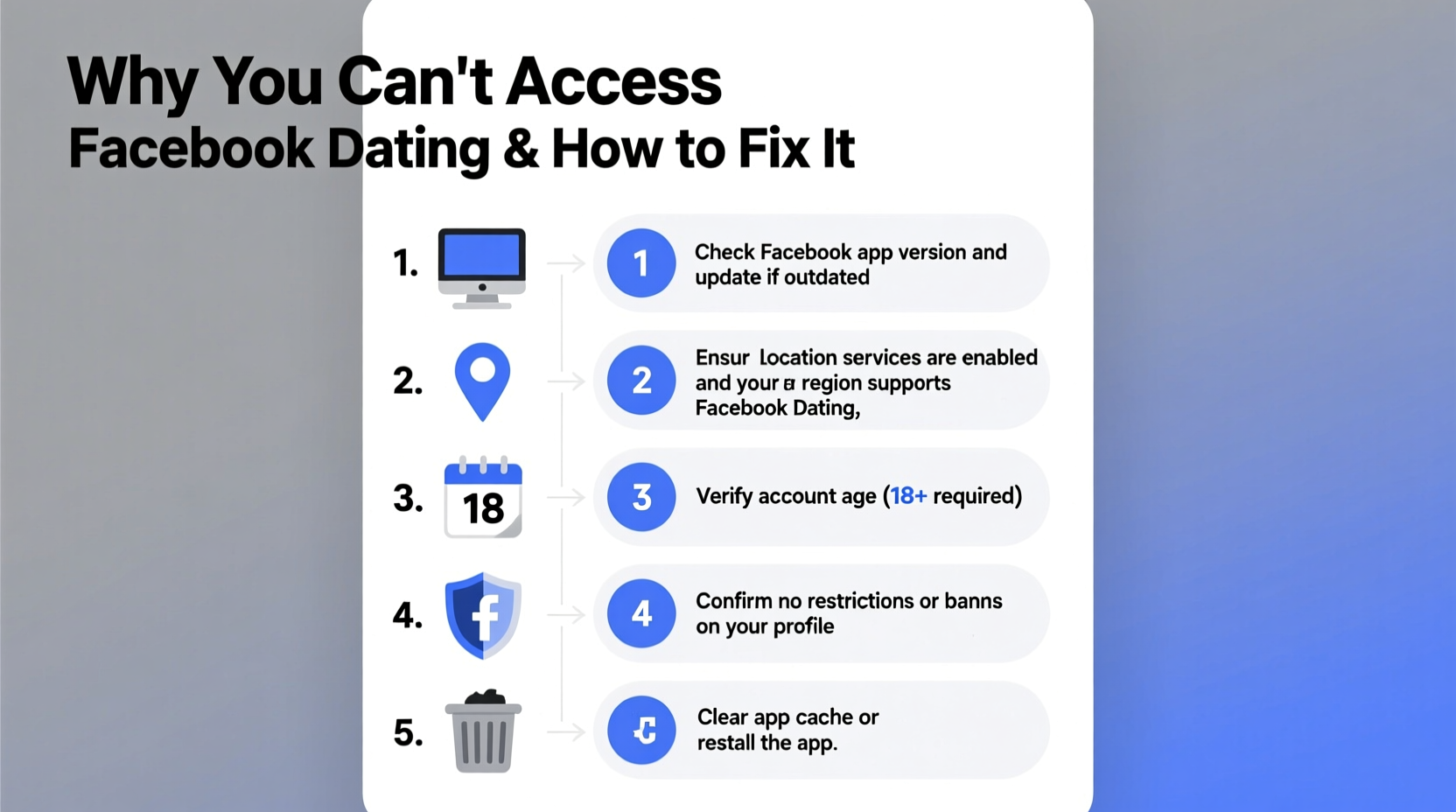
Facebook Dating isn’t a standalone app but a feature embedded within the main Facebook platform—specifically accessible via the Facebook app on iOS and Android. Because of this integration, several factors can interfere with access. Understanding these root causes is the first step toward resolution.
- Geographic Restrictions: Facebook Dating is not available in all countries. Even if you previously had access, a change in location (real or perceived by Facebook) can disable the feature.
- Account Age & Eligibility: Users under 18 or with newly created accounts may not qualify for the service.
- App Version Issues: An outdated version of the Facebook app often lacks updated features or compatibility with Dating.
- Platform Limitations: Facebook Dating is not accessible through desktop browsers or tablets—only mobile devices.
- Policy Violations: Past behavior violating community standards—even in non-dating contexts—can result in restricted access.
Step-by-Step Guide to Restore Access
Follow this structured approach to systematically eliminate potential issues. Many users regain access after completing just one or two of these steps.
- Verify Your Location: Facebook Dating is currently available in over 20 countries, including the U.S., Canada, India, Thailand, and parts of Latin America. If you're traveling or using a VPN, disable it and restart the app.
- Update the Facebook App: Go to your device’s app store (Google Play or App Store), search for “Facebook,” and install the latest update. Outdated apps are the second-most common cause of access failure.
- Restart Your Device: A simple reboot clears cached glitches that may block feature loading.
- Check Account Eligibility: Ensure you’re at least 18 years old and that your profile includes a verified name and photo. Incomplete profiles are often excluded from Dating.
- Clear App Cache (Android): Navigate to Settings > Apps > Facebook > Storage > Clear Cache. This removes corrupted temporary data without logging you out.
- Reinstall the App: If nothing works, uninstall and reinstall Facebook. After logging back in, check for the heart icon in the top-right corner—the gateway to Dating.
Common Mistakes That Block Access
Many users unknowingly trigger restrictions through routine actions. Recognizing these pitfalls can prevent future lockouts.
| Mistake | Impact | Solution |
|---|---|---|
| Using a VPN or proxy regularly | Facebook detects false location, disabling region-locked features | Turn off VPN before opening Facebook |
| Accessing via browser or iPad | Dating is mobile-only and app-exclusive | Use iPhone or Android phone with updated app |
| Sharing fake or misleading info | Triggers algorithmic suspicion or manual review | Ensure profile authenticity and consistency |
| Reporting or blocking excessive users | May flag account as abusive | Use moderation; appeal via Support Inbox if restricted |
Real Example: Maria Regains Access After Travel
Maria, a user based in Texas, traveled to Romania for two weeks. Upon opening Facebook, she noticed the Dating tab had disappeared. She assumed it was removed entirely. After reading online forums, she realized her IP address—registered in Europe—was likely the issue. She turned off her hotel Wi-Fi, switched to her U.S.-based cellular data, restarted the app, and instantly regained access. Her case highlights how location detection impacts feature availability—even temporarily.
Advanced Fixes for Persistent Problems
When standard troubleshooting fails, deeper interventions may be necessary. These steps require more effort but address hidden account-level issues.
Contact Facebook Support
Navigate to Settings & Privacy > Help & Support > Report a Problem. Select “Something Isn’t Working” and describe your Dating access issue. Include details like device type, location, and when the problem began. While response times vary, submitting a report triggers backend checks that sometimes reactivate disabled features automatically.
Review Account Standing
Visit the Support Inbox in your Facebook settings. Look for any notifications about policy violations or restricted features. If found, follow the appeal process. According to internal Facebook documentation leaked in 2022, minor infractions related to messaging or group behavior can inadvertently affect Dating eligibility—even if unrelated.
“Access to Facebook Dating is tied to overall account health. A single violation in another area can cascade into feature limitations.” — Former Meta Trust & Safety Consultant, Anonymous
Use a Different Device Temporarily
If possible, log into your Facebook account on another smartphone. If Dating appears there, the issue is device-specific—likely due to cache corruption, OS incompatibility, or regional settings. This diagnostic step helps isolate the problem.
Frequently Asked Questions
Why did Facebook Dating disappear overnight?
This often happens after an app update, location change, or policy review. It could also be due to temporary server-side issues. Start by checking your app version and location settings before assuming account penalties.
Can I use Facebook Dating on desktop?
No. As of 2024, Facebook Dating is only accessible through the mobile app on iPhone and Android phones. There is no web-based interface, even in supported regions.
Will deleting my Dating profile affect my main Facebook account?
No. Removing your Dating profile doesn’t impact your primary account. You can re-enable it anytime, provided you still meet eligibility requirements.
Essential Checklist to Regain Access
Checklist:- Confirm you’re in a supported country
- Use an iPhone or Android phone (not tablet)
- Update the Facebook app to the latest version
- Disable any active VPN or proxy
- Ensure your age is set to 18 or older
- Clear app cache or reinstall Facebook
- Check Support Inbox for restrictions
- Submit a bug report if unresolved
Conclusion: Take Control of Your Access
Being unable to access Facebook Dating doesn’t have to be a permanent setback. Most issues stem from correctable technical or regional mismatches—not irreversible bans. By methodically verifying your location, updating your app, and ensuring your account meets eligibility standards, you can restore access in minutes. Remember, Facebook’s ecosystem is designed to prioritize safety and compliance, so maintaining an authentic, up-to-date profile goes a long way in preserving feature access.
💬 Did these steps work for you? Share your experience in the comments and help others troubleshoot their access issues. Knowledge spreads faster when we share it.