In today’s knowledge-driven economy, where many professionals spend upwards of eight hours a day seated at a desk, concerns about physical health and mental performance are growing. Sedentary behavior has been linked to a range of chronic conditions, including cardiovascular disease, obesity, and musculoskeletal disorders—particularly lower back pain. As awareness increases, more workers are turning to standing desks as a potential solution. But does simply standing while working actually deliver on its promises? Can it genuinely enhance focus, energy, and efficiency while simultaneously alleviating one of the most common workplace complaints: lower back discomfort?
The answer, supported by a growing body of research and real-world experience, leans toward yes—but with important caveats. The benefits of a standing desk aren't automatic. They depend heavily on how it's used, for how long, and in what context. This article explores the connection between standing desks, productivity, and lower back pain, offering actionable guidance for those considering a switch.
The Science Behind Standing Desks and Physical Health
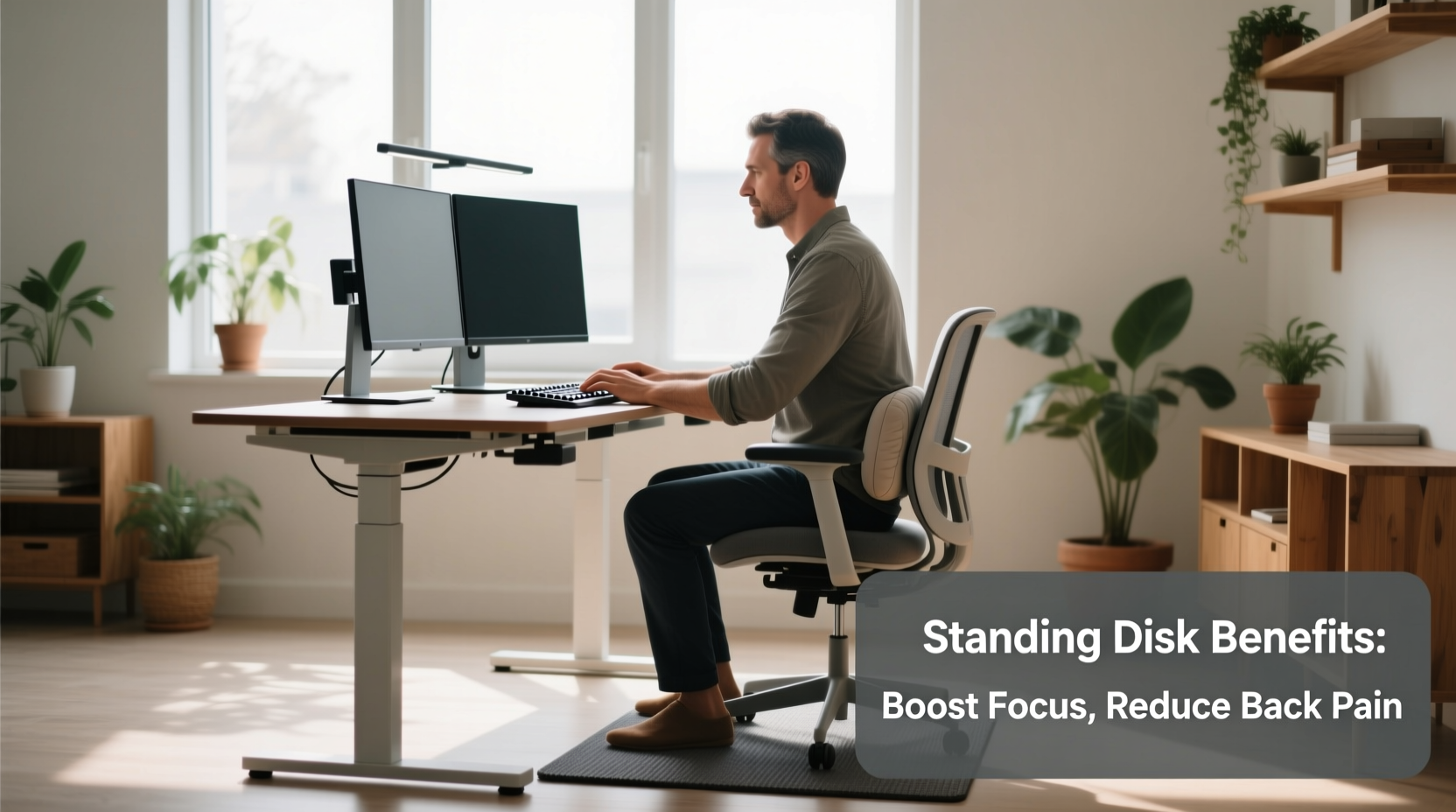
Sitting for prolonged periods alters biomechanics in ways that often go unnoticed until symptoms arise. When seated, especially in non-ergonomic chairs, the pelvis tilts backward, flattening the natural curve of the lumbar spine. Over time, this posture weakens core stabilizing muscles and increases pressure on intervertebral discs—factors that contribute directly to lower back pain.
A 2018 study published in the CDC’s Morbidity and Mortality Weekly Report found that employees who used sit-stand desks reported a 32% reduction in lower back and neck pain after four weeks compared to a control group using traditional desks. Another meta-analysis in the Journal of Physical Activity and Health concluded that alternating between sitting and standing throughout the workday significantly reduced musculoskeletal discomfort, particularly in the lower back and shoulders.
Standing engages postural muscles continuously, encouraging better spinal alignment and reducing the static load on the lumbar region. However, standing all day isn’t the solution either. Prolonged standing introduces new risks, such as increased pressure on joints, varicose veins, and foot fatigue. The key lies in dynamic movement—not replacing sitting with standing, but integrating both.
“Movement is medicine for the spine. Alternating postures prevents tissue fatigue and supports circulation.” — Dr. Laura Chen, Physical Therapist and Ergonomics Consultant
Productivity: Does Standing Improve Focus and Output?
One of the most compelling arguments for standing desks is their potential impact on cognitive performance. Anecdotal reports from users frequently mention heightened alertness, reduced afternoon slumps, and improved concentration. But what does the research say?
A notable 2016 study conducted by Texas A&M University tracked call center employees over six months. Half were given standing desks; the other half continued with seated workstations. The results showed that employees using standing desks were 45% more productive on a weekly basis, measured by number of successful calls handled. While the environment was specific, the implications are broader: increased physical activity—even passive standing—can stimulate blood flow and oxygen delivery to the brain, enhancing executive function.
Additionally, standing tends to reduce sedentary inertia. When you're upright, you’re more likely to move—to stretch, walk to a printer, or pace during a phone call. These micro-movements accumulate into meaningful caloric expenditure and sustained mental engagement. A 2020 study in Human Factors observed that participants working at standing desks exhibited faster reaction times and fewer attention lapses during cognitively demanding tasks.
Tip: Use a timer to alternate every 30–45 minutes between sitting and standing. This prevents fatigue and maintains mental sharpness.How to Use a Standing Desk Effectively: A Step-by-Step Guide
Simply purchasing a standing desk won’t guarantee benefits. Improper use can lead to new strains or decreased comfort. To maximize advantages, follow this structured approach:
- Assess your workspace setup. Ensure your desk height allows your elbows to rest at 90 degrees when typing, with wrists neutral and monitor top at or slightly below eye level.
- Start gradually. Begin with 20–30 minutes of standing per day, increasing by 10–15 minutes every few days. Aim for a balanced ratio—such as 30 minutes standing, 30 minutes sitting.
- Wear supportive footwear. Avoid standing barefoot or in flat, unsupportive shoes. Consider anti-fatigue mats to reduce joint strain.
- Engage your core. Stand tall with shoulders relaxed, chin slightly tucked, and a gentle activation of abdominal muscles to support the spine.
- Incorporate movement. Shift weight, perform small calf raises, or take short walking breaks to maintain circulation.
- Listen to your body. Discomfort is a signal, not a challenge to endure. Adjust timing and posture accordingly.
Consistency matters more than duration. Building sustainable habits ensures long-term success without burnout or injury.
Do’s and Don’ts of Standing Desk Use
| Do’s | Don’ts |
|---|---|
| Alternate between sitting and standing every 30–60 minutes | Stand for more than two consecutive hours without a break |
| Use an anti-fatigue mat to reduce foot and leg strain | Wear flip-flops or hard-soled shoes while standing |
| Keep monitors at eye level to avoid neck strain | Hunch over the keyboard or lean on your arms excessively |
| Take micro-breaks to stretch or walk | Ignore persistent pain or numbness in legs or feet |
| Adjust desk height properly based on your stature | Set the desk too high or too low, causing shoulder elevation |
Real-World Example: Sarah’s Transition to a Standing Desk
Sarah, a 34-year-old graphic designer, had struggled with chronic lower back pain for years. Her job required her to sit for 8–10 hours daily, often hunched over her tablet. Despite regular stretching and occasional physiotherapy, her discomfort persisted, affecting both her sleep and concentration.
After reading about ergonomic interventions, she invested in an adjustable standing desk. Initially skeptical, she began cautiously—standing for just 20 minutes in the morning and another 20 after lunch. She paired this with a cushioned mat and replaced her office flats with supportive sneakers.
Within three weeks, Sarah noticed a marked reduction in stiffness by midday. By week six, her lower back pain had decreased by about 70%, according to her personal tracking journal. More surprisingly, she found herself completing design drafts faster, attributing it to fewer distractions from discomfort and less mental fog in the afternoons.
She now follows a 45/45 split—45 minutes sitting, 45 standing—with five-minute walking breaks every two hours. “It’s not a miracle cure,” she says, “but it’s given me back control over my workday comfort and focus.”
Checklist: Optimizing Your Standing Desk Routine
- ✅ Measure your desk height: elbows should be at 90° when typing
- ✅ Position monitor 20–30 inches away, top at eye level
- ✅ Start with 20–30 minutes of standing per day
- ✅ Invest in an anti-fatigue mat
- ✅ Wear supportive shoes or stand barefoot on a soft surface
- ✅ Set a timer to alternate positions every 30–45 minutes
- ✅ Incorporate light stretches every hour (neck rolls, shoulder shrugs, calf raises)
- ✅ Track pain levels and productivity weekly for the first month
- ✅ Consult an ergonomics specialist if pain persists
Frequently Asked Questions
Can standing desks completely eliminate lower back pain?
No single intervention eliminates back pain for everyone. However, standing desks can significantly reduce discomfort caused by prolonged sitting, especially when combined with proper ergonomics, movement, and core strength. They are part of a broader strategy, not a standalone fix.
How long should I stand each day for optimal benefits?
There’s no universal rule, but research and expert consensus suggest aiming for 2–4 hours of standing spread throughout the day. The ideal approach is frequent alternation—such as 30–60 minutes standing followed by sitting—rather than long uninterrupted periods.
Are standing desks suitable for everyone?
Most people can benefit from intermittent standing, but individuals with certain conditions—like severe varicose veins, plantar fasciitis, or balance issues—should consult a healthcare provider before making a full transition. Customization and moderation are key.
Conclusion: A Sustainable Shift Toward Better Work Habits
The modern office environment wasn’t designed with human physiology in mind. Decades of prioritizing efficiency over ergonomics have taken a toll on worker well-being. Standing desks represent more than a trend—they’re a practical response to the mismatch between how we work and how our bodies function.
When used thoughtfully, standing desks can reduce lower back pain by promoting better posture and muscle engagement. They also support productivity by enhancing alertness, reducing fatigue, and encouraging movement. But the real power lies not in standing alone, but in breaking the cycle of immobility.
The goal isn’t to stand all day. It’s to move more, sit less, and create a work rhythm that aligns with your body’s needs. Whether you invest in a high-end electric desk or improvise with a countertop setup, the shift begins with awareness and consistency.
💬 Ready to transform your workday? Start small—set a timer, adjust your posture, and track how you feel. Share your journey or questions in the comments below and inspire others to move smarter.