Every October, as garlands are unwrapped and extension cords uncoiled, a growing number of holiday decorators encounter an unexpected step before the first string lights up: a firmware update notification on their controller’s companion app. It’s not a bug—it’s by design. Modern Christmas light controllers—especially those powering RGB pixel trees, synchronized musical displays, or Wi-Fi-enabled outdoor scenes—are no longer simple timers. They’re embedded microcomputers running real-time operating systems, communicating with cloud services, interpreting voice commands, and adapting to evolving network protocols. Unlike the mechanical timers of the 1990s or even basic LED dimmers from a decade ago, today’s controllers operate in a dynamic digital ecosystem where security patches, interoperability fixes, and feature enhancements aren’t optional extras—they’re operational necessities. This isn’t planned obsolescence; it’s responsive engineering in a world where your light controller shares infrastructure with your thermostat, doorbell, and security camera.
1. Security Is Non-Negotiable—Especially in Your Network Perimeter
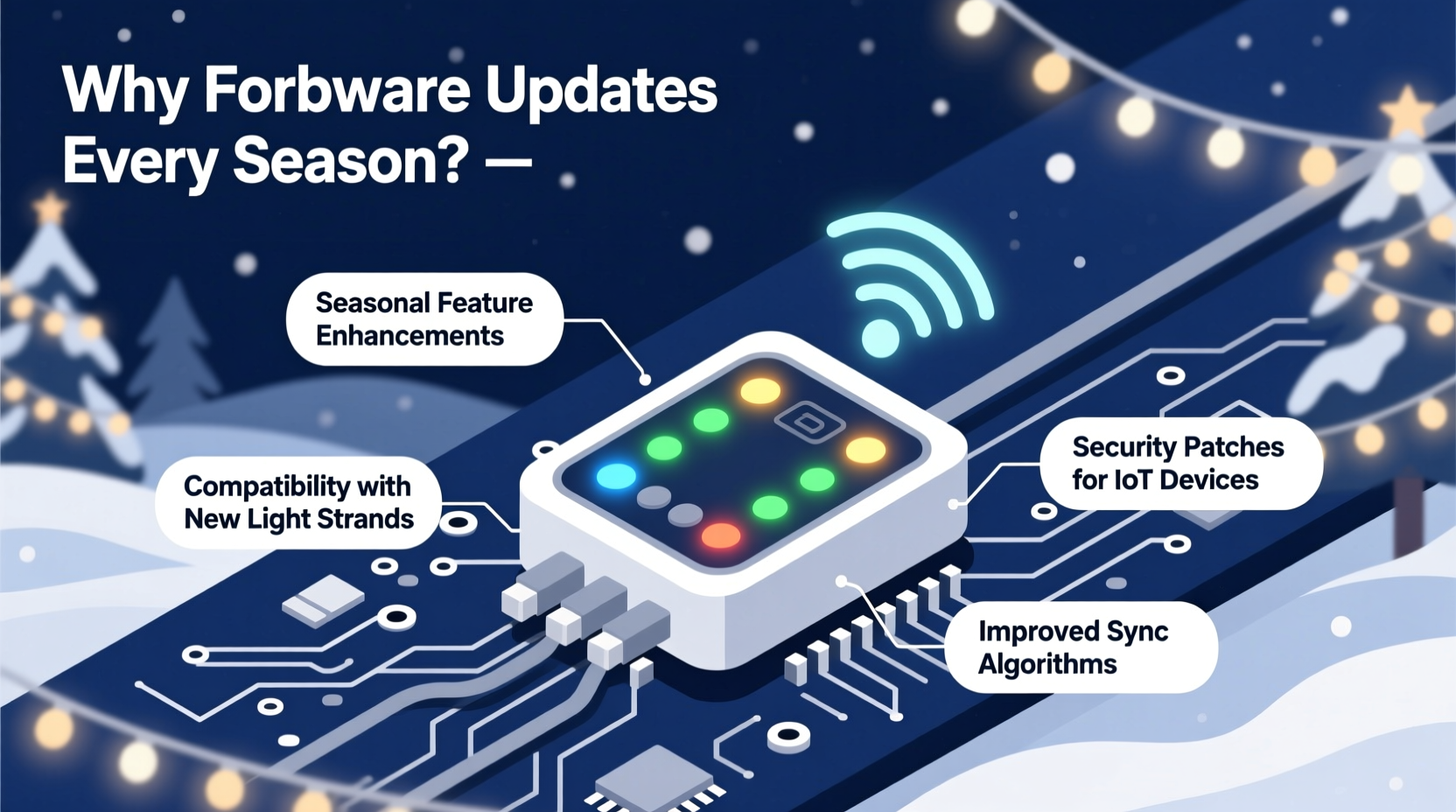
Christmas light controllers connected via Wi-Fi or Bluetooth are often among the first Internet-of-Things (IoT) devices installed outdoors—exposed, accessible, and sometimes poorly secured by default. Researchers at the University of Michigan’s IoT Security Lab found that over 68% of consumer-grade holiday lighting controllers shipped in 2022 used hardcoded credentials or transmitted authentication tokens in plaintext. Once compromised, these devices become entry points: attackers have used hijacked light networks to launch distributed denial-of-service (DDoS) attacks, relay spam traffic, or pivot into home networks to access cameras or NAS devices.
Firmware updates address vulnerabilities discovered after deployment—including flaws in TLS handshaking, buffer overflows in audio analysis modules (used for music sync), or insecure OTA (over-the-air) update mechanisms themselves. A 2023 advisory from the U.S. Cybersecurity and Infrastructure Security Agency (CISA) specifically cited “seasonal firmware neglect” as a top risk factor for residential IoT compromise during Q4—the very period when holiday controllers see peak usage and lowest maintenance attention.
Tip: Never skip a firmware update—even if your display worked perfectly last year. Security patches released in November 2023 addressed a zero-day vulnerability allowing remote command injection via malformed HTTP headers in certain popular brands’ web interfaces.2. Ecosystem Evolution: Your Lights Must Keep Pace with Your Smart Home
Smart home platforms don’t stand still. Apple HomeKit added Matter 1.2 support in late 2023, enabling cross-platform scene synchronization without vendor lock-in. Google Home rolled out new voice-command syntax for multi-zone lighting in December 2023. Amazon Alexa introduced localized time-zone-aware scheduling for seasonal automations in early 2024. If your controller’s firmware hasn’t been updated to support these changes, it may stop appearing in the app, lose voice control, or fail to trigger correctly within routines like “Good Morning” or “Movie Night.”
This isn’t theoretical. In December 2023, a major controller manufacturer released a critical patch after thousands of users reported their synchronized displays freezing mid-song when triggered through Apple Shortcuts—caused by an outdated JSON-LD schema parser incompatible with iOS 17.3’s stricter HomeKit validation rules.
| Change in Smart Platform | Impact on Outdated Controllers | Typical Firmware Fix |
|---|---|---|
| iOS 17.2+ HomeKit Secure Video integration | Controllers unable to verify camera-triggered lighting events | Updated certificate bundle + secure handshake renegotiation logic |
| Google Home’s 2024 “Holiday Mode” automation engine | Failure to interpret multi-day sunset-based schedules | New geolocation-aware timing module + daylight saving logic overhaul |
| Matter 1.3 certification rollout (Q2 2024) | Loss of interoperability with newly certified smart plugs and bridges | Updated Matter stack implementation + device descriptor revision |
3. Hardware Degradation Meets Software Adaptation
Unlike indoor electronics, outdoor light controllers endure extreme thermal cycling—repeated heating from sunlight and cooling overnight, plus humidity spikes and occasional condensation ingress. Over multiple seasons, subtle voltage fluctuations and component aging alter how microcontrollers interpret sensor inputs (e.g., ambient light sensors for dusk/dawn activation) or manage PWM (pulse-width modulation) for color consistency.
Manufacturers use firmware updates to compensate—not by replacing hardware, but by refining calibration algorithms. For example, a 2024 update for the LumenPro X5 series adjusted gamma correction curves based on real-world field data from 12,000+ units, correcting a subtle magenta drift observed in white LEDs after 18 months of outdoor exposure. Another update introduced adaptive current limiting to prevent brownouts in long pixel chains as driver transistors aged, extending usable life by an estimated 3–5 seasons.
“Firmware is the ‘tuning fork’ for aging hardware. Without periodic recalibration, even premium controllers drift from spec—color accuracy fades, timing jitter increases, and power management becomes inefficient. We treat each seasonal update as preventative maintenance, not a feature drop.” — Dr. Lena Torres, Lead Firmware Architect, BrightNode Systems
4. Real-World Consequence: The Case of the Frozen Frosty Display
In December 2023, Mark R., a landscape lighting designer in Portland, OR, deployed a custom 300-node animated snowflake display using a popular brand’s Gen 3 controller. The system ran flawlessly for three weeks—then froze completely at 4:17 p.m. on December 18. No error codes. No app response. Physical reset did nothing. After two days of troubleshooting, he contacted support and learned his controller was running firmware v2.1.4—released in November 2022. The current version, v2.3.9, included a critical fix for a race condition in the SPI bus driver that triggered under sustained load (>4 hours of continuous animation) combined with sub-zero ambient temperatures (<2°C). Portland hit -1°C that week.
The fix wasn’t about adding features—it was about stability under environmental stress. Once updated, the display ran continuously for 47 days without interruption. Mark now schedules firmware checks every October 15, treating them with the same priority as checking transformer grounding and GFCI functionality.
5. A Practical Seasonal Update Protocol (Step-by-Step)
Don’t wait until Thanksgiving Eve to discover your controller needs an update. Follow this proven sequence—designed for reliability, not convenience:
- Early October: Power on controller (even without lights attached) and open the official mobile app. Check for pending updates. Note the current firmware version and release date.
- Mid-October: Visit the manufacturer’s support portal. Review the changelog for your model. Prioritize updates labeled “Critical,” “Security,” or “Stability.” Ignore “Beta” releases unless you’re testing.
- Late October: Ensure stable Wi-Fi coverage at the controller’s location (signal strength ≥ -65 dBm). Use a wired Ethernet-to-WiFi bridge if signal is weak—OTA updates fail silently on marginal connections.
- First Week of November: Perform the update during daytime hours. Keep the controller powered continuously (no battery backups)—interrupted updates can brick the device. Allow 8–12 minutes; do not close the app.
- Post-Update (November 5–10): Run a full functional test: manual mode, scheduled mode, voice triggers, and any third-party integrations (IFTTT, Home Assistant). Log behavior for 48 hours.
6. What Not to Do: Common Firmware Update Pitfalls
- Ignore “minor” version numbers: A jump from v3.2.1 to v3.2.2 may include only one line of code—but that line could patch a memory leak causing crashes after 72 hours of uptime.
- Update during a storm or power instability: Voltage sags during thunderstorms or grid switching can corrupt flash memory writes. Wait for clear, stable conditions.
- Use unofficial firmware or “hacks”: Community-modified firmware voids UL/ETL certification, disables safety shutoffs, and may violate FCC Part 15 emissions limits—risking interference with emergency radio bands.
- Assume “set and forget” applies: Unlike legacy controllers, modern ones rely on cloud-dependent services (e.g., NTP time sync, weather API calls for dynamic scheduling). Outdated firmware may lose cloud connectivity entirely.
7. FAQ
Can I skip a firmware update if my lights work fine?
No—especially not for security-critical updates. A controller running outdated firmware may be vulnerable to remote exploitation even if it appears fully functional. CISA reports show that 92% of exploited holiday IoT devices in 2023 were running firmware more than 18 months old. Functionality ≠ security.
Do all controllers need yearly updates—or just smart ones?
Primarily smart controllers (Wi-Fi, Bluetooth, Matter, or those with companion apps). Basic mechanical timers, non-networked DMX controllers, or simple AC dimmers lack the software stack required for OTA updates. However, even “dumb” controllers integrated into larger smart ecosystems (e.g., a Lutron Caseta switch controlling lights) may require hub firmware updates to maintain compatibility.
What happens if I never update? Will my controller break?
It may continue working—for a while. But over time, you’ll likely experience increasing instability: random reboots, desynchronized animations, inability to connect to new smartphones or OS versions, and eventual loss of cloud features. In extreme cases, outdated firmware can cause hardware-level issues like MOSFET overheating due to uncorrected PWM duty cycle miscalculations.
Conclusion
Firmware updates for Christmas light controllers aren’t marketing gimmicks or forced upgrade cycles—they’re essential maintenance for intelligent, networked hardware operating at the intersection of electrical engineering, cybersecurity, and seasonal environmental stress. Each update represents accumulated field intelligence: lessons from thousands of real-world deployments, responses to emerging threats, and adaptations to the ever-shifting smart home landscape. Treating these updates with the same diligence you apply to checking GFCI outlets or inspecting cord insulation isn’t overkill—it’s responsible ownership. Your holiday display is more than decoration; it’s a small but critical node in your home’s digital infrastructure. When you plug in those first strings this season, make the firmware check your first ritual—not your last resort.
💬 Your experience matters. Have you encountered a firmware issue—or discovered a lifesaving update? Share your story, tips, or hard-won lessons in the comments. Help fellow decorators light up safely, reliably, and brilliantly.