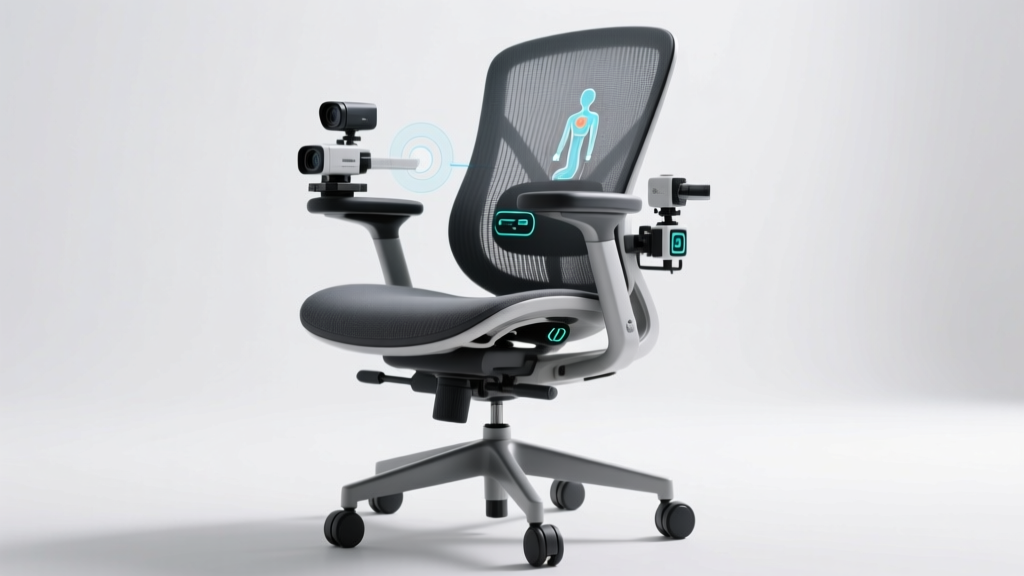
For millions of professionals who now work remotely full time, the home office has become more than just a corner of the living room—it’s where careers thrive, deadlines are met, and long hours unfold. As this shift becomes permanent, one question surfaces with increasing urgency: Is it worth investing in an ergonomic office chair? After all, isn’t any comfortable-looking seat sufficient?
The truth is, your choice of seating directly impacts your physical well-being, mental focus, and even career longevity. Poor posture, chronic back pain, and reduced concentration aren’t inevitable byproducts of remote work—they’re often symptoms of inadequate support. An ergonomic office chair isn’t a luxury; for full-time remote workers, it’s a necessity.
The Hidden Cost of Compromising on Seating
Sitting for extended periods—especially in poorly designed chairs—places significant strain on the spine, neck, shoulders, and hips. The human body wasn’t built for eight or more hours of static sitting. When unsupported, the natural curvature of the spine collapses, leading to muscle fatigue, disc pressure, and eventually, chronic discomfort.
A 2023 study published in the *Journal of Occupational Health Psychology* found that remote workers reported higher levels of musculoskeletal pain compared to their in-office counterparts, largely due to makeshift workspaces and subpar furniture. Many resort to working from couches, dining chairs, or folding seats—none of which provide proper lumbar alignment or adjustability.
This isn’t just about momentary discomfort. Over time, poor ergonomics contribute to conditions like:
- Lower back pain (the most common complaint among desk workers)
- Cervical strain from forward head posture
- Carpal tunnel syndrome exacerbated by slouched positioning
- Reduced circulation from improper seat depth
These issues don’t just affect health—they erode productivity. Pain distracts. Discomfort disrupts focus. And recurring doctor visits eat into valuable work time.
Tip: If you wake up stiff or feel sore after a typical workday, your chair may be the culprit—not your workload.What Makes a Chair Truly Ergonomic?
Not all chairs labeled “ergonomic” deliver equal value. True ergonomic design is rooted in biomechanics—the science of how the body moves and supports itself during activity. A high-quality ergonomic chair adapts to your body, not the other way around.
Key features to look for include:
- Adjustable Lumbar Support – Supports the natural inward curve of the lower spine, reducing disc pressure.
- Seat Depth and Height Adjustment – Ensures feet rest flat on the floor while thighs are fully supported without pressing behind the knees.
- Armrests (3D or 4D Adjustable) – Allow arms to rest at a 90-degree angle, preventing shoulder elevation and neck strain.
- Reclining Mechanism with Tilt Tension Control – Encourages micro-movements and dynamic sitting, improving circulation and reducing stiffness.
- Breathable, High-Density Foam or Mesh Back – Promotes airflow and maintains structural support over years of use.
Unlike standard office chairs, which often have fixed positions and thin padding, ergonomic models allow customization based on individual height, weight, and work habits. This adaptability is what transforms them from mere furniture into tools for sustained performance.
Real Impact: A Mini Case Study
Consider Sarah, a software developer based in Portland, Oregon, who transitioned to full-time remote work in 2020. Initially, she used a padded dining chair at her kitchen table. Within six months, she began experiencing persistent lower back pain and frequent headaches. Her productivity dipped as she took more breaks to stretch or lie down.
After visiting a physical therapist, she was advised to upgrade her workspace. She invested $550 in a mid-range ergonomic chair with adjustable lumbar support, seat depth, and synchronous tilt. Within three weeks, her pain decreased significantly. More importantly, she noticed improved concentration during coding sessions and fewer afternoon energy crashes.
“I thought I was saving money by using what I already had,” Sarah said. “But in reality, I was paying for it in lost time, discomfort, and medical co-pays. The chair paid for itself in fewer sick days alone.”
“Investing in an ergonomic chair is not about comfort—it’s about injury prevention. For remote workers logging 40+ hours weekly, it’s one of the most cost-effective health interventions available.” — Dr. Marcus Lin, Physical Therapist and Workplace Ergonomics Consultant
Evaluating the Investment: Cost vs. Long-Term Value
It’s true: ergonomic chairs range from $300 to over $1,500. That can seem steep when compared to a $100 Amazon special. But evaluating worth requires looking beyond upfront price.
| Factor | Ergonomic Chair ($400–$800) | Standard Chair ($80–$150) |
|---|---|---|
| Lifespan | 7–10 years with proper care | 2–3 years before wear sets in |
| Health Impact | Reduces risk of chronic pain and repetitive strain injuries | May contribute to long-term musculoskeletal issues |
| Maintenance Costs | Minimal; replace parts like casters or arm pads if needed | Frequent replacements due to broken mechanisms or foam collapse |
| Productivity Effect | Improved focus, reduced fatigue, fewer interruptions | Pain-related distractions, frequent position shifting |
| Total 5-Year Cost (including replacements) | $450 (one purchase) | $300–$600 (2–3 chairs + potential therapy visits) |
When viewed through this lens, the ergonomic chair emerges not as an expense but as a financial safeguard. It reduces downstream costs related to healthcare, absenteeism, and inefficient work patterns.
Tip: Look for brands offering modular components and warranties of 7+ years. Chairs from Herman Miller, Steelcase, or Haworth often qualify and retain resale value.How to Choose the Right Ergonomic Chair for Your Home Office
Selecting the ideal chair involves more than reading reviews or trusting marketing claims. Follow this step-by-step guide to make a confident decision:
- Measure Your Body and Desk Setup – Note your height, weight, and desk height. Seat height should allow elbows at 90 degrees when typing, with feet flat on the floor.
- Determine Usage Patterns – Do you sit continuously for hours, or take frequent breaks? Heavy users benefit from deeper seat pans and advanced recline functions.
- Test Before You Buy (If Possible) – Visit showrooms or order from retailers with generous return policies. Sitting for five minutes isn’t enough—try it over several days.
- Prioritize Adjustability Over Aesthetics – Style matters, but function comes first. Ensure every critical adjustment (lumbar, armrests, tilt) is present and smooth.
- Check Warranty and Customer Support – A 7–12 year warranty signals manufacturer confidence. Also confirm availability of replacement parts.
Checklist: What to Verify Before Purchasing
- ✅ Lumbar support adjusts vertically and depth-wise
- ✅ Seat height can be adjusted between 16\"–21\"
- ✅ Seat depth accommodates thigh length without cutting off circulation
- ✅ Armrests move up/down, in/out, and pivot side-to-side
- ✅ Backrest reclines smoothly with tension control
- ✅ Material is breathable (mesh preferred for warm climates)
- ✅ Chair swivels freely and rolls smoothly on your flooring type
Common Myths About Ergonomic Chairs
Despite growing awareness, misconceptions persist:
- Myth: “More cushioning means more comfort.” Reality: Excessive padding encourages sinking and poor posture. Firm, contoured support is better for spinal alignment.
- Myth: “All ‘ergonomic’ chairs are the same.” Reality: Many budget chairs misuse the term. True ergonomics require multiple independent adjustments.
- Myth: “I’ll get used to any chair over time.” Reality: Your body doesn’t adapt to poor posture—it compensates, often leading to imbalances and pain.
FAQ: Common Questions About Ergonomic Chairs
Can’t I just use a lumbar pillow with a regular chair?
You can, but it’s a partial fix. Pillows often slip out of place and don’t integrate with seat depth or armrest alignment. While better than nothing, they don’t replace comprehensive adjustability.
Do ergonomic chairs really boost productivity?
Yes. Research from Cornell University’s Ergonomics Web shows that employees using properly adjusted ergonomic chairs report 17% fewer distractions due to discomfort and 13% faster task completion in cognitively demanding work.
Is it worth buying used?
Possibly. Certified refurbished models from reputable brands (e.g., Herman Miller’s Renew line) undergo rigorous inspection and come with full warranties. Avoid unverified secondhand chairs, as worn mechanisms or degraded foam reduce effectiveness.
Conclusion: Sit Smarter, Work Better
Working from home full time shouldn’t mean settling for less when it comes to your health and performance. An ergonomic office chair is more than a piece of furniture—it’s a daily investment in your physical resilience, professional efficiency, and long-term well-being.
The initial cost fades when weighed against the cumulative toll of pain, distraction, and inefficiency. Whether you're drafting reports, attending video calls, or coding late into the evening, your body deserves support that evolves with your needs.
🚀 Take action today: Measure your workspace, research chairs with proven adjustability, and prioritize quality over convenience. Your future self—and your spine—will thank you.