Transforming a living room or dedicated space into a home theater has never been more accessible. With advancements in display technology, consumers now face a compelling choice: invest in a high-end projector system for that true cinema-scale experience, or go with a large-format OLED or QLED TV that delivers stunning clarity and convenience. While both options promise immersive entertainment, they differ significantly in performance, setup complexity, ambient lighting needs, and long-term value. The central question remains—does the cinematic grandeur of a projector justify the compromises it demands?
The Visual Experience: Size, Immersion, and Realism
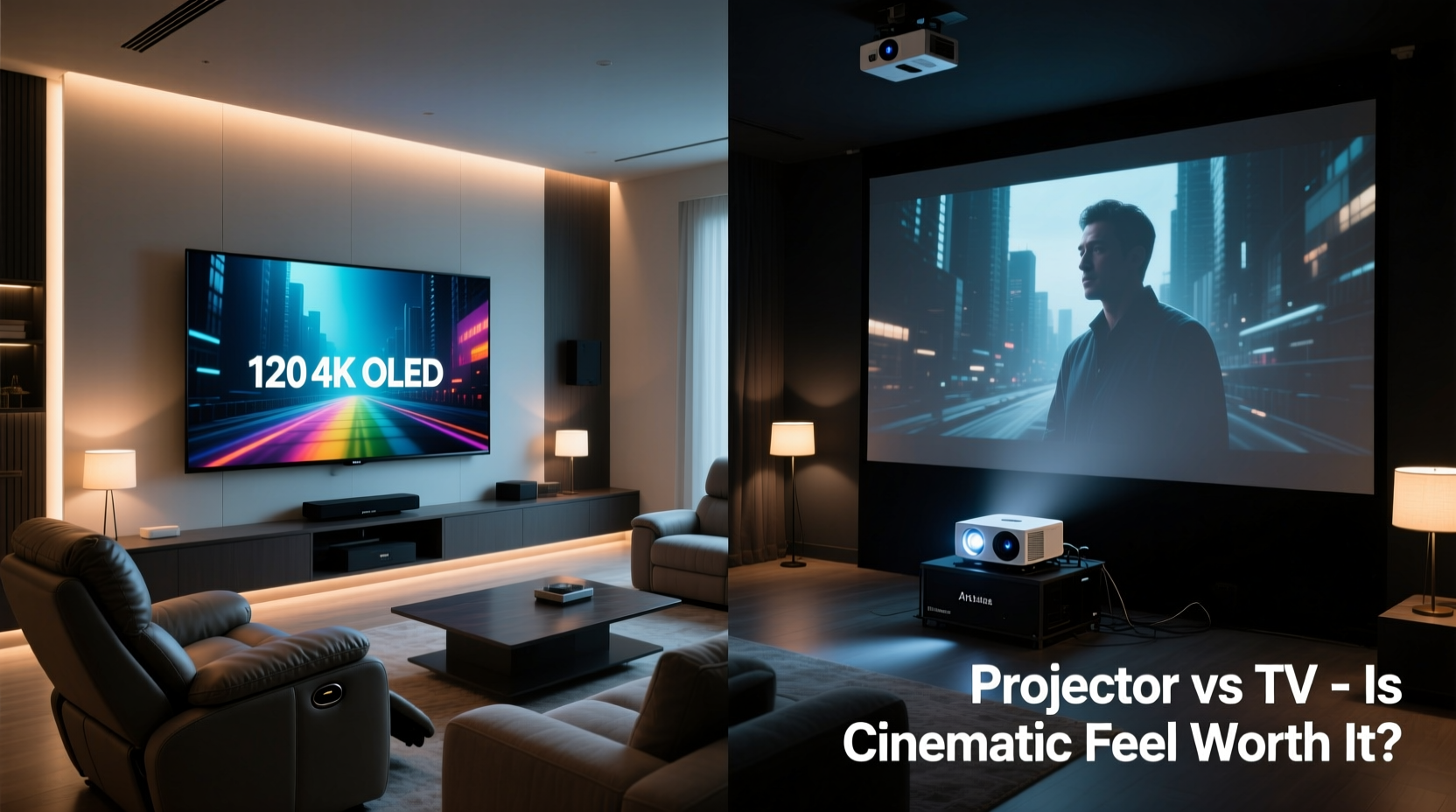
No discussion about projectors versus TVs can begin without addressing screen size. This is where projectors shine—literally. A standard 4K TV maxes out at around 85 inches diagonally, while projectors can easily produce images of 100 to 150 inches or more without breaking the bank. For many viewers, especially film enthusiasts, this leap in scale fundamentally changes the viewing experience.
Sitting in front of a 120-inch projected image under low light conditions closely replicates the sensation of being in a commercial movie theater. The field of view expands dramatically, drawing you deeper into action sequences, sweeping landscapes, and dramatic close-ups. This immersion is not just psychological—it’s physiological. Studies in visual perception show that larger screens increase emotional engagement during storytelling, making viewers feel more connected to characters and plotlines.
“Size matters more than resolution when it comes to emotional impact. A slightly softer but massive image often feels more ‘cinematic’ than a razor-sharp small one.” — Dr. Alan Reyes, Media Psychologist & Display Perception Researcher
In contrast, even the largest TVs are limited by physical dimensions and wall space. While modern models offer near-perfect blacks (especially OLEDs), HDR brilliance, and pixel-level precision, their smaller footprint restricts peripheral involvement. You’re watching the story; with a projector, you’re inside it.
Image Quality and Environmental Constraints
Despite their size advantage, projectors come with critical limitations tied to ambient light. Most consumer-grade models lose contrast and color vibrancy in well-lit rooms. Even mid-range units require blackout curtains or controlled lighting to deliver optimal performance. High-end laser projectors with ALR (Ambient Light Rejecting) screens mitigate this issue but add thousands to the total cost.
On the other hand, premium large-screen TVs—particularly OLED and Neo QLED models—excel in brightness, contrast, and color accuracy regardless of room lighting. They maintain deep blacks, vibrant highlights, and excellent motion handling even in daytime viewing. Their self-emissive pixels allow for perfect per-pixel darkness, something projectors cannot achieve due to inherent light spill and lower contrast ratios.
Tip: If your viewing room receives significant natural light, a large TV will likely provide a more consistent daily viewing experience than a projector.| Feature | Projector (Mid-Range) | Large TV (75\"+ OLED/QLED) |
|---|---|---|
| Max Screen Size | 100–150+ inches | Up to 85 inches |
| Native Resolution | 4K (often pixel-shifted) | True 4K UHD |
| Brightness (nits) | 1,500–2,500 | 800–2,000 (OLED), up to 3,000 (QLED) |
| Contrast Ratio | 10,000:1 (typical) | ∞:1 (OLED), ~5,000:1 (QLED) |
| Ambient Light Tolerance | Poor (requires dark room) | Excellent |
| Lamp/Laser Life | 2,000–12,000 hours | 60,000+ hours (no replacement needed) |
Installation, Setup, and Long-Term Maintenance
One of the most overlooked aspects of choosing between these technologies is practicality. Large TVs are essentially plug-and-play. Mount it on the wall or place it on a stand, connect your streaming box or soundbar, and you're done. Calibration is minimal, and firmware updates happen automatically.
Projectors demand more effort. Ceiling mounting requires precise alignment, lens offset calculations, and keystone adjustments. Throw distance must be measured carefully based on screen size. Many users report spending hours fine-tuning focus, zoom, and geometry—especially if using a manual model without motorized lenses.
Maintenance also differs. Projectors rely on lamps or lasers that degrade over time. Lamp-based units may need bulb replacements every 2–5 years at a cost of $150–$400. Laser models last longer but still have finite lifespans. Dust accumulation on internal optics can reduce brightness and cause hotspots, necessitating periodic cleaning.
Conversely, TVs have no moving parts and no consumables. They degrade slowly over a decade or more, primarily through OLED burn-in risks with static content—not a concern for typical movie viewing.
Step-by-Step: Setting Up a Home Theater Projector
- Measure your room: Determine throw distance based on projector specifications and desired screen size.
- Select mounting location: Ceiling mount centered with the screen; ensure clearance for ventilation.
- Install screen or paint surface: Use a fixed frame, motorized screen, or ALR paint for best results.
- Mount and align projector: Adjust pitch, yaw, and roll; use digital zoom and lens shift for edge-to-edge fit.
- Calibrate settings: Set aspect ratio, focus, color temperature, and gamma via test patterns or calibration tools.
- Integrate audio: Since projector speakers are weak, connect to a soundbar or surround system.
- Optimize environment: Install blackout shades and minimize reflective surfaces to enhance contrast.
Total Cost of Ownership: Beyond the Initial Price Tag
At first glance, projectors seem like the budget-friendly option. A decent 4K-capable model starts around $1,200, compared to $2,500+ for a 77-inch OLED TV. But the full picture includes accessories and recurring costs.
- Projection screen: $300–$1,500
- Mounting hardware: $50–$150
- ALR paint or material: Alternative to screens, but less durable
- Lamp replacements: $200 every few years
- Blackout solutions: $200–$600 for quality window treatments
- Professional calibration: Optional, but recommended ($150–$300)
When all factors are considered, a fully optimized projector setup can easily match or exceed the price of a top-tier large TV. Meanwhile, the TV requires only a mount (optional) and perhaps an HDMI cable. No ongoing maintenance, no environmental modifications.
Tip: Factor in hidden costs before choosing a projector. A “cheap” unit may end up costing more over five years than a higher-upfront TV.Real-World Example: Two Homes, Two Choices
Consider two homeowners with similar goals: creating a premium movie-watching environment in their basements.
Case 1 – Mark’s Projector Setup: Mark installed a $1,800 4K DLP projector with a 120-inch motorized screen and acoustic-transparent fabric. He added blackout blinds ($400), a ceiling mount ($120), and a 7.2-channel audio system. Total investment: ~$4,000. He loves the cinematic scale and often hosts movie nights. However, he notes that daytime sports viewing is nearly impossible without pulling shades. Also, after three years, he replaced the lamp ($250) and had to recalibrate due to slight focus drift.
Case 2 – Lisa’s 83-Inch OLED TV: Lisa opted for a $3,500 LG 83-inch OLED, wall-mounted with a full-motion bracket. She paired it with a Dolby Atmos soundbar ($800). Her basement gets some ambient light from high windows, but the TV performs brilliantly day or night. No maintenance beyond software updates. She watches movies, streams news, plays video games—all with consistent quality. While she admits the screen isn’t “as big as a movie screen,” she values reliability and versatility.
Both setups succeed, but serve different priorities. Mark prioritized spectacle; Lisa valued consistency and ease.
When a Projector Makes Sense (And When It Doesn’t)
The decision ultimately hinges on lifestyle and room constraints. Here’s a checklist to help determine which path fits your situation:
✅ Choose a Projector If:
- You have a dedicated media room with controllable lighting
- Your primary content is films, documentaries, or cinematic series
- You frequently host movie nights or social screenings
- You desire screen sizes over 100 inches
- You’re comfortable with technical setup and occasional maintenance
✅ Choose a Large TV If:
- You watch content throughout the day (including daytime TV, sports, gaming)
- Your room has uncontrolled natural or artificial light
- You want minimal setup and zero ongoing maintenance
- You value perfect blacks, HDR pop, and fast response times (e.g., for gaming)
- You prefer a clean, minimalist aesthetic without visible cables or mounts
Frequently Asked Questions
Can I use a projector in a living room with windows?
Possible, but not ideal. Unless you install blackout shades or use a high-brightness laser projector with an ALR screen, daytime viewing will suffer from washed-out colors and poor contrast. Most users find this impractical for regular use.
Do projectors really last as long as TVs?
Not in terms of active lifespan. While projectors can operate for thousands of hours, their light sources degrade. A TV’s panel typically lasts 60,000+ hours with no replacement parts. Projectors require lamp or laser module replacements, making them less durable long-term.
Is 4K from a projector as sharp as a 4K TV?
Rarely. Most consumer 4K projectors use pixel-shifting (e.g., XPR technology) rather than native 4K panels. While visually impressive on large screens, fine text and intricate details appear softer than on a true 4K TV with higher pixel density.
Conclusion: Weighing Spectacle Against Simplicity
The allure of a cinematic home theater powered by a projector is undeniable. There’s magic in dimming the lights and filling your field of vision with a 120-inch epic battle or a slow pan across a distant galaxy. But that magic comes with strings attached—complex setup, environmental control, maintenance, and trade-offs in daily usability.
Large TVs, meanwhile, offer a turnkey solution with uncompromised image quality, resilience to ambient conditions, and long-term reliability. They may not fill your entire peripheral vision, but they deliver consistently excellent performance for all types of content, anytime.
The answer to whether the cinematic feel is “worth the hassle” depends entirely on how you define value. If your heart beats for the ritual of movie night—the lowering of shades, the hum of the projector starting up, the swell of music from a giant screen—then yes, the effort is justified. But if you seek seamless integration into modern life, where entertainment flows effortlessly from morning news to evening films, a large TV remains the smarter, more sustainable choice.
🚀 Ready to build your dream setup? Assess your room, prioritize your viewing habits, and choose the technology that enhances—not complicates—your enjoyment. Share your home theater journey in the comments below.