For many, the holiday season is about connection—sharing joy, tradition, and warmth with family and friends, near and far. With more people embracing digital ways to celebrate, livestreaming a decorated Christmas tree has become a charming alternative to in-person gatherings. One emerging trend: placing a small camera at the top of the tree, transforming the traditional star or angel into a live video hub. But is this tech-savvy twist truly worth the investment and effort?
The idea is simple: mount a discreet Wi-Fi camera inside or just below the tree topper, offering a panoramic view of the tree and surrounding space. The feed streams online, allowing loved ones to tune in from anywhere in the world. While it sounds festive and innovative, practical considerations—cost, privacy, technical reliability, and emotional payoff—must be weighed carefully.
Why Livestream a Christmas Tree?
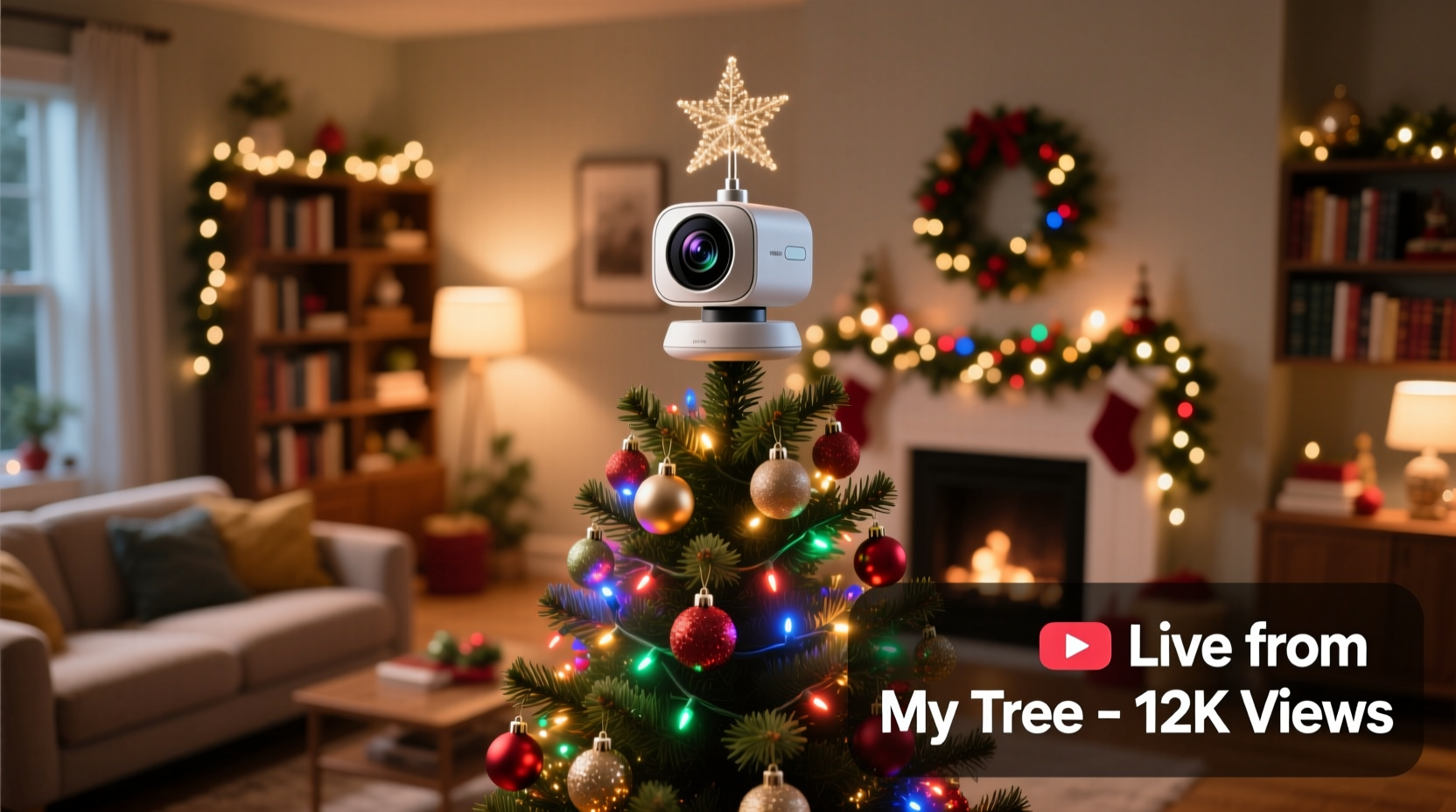
Livestreaming a decorated tree isn’t just a novelty—it serves meaningful purposes, especially in today’s connected yet often physically distant world. For families separated by geography, time zones, or health concerns, seeing a glowing tree in real time can evoke nostalgia, comfort, and inclusion.
Consider grandparents who can’t travel, military personnel stationed overseas, or friends recovering from illness. A 24/7 stream of a gently twinkling tree offers a passive but powerful form of presence. Unlike scheduled video calls, a livestream allows viewers to “drop in” anytime, creating a sense of continuity and shared space.
Some users take it further by syncing music playlists, adding chat functions, or even integrating motion alerts so viewers know when someone walks into the room. The tree becomes more than decor—it transforms into a living, breathing symbol of connection.
“Technology doesn’t replace tradition—it extends it. A livestreamed tree lets people feel close even when they’re not in the same room.” — Dr. Laura Simmons, Digital Anthropologist & Holiday Culture Researcher
How Tree Topper Cameras Work
A “tree topper camera” isn’t typically a commercial product you buy off the shelf. Instead, it’s a DIY or semi-custom setup using compact indoor security cameras, baby monitors, or mini pan-tilt-zoom (PTZ) devices that are repositioned to sit atop or within the upper branches of a Christmas tree.
These devices usually connect via Wi-Fi to a home network and stream footage through a mobile app or public web page. Some models support night vision, two-way audio, motion detection, and cloud storage. When placed high on the tree, they capture a downward-facing, wide-angle view—ideal for showcasing ornaments, lights, and the overall ambiance.
Popular choices include:
- Wyze Cam v3 – Affordable, weather-resistant (useful if near windows), with good low-light performance.
- Google Nest Cam Indoor – Crisp video quality and seamless Google integration.
- Arlo Essential Indoor Camera – Compact design, magnetic base, easy mounting.
- TP-Link Tapo C210 – Budget-friendly with pan-and-tilt functionality.
While none are marketed specifically as “tree toppers,” their small size and flexible mounting options make them suitable candidates. Some enthusiasts go further, embedding the camera inside a hollow star or custom 3D-printed angel that allows lens visibility while preserving aesthetics.
Tip: Use a battery-powered camera or extend power safely with a slim USB cable routed through the trunk to avoid visible cords.Pros and Cons of a Tree Topper Camera Setup
Before committing to a tree-top streaming solution, consider the full picture. Here's a balanced comparison of benefits and drawbacks.
| Advantages | Disadvantages |
|---|---|
| Emotional Connection: Lets distant loved ones share in holiday moments passively and comfortably. | Privacy Risks: Streaming indoors can unintentionally expose private spaces or conversations. |
| Continuous Access: Viewers can watch at their convenience, not just during scheduled calls. | Technical Hurdles: Requires stable Wi-Fi, proper camera positioning, and troubleshooting skills. |
| Creative Expression: Adds a modern, interactive layer to tradition—great for social media sharing. | Cost vs. Longevity: Most cameras cost $50–$150 but may only be used seasonally. |
| Memory Preservation: Recordings can be saved and revisited as digital heirlooms. | Setup Complexity: Mounting securely without damaging décor takes planning and patience. |
| Interactive Potential: Pair with smart lights or music for a responsive viewing experience. | Security Concerns: Poorly configured streams can be accessed by unauthorized users. |
The decision ultimately hinges on how much value you place on digital inclusivity versus practical constraints. For tech-comfortable households with geographically dispersed relatives, the emotional upside may justify the effort. For others, simpler alternatives—like posting photos or short videos daily—might suffice.
Step-by-Step Guide to Setting Up Your Tree Topper Camera
If you're ready to try it, follow this proven sequence to ensure a smooth, secure, and visually appealing setup.
- Choose the Right Camera: Pick a compact, Wi-Fi-enabled device with at least 1080p resolution and a wide field of view (110° or more). Battery-powered models offer more placement flexibility.
- Test Placement Early: Set up the camera on a temporary stand before decorating the tree. Aim for a slightly elevated angle that captures the full tree and some surrounding context (e.g., fireplace, presents).
- Ensure Network Stability: Confirm strong Wi-Fi signal strength at the tree’s location. Use a Wi-Fi analyzer app if needed. Avoid interference from microwaves or cordless phones.
- Power Strategically: If using a plug-in camera, route the cable down the tree trunk and behind furniture. For wireless options, fully charge beforehand and monitor battery life during use.
- Mount Securely: Use adhesive mounts, zip ties, or a small bracket to fix the camera in place. Never rely on fragile branches. Consider a lightweight 3D-printed housing that mimics a traditional topper.
- Configure Privacy Settings: Disable remote access if not needed. Set up a password-protected stream. Avoid public URLs unless you’re comfortable with open access.
- Create a Viewing Link: Use platforms like YouTube Live (unlisted stream), Zoom virtual background, or dedicated sites like MyTreeCam.com to share access with family.
- Do a Trial Run: Invite one family member to test the stream 24–48 hours before going live. Check video clarity, audio pickup, and load times.
- Add Contextual Touches: Place a small sign near the tree saying “Hi from Grandma’s House!” or play soft holiday music to enhance atmosphere.
- Monitor and Maintain: Check the camera daily for obstructions, connectivity issues, or overheating—especially if near lights or heat sources.
Real Example: The Thompson Family’s Virtual Tree Tradition
The Thompsons, a multigenerational family split between Oregon, Florida, and Germany, began livestreaming their Christmas tree in 2020 after canceling their annual reunion due to travel restrictions. Using a repurposed Arlo camera mounted inside a translucent star topper, they created a private YouTube stream shared only with family.
They named it “The Evergreen Window” and encouraged relatives to log in anytime—especially during late-night hours in Europe when the house was quiet and the lights were brightest. Grandchildren recorded voice messages played near the tree, which were picked up by the camera’s microphone. They even synchronized a shared Spotify playlist so everyone could listen along.
What started as a pandemic compromise became a cherished ritual. Now, even with travel restored, they keep the stream active each December. “It’s not about replacing being together,” says matriarch Diane Thompson. “It’s about adding another way to feel close.”
Checklist: Is a Tree Topper Camera Right for You?
Answer these questions honestly before proceeding:
- ✅ Do you have reliable Wi-Fi where the tree will be placed?
- ✅ Are you comfortable setting up and securing a smart device?
- ✅ Do you have loved ones who would genuinely appreciate remote access?
- ✅ Can you position the camera to avoid capturing private areas (bedrooms, bathrooms)?
- ✅ Are you willing to invest $50–$150 in a device used primarily once per year?
- ✅ Can you commit time to testing and maintaining the stream during the holidays?
- ✅ Would a simpler alternative (photo updates, video messages) meet your needs?
If you answered “yes” to most of the first six, a tree topper camera could be a meaningful addition. If not, consider scaling back to less intensive solutions.
Frequently Asked Questions
Can I use a Ring doorbell camera as a tree topper?
Possibly, but not ideal. Ring doorbells are designed for outdoor use and front-entry views. They lack the wide interior angle needed and require hardwiring in most cases. Indoor-specific models are smaller, safer, and better suited for this purpose.
Is it safe to leave a camera running in my home 24/7?
Yes, if proper precautions are taken. Use strong passwords, enable two-factor authentication, and avoid public streaming unless necessary. Disable the microphone when not in use, and review your camera’s privacy policy to understand data handling practices.
How do I prevent the camera from overheating near Christmas lights?
Use LED lights, which emit minimal heat. Ensure the camera has ventilation space and avoid enclosing it tightly. Monitor it during the first few hours of operation, especially if near incandescent bulbs.
Final Verdict: Is It Worth It?
A tree topper camera isn’t essential—but for the right household, it can be deeply meaningful. Its value lies not in the technology itself, but in what it enables: a quiet, continuous bridge between hearts separated by distance.
It won’t replace gathering around the tree in person. No pixel can replicate the scent of pine, the warmth of a hug, or the sound of carols sung off-key. But it can offer something unique—a gentle reminder that even in absence, you’re remembered, included, and loved.
If your goal is to deepen connection during the holidays, and you’re prepared for the setup and responsibility, then yes—a tree topper camera can be absolutely worth it. The key is intentionality. This isn’t about showing off your décor; it’s about opening a window into your world.
💬 Have you tried livestreaming your holiday tree? Share your experience, tips, or lessons learned in the comments—your story might inspire another family to start their own digital tradition.