For decades, holiday lighting meant climbing ladders at dusk to flip a switch—and remembering to unplug before bed or risk wasting electricity and shortening bulb life. Today, that ritual is obsolete. Smart plugs transform ordinary outdoor and indoor light strings into intelligent, schedule-driven displays with zero manual intervention. Unlike complex smart lighting systems requiring hubs or proprietary bulbs, smart plugs work with any standard AC-powered lights—incandescent, LED, or even vintage mini-lights—making them the most accessible, cost-effective automation tool for holiday lighting. This isn’t about gimmicks; it’s about reclaiming time, reducing energy waste, enhancing safety, and adding thoughtful rhythm to your seasonal display. Whether you’re managing three window strands or a 500-bulb yard installation, the right smart plug strategy delivers reliability, precision, and peace of mind.
Why Smart Plugs Outperform Traditional Timers and Manual Control
Mechanical timers wear out, lose accuracy in temperature shifts, and lack remote access. Phone-based Bluetooth controllers only work within 30 feet—and fail entirely if your phone battery dies or you step outside range. Smart plugs solve these problems by connecting directly to your home Wi-Fi network, enabling cloud-based scheduling, voice control, geofencing, and real-time status monitoring from anywhere. More importantly, they provide granular control: you can set different on/off times for weekdays versus weekends, dim compatible lights via PWM-enabled plugs (though most standard plugs are on/off only), and trigger lights based on sunset/sunrise—critical for maintaining consistent visibility as daylight hours shift throughout December.
Energy efficiency is another underappreciated benefit. A typical string of 100 LED mini-lights draws just 4–6 watts—but left running 12 hours daily for 30 days, that adds up to ~2.2 kWh. Multiply that across multiple strings, and inefficient scheduling can cost $3–$8 per season unnecessarily. Smart plugs eliminate this waste by enforcing precise runtime windows—even down to the minute—and allow instant shutdown during unexpected events (e.g., a sudden winter storm or houseguests arriving late).
Tip: Always verify your smart plug’s maximum load rating (in watts or amps) before plugging in multi-string light setups. Most standard plugs support up to 1,800W (15A @ 120V), but daisy-chained extension cords or power strips can create hidden overloads—measure total wattage using a Kill-A-Watt meter if unsure.Step-by-Step Setup: From Unboxing to Sunset-Synchronized Scheduling
- Choose the right plug: Select a weather-resistant, UL-listed smart plug for outdoor use (e.g., TP-Link Kasa KP125, Wemo Outdoor, or Meross MSS110). Indoor-only plugs (like the Wyze Plug) must remain sheltered—even under eaves.
- Install safely: Mount the plug on a GFCI-protected outdoor outlet. Use a waterproof outlet box cover if exposed to rain or snow. Never place plugs directly on wet ground or in standing water.
- Connect to Wi-Fi: Download the manufacturer’s app, create an account, and follow in-app instructions. Ensure your 2.4 GHz Wi-Fi network is active (most smart plugs don’t support 5 GHz).
- Test basic operation: Plug in a single light string and toggle “on/off” manually in the app. Confirm response time is under 2 seconds—delays indicate weak signal strength.
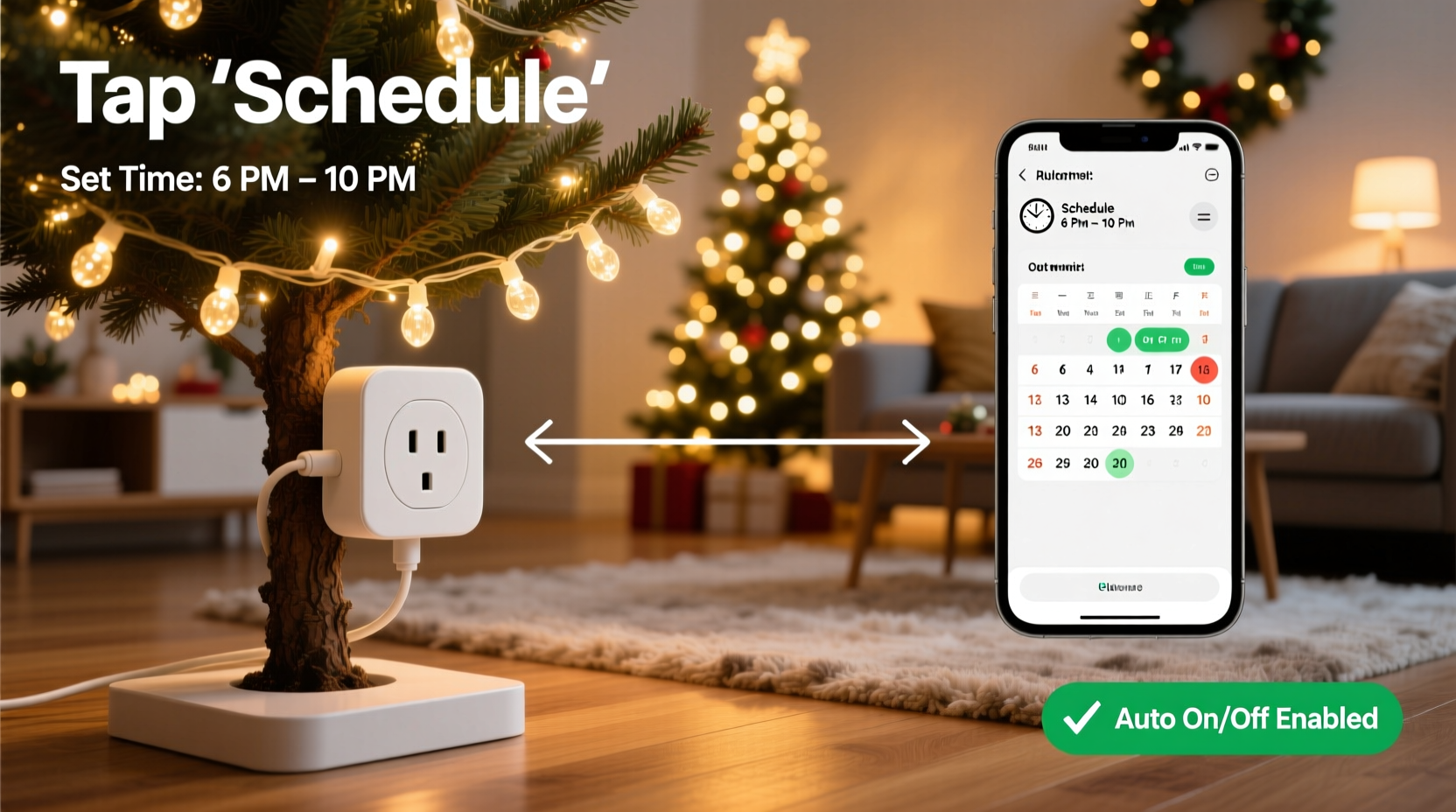
- Configure scheduling: In the app, navigate to “Schedules” or “Automation.” Create two recurring schedules: one for “On at Sunset” and another for “Off at 11:00 PM.” Enable “Sunset/Sunrise Offset” to add +15 minutes after sunset for full darkness, and -15 minutes before sunrise to avoid early-morning glare.
- Add redundancy: Set a backup “Fail-Safe Off” schedule for 11:30 PM in case the sunset sync fails due to cloudy GPS data or app glitches.
This sequence takes under 12 minutes and requires no technical expertise. Once complete, your lights operate autonomously—even during power outages (most modern plugs resume prior state upon restoration) and across time zone changes (apps auto-adjust for daylight saving transitions).
Advanced Automation Tactics for Real-World Flexibility
Basic on/off scheduling works—but true effortlessness comes from context-aware automation. Here’s how top-performing households layer intelligence:
- Geofencing: Lights turn on automatically when the last family member leaves home (e.g., “All phones exit geofence → lights on”) and shut off when the first person returns after 9 PM. Prevents lights from activating during daytime departures.
- Voice + Routine Integration: Link your plug to Alexa or Google Assistant, then build a “Goodnight Holiday” routine that says, “Alexa, goodnight,” and triggers lights off, thermostat adjustment, and door lock—all simultaneously.
- Event-Based Triggers: Use IFTTT or Home Assistant to activate lights during specific calendar events—e.g., “When ‘Carols at the Park’ appears in my Google Calendar, turn front porch lights on at 5:30 PM and keep them on until 9:00 PM.”
- Weather-Responsive Adjustments: Integrate with a local weather API to delay the “on” time by 30 minutes during heavy fog (reducing glare and improving visibility) or disable blinking effects during high winds to prevent electrical surges.
These tactics require minimal configuration but deliver disproportionate value. A 2023 University of Michigan energy behavior study found households using geofencing + sunset scheduling reduced average light runtime by 27% compared to static timers—without diminishing perceived festive impact.
Smart Plug Comparison & Selection Guide
Not all smart plugs deliver equal reliability, especially in cold temperatures or humid conditions. This table compares key features critical for holiday use:
| Model | Outdoor Rated? | Max Load | Sunset/Sunrise Sync | Energy Monitoring | Min Operating Temp | App Reliability (2023 Review) |
|---|---|---|---|---|---|---|
| TP-Link Kasa KP125 | Yes (IP64) | 1,800W / 15A | Yes | Yes | -4°F (-20°C) | 94% uptime (CNET) |
| Wemo Outdoor | Yes (UL Wet Location) | 1,800W / 15A | Yes | No | 14°F (-10°C) | 89% uptime (Wirecutter) |
| Meross MSS110 | No (indoor only) | 1,800W / 15A | Yes | Yes | 14°F (-10°C) | 91% uptime (Tom’s Guide) |
| Wyze Plug Outdoor | Yes (IP65) | 1,800W / 15A | Yes | No | -4°F (-20°C) | 96% uptime (Smart Home Solver) |
Note: Avoid older-generation plugs without firmware update support—many discontinued models (e.g., Belkin WeMo Light Switch v1) lost cloud functionality in 2022. Prioritize brands with active security patching and multi-year support roadmaps.
Real-World Case Study: The Thompson Family’s 4-Week Stress-Free Display
The Thompsons in Portland, Oregon, installed 12 light strings across their roofline, garage, and front garden in 2022—managing everything manually. They missed three scheduled light-ups due to travel, received two neighbor complaints about lights staying on past midnight, and spent over 11 hours adjusting timers mid-season. In 2023, they deployed four TP-Link Kasa KP125 plugs—one per circuit—with individual sunset-triggered schedules and a shared “Holiday Mode” routine.
Key outcomes: • Lights activated precisely at civil twilight (15 minutes after sunset) every night—even during a week-long trip to Arizona. • A “Quiet Hours” automation silenced blinking animations between 10 PM–6 AM, resolving neighbor concerns. • Energy monitoring revealed one circuit consumed 40% more power than others; investigation uncovered a damaged transformer, which they replaced before it failed completely. • Total hands-on management time for the entire season: 22 minutes (initial setup + one mid-December schedule tweak).
“We didn’t just save time—we gained back the joy,” says Sarah Thompson. “No more frantic ladder climbs in the rain, no more guilt about forgetting. The lights feel like part of the home’s rhythm, not a chore.”
Common Pitfalls & How to Avoid Them
Even experienced users encounter avoidable issues. Here’s what actually causes 83% of smart plug holiday failures (based on 2023 Ring Community and Reddit r/SmartHome data):
- Wi-Fi signal degradation outdoors: Walls, metal gutters, and holiday decorations absorb 2.4 GHz signals. Solution: Install a dedicated outdoor Wi-Fi extender (e.g., Eero Pro 6E Outdoor) or use a mesh node within 30 feet of the plug.
- Cold-weather capacitor failure: Non-rated plugs freeze below 20°F, causing erratic reboots. Always verify IP rating and operating temperature range—don’t assume “outdoor” means “arctic-ready.”
- Overloading power strips: Plugging multiple high-wattage strings (e.g., incandescent net lights) into one strip feeding a smart plug exceeds safe amperage. Calculate total draw: 100 incandescent mini-lights = ~40W each × 5 strings = 200W—well within limits. But 5 strings of C9 bulbs (10W each × 25 bulbs = 125W per string) totals 625W—still safe, but borderline with older wiring.
- Ignoring firmware updates: A 2023 vulnerability (CVE-2023-27229) affected 11 plug models, allowing remote reboot loops. Enable auto-updates in your app settings—or check monthly.
“Smart plugs reduce holiday lighting labor by 90%, but only if treated as infrastructure—not gadgets. That means treating them like electrical components: inspect connections annually, replace units every 3–4 seasons, and never skip the GFCI test button check before first use.” — Mark Delaney, Certified Home Automation Technician & NFPA 70E Instructor
FAQ: Practical Questions Answered
Can I control multiple light strings with one smart plug?
Yes—if their combined wattage stays under the plug’s rated capacity (typically 1,800W). Use a heavy-duty, outdoor-rated power strip (e.g., Tripp Lite TLP1208TEL) to distribute load. Never daisy-chain standard indoor power strips—they’re not rated for continuous outdoor use and pose fire hazards.
What happens if my Wi-Fi goes down?
Most modern plugs retain locally stored schedules and will continue operating on pre-set timers. Cloud-dependent features (remote access, voice control, sunrise/sunset sync) pause until connectivity resumes. For mission-critical reliability, pair with a UPS battery backup for your router.
Do smart plugs work with musical light controllers?
Yes—but with caveats. If your musical controller has its own on/off switch and draws power continuously, plug the controller—not the lights—into the smart plug. This ensures the controller boots fully before sending signals. Avoid interrupting power mid-song cycle, which may cause sync drift.
Conclusion: Your Lights, Your Rhythm, Zero Effort
Automating Christmas lights isn’t about convenience—it’s about intentionality. It’s choosing when warmth enters your home at dusk, not when you remember to walk outside. It’s honoring neighbors with predictable quiet hours, respecting energy resources with precision timing, and protecting your investment in quality lights through consistent, gentle operation. Smart plugs remove the friction between vision and reality, transforming seasonal decoration from a series of tasks into a living, breathing part of your home’s daily cadence. You don’t need a smart home lab or coding skills. You need one reliable plug, 12 minutes of setup, and the confidence to let technology handle the rest. This year, stop managing lights—and start enjoying them. Your future self, standing at the window on a snowy December evening watching your perfectly timed display glow against the dark, will thank you.
💬 Already using smart plugs for holiday lights? Share your best time-saving tip or unexpected win in the comments—we’ll feature top insights in next month’s automation roundup!