As remote work becomes a permanent fixture for millions, the way we sit at home desks has never mattered more. Poor posture leads to chronic back pain, reduced focus, and long-term musculoskeletal issues. Two popular solutions dominate the conversation: ergonomic office chairs and kneeling chairs. Both claim to support better posture, but they do so in fundamentally different ways. Choosing between them isn’t about comfort alone—it’s about understanding how each impacts spinal alignment, circulation, muscle engagement, and productivity over time.
This article breaks down the science, practical use cases, and real-world experiences behind both seating options. Whether you're setting up your first home office or reevaluating your current setup, this guide will help you decide which chair truly supports posture best for remote work.
Understanding Posture and Its Impact on Remote Work
Good posture isn’t just about sitting up straight—it’s about maintaining the natural curves of the spine while minimizing strain on muscles and joints. When working remotely, many people default to couches, dining chairs, or makeshift setups that encourage slouching, forward head posture, and uneven weight distribution. Over time, these habits contribute to neck stiffness, lower back pain, and even carpal tunnel syndrome.
The lumbar spine (lower back) is especially vulnerable. In a standard seated position, pressure on the discs increases by up to 40% compared to standing. Without proper support, the pelvis tilts backward, flattening the spine’s natural curve and straining ligaments. This is where specialized seating comes in—both ergonomic and kneeling chairs aim to correct this imbalance, but through very different mechanisms.
“Posture is not static; it’s dynamic. The best seating encourages micro-movements and alignment without forcing rigidity.” — Dr. Lena Torres, Physical Therapist and Ergonomics Consultant
Ergonomic Chairs: Design, Benefits, and Limitations
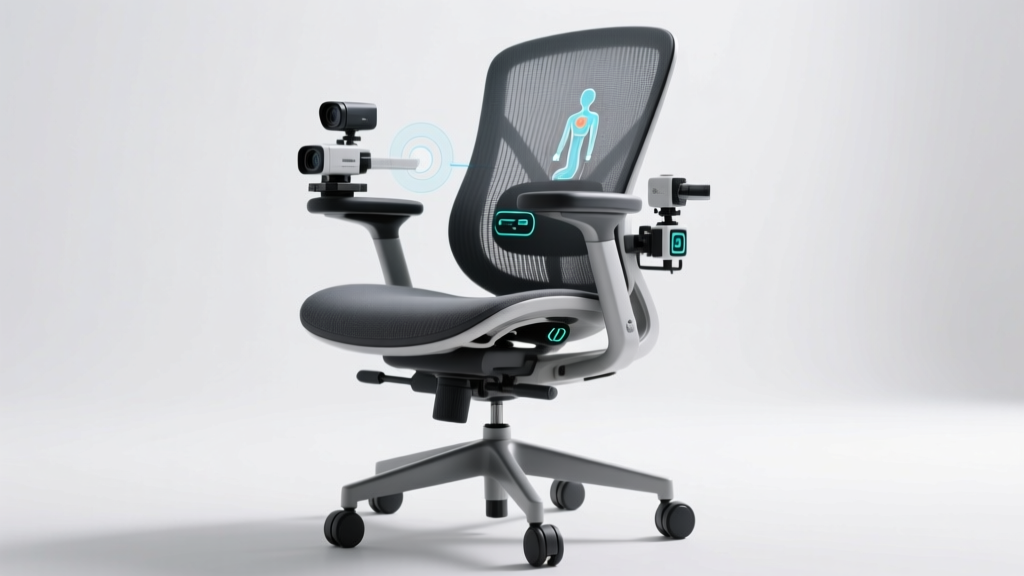
Ergonomic office chairs are engineered to support the body in a traditional seated position while offering adjustability for individual needs. Key features typically include:
- Adjustable lumbar support
- Seat height and depth customization
- Armrests with multi-directional adjustment
- Synchro-tilt or recline mechanisms
- Breathable mesh or cushioned upholstery
- Swivel base and casters for mobility
These chairs promote a 90–110 degree angle between the torso and thighs, aligning the hips slightly above the knees and supporting the natural S-curve of the spine. High-end models often allow users to fine-tune tension, tilt lock, and even seat pan angle for optimal comfort during extended work sessions.
Tip: Always adjust your ergonomic chair so your feet rest flat on the floor (or a footrest), elbows are at 90 degrees, and eyes level with the top third of your monitor.The primary benefit of an ergonomic chair is its adaptability. It accommodates various body types and work styles, making it ideal for hybrid postures—leaning back during calls, leaning forward for typing, or swiveling to access multiple monitors. Studies show that well-adjusted ergonomic seating reduces lower back discomfort by up to 54% over non-adjustable chairs.
However, drawbacks exist. Many users fail to configure their chairs correctly, negating potential benefits. Additionally, prolonged sitting—even in a supportive chair—can still lead to poor circulation and muscle fatigue. Some find high-back designs restrictive, while others report overheating with padded models.
Kneeling Chairs: How They Work and Who They’re For
Kneeling chairs, also known as orthopedic or drafting chairs, shift the body into a forward-tilted posture. Instead of resting all weight on the buttocks and thighs, a portion is transferred to the shins via padded knee rests. The seat itself is shorter and angled upward, encouraging the pelvis to rotate forward and the spine to maintain its natural lordotic curve.
This design promotes what ergonomists call an “open hip angle”—typically between 120° and 135°—which reduces disc pressure in the lower back. By engaging core muscles and discouraging slouching, kneeling chairs can improve upper-body alignment and reduce reliance on back support.
They are particularly favored by individuals who experience chronic lower back pain from conventional sitting. Because the posture mimics active sitting—similar to perching or gentle squatting—it may enhance alertness and reduce the urge to slump.
Despite these advantages, kneeling chairs come with significant trade-offs. Pressure on the knees and shins can cause discomfort, especially for those with joint issues. Circulation in the legs may be compromised during long sessions. Most users require an adaptation period of several days to weeks before feeling comfortable.
Additionally, kneeling chairs offer minimal adjustability. Unlike ergonomic chairs, they rarely feature armrests, lumbar support, or height adjustments beyond basic levers. This limits their versatility, especially when switching between tasks like typing, reading, or video conferencing.
Comparative Analysis: Ergonomic Chair vs Kneeling Chair
| Feature | Ergonomic Chair | Kneeling Chair |
|---|---|---|
| Spinal Support | High (lumbar support adjustable) | Moderate (relies on posture alignment) |
| Hip Angle | 90–110 degrees | 120–135 degrees (more open) |
| Pressure Distribution | On seat and back | On seat, shins, and knees |
| Adjustability | High (multiple settings) | Low to moderate |
| Circulation Impact | Neutral (if used correctly) | Potential restriction in legs |
| Muscle Engagement | Low to moderate | High (core and postural muscles) |
| Ideal Use Duration | 6–8 hours (with breaks) | 30 mins – 2 hours (intermittent use) |
| Best For | Full-day remote workers, multitaskers | Short bursts, focus tasks, back pain relief |
The data suggests that while kneeling chairs promote healthier spinal angles, they are less sustainable for full-day use. Ergonomic chairs, though less active, provide consistent support across diverse work activities.
Real-World Example: A Software Developer’s Experience
Jamal, a senior software developer based in Portland, struggled with lower back pain after transitioning to remote work in 2020. He initially used a standard dining chair, then upgraded to a mid-range ergonomic model. While his pain decreased slightly, he still experienced stiffness after long coding sessions.
After researching alternatives, Jamal purchased a kneeling chair and began using it for two-hour blocks in the morning. At first, he found the knee pressure uncomfortable and could only sit for 20 minutes at a time. But within two weeks, his body adapted. He noticed improved focus and reduced slouching. However, by mid-afternoon, leg fatigue set in, so he switched back to his ergonomic chair.
His solution? Hybrid seating. He now uses the kneeling chair for deep work sessions and the ergonomic chair for meetings and collaborative tasks. This approach gave him the benefits of both: spinal alignment during intense focus and sustained comfort throughout the day.
Tip: Don’t rely on a single chair type. Rotate between seating options every 60–90 minutes to encourage movement and reduce static load.Action Plan: Choosing and Using the Right Chair
Selecting the best posture-supporting chair depends on your body, work style, and health history. Follow this step-by-step guide to make an informed decision:
- Assess your daily routine: Do you sit for 4 hours or 8+? Are your tasks focused or varied?
- Evaluate existing pain points: Lower back pain may respond better to kneeling chairs; neck/shoulder tension may need armrests and head support.
- Test both options: Try a kneeling chair for short periods. Use an ergonomic chair with full adjustments.
- Optimize your desk setup: Ensure your monitor is at eye level, keyboard within easy reach, and lighting adequate.
- Build a rotation habit: Alternate chairs every 1–2 hours. Add standing or walking breaks.
- Listen to your body: Discomfort should decrease, not increase. If pain persists, consult a physical therapist.
Frequently Asked Questions
Can a kneeling chair fix my back pain?
It may help by promoting better spinal alignment and reducing disc compression. However, it’s not a cure-all. Chronic pain requires medical evaluation, and kneeling chairs should be introduced gradually to avoid new strain on knees or hips.
Are ergonomic chairs worth the cost?
Yes, for most remote workers. Investing $300–$600 in a quality ergonomic chair can prevent costly health issues down the line. Look for models with proven adjustability, breathable materials, and warranties of at least 5 years.
Can I use a kneeling chair all day?
Most experts advise against it. Extended use can restrict blood flow and overwork the quadriceps. Limit kneeling chair sessions to 2–3 hours max per day, preferably in intervals, and pair with other seating or standing options.
Final Recommendation: Match the Chair to Your Workstyle
When it comes to supporting posture for remote work, the ergonomic chair remains the most versatile and sustainable option for full-time professionals. Its customizable support system accommodates long hours, varied tasks, and different body types. It excels in environments requiring stability, comfort, and adaptability.
The kneeling chair shines as a complementary tool—not a replacement. It’s ideal for short-duration, high-focus work that benefits from increased alertness and spinal openness. Used intermittently, it can break the cycle of passive sitting and strengthen postural muscles.
The best outcome isn’t choosing one over the other, but integrating both strategically. Pair either chair with frequent posture checks, stretching routines, and movement breaks. Remember: no chair eliminates the need for motion. The human body thrives on variation, not perfection.
“The goal isn’t to find the perfect chair. It’s to create a workspace that moves with you.” — Dr. Arun Patel, Occupational Health Researcher
Take Action Today for a Healthier Tomorrow
Your chair is more than furniture—it’s a critical component of your health and productivity. Whether you choose an ergonomic chair, a kneeling chair, or a combination of both, the key is intentionality. Adjust it properly, use it wisely, and give your body the variety it craves.
💬 Have you tried switching between seating types? What worked—or didn’t work—for your posture? Share your experience in the comments and help fellow remote workers find their ideal setup.