A cluttered desk isn't just unsightly—it can drain focus, reduce productivity, and create mental fatigue. As remote work becomes more common, professionals and creatives alike are reevaluating how they organize their workspaces. Two popular solutions have emerged: the desk placement rack and the desktop shelf. Both promise to free up surface space and bring order to chaos. But do they actually deliver on that promise? Or are they just another piece of trendy office decor? This article breaks down the functionality, ergonomics, and real-world impact of each option to help you decide what truly works for your environment.
Understanding the Difference: Rack vs Shelf
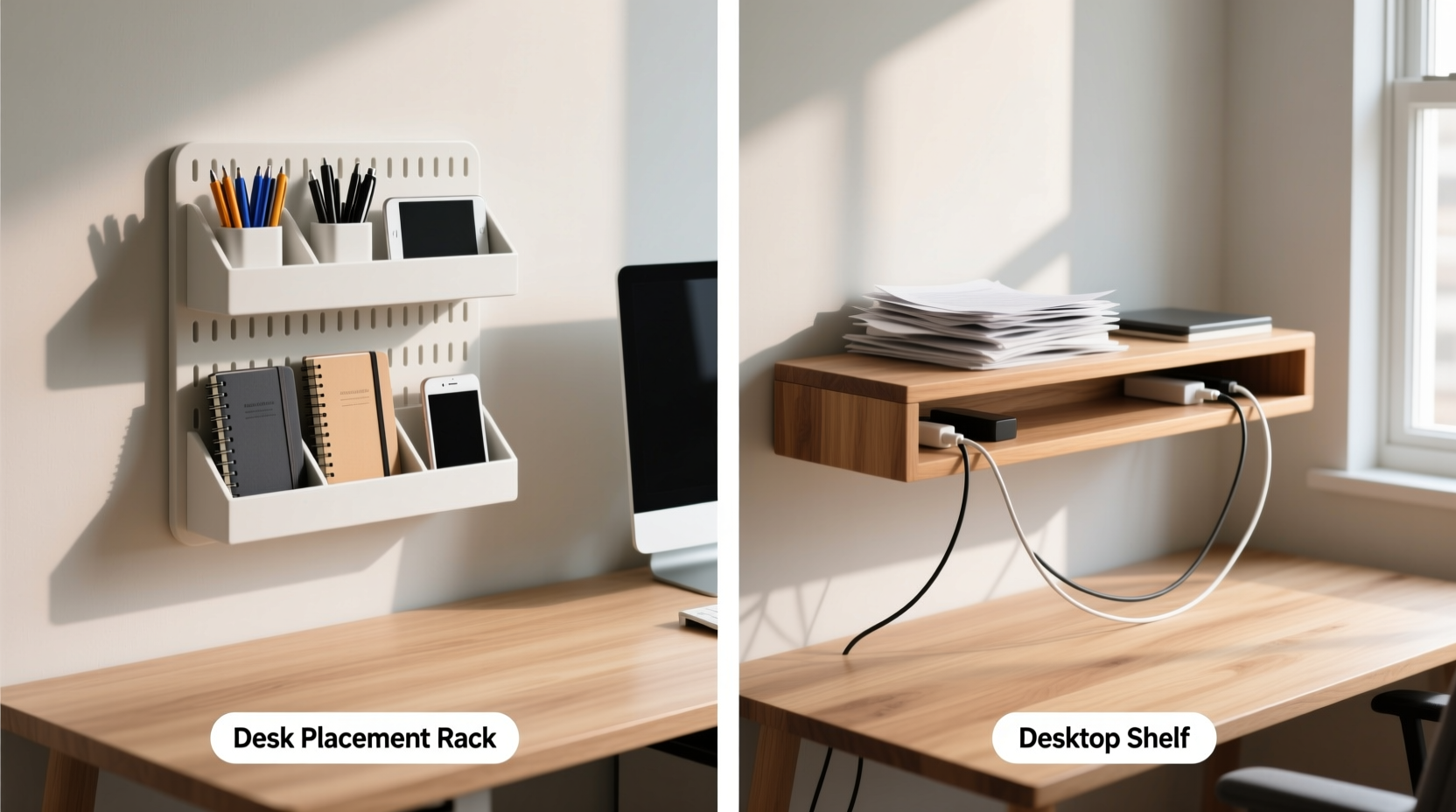
At first glance, a desk placement rack and a desktop shelf may seem interchangeable. However, their design, purpose, and spatial use differ significantly.
- Desktop shelf: Typically a flat, horizontal platform mounted above or beside the monitor. It's used to store items like notebooks, headphones, or small plants—anything that doesn’t require ventilation or frequent access.
- Desk placement rack: Often a vertical or angled organizer designed specifically for monitors, laptops, keyboards, or peripherals. Some models include drawers, cable management channels, or pull-out trays for ergonomic positioning.
The key distinction lies in function: shelves are primarily storage extensions, while racks are structural organizers meant to elevate and arrange core components of your setup.
Tip: Before choosing between a rack or shelf, assess which items are currently cluttering your desk. If it’s paperwork and knickknacks, a shelf might suffice. If it’s your laptop and mouse taking up 70% of space, consider a rack.Evaluating Real-World Decluttering Benefits
Decluttering isn’t just about removing objects—it’s about optimizing workflow through smart organization. Let’s examine how each solution contributes (or fails to contribute) to this goal.
Desktop Shelves: Surface Expansion with Limitations
Shelves add overhead storage, freeing your main desk surface. They’re ideal for holding reference books, decorative items, or secondary devices like tablets. However, they don’t address the root cause of most desk clutter: poorly arranged primary tools.
Worse, some shelves obstruct natural sightlines or force monitors into awkward positions, leading to neck strain. Their benefit is mostly aesthetic unless carefully integrated into an ergonomic plan.
Desk Placement Racks: Functional Elevation and Flow
Racks are engineered with ergonomics in mind. A well-designed rack lifts your monitor to eye level, creates space underneath for keyboard storage or drawers, and often includes built-in cable routing. This directly reduces visual and physical clutter by consolidating essential components into a streamlined unit.
For example, a tiered laptop stand doubles as both a cooling rack and a way to tuck away the keyboard when not in use. That kind of dual-purpose design is where true decluttering happens—not just moving things around, but rethinking how they’re used.
“Elevating your screen isn’t just about tidiness—it’s about aligning your workspace with human biomechanics. A good rack supports posture and focus.” — Dr. Lena Torres, Occupational Ergonomist
Comparison Table: Key Features at a Glance
| Feature | Desktop Shelf | Desk Placement Rack |
|---|---|---|
| Primary Purpose | Additional storage | Ergonomic organization |
| Space Efficiency | Moderate – adds vertical space | High – reclaims under-monitor area |
| Cable Management | Rarely included | Often integrated |
| Ergonomic Benefit | Low – may hinder posture | High – promotes neutral spine alignment |
| Ideal For | Minimalists with few peripherals | Hybrid workers with multiple devices |
Step-by-Step: How to Choose the Right Solution for Your Desk
Selecting between a rack and a shelf shouldn’t be based on aesthetics alone. Follow this practical timeline to make an informed decision:
- Assess your current clutter sources. Take a photo of your desk at the end of a typical workday. Identify what’s taking up space: cables, notebooks, external drives, or the monitor itself?
- Map your workflow. Do you type frequently? Use a separate keyboard and mouse? Need quick access to documents? High interaction tasks favor racks that allow easy stowage and retrieval.
- Measure your available space. Standard desks range from 48–60 inches wide. Ensure any addition leaves at least 24 inches of clear surface for writing or mouse movement.
- Test ergonomics virtually. Sit in your chair and imagine where your eyes meet the top of the screen. Ideally, the center of the monitor should be 15–20 degrees below eye level. If your current setup falls short, a rack offers corrective elevation.
- Decide on integration level. Are you open to mounting hardware or drilling? Some racks require secure attachment; shelves often rely on brackets or adhesives. Choose based on permanence preference.
Mini Case Study: From Cluttered Chaos to Focused Simplicity
Sarah, a freelance graphic designer working from her apartment, struggled with a constantly messy desk. Her dual monitors sat directly on the surface, leaving no room for sketching. Cables snaked across the edge, and her tablet charger was always “somewhere under there.”
She installed a multi-tier desk placement rack that elevated both screens, created a sliding drawer for her keyboard, and included a side hook for cable bundling. Within a week, she reported faster task switching, fewer backaches, and even started using a notebook again—because now, there was space for it.
When asked if a simple shelf would’ve helped, she said: “I tried one before. It just became another dumping ground. The rack forced me to rethink my layout—not just hide the mess.”
Action Checklist: Optimize Your Workspace Today
- ✅ Clear your desk completely and categorize every item
- ✅ Identify which three items cause the most visual clutter
- ✅ Measure your desk dimensions and monitor height
- ✅ Determine whether you need storage (shelf) or reorganization (rack)
- ✅ Look for models with cable management and weight capacity suited to your gear
- ✅ Install and test for one full workday before finalizing placement
Frequently Asked Questions
Can a desktop shelf improve posture?
Not directly. While it may free up space, shelves rarely adjust monitor height to ergonomic levels. In fact, placing a monitor on a shelf that’s too high can lead to upward gaze strain. For posture improvement, choose a dedicated monitor riser or adjustable rack.
Are desk racks suitable for small desks?
Yes—especially compact, wall-mounted, or corner-designed racks. Many modern models are tailored for minimal footprints, sometimes integrating into the desk frame itself. Just ensure the design doesn’t reduce usable depth below 20 inches.
Do these solutions work for standing desks?
Only if compatible with height adjustments. Most fixed shelves become problematic on sit-stand desks. Opt for lightweight, removable racks or clamp-on units that move with the desk structure.
Final Thoughts: Decluttering Is More Than Just Storage
The choice between a desk placement rack and a desktop shelf isn’t merely about adding space—it’s about designing intentionality into your daily routine. A shelf might hold your clutter out of sight, but a well-chosen rack transforms how you interact with your tools. True decluttering comes not from hiding mess, but from eliminating friction in your workflow.
If your goal is lasting organization, invest in solutions that support both cleanliness and comfort. Prioritize function over form, and let ergonomics guide your decisions. The cleanest desk isn’t the one with the fewest items—it’s the one where everything has a purpose and a place.
🚀 Ready to transform your workspace? Start today by measuring your desk and listing your top three pain points. Then, choose a rack or shelf that solves a real problem—not just follows a trend.