In an era where desk jobs dominate the modern workforce, chronic back pain has become almost a rite of passage. With rising awareness of sedentary health risks, standing desks have surged in popularity as a potential solution. But are they a genuine remedy for back discomfort—or just another wellness trend inflated by marketing? The answer isn’t binary. While standing desks can offer meaningful relief for some, they’re not a universal fix and may even cause harm if used incorrectly. To understand their true value, we need to look at the biomechanics of posture, scientific evidence, and practical usage patterns.
The Science Behind Standing Desks and Spinal Health
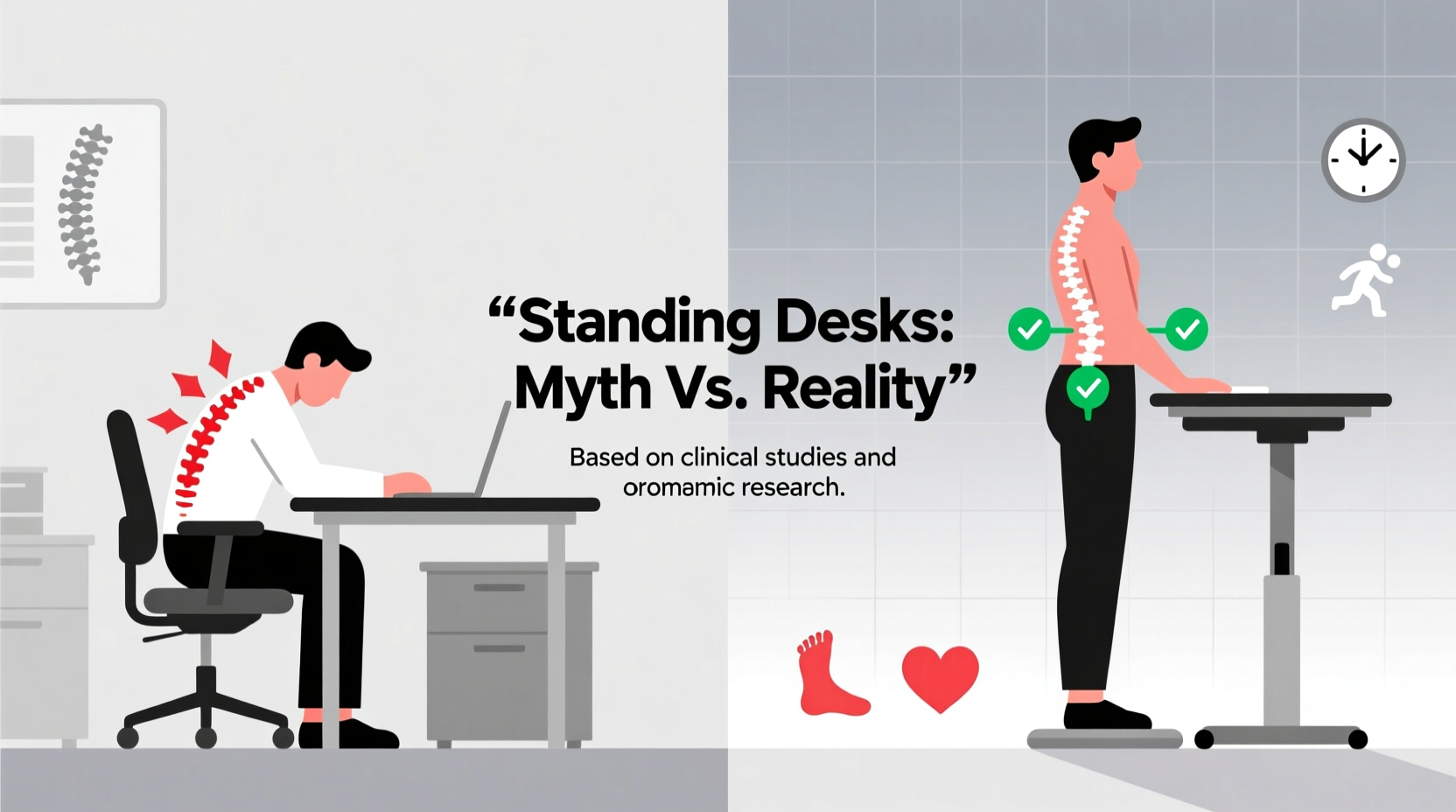
The human spine evolved for movement, not prolonged sitting or standing. When seated, especially in poor posture, pressure on the lumbar discs increases significantly—up to 40% more than when standing. This compression can contribute to disc degeneration, muscle fatigue, and lower back strain over time. Standing desks aim to reduce this load by encouraging upright posture and minimizing the slouching common in traditional office chairs.
However, standing isn’t inherently better. Prolonged static standing introduces its own set of problems: increased pressure on the knees and feet, reduced blood flow to the legs, and activation of postural muscles that aren't meant to be engaged continuously. A 2020 study published in Applied Ergonomics found that alternating between sitting and standing every 30 minutes led to the greatest reduction in lower back discomfort compared to either posture alone.
The key insight is variability. Movement—not just standing—is what the body needs. As Dr. Karen Jacobs, clinical professor of occupational therapy at Boston University, explains:
“Your spine thrives on change. Whether you're sitting or standing, staying in one position for too long leads to stiffness and pain. The real benefit of standing desks comes from their ability to facilitate posture shifts throughout the day.” — Dr. Karen Jacobs, Occupational Therapist and Ergonomics Expert
Do Standing Desks Actually Reduce Back Pain?
Research offers mixed but generally positive results. A meta-analysis in the Journal of Physical Therapy Science (2019) reviewed 15 studies involving over 700 office workers with chronic lower back pain. It concluded that participants who used sit-stand desks for at least four weeks reported a 32% average reduction in pain intensity compared to control groups using only seated workstations.
Yet, improvements were most pronounced when users followed structured protocols—such as alternating positions every 30–60 minutes and maintaining proper ergonomics. Those who simply stood for hours saw little benefit and sometimes reported new issues like leg swelling or foot pain.
Another critical factor is individual anatomy. People with pre-existing spinal conditions such as scoliosis, herniated discs, or hyperlordosis may respond differently. For example, someone with discogenic pain might find relief in standing due to decompression, while a person with facet joint irritation could experience increased discomfort from extended upright posture.
Tip: Use your standing desk as a tool for movement variation, not a replacement for sitting altogether. Aim for a 1:1 ratio of sitting to standing during the first few weeks, then adjust based on comfort.Common Misuses That Undermine Benefits
Despite good intentions, many people inadvertently sabotage the potential benefits of standing desks. Here are frequent mistakes observed in workplace ergonomics assessments:
- Standing too long without breaks: More than 60 consecutive minutes of standing increases fatigue and risk of musculoskeletal strain.
- Poor workstation setup: Monitors placed too low or high force neck flexion or extension, contributing to upper back and shoulder pain.
- Wearing unsupportive footwear: Going barefoot or wearing flat shoes like loafers reduces shock absorption and arch support.
- Lack of anti-fatigue mat: Hard floors amplify stress on joints; a quality mat can reduce discomfort by up to 50%, according to NIOSH guidelines.
- No transition period: Jumping into full-day standing causes soreness and discourages continued use.
Checklist: Setting Up Your Standing Desk Correctly
- Adjust desk height so elbows rest at 90° when typing, with forearms parallel to the floor.
- Elevate monitor top to eye level to prevent neck bending.
- Stand with weight evenly distributed across both feet, knees slightly bent.
- Use an anti-fatigue mat and supportive shoes (avoid sandals or high heels).
- Start with 15–20 minutes of standing per hour, gradually increasing over 2–4 weeks.
- Set reminders to shift posture hourly—even small movements like shifting weight or marching in place help.
Real-World Impact: A Case Study
Consider Mark, a 42-year-old software developer with a six-year history of intermittent lower back pain. After trying chiropractic care, core strengthening exercises, and ergonomic chairs with limited success, he invested in a height-adjustable standing desk. Initially, he stood for three hours straight each afternoon, hoping for rapid improvement. Within days, his lower back felt worse, and he developed sharp pain in his right heel.
He consulted an occupational therapist, who assessed his setup and habits. Key issues included: standing duration exceeding recommended limits, lack of mat, and improper monitor height causing forward head posture. Adjustments were made—Mark began alternating 30 minutes sitting with 30 minutes standing, added a cushioned mat, wore supportive sneakers, and lowered his wrists using a keyboard tray.
After five weeks of consistent, balanced use, Mark reported a 60% reduction in daily back pain and improved energy levels. His case illustrates that the desk itself wasn’t the solution—it was how it was used.
Sitting vs. Standing: A Balanced Comparison
| Factor | Sitting All Day | Standing All Day | Alternating Sit-Stand |
|---|---|---|---|
| Lumbar Disc Pressure | High (especially slouched) | Moderate (reduced compression) | Lowest (due to variation) |
| Muscle Fatigue Risk | Glutes, hip flexors | Calves, lower back, feet | Minimal (when rotated) |
| Circulation | Poor (venous pooling) | Better than sitting | Optimal with movement |
| Productivity Impact | Stable but fatiguing | May decline after 1 hour | Highest with balance |
| Long-Term Back Pain Relief | Low | Moderate (if done correctly) | High (with proper routine) |
This comparison underscores that neither extreme—full-time sitting nor full-time standing—is ideal. The hybrid model leverages the strengths of both while mitigating their weaknesses.
Step-by-Step Guide to Using a Standing Desk Without Harm
Transitioning to a standing desk should be gradual and intentional. Follow this timeline for safe integration:
- Week 1: Stand for 15 minutes every hour. Use a timer or smartwatch alert. Focus on posture and comfort.
- Week 2: Increase to 20–25 minutes per hour. Introduce gentle ankle circles or knee bends while standing.
- Week 3: Aim for 30 minutes sitting, 30 minutes standing. Ensure your workspace supports neutral alignment.
- Week 4: Experiment with 45-minute intervals, adjusting based on feedback from your body.
- Ongoing: Incorporate micro-movements—shift weight, perform calf raises, stretch shoulders. Consider walking meetings or short walks every two hours.
Listen to your body. Discomfort is a signal, not a challenge to overcome. If pain persists beyond mild fatigue, reassess your setup or consult a physical therapist.
Frequently Asked Questions
Can standing all day make back pain worse?
Yes. Prolonged standing increases load on the lower back, hips, and legs. Without adequate support or movement, it can lead to muscle imbalances and joint stress—sometimes worsening existing back conditions. The goal is balance, not elimination of sitting.
How high should my standing desk be?
Your desk should be adjusted so that your elbows form a 90-degree angle when typing, with wrists straight and shoulders relaxed. The top of your monitor should be at or slightly below eye level to avoid neck strain.
Do I need special shoes for a standing desk?
While not mandatory, supportive footwear with cushioning and arch support significantly improves comfort and reduces injury risk. Avoid flat-soled shoes or going barefoot on hard surfaces.
Conclusion: Tools Are Only as Good as How You Use Them
Standing desks are neither overrated nor miraculous. They are tools—one component of a broader strategy to combat sedentary-related back pain. Their effectiveness depends entirely on how they’re implemented. Used wisely, with attention to ergonomics, timing, and personal physiology, they can meaningfully reduce discomfort and improve well-being. Used poorly, they offer little benefit and may introduce new problems.
The real solution isn’t standing versus sitting—it’s movement. Whether through a standing desk, walking breaks, stretching, or dynamic seating, introducing variability into your day is the most proven way to protect your spine. Don’t expect a desk to heal your back overnight. Instead, build sustainable habits that keep your body engaged and aligned throughout the workday.
🚀 Ready to transform your workspace? Start today by setting a timer to alternate positions—and take the first step toward lasting back health.