Sitting for hours at a desk—whether studying, writing, or researching—can take a toll on your body. As remote learning and hybrid work become more common, students and professionals alike are re-evaluating their seating choices. Enter the gaming chair: bold colors, racing-style design, and aggressive marketing touting “ergonomic superiority.” But behind the flashy aesthetics, is a gaming chair actually beneficial for prolonged academic use, or is it just another overpriced trend aimed at gamers and streamers?
The truth lies somewhere in between. While some gaming chairs offer genuine ergonomic advantages, others prioritize style over substance. The key is understanding what features truly support long-term sitting—and which ones are purely cosmetic.
Understanding the Ergonomics of Long Study Sessions
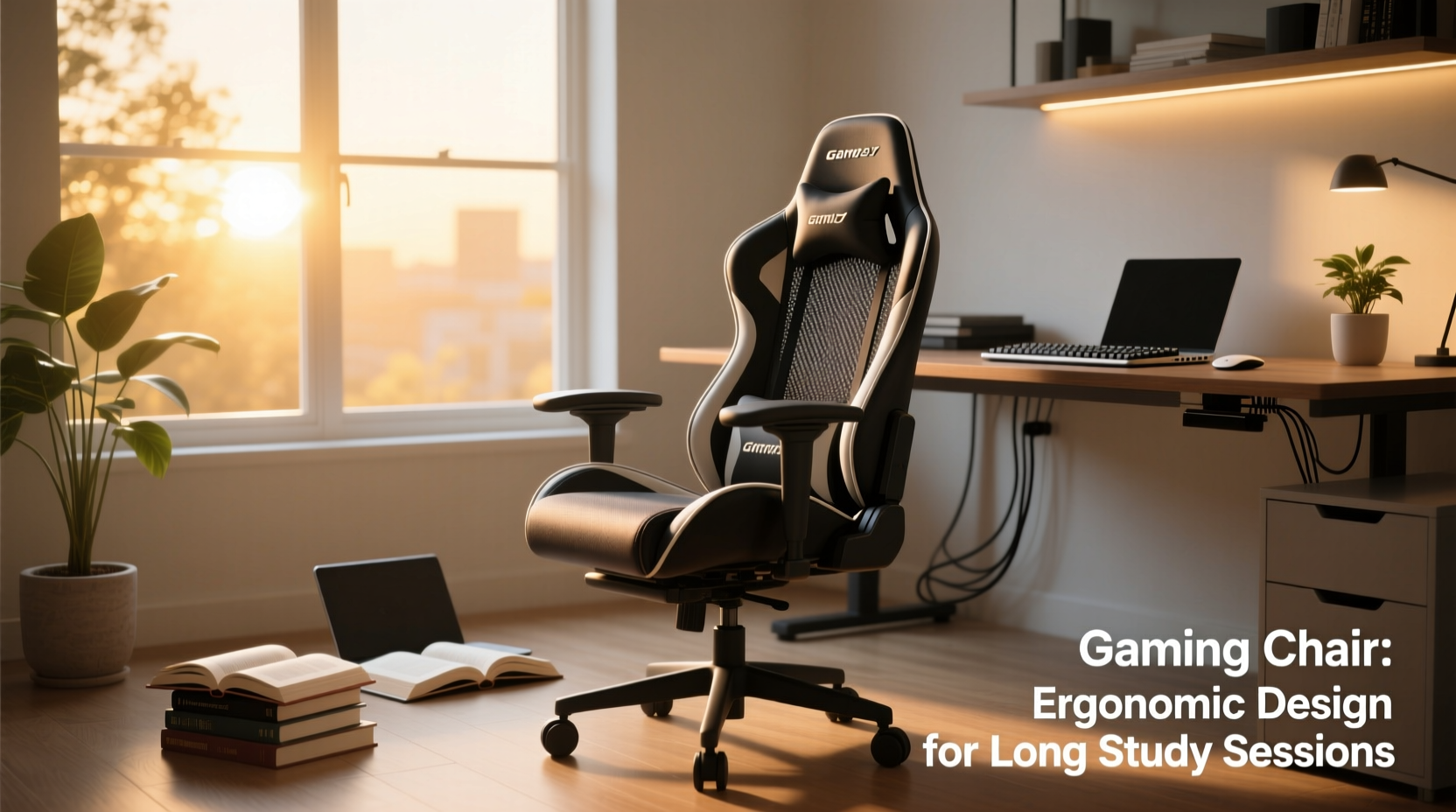
Studying for extended periods demands more than just mental stamina—it requires physical endurance. Poor posture leads to back pain, neck strain, fatigue, and reduced concentration. According to the American Chiropractic Association, prolonged sitting in poorly designed chairs contributes significantly to musculoskeletal disorders among young adults.
An ideal study chair should:
- Support the natural curve of the spine (lumbar support)
- Promote neutral posture with adjustable armrests and seat height
- Distribute weight evenly across the seat pan
- Allow freedom of movement without sacrificing stability
- Be comfortable enough to sit in for 2–4 hour stretches
Gaming chairs often claim to meet these criteria. Most feature high backs, reclining mechanisms, padded seats, and adjustable components. However, not all deliver equal performance. Many budget models sacrifice material quality and structural integrity for visual appeal.
“Ergonomic design isn’t about how a chair looks—it’s about how well it supports dynamic sitting over time.” — Dr. Lena Torres, Occupational Therapist & Posture Specialist
Breaking Down Gaming Chair Features: Function vs. Flash
To assess whether gaming chairs are worth it, we need to dissect their core features and evaluate their real utility for students.
| Feature | Potential Benefit | Common Pitfall |
|---|---|---|
| Lumbar pillows | Can fill lower back gap if properly positioned | Often too firm or poorly shaped; may push spine forward |
| High backrest with headrest | Supports neck during reclined breaks | Encourages slouching if not used mindfully |
| Adjustable armrests | Reduces shoulder tension when typing | Cheap plastic joints wear out quickly |
| Reclining mechanism (up to 180°) | Useful for short rests between study blocks | Rarely used effectively; can destabilize posture |
| Synthetic leather (PU/PVC) | Inexpensive, easy to clean | Traps heat, cracks after 1–2 years |
| Racing-style bucket seat | Narrower fit may feel “supportive” initially | Limits blood flow and hip movement over time |
As this comparison shows, many gaming chair features have conditional value. For instance, a recline function might help during a 10-minute break, but it doesn't improve active study posture. Similarly, while adjustable armrests are useful, their durability varies widely by brand.
Tip: Don’t assume adjustability equals comfort. Test adjustments frequently to ensure they remain stable and functional.A Real-World Example: One Student’s Year-Long Experience
Jessica, a third-year biomedical sciences student, replaced her old office chair with a mid-range gaming chair after experiencing chronic lower back pain during exam season. She chose a model priced around $250, emphasizing lumbar support and breathable fabric options.
At first, she loved the look and initial comfort. “It felt like I was upgrading to something premium,” she said. But after six months, issues emerged. The faux leather began peeling near the seams, and the foam in the seat compressed unevenly. More importantly, she realized the fixed curvature of the backrest didn’t match her spine.
She started using a rolled-up towel behind her lower back instead of the included pillow. She also adjusted the armrests daily to prevent wrist strain. By month ten, she invested in an external footrest to reduce leg pressure—an accessory not typically associated with gaming chairs.
“It wasn’t bad, but it wasn’t magic,” Jessica concluded. “I think any chair that lets you customize your setup will help more than the type of chair itself.”
Her experience highlights a crucial point: no chair solves poor habits. Even the best equipment requires mindful usage.
How Gaming Chairs Compare to Traditional Office Chairs
To determine true value, let’s compare gaming chairs directly with high-quality ergonomic office chairs—models like the Herman Miller Aeron, Steelcase Leap, or even mid-tier options like the Branch Ergonomic Chair.
“The difference isn’t just price—it’s philosophy. Office chairs are built for productivity. Gaming chairs are built for identity.” — Mark Rios, Furniture Design Consultant
Here’s a side-by-side breakdown of critical factors:
| Criteria | Gaming Chair (Mid-Range) | Ergonomic Office Chair |
|---|---|---|
| Seat Material | PU leather (prone to sweating and cracking) | Breathable mesh or fabric |
| Lumbar Support | Separate pillow (often ineffective) | Integrated, dynamic lumbar system |
| Weight Capacity | Typically up to 250–300 lbs | Up to 350+ lbs on premium models |
| Adjustability Range | Moderate (height, tilt, armrests) | Extensive (depth, lumbar, arms, seat slide) |
| Durability (Expected Lifespan) | 2–3 years with moderate use | 7–12 years with proper care |
| Price Range | $150–$400 | $300–$1,500+ |
| Cooling & Breathability | Poor (synthetic materials trap heat) | Excellent (especially mesh-back designs) |
The data reveals a clear trade-off. Gaming chairs offer aesthetic flair and entry-level adjustability at a lower upfront cost. In contrast, ergonomic office chairs focus on long-term health, adaptability, and breathability—even if they lack RGB lighting or racing stripes.
When a Gaming Chair Might Be Worth It
Despite their limitations, gaming chairs aren’t universally unsuitable for students. There are specific scenarios where they make sense:
- You’re on a tight budget: Entry-level office chairs under $200 are often worse than mid-tier gaming chairs. Some brands like Secretlab, Noblechairs, or Autonomous offer better build quality and longer warranties.
- You study in short, intense bursts: If your routine includes frequent breaks and you use the recline function to stretch or rest, the gaming chair’s flexibility can be beneficial.
- You value personalization: Many gaming chairs come in multiple colors and allow modular upgrades (e.g., memory foam cushions, alternative bases).
- You dual-use the chair: If you game, stream, or edit videos after studying, a gaming chair serves multiple roles efficiently.
Step-by-Step Guide: Choosing the Right Chair for Long Study Sessions
Whether you lean toward a gaming chair or consider alternatives, follow this process to make a smart decision:
- Assess your daily sitting duration: If you sit more than 3 hours per day, prioritize long-term comfort over appearance.
- Measure your desk and room space: Ensure the chair fits without blocking movement or airflow.
- Test adjustability needs: Can you raise/lower the seat so feet rest flat? Do armrests align with elbow height when typing?
- Check return policies and warranty: A 30-day trial and at least a 2-year warranty reduce risk.
- Read user reviews focused on long-term use: Look for comments about durability, back support, and heat retention—not just “looks cool.”
- Consider trying before buying: Visit furniture stores or check local marketplaces for demo units.
Frequently Asked Questions
Do gaming chairs cause back pain?
Not inherently—but poorly designed or improperly adjusted ones can. The rigid bucket seat and excessive recline encourage static postures that strain the spine over time. Users who don’t customize settings are most at risk.
Can I use a gaming chair for 8-hour study days?
Possible, but not ideal. Without proper lumbar integration and breathable materials, most gaming chairs lead to discomfort, overheating, and fatigue. Frequent standing breaks and posture shifts are essential.
Are expensive gaming chairs worth the upgrade?
Sometimes. Premium models from reputable brands improve materials (e.g., cold-cure foam, aluminum frames) and include better ergonomic engineering. However, even high-end gaming chairs rarely match the biomechanical precision of top-tier office chairs in the same price range.
Final Checklist Before You Buy
Before committing to any chair, ask yourself:
- ✅ Does the seat depth allow 2–4 inches between the edge and the back of my knees?
- ✅ Can I adjust the armrests low enough so my shoulders stay relaxed?
- ✅ Is there built-in or compatible lumbar support that matches my lower back curve?
- ✅ Does the material breathe, or will I sweat during long sessions?
- ✅ Is there a trial period or warranty covering structural defects?
- ✅ Am I choosing this because it helps me—or because it looks impressive on camera?
Conclusion: Function Over Fashion
Gaming chairs aren’t inherently bad for long study sessions—but they’re rarely the best choice when health and productivity are priorities. Their flashy design often overshadows functional shortcomings, especially in budget and mid-range models. While some modern hybrids blend style with improved ergonomics, most still fall short compared to purpose-built office seating.
If you're serious about protecting your posture, energy levels, and focus during marathon study periods, invest in adjustability, breathability, and long-term support. That doesn’t mean you can’t enjoy a sleek look—but don’t let aesthetics override anatomy.
🚀 Your body is your most important study tool. Choose a chair that supports it wisely—not one that merely impresses your roommate. Share your seating experiences below and help others avoid costly mistakes.