
When it comes to entering the world of spatial computing and immersive virtual reality, two devices stand at the forefront: the Meta Oculus Quest 3 and the Apple Vision Pro. Both promise groundbreaking experiences, but they take vastly different approaches. For casual users—those who want to explore VR or mixed reality without a steep learning curve, technical overhead, or financial strain—the choice between these headsets matters deeply. One prioritizes accessibility, simplicity, and affordability; the other emphasizes premium performance and professional integration. This article breaks down how each device serves everyday users and which one truly lowers the barrier to entry.
Price and Affordability: The First Hurdle
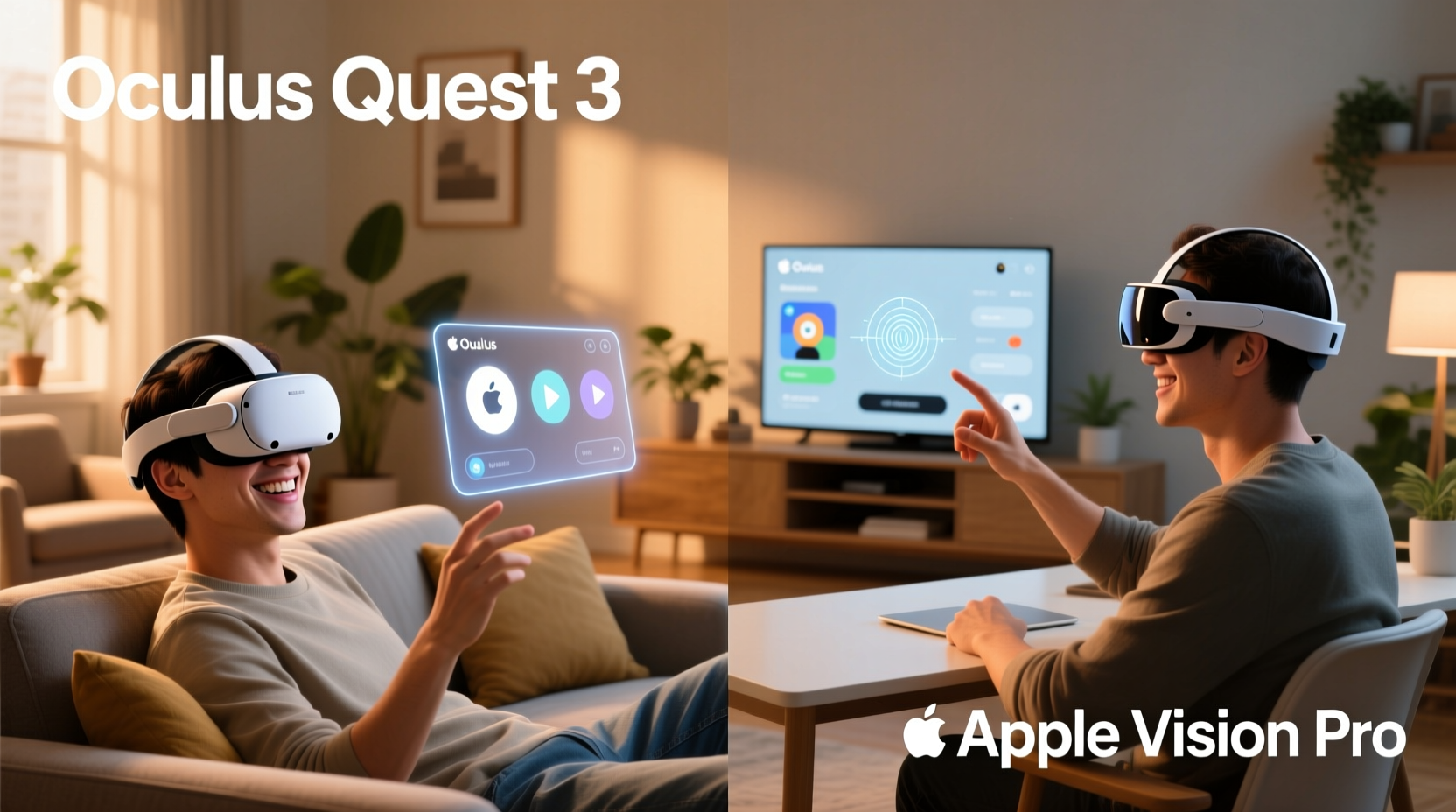
The most immediate factor affecting accessibility is cost. For casual users, spending thousands on a new tech gadget is rarely justifiable unless it delivers clear, tangible value from day one.
The Oculus Quest 3 starts at $499 for the 128GB model. A higher-capacity 512GB version is available for $649. This pricing places it firmly in the consumer electronics range—comparable to a high-end gaming console or a mid-tier laptop. Most households can reasonably consider this investment for entertainment, fitness, or light productivity.
In contrast, the Apple Vision Pro begins at $3,499. That’s nearly seven times the base price of the Quest 3. At this level, the device enters luxury tech territory, competing with high-end desktop workstations or professional-grade cameras. For a casual user interested in watching movies in virtual theaters or trying out a few VR games, this cost is prohibitively high.
Tip: If budget is a concern, the Quest 3 offers over 1,000 apps and games at competitive prices, many under $10. The Vision Pro’s app ecosystem is still emerging, with fewer titles and higher average costs.Setup and Ease of Use
Accessibility isn’t just about price—it’s also about how quickly and easily a user can go from unboxing to enjoying the experience.
The Oculus Quest 3 follows a familiar smartphone-style setup. After charging the headset, users download the Meta Quest mobile app, pair the device via Bluetooth, and follow an intuitive onboarding process. Within 10–15 minutes, they’re ready to explore VR. No external sensors, PCs, or complex configurations are needed. Everything runs wirelessly on the standalone device.
The Apple Vision Pro requires a different mindset. While setup is sleek and guided by Apple’s signature design language, it involves multiple steps: scanning your face and eyes for personalized fit, syncing with an iPhone, configuring user profiles, and calibrating hand and eye tracking. The process takes longer and assumes familiarity with Apple’s ecosystem. Moreover, because the Vision Pro uses “eye tracking” as a primary input method, users must adapt to a new way of navigating—not just clicking, but glancing and pinching.
This innovation is impressive, but it introduces a learning curve. Casual users accustomed to game controllers or touchscreens may find the gesture-based interface unintuitive at first. There’s no physical controller included by default, though one can be purchased separately.
“Apple has built a computer you wear on your face, not just a VR headset,” says Sarah Thompson, AR/VR analyst at TechInsight Group. “That means the usability bar is higher—but so is the complexity for someone just looking to relax with a movie or play a quick game.”
Comfort and Wearability for Everyday Use
A device can have cutting-edge features, but if it’s uncomfortable to wear for more than 20 minutes, it won’t see regular use—especially among casual adopters.
The Quest 3 weighs approximately 500 grams (1.1 lbs) and features an adjustable strap system. While not feather-light, its balanced design makes it suitable for extended gaming or fitness sessions. Many users report wearing it comfortably for 30–60 minutes at a time. The front-heavy weight distribution can cause fatigue over long periods, but optional elite straps are available for better support.
The Vision Pro is heavier—around 650 grams (1.4 lbs)—and has a denser, more rigid build due to its advanced optics and internal components. It uses a dual-strap fabric band that distributes weight across the head and back, which helps, but the overall feel is more like wearing precision equipment than a leisure device. Apple recommends taking breaks after 2-hour intervals, but most casual users will likely remove it much sooner due to discomfort or sensory overload.
Additionally, the Vision Pro’s “light seal” design blocks all external light, creating full immersion. While great for focus, this can feel isolating or disorienting in home environments where users want to stay aware of their surroundings—like parents monitoring children or someone expecting a doorbell ring.
In contrast, the Quest 3 supports mixed reality with passthrough cameras, allowing users to see their living room while interacting with digital objects. This transparency reduces anxiety and makes the device feel less intrusive during short, casual sessions.
Content and App Ecosystem: What Can You Actually Do?
For non-gamers or non-developers, the real test of accessibility lies in what the device lets you do right away.
The Quest 3 shines here. Its library includes hundreds of VR games, fitness apps like Supernatural and Les Mills Bodycombat, social platforms such as Horizon Worlds, and media apps like Netflix and YouTube in virtual theaters. You can watch a movie on a floating screen, meditate in a serene digital forest, or take a virtual tour of Machu Picchu—all within minutes of setup.
Meta has spent years cultivating a robust, user-friendly ecosystem. Apps are easy to discover in the Quest Store, installation is seamless, and updates happen automatically. Parents, seniors, or tech-shy individuals can navigate the interface with minimal guidance.
The Vision Pro’s App Store is growing, but it’s still early days. Many apps emphasize productivity, design, or enterprise use—like spatial video conferencing, 3D modeling, or multi-window workspace management. While it supports entertainment apps (Disney+, Spatial, Skyfire), the selection is smaller, and the experience is often more formal. Watching a movie feels less like lounging on the couch and more like engaging in a curated “experience.”
Furthermore, the Vision Pro lacks native gaming depth. While technically capable of running high-fidelity simulations, its core audience isn’t gamers. There are no major exclusive titles yet, and third-party game developers are still adapting to its unique input model. For a casual user who wants fun, simple games like Beat Saber or Fruit Ninja VR, the Quest 3 remains the obvious choice.
Comparison Table: Key Accessibility Factors
| Feature | Oculus Quest 3 | Apple Vision Pro |
|---|---|---|
| Starting Price | $499 | $3,499 |
| Setup Time | 10–15 minutes | 20–30 minutes |
| Weight | ~500g | ~650g |
| Input Method | Touch controllers + voice | Eye tracking + hand gestures |
| Primary Use Case | Gaming, fitness, entertainment | Productivity, pro media, development |
| Battery Life | 2–3 hours | 2 hours (external battery pack) |
| Mixed Reality Passthrough | Yes (color cameras) | Yes (high-res, full-color) |
| App Variety for Casual Users | High (games, videos, social) | Low to moderate (focus on pro tools) |
Real-World Example: Two Families, Two Choices
Consider two households deciding on a headset for shared family use.
The Martinez family—a couple with two kids aged 10 and 13—wanted something fun and interactive. They bought the Quest 3 for $499. Within a week, the kids were playing multiplayer VR games, the father used it for daily boxing workouts, and the mother enjoyed guided meditation in virtual landscapes. The whole family watched weekend movies on a giant floating screen. When the headset needed charging, they used the portable battery pack. Total learning curve: less than one evening.
The Thompsons, a tech-savvy professional couple, invested in the Vision Pro. They appreciated its crystal-clear displays and ability to run multiple Mac windows in space. However, after a month, usage dropped off. Their teenage son found the games limited and the interface confusing. Their younger daughter refused to wear it because it felt “too tight.” The parents still use it for work presentations and reviewing architectural designs, but it’s no longer a shared household device.
This contrast illustrates a broader trend: the Quest 3 integrates into daily life; the Vision Pro remains a specialized tool.
Actionable Checklist: Choosing the Right Device for You
Use this checklist to determine which headset suits your lifestyle:
- ✅ Do you want to spend under $700? → Quest 3
- ✅ Is your main goal gaming, fitness, or entertainment? → Quest 3
- ✅ Will multiple family members use it casually? → Quest 3
- ✅ Are you deeply embedded in the Apple ecosystem and need desktop extension features? → Vision Pro
- ✅ Do you prioritize visual fidelity and cutting-edge input methods over cost and comfort? → Vision Pro
- ✅ Are you willing to learn a new way of interacting with technology? → Vision Pro
Frequently Asked Questions
Can the Apple Vision Pro be used by kids or older adults?
Technically yes, but practically limited. The interface relies heavily on precise eye and hand coordination, which may be challenging for young children or seniors. The weight and fit may also cause discomfort. The Quest 3 is more forgiving and easier to adapt to.
Does the Oculus Quest 3 require a Facebook account?
No. Meta removed the mandatory Facebook login in 2023. You can now create a standalone Meta account without linking to any social media profile.
Is the Vision Pro worth it just for watching movies?
Only if you demand the highest possible visual quality and already own other Apple devices. For most users, a large TV or even the Quest 3’s virtual theater provides a satisfying experience at a fraction of the cost.
Final Verdict: Who Should Buy What?
The Oculus Quest 3 is the clear winner for casual users. It’s affordable, easy to set up, comfortable to wear, and packed with accessible content. Whether you're jumping into VR for the first time or looking for a fun addition to your home entertainment system, the Quest 3 lowers the barrier to entry without sacrificing quality.
The Apple Vision Pro is a technological marvel—an incredible achievement in display engineering, spatial audio, and input innovation. But it’s designed for professionals, developers, and early adopters willing to pay a premium for the future. For the average person looking to unwind, play, or connect, it’s overkill.
Accessibility isn’t just about features; it’s about inclusion. It means designing for real people with real lives, budgets, and patience levels. By that standard, the Quest 3 doesn’t just win—it fulfills the original promise of VR: to make extraordinary experiences available to everyone.
💬 Have you tried either headset? Share your experience below—especially if you’re a casual user figuring out which one fits your life best.