Virtual reality is no longer just about gaming—it’s a powerful tool for fitness. With immersive environments, real-time feedback, and gamified workouts, VR headsets are redefining how people exercise at home. Two leading devices—Meta’s Oculus Quest 3 and Apple’s Vision Pro—are pushing the boundaries of what’s possible. But when it comes to fitness apps that get you moving, which headset delivers a more effective, engaging, and sustainable workout experience?
The answer depends on your goals, budget, and how deeply you want to integrate movement into your daily routine. While both headsets offer cutting-edge technology, their design philosophies, software ecosystems, and physical demands differ significantly. This breakdown compares core aspects like motion tracking, app availability, user comfort, and actual workout intensity to help you decide which device better supports an active lifestyle.
Fitness-First Design: Hardware That Supports Movement
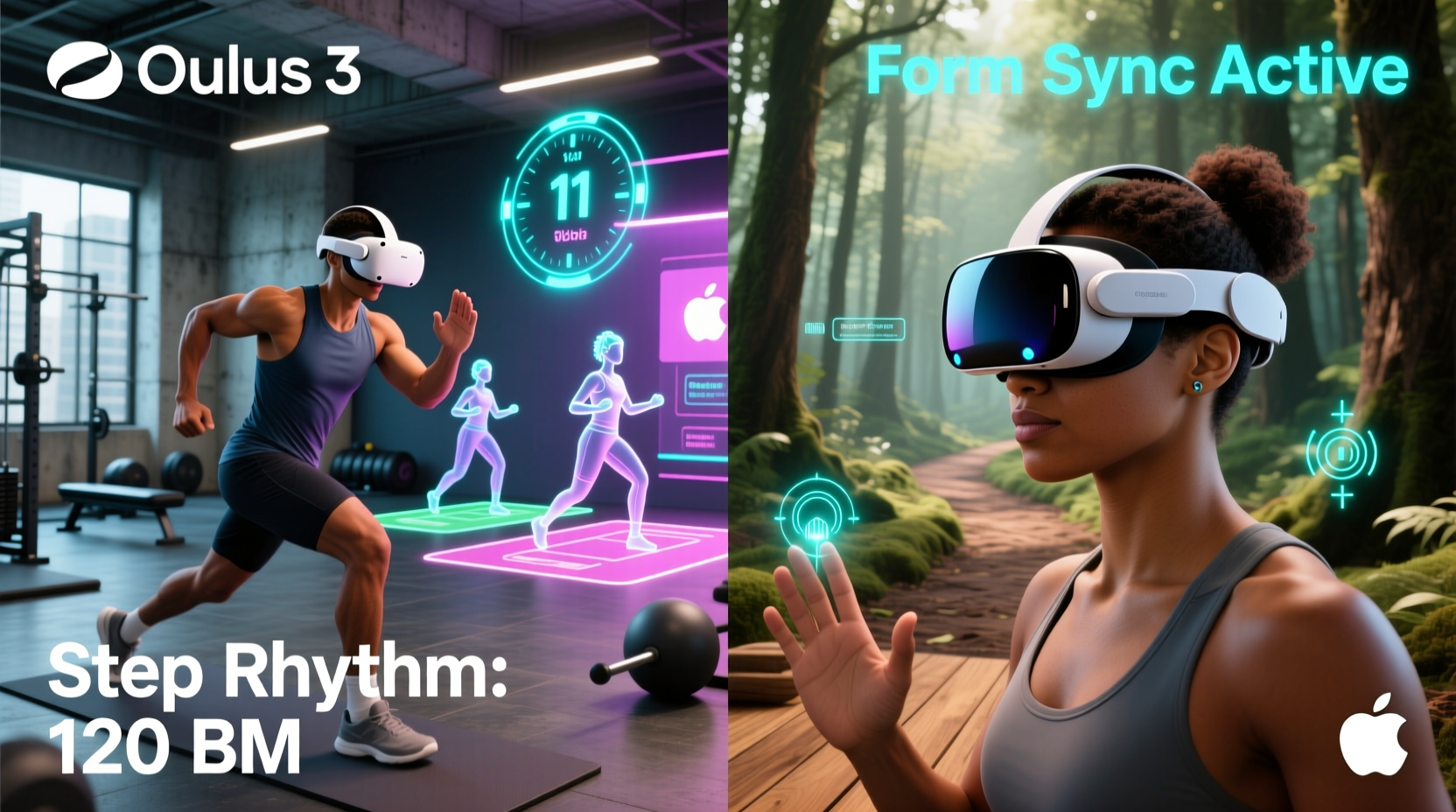
The foundation of any fitness-oriented VR system lies in its hardware. How well does the headset track your movements? Can it handle full-body motion without lag or drift? Is it comfortable enough to wear during extended workouts?
The Oculus Quest 3, now simply marketed as the Meta Quest 3, was designed from the ground up with active use in mind. It features inside-out tracking using four wide-angle cameras that monitor your hands and surroundings without requiring external sensors. Its lightweight build (495g) and balanced weight distribution make it suitable for prolonged physical activity. The passthrough AR mode enhances safety during dynamic movements, allowing users to see obstacles while still immersed in mixed-reality workouts.
In contrast, the Apple Vision Pro prioritizes visual fidelity and precision eye/hand tracking over full-body engagement. At approximately 650g, it’s significantly heavier than the Quest 3, making it less ideal for high-intensity sessions. Its dual-chip architecture (M2 and R1) ensures ultra-low latency for hand and eye input, but lacks built-in body tracking. For fitness applications requiring lower-body movement—like jumping, squatting, or lateral steps—the Vision Pro currently falls short unless paired with third-party accessories.
Tip: If your primary goal is calorie-burning cardio or strength training, prioritize a headset optimized for full-body motion—like the Quest 3.Fitness App Ecosystem: Quantity, Quality, and Engagement
A headset is only as good as the apps it runs. When evaluating fitness potential, consider not just the number of available apps, but also their variety, progression systems, and ability to keep users motivated long-term.
The Meta Quest platform hosts over 300 fitness-focused apps, many developed specifically for VR movement. Titles like Supernatural, Les Mills Bodycombat, FitXR, and OhShape combine rhythm-based gameplay with structured interval training. These apps often include daily classes, leaderboards, personalized coaching, and heart rate integration via compatible wearables.
Apple Vision Pro, launched with a focus on productivity, media, and spatial computing, has limited native fitness content. Most early apps are seated or standing experiences focused on meditation, yoga, or guided breathing—valuable wellness tools, but not substitutes for aerobic or resistance training. Third-party developers are beginning to explore fitness possibilities, but the ecosystem remains underdeveloped compared to Meta’s mature marketplace.
Moreover, the Quest 3 benefits from social fitness features: group classes, multiplayer dance battles, and shared workout stats. Gamification elements—such as earning badges, leveling up avatars, or unlocking new worlds—tap into behavioral psychology to encourage consistency. The Vision Pro lacks these engagement drivers entirely.
“Gamified fitness in VR works because it distracts from effort while increasing adherence. The best apps feel less like exercise and more like play.” — Dr. Lena Torres, Behavioral Scientist & Digital Health Researcher
Motion Tracking and Full-Body Integration
To truly “get you moving,” a VR headset must accurately capture upper and lower body motion. This enables exercises like squats, lunges, high knees, and shadowboxing to be recognized and scored by fitness algorithms.
The Quest 3 supports optional peripheral tracking through accessories like the Kinetic Band or third-party trackers from Xsens or Perception Neuron. When used with apps like VRHealth or Triangular Pixels’ Calisthenics Trainer, these setups enable full-body biomechanical analysis—ideal for form correction and injury prevention.
Apple Vision Pro excels in hand and eye tracking accuracy, thanks to its 12 cameras and advanced neural networks. However, it does not natively support leg or torso tracking. While developers can infer some movement from head motion and arm positioning, this limits the range of viable fitness activities. No current Vision Pro app offers lower-body scoring or real-time posture feedback during dynamic routines.
This fundamental limitation makes the Vision Pro better suited for low-impact mindfulness practices rather than HIIT-style workouts. Users seeking measurable improvements in strength, endurance, or coordination will find the Quest 3 far more capable.
Workout Effectiveness: Calories Burned and Real-World Results
Ultimately, fitness success hinges on results. How many calories do you burn? Do workouts translate into improved stamina or muscle tone? Can you sustain the routine over weeks or months?
Independent studies and user data suggest that moderate-to-vigorous VR workouts on the Quest 3 burn between 200–400 kcal per hour, depending on intensity. A 2023 study published in the *Journal of Sports Science & Medicine* found that participants using rhythm games like Beat Saber achieved 70–85% of their maximum heart rate—well within the cardio zone.
Vision Pro users, meanwhile, report minimal elevation in heart rate during typical sessions. Most interactions involve subtle hand gestures or gaze control, resulting in negligible caloric expenditure. Even seated cycling apps or balance trainers fail to match the metabolic demand of standing, full-motion VR fitness.
| Metric | Oculus Quest 3 | Apple Vision Pro |
|---|---|---|
| Calories burned/hr (avg) | 250–350 | 60–100 |
| Heart rate increase | Significant (HIIT-capable) | Minimal (light activity) |
| Full-body tracking support | Yes (with add-ons) | No |
| Dedicated fitness apps | Over 50 major titles | Less than 10 (mostly wellness) |
| Recommended session length | 20–45 min (active) | 30–60 min (seated/light) |
The disparity in physical output underscores a key distinction: the Quest 3 is engineered to promote movement; the Vision Pro is designed to enhance perception.
User Experience: Comfort, Accessibility, and Long-Term Use
No matter how advanced a device is, if it's uncomfortable or difficult to use consistently, it won’t support lasting fitness habits.
The Quest 3 shines in accessibility. It operates wirelessly, boots quickly, and integrates seamlessly with smartphones. Setup takes minutes, and most fitness apps require no prior VR experience. Its adjustable strap and facial interface accommodate various head shapes, and ventilation reduces fogging during sweat-inducing sessions.
The Vision Pro demands more from users. It requires precise fitting of the light seal and headband, involves a complex initial calibration process, and relies on the external battery pack tethered by a cable. This limits mobility and creates a barrier to spontaneous workouts. Additionally, its $3,499 price tag places it out of reach for most fitness enthusiasts, whereas the Quest 3 starts at $499—a fraction of the cost.
For someone aiming to work out three to five times per week, ease of access matters. Removing friction between intention and action increases adherence. The Quest 3 lowers that barrier; the Vision Pro raises it.
Tip: Choose a headset that fits seamlessly into your daily routine. If setup feels like a chore, you're less likely to use it regularly.Mini Case Study: Sarah’s Six-Week VR Fitness Journey
Sarah, a 38-year-old office worker, wanted to improve her cardiovascular health after months of sedentary work. She purchased a Quest 3 and committed to 30-minute sessions five days a week using FitXR and Supernatural.
Within two weeks, she noticed increased stamina and reduced back pain from prolonged sitting. By week six, her resting heart rate dropped by 12 BPM, and she lost 4 pounds—without changing her diet. The combination of music, instructor motivation, and real-time performance metrics kept her engaged.
She briefly tried a Vision Pro demo at an Apple Store, enjoying a guided meditation app but finding nothing equivalent to her dynamic boxing routines. “It felt luxurious,” she said, “but I didn’t break a sweat. My Quest makes me feel stronger every day.”
Step-by-Step Guide: Choosing the Right Headset for Your Fitness Goals
Follow this decision framework to determine which headset aligns with your movement objectives:
- Define your fitness goal: Are you aiming for weight loss, strength building, flexibility, or stress reduction?
- Evaluate required motion type: Does your preferred workout involve standing, jumping, reaching, or full-body coordination?
- Assess available space: Do you have room for dynamic movement, or are you limited to a small area?
- Review app compatibility: Check whether top fitness apps you’re interested in are available on each platform.
- Test comfort and fit: Try both devices if possible, especially if you plan frequent or long sessions.
- Consider budget: Factor in not just the headset price, but also subscription costs for premium fitness apps.
- Make your choice: Opt for Quest 3 if you want active, full-body workouts. Choose Vision Pro only if your focus is mindfulness, low-impact rehab, or vision-centric therapy.
Frequently Asked Questions
Can the Apple Vision Pro be used for cardio workouts?
Not effectively. Due to its weight, lack of lower-body tracking, and absence of high-intensity fitness apps, the Vision Pro is unsuitable for sustained cardio exercise. It may complement wellness routines but cannot replace traditional or VR-based aerobic training.
Do I need additional equipment to use Quest 3 for fitness?
No. The Quest 3 works standalone for most fitness apps using hand tracking alone. However, adding a heart rate monitor (like the Polar H10) or lower-body trackers enhances data accuracy and personalization in advanced programs.
Are there any cross-platform fitness apps between Quest and Vision Pro?
Currently, no major fitness apps are available on both platforms. The ecosystems are entirely separate, with Quest relying on Android-based OS and Vision Pro running visionOS. Developers have not prioritized porting intensive fitness titles to Apple’s platform.
Final Verdict: Which Headset Gets You Moving?
If your objective is to get moving—to raise your heart rate, build strength, burn calories, and establish a consistent fitness habit—the Oculus Quest 3 is the clear winner. It’s purpose-built for physical activity, backed by a robust library of proven fitness apps, and priced affordably for mainstream adoption.
The Apple Vision Pro, while technologically impressive, serves a different purpose. It excels in immersive media, spatial computing, and precision interaction—but not in promoting physical exertion. Until it gains support for full-body tracking and develops a deeper fitness ecosystem, it remains a niche product for wellness exploration rather than active conditioning.
For anyone serious about integrating movement into their digital life, the Quest 3 offers unmatched value, versatility, and effectiveness. It turns exercise into an experience you look forward to, blending fun with function in a way few other fitness tools can match.
🚀 Ready to transform your fitness routine? Grab a Quest 3, download a top-rated app like Supernatural or FitXR, and commit to just 20 minutes a day. Your future self will thank you.