
More people than ever are working remotely, and many have turned their beds into makeshift offices. While the comfort of a mattress may seem ideal for long hours of work, it often leads to persistent back pain. This isn’t just an inconvenience—it’s a sign that your body is struggling with poor biomechanics. The spine wasn’t designed to support prolonged sitting in a slouched position, especially on an unstable surface like a bed. Over time, this can lead to muscle strain, disc pressure, and chronic discomfort. Understanding the root causes and applying immediate, effective adjustments can prevent long-term damage and help you work more comfortably—even if your desk is currently your duvet.
Why Working from Bed Triggers Back Pain
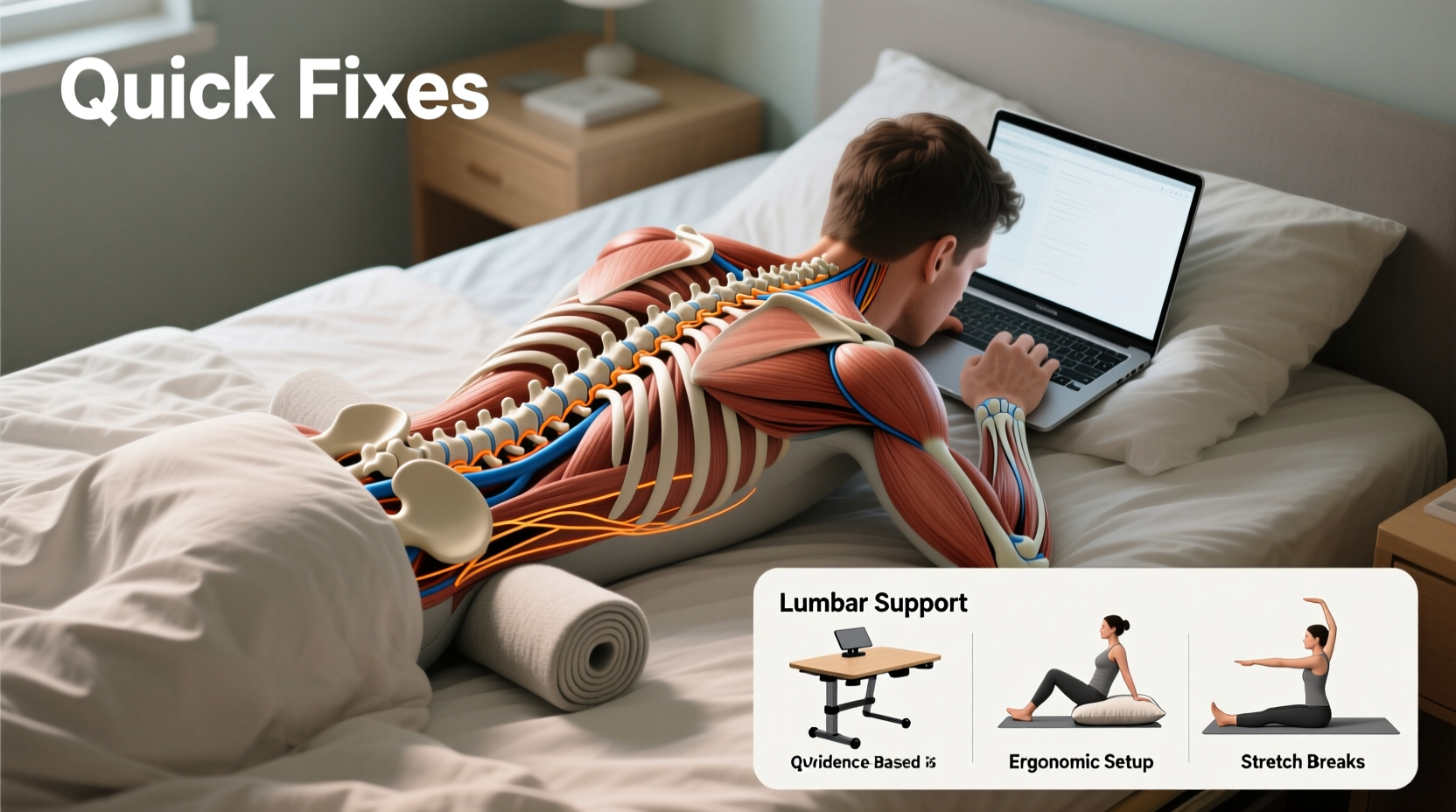
The human spine maintains its health through proper alignment. When seated correctly, the natural curves of the spine—cervical, thoracic, and lumbar—are supported, minimizing stress on muscles, ligaments, and intervertebral discs. However, working from bed disrupts this balance in several key ways:
- Lack of lumbar support: Mattresses are designed for lying down, not sitting. Without firm lower back support, the lumbar spine collapses into a C-shape, increasing pressure on spinal discs.
- Elevated hip positioning: Sitting upright on a soft surface often raises the hips above the knees, tilting the pelvis backward and flattening the lower back curve.
- Neck and shoulder strain: Laptops or phones are typically placed too low, forcing the head forward. For every inch the head moves forward, the strain on the neck doubles.
- Unstable base: Beds compress unevenly, making it difficult to maintain consistent posture. This forces core and back muscles to work harder to stabilize the torso.
- Poor circulation: Prolonged static positions reduce blood flow to spinal tissues, accelerating fatigue and stiffness.
Dr. Lena Patel, a physical therapist specializing in ergonomic rehabilitation, explains:
“When patients come in with new-onset back pain after switching to remote work, nearly half admit to working from bed. It’s one of the fastest ways to develop postural dysfunction because the environment contradicts everything we know about spinal mechanics.”
Quick Fixes to Reduce Immediate Discomfort
You don’t need to buy expensive equipment to start correcting the problem. Several simple, low-cost modifications can significantly reduce strain within minutes.
Tip: Sit on a firm pillow or folded blanket to elevate your hips slightly and create a more neutral spine angle.1. Improve Your Sitting Posture on the Bed
Sit as close to the headboard as possible. Place a firm cushion or lumbar roll behind your lower back to restore the natural inward curve. Avoid leaning directly against soft pillows—they compress too much and offer no structural support.
2. Elevate Your Screen to Eye Level
Prop your laptop or tablet on books, a tray, or a stack of boxes so the top of the screen sits at or slightly below eye level. This prevents “tech neck,” a common contributor to upper back and shoulder pain.
Tip: Use a phone stand or small tripod to hold your device at the right height without holding it in your hands.3. Support Your Arms and Shoulders
Rest your elbows on pillows placed on your lap or thighs to reduce tension in the shoulders. If typing for long periods, consider using a lightweight lap desk with a padded base to provide arm support and keep wrists neutral.
4. Adjust Leg Positioning
Keep your knees slightly lower than your hips. If your legs are elevated too high due to the bed’s softness, place your feet on a low stool, stack of magazines, or even a shoebox to align your pelvis properly.
Do’s and Don’ts of Bed Workspaces
| Do’s | Don’ts |
|---|---|
| Use a firm pillow for lumbar support | Slouch against soft cushions or fluffy pillows |
| Elevate your screen to eye level | Bend your neck down to look at a low laptop |
| Take breaks every 25–30 minutes | Sit continuously for over an hour |
| Keep elbows supported and wrists straight | Float your arms in mid-air while typing |
| Place feet flat on a stable surface | Cross legs or tuck feet under your body |
A Real-Life Example: How Sarah Reduced Her Back Pain in One Day
Sarah, a freelance graphic designer, began experiencing sharp lower back pain after transitioning to full-time remote work. With no dedicated office space, she worked from her bed for eight weeks straight. Initially, she dismissed the discomfort as temporary fatigue. But when the pain started radiating into her hips, she consulted a telehealth physiotherapist.
During the virtual assessment, the therapist observed Sarah sitting cross-legged with her laptop on a pillow beside her. Her back was rounded, and her head jutted forward. The therapist guided her through three immediate changes:
- She placed a rolled-up towel behind her lower back.
- She propped her laptop on a wooden cutting board raised by two textbooks.
- She sat on a yoga block to lift her hips and placed her feet on a footstool made from a plastic storage bin.
Within 48 hours, Sarah reported a 70% reduction in pain. After a week of consistent adjustments and short mobility breaks, her symptoms nearly disappeared. She later invested in a foldable standing desk but credits the initial tweaks with preventing further injury.
Step-by-Step Guide to Building a Safer Bed Workspace
If you must work from bed temporarily, follow this five-step process to minimize physical strain:
- Assess your current setup: Take a side-profile photo of yourself working. Look for signs of slouching, forward head posture, or unsupported limbs.
- Create pelvic stability: Sit on a firm foam cushion or folded towel to prevent sinking into the mattress. Aim for hips slightly higher than knees.
- Add lumbar support: Roll a bath towel and secure it vertically behind your lower back. Alternatively, use a small backpack with clothes stuffed inside.
- Position your screen: Elevate your device so the top third aligns with your eye level. Use books, a tray, or a cardboard box to achieve the correct height.
- Set movement reminders: Program your phone or smartwatch to alert you every 25 minutes. Stand up, stretch, or walk for 2–3 minutes to reset your posture.
This routine takes less than ten minutes to implement but can drastically reduce spinal load and muscular fatigue.
Long-Term Solutions and Preventive Habits
While quick fixes help manage immediate pain, sustainable relief requires behavioral and environmental changes. Consider these strategies to protect your spine over time:
- Invest in a portable workstation: A lightweight lap desk with adjustable angles can mimic a real desk setup. Look for models with wrist pads and ventilation for laptops.
- Transition to floor seating: Sit on a firm chair, meditation cushion, or kneeling bench on the floor. These surfaces promote better alignment than a bed.
- Strengthen core and back muscles: Simple exercises like bird-dogs, planks, and bridges build endurance in postural muscles, reducing reliance on external support.
- Adopt dynamic work habits: Alternate between sitting, standing (if possible), and light stretching throughout the day. Movement is one of the best lubricants for spinal joints.
“Posture isn’t a static position—it’s a series of micro-adjustments. The goal isn’t perfection; it’s variability and awareness.” — Dr. Marcus Tran, Spine Biomechanics Researcher
FAQ: Common Questions About Bed Work and Back Pain
Can working from bed cause permanent back damage?
Occasional use is unlikely to cause lasting harm, but chronic misuse—especially over months—can contribute to disc degeneration, muscle imbalances, and early onset of conditions like sciatica. The risk increases if pain is ignored or unaddressed.
Is it better to lie down or sit up when working in bed?
Neither is ideal for extended periods. Lying flat strains the neck and limits breathing efficiency, while sitting up without support stresses the lower back. If you must recline, use a wedge pillow at a 45-degree angle and keep the screen elevated.
What’s the safest way to work from bed if I have no other option?
Use a firm base (like a board or lap desk), support your lower back, elevate your screen, keep your arms relaxed, and limit sessions to 45 minutes at a time. Always follow with a short stretch or walk.
Checklist: Build a Back-Friendly Bed Workspace in Minutes
- ☐ Sit near the headboard for back support
- ☐ Place a rolled towel or cushion in your lower back curve
- ☐ Elevate your laptop or tablet to eye level
- ☐ Keep elbows supported on pillows or a lap desk
- ☐ Ensure knees are slightly lower than hips
- ☐ Place feet flat on a stable surface (not dangling)
- ☐ Set a timer to move every 25–30 minutes
- ☐ Perform two-minute stretches hourly (neck rolls, shoulder shrugs, forward bends)
Conclusion: Prioritize Your Spine, Even in Comfort Zones
Your bed should be a sanctuary for rest, not a source of daily pain. While convenience may tempt you to stay nestled in blankets during work hours, your spine pays the price. Small, intentional changes can transform an unhealthy habit into a safer practice—without requiring a full home office overhaul. By understanding how posture affects your body and applying practical fixes immediately, you reclaim comfort and prevent long-term issues. Start today: adjust your setup, listen to your body, and treat your back with the care it deserves.
🚀 Take action now: Spend 10 minutes optimizing your workspace, then share this article with someone who works from bed. Your spine—and theirs—will thank you.