Wine is geography made drinkable. A bottle of Barolo speaks of Piedmont’s fog-draped hills; a Sancerre evokes the chalky flint of the Loire Valley. Yet too many cellars—whether in a dedicated basement room or a compact under-stair closet—treat wine as a commodity rather than a cartographic archive. When bottles are stacked haphazardly, regional identity dissolves into visual noise. The solution isn’t just better shelving—it’s intelligent, scalable, and future-proof organization rooted in terroir. Color-coded digital labels transform regional classification from a static mental map into a dynamic, scannable system that grows with your collection, adapts to new acquisitions, and preserves context across decades. This approach merges traditional wine knowledge with modern inventory discipline—without sacrificing aesthetics or usability.
Why Region-Based Organization Outperforms Vintage or Varietal Sorting
Sorting by vintage prioritizes age but obscures origin; grouping by grape (e.g., all Cabernet Sauvignon together) flattens cultural nuance—Chilean Carménère behaves nothing like its French ancestor, yet they’d share shelf space. Regional organization respects the legal, climatic, and historical boundaries that define style, structure, and aging potential. In Bordeaux, “Left Bank” and “Right Bank” aren’t just directional cues—they signal Cabernet-dominant versus Merlot-dominant blends, distinct soil types, and divergent aging trajectories. Similarly, distinguishing Alsace’s dry Rieslings from Mosel’s off-dry counterparts matters for pairing and serving temperature.
This method also aligns with how professionals think: sommeliers study regions before grapes; auction houses catalogue by appellation; and collectors track value through geographic scarcity—not varietal abundance. When a 2015 Chablis Premier Cru loses its label, knowing it came from the Kimmeridgian limestone slopes of Montmains tells you more than its Chardonnay designation ever could.
Tip: Start small—map just one country or continent first. Master France before adding Germany, then Australia. Regional fluency compounds faster than technical perfection.The Digital Label Framework: Hardware, Software, and Color Logic
Digital labels—small e-ink or LCD displays powered by Bluetooth or low-energy Wi-Fi—replace paper tags that fade, peel, or smudge. Unlike QR codes printed on stickers, these devices retain full functionality even in high-humidity environments (up to 85% RH) and remain legible at cellar lighting levels (typically 5–10 lux). They sync wirelessly with desktop or mobile apps, allowing real-time updates without opening the cellar door.
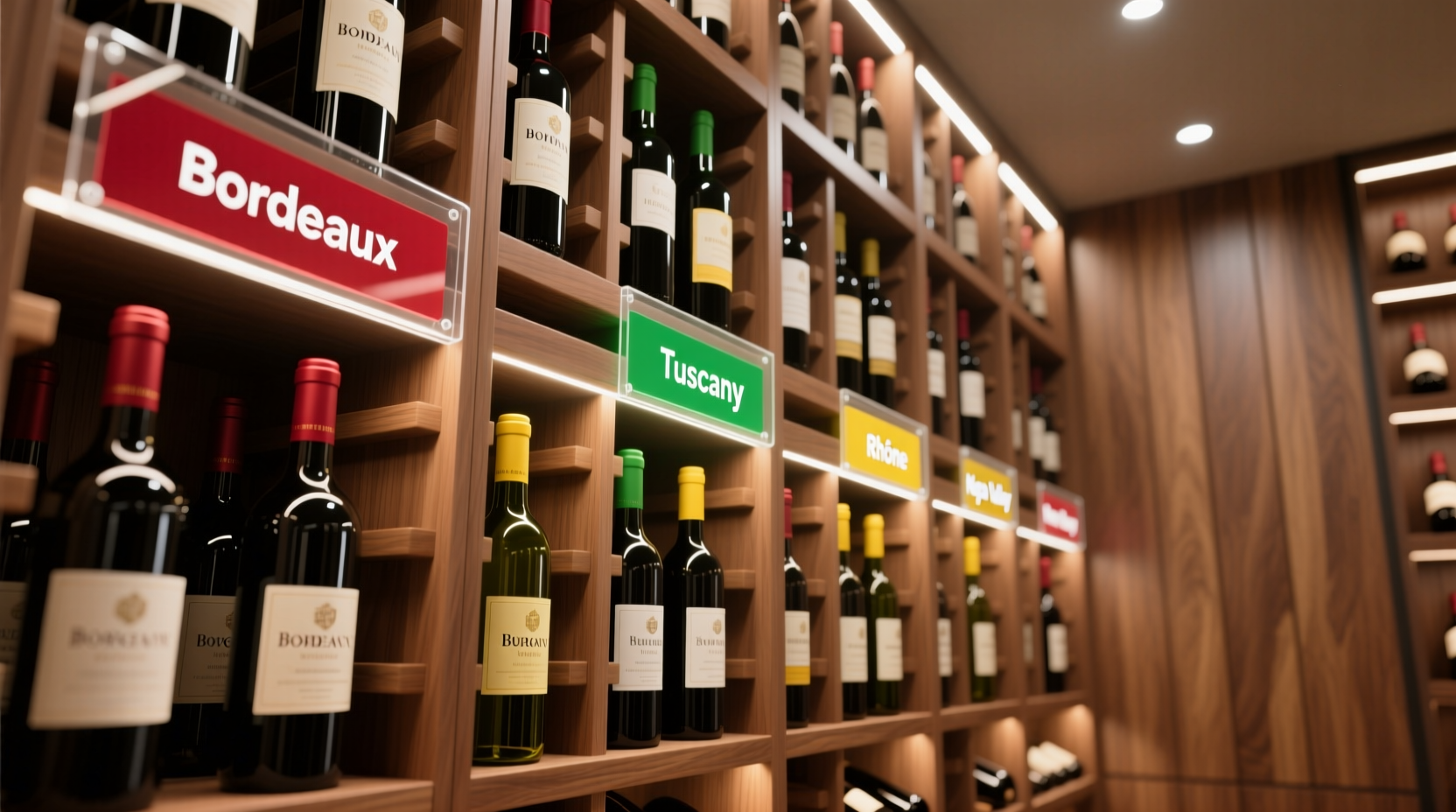
Color coding follows a deliberate, non-arbitrary logic. Rather than assigning red to “Bordeaux” and green to “Burgundy” based on grape color (a common mistake), we anchor hues to UNESCO World Heritage wine landscapes and widely recognized viticultural zones. This ensures consistency across languages and avoids confusion—for example, “Tuscany” and “Toscana” both trigger the same amber tone.
| Region Group | Assigned Color | Rationale & Examples |
|---|---|---|
| France (Classic Appellations) | Deep Burgundy (#722F37) | Evokes historic clay soils and centuries-old châteaux; covers Bordeaux, Burgundy, Rhône, Loire, Champagne |
| Italy & Spain | Terracotta (#C76A3E) | Reflects sun-baked Mediterranean architecture and volcanic soils; includes Tuscany, Piedmont, Rioja, Priorat |
| New World Terroirs | Sage Green (#6B8E23) | Signals sustainable vineyard practices and cooler-climate precision; Napa Coast, Margaret River, Casablanca Valley |
| Emerging Regions | Steel Blue (#4682B4) | Represents innovation and geological discovery; Lebanon’s Bekaa Valley, England’s Sussex, Japan’s Yamanashi Prefecture |
| Fortified & Specialty | Amber Gold (#D4AF37) | Denotes oxidative aging, solera systems, and artisanal methods; Port, Sherry, Madeira, Vin Jaune |
Each label displays three layers of information: top line (region group + sub-region, e.g., “FRANCE | Saint-Émilion Grand Cru”), middle line (producer + vintage), and bottom line (storage notes: “Drink 2026–2038”, “Decant 2 hrs”, “Store horizontally”). Colors are preloaded into the app’s regional database—no manual RGB entry required.
A Step-by-Step Implementation Timeline
- Week 1: Audit & Categorize — Remove every bottle. Record producer, appellation, vintage, and current condition. Use a spreadsheet or cellar app (like CellarTracker or VinCellar) to tag each entry with its official INAO or VQA-regulated region. Discard duplicates, consolidate partial cases, and isolate unknowns for research.
- Week 2: Design Your Shelf Map — Sketch your cellar layout. Assign zones by region group (e.g., left wall = France, center rack = Italy/Spain). Reserve vertical space for sub-regions: Saint-Émilion above Pomerol, Chablis below Côte de Beaune. Leave 15% buffer space for growth.
- Week 3: Program & Deploy Labels — Input region data into your digital label platform. Generate batch labels: 20 units per color group. Affix labels to shelf fronts (not bottles) using museum-grade acrylic tape—repositionable, residue-free, UV-stable. Test Bluetooth range and battery life (most units last 18–24 months on coin-cell batteries).
- Week 4: Cross-Reference & Calibrate — Scan each label with your phone. Verify that tapping “Burgundy” filters only Côte d’Or, Chablis, Mâconnais—not Beaujolais (classified separately under “France | Beaujolais” with a subtle maroon variant). Adjust sub-region hierarchies if needed.
- Ongoing: Maintain & Evolve — Update labels within 48 hours of new purchases. When acquiring a rare Georgian Qvevri wine, assign it to “EMERGING REGIONS” and add a custom footnote: “Amber wine, skin-fermented in clay amphorae.” Re-evaluate color assignments annually as your collection diversifies.
Real-World Application: The Hudson Valley Cellar Project
In 2022, Sarah Lin, a former urban planner and now full-time collector in upstate New York, inherited 427 bottles from her grandfather’s 30-year cellar. The collection spanned 22 countries—but was alphabetized by producer name. “I once spent 47 minutes searching for a 1990 Hermitage,” she recalls. “It was behind a case of Chilean Carmenère labeled ‘Concha y Toro’. No logic, no memory aid.”
She implemented region-based digital labeling over six weekends. First, she used the Wines of France app to verify every AOC boundary—discovering three bottles mislabeled as “Bordeaux Supérieur” were actually from the lesser-known Côtes de Bourg. She assigned deep burgundy labels to all French entries, terracotta to her growing Spanish and Italian holdings, and steel blue to her experimental U.S. and Georgian wines. Within two months, her retrieval time dropped from an average of 3.2 minutes per bottle to 18 seconds. More importantly, she began noticing patterns: her Rhône Syrahs aged more gracefully than her Northern Rhône counterparts when stored at 12.8°C versus 13.5°C—a detail she’d never tracked before the structured system enabled consistent logging.
“Geography is the first layer of meaning in wine. If your cellar doesn’t reflect that hierarchy—visually, instantly, and reliably—you’re not curating a collection. You’re maintaining inventory.” — Dr. Laura L. Catena, MD and fourth-generation owner of Bodega Catena Zapata, author of Malbec Republic
Do’s and Don’ts of Regional Wine Organization
| Action | Do | Don’t |
|---|---|---|
| Label Placement | Mount labels on shelf uprights or horizontal supports at eye level (145–160 cm height) | Attach directly to bottles—blocks UV protection, risks adhesive failure in humidity |
| Sub-Region Depth | Use nested menus in your app: “FRANCE > Burgundy > Côte de Nuits > Gevrey-Chambertin” | Create more than four hierarchical levels—diminishes scan speed and cognitive load |
| Color Consistency | Print physical cheat sheets using Pantone-coated swatches for staff or guests | Let personal preference override standardized palettes—even “my favorite Pinot Noir is Oregon, so I’ll use green” breaks system integrity |
| Data Integrity | Link each label to a verified source (e.g., Wine-Searcher ID, producer website URL) | Rely solely on memory or unverified forums for appellation classification |
| Humidity Management | Pair digital labels with hygrometer-triggered alerts: “Terracotta zone humidity at 78%—check seal integrity” | Assume e-ink displays are immune to condensation—always mount with 2mm air gap behind unit |
FAQ
Can I integrate digital labels with existing cellar software like VinCellar or Coravin Elements?
Yes—most modern digital label platforms (e.g., WineTag Pro, CellarVue Sync) offer two-way API integration. When you log a tasting note in VinCellar, the corresponding label auto-updates its “Last Tasted” field. Coravin Elements users can trigger label refreshes after pouring, adding real-time consumption tracking to regional mapping.
What if a wine crosses multiple regions—like a blend from Paso Robles and Santa Barbara County?
Assign it to the dominant region by volume (≥65%) and append a footnote: “Blend: 72% Paso Robles, 28% Santa Ynez Valley”. For equal splits, default to the region with stricter appellation rules—the label will display “CALIFORNIA | Central Coast*” with asterisk linking to full sourcing details in your app.
Are color-blind collectors accommodated in this system?
Absolutely. All reputable platforms support WCAG 2.1 AA compliance: labels render region names in bold 14-pt sans-serif type, include tactile braille overlays on physical mounts (available on request), and offer audio-assisted scanning via smartphone. Color remains the primary visual cue—but never the sole identifier.
Conclusion
A wine cellar organized by region using color-coded digital labels is more than a convenience—it’s an act of stewardship. It honors the centuries of human labor embedded in each bottle, acknowledges the fragile ecosystems that produce them, and prepares your collection for the next generation of drinkers who will ask not just “what’s in the glass?” but “where did this land teach the vines to speak?” This system transforms passive storage into active curation: you don’t just own wine—you converse with place. You don’t merely retrieve a bottle—you navigate a living atlas. And when your friend asks, “What should we open tonight?”, you won’t fumble through dim shelves—you’ll tap “ITALY | Terracotta”, scroll to “Piedmont”, and select a 2016 Barbaresco that’s just entered its aromatic prime.
Your cellar is already a library. Now give it a Dewey Decimal System worthy of its contents. Begin with one shelf. Choose one region. Assign one color. Let the rest unfold with intention—not inertia.
💬 Have you implemented regional organization—or hit a hurdle with digital labels? Share your setup, challenges, or unexpected discoveries in the comments. Your experience helps refine this evolving standard for collectors worldwide.