In an era where minimalism meets functionality, the Zero Wallet card bag has emerged as a game-changer for urban professionals, travelers, and tech-savvy individuals. Designed to hold just the essentials—cards, ID, and cash—it pairs exceptionally well with the iPhone to create a clutter-free, efficient carry system. But simply owning both doesn’t guarantee seamless integration. True convenience comes from intentional use, smart habits, and understanding how these two tools complement each other in daily life.
The goal isn’t just to reduce bulk; it’s to enhance accessibility, security, and peace of mind. When used correctly, the Zero Wallet card bag and your iPhone can work in harmony—reducing friction at transit gates, retail checkouts, and social interactions. This guide explores practical strategies to unlock that synergy.
Understanding the Zero Wallet Card Bag
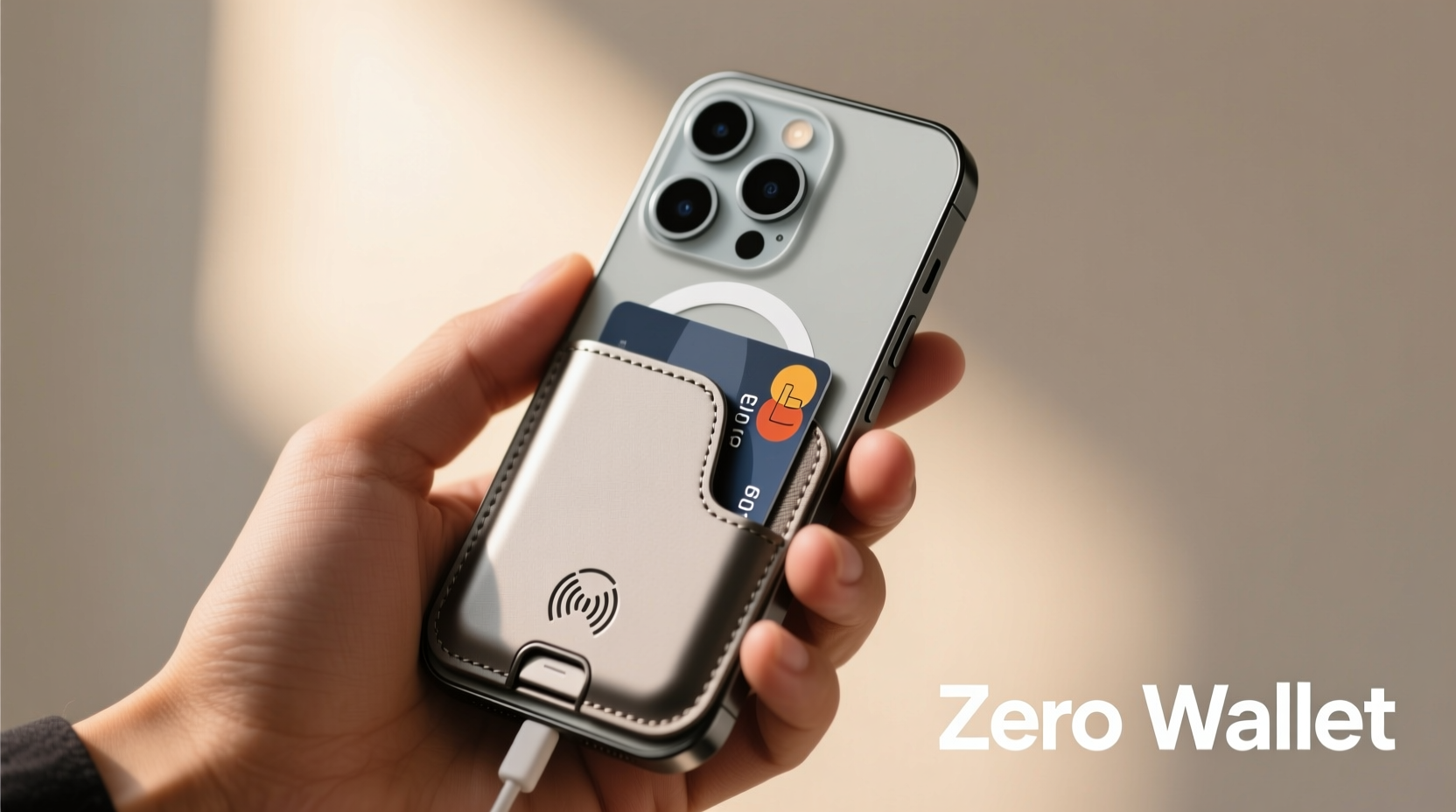
The Zero Wallet is a minimalist RFID-blocking cardholder designed to fit 4–6 cards snugly while maintaining a slim profile. Unlike traditional wallets, it eliminates excess pockets, zippers, and bill compartments, focusing solely on what you use most: payment and identification cards. Made from durable materials like aluminum, titanium, or premium leather, it resists wear and protects against digital theft.
Its compact size makes it ideal for front-pocket carry, reducing strain on clothing and posture. But its true advantage emerges when paired with a smartphone—particularly the iPhone—which already handles digital payments, boarding passes, IDs, and loyalty programs via Apple Wallet and Passbook.
Tip: Store only your most frequently used cards in the Zero Wallet—credit/debit, ID, and one backup. Keep the rest securely at home.Optimizing Your iPhone for Wallet Integration
Your iPhone isn’t just a communication device; it’s the digital extension of your physical carry. To maximize convenience, ensure your iPhone settings are aligned with your real-world needs.
Start by organizing your Apple Wallet. Open the app and prioritize cards based on usage frequency. Place your primary credit card and transit pass at the top so they appear automatically when you wake your phone near a reader. Add digital versions of gym memberships, loyalty cards, and even government-issued IDs if supported in your region (available in select U.S. states).
Enable Express Mode for transit and payments. This allows contactless access without unlocking your iPhone—critical when moving quickly through subway gates or busy checkout lines. Simply double-click the side button (on Face ID models) and hold your phone near the reader.
“Smartphone integration turns a minimalist wallet from a compromise into a strategic advantage.” — Jordan Lee, Urban Mobility Consultant
Step-by-Step: Creating a Seamless Daily Carry System
To fully benefit from the Zero Wallet and iPhone combo, follow this structured setup process:
- Audit your current carry items: Empty your pockets and list every item you currently carry. Identify redundancies—such as multiple cards or paper receipts.
- Select core cards for the Zero Wallet: Choose 3–4 essential cards (e.g., driver’s license, primary credit card, secondary debit, work badge).
- Digitize the rest: Add remaining cards to Apple Wallet where possible. For non-digital cards, store them in a secure location at home.
- Configure Express Transit & Express Cards: Go to Settings > Wallet & Apple Pay and enable Express mode for your transit card and default payment card.
- Test in real environments: Practice using your iPhone + Zero Wallet combo at coffee shops, grocery stores, and public transit stations to build confidence.
- Adjust based on feedback: After one week, review which system worked best. Did you fumble? Were certain cards missing? Refine accordingly.
Do’s and Don’ts: Best Practices Table
| Do | Don't |
|---|---|
| Use RFID-blocking material to protect your cards | Overfill the Zero Wallet beyond recommended capacity |
| Keep your iPhone battery above 20% during daily commutes | Rely solely on digital cards without a physical backup |
| Carry a small amount of folded cash in the iPhone case slot (if applicable) | Store sensitive passwords or PINs in unsecured notes apps |
| Enable Lost Mode on your iPhone for added security | Forget to update expired digital passes in Apple Wallet |
| Use a MagSafe-compatible case to attach accessories | Leave your Zero Wallet in extreme heat or moisture |
Real-World Example: A Day in the Life of a Seamless Carry
Meet Alex, a freelance designer commuting across San Francisco. He carries only his iPhone 15 Pro in a sleek MagSafe case and a titanium Zero Wallet with three cards: his Caltransit Clipper card, Visa debit, and California driver’s license.
At 7:45 AM, he approaches the BART gate. Instead of pulling out anything, he double-clicks his iPhone’s side button and taps it against the reader—Express Transit activated. No unlock, no fumbling.
By 8:30 AM, he grabs coffee at a local café. His Zero Wallet slides smoothly from his front pocket. He hands over his Visa card, then returns it immediately. Meanwhile, his phone remains in his jacket pocket—no need to take it out.
Late afternoon, he checks into a co-working space using his digital membership pass in Apple Wallet. When asked for ID later at a venue, he retrieves his license from the Zero Wallet—compact, quick, and secure.
At no point does Alex feel burdened or disorganized. His carry system supports fluid movement through the city, proving that less truly can be more—when done right.
Checklist: Optimize Your Zero Wallet + iPhone Setup
- ✅ Audit all physical cards and keep only essentials
- ✅ Digitize recurring-use cards in Apple Wallet
- ✅ Enable Express Mode for transit and preferred payment cards
- ✅ Test NFC functionality with local readers
- ✅ Charge iPhone nightly to ensure full battery
- ✅ Clean Zero Wallet monthly with a microfiber cloth
- ✅ Update digital passes before travel or expiration
- ✅ Use Find My iPhone and Lost Mode features
Frequently Asked Questions
Can I use Apple Pay if my iPhone battery dies?
No, Apple Pay requires active power. However, some newer iPhones support a limited “Power Reserve” mode that allows one last contactless transaction after shutdown. Ensure this feature is enabled in Settings > Battery > Power Reserve.
Is the Zero Wallet compatible with all iPhone models?
Yes, the Zero Wallet is phone-model agnostic. It’s designed to be carried separately or alongside any iPhone. For integrated solutions, consider pairing it with MagSafe cases that allow attachment via magnetic mounts or clips.
What if I need to show multiple IDs or cards quickly?
The Zero Wallet holds cards in a fan-style layout, allowing swift access. If you regularly present multiple forms of ID, practice the \"pull-and-pivot\" motion: slide the required card outward while keeping others secured. Alternatively, designate one card as your go-to and keep backups at home or digitally stored.
Conclusion: Elevate Your Everyday Carry
The fusion of the Zero Wallet card bag and the iPhone represents more than convenience—it reflects a modern philosophy of intentionality. Every item you carry should earn its place. By leveraging digital capabilities and minimalist design, you eliminate friction, reduce stress, and move through the world with greater agility.
This isn’t about discarding utility; it’s about redefining efficiency. Whether you’re navigating rush hour, checking into a flight, or grabbing lunch between meetings, your carry system should disappear into the background—working flawlessly without demanding attention.
🚀 Ready to simplify your daily routine? Audit your wallet today, digitize what you can, and experience the freedom of a truly seamless carry.