The Apple Watch has become a staple in modern wearable technology, blending fitness tracking, communication, and style into one sleek device. As users upgrade their watches or simply want to refresh their look, a common question arises: Can I use the same band across different Apple Watch models? The answer isn’t always straightforward. While Apple maintains a high degree of consistency in its design language, subtle differences in size, mechanism, and generation can affect band compatibility. Understanding these nuances ensures you make informed decisions when purchasing new bands—saving time, money, and frustration.
Band Attachment Mechanism: The Universal Standard
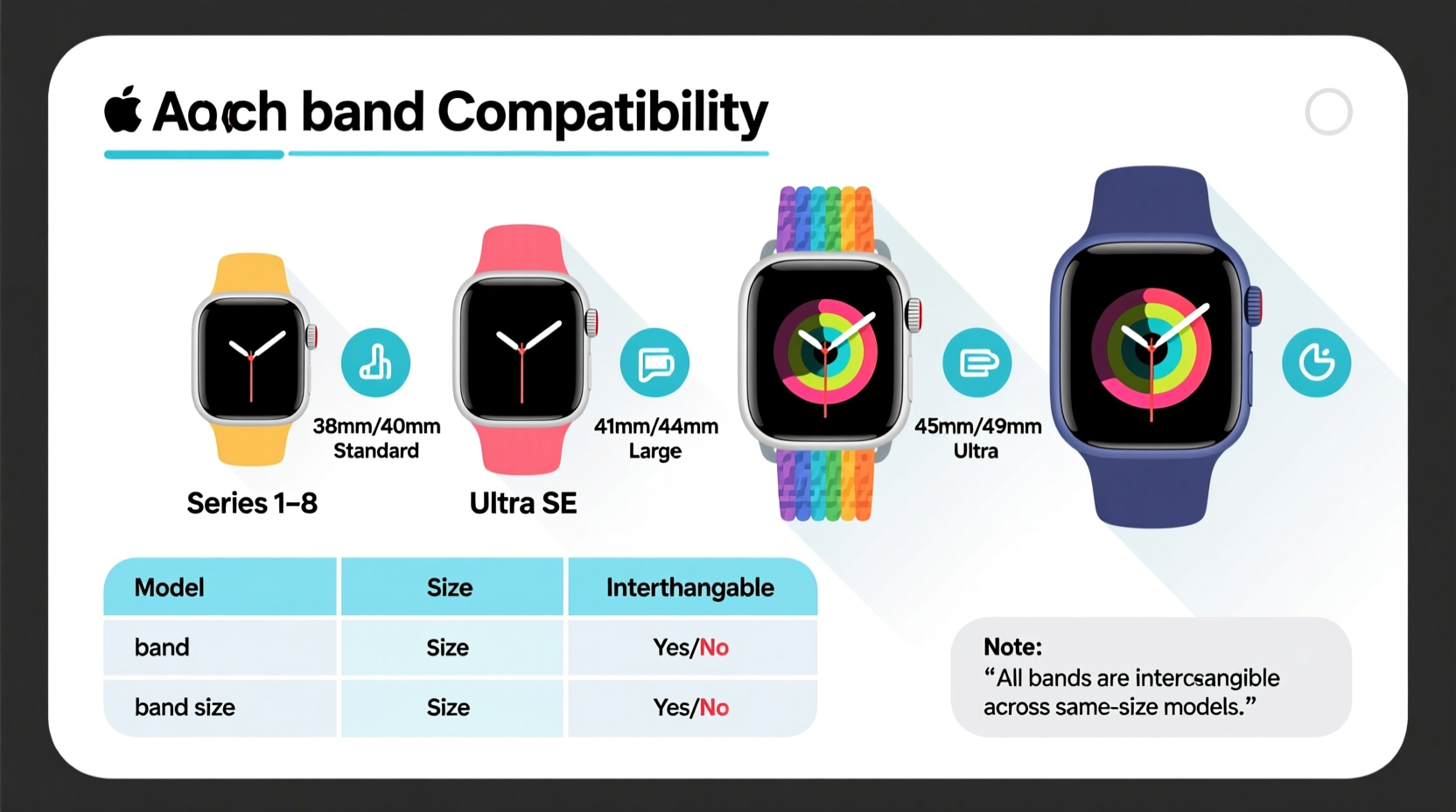
All Apple Watch models since the original release in 2015 use a standardized spring-loaded pin system for attaching bands. This means that any official Apple band—or third-party band designed to Apple’s specifications—will physically attach to any Apple Watch case, regardless of model or generation. The pins slide into slots on the watch case and lock securely in place, allowing for quick swaps without tools.
This universal attachment system is a key reason why so many bands are marketed as “compatible with all Apple Watch models.” However, this claim comes with an important caveat: size matters.
Tip: Always check the band width (in millimeters) before purchasing—it must match your watch’s case size, not just fit “Apple Watch.”Case Sizes and Band Width Compatibility
While the attachment mechanism is consistent, Apple has released watches in multiple case sizes over the years. Bands are designed to match specific widths to ensure a seamless aesthetic and secure fit. Using a 40mm band on a 44mm watch may leave gaps or strain the lugs, while a larger band on a smaller watch will overlap awkwardly.
Here’s a breakdown of Apple Watch case sizes by generation and the corresponding band widths:
| Apple Watch Model | Case Size (mm) | Band Width Required |
|---|---|---|
| Apple Watch (Series 1–3) | 38mm, 42mm | 38mm, 42mm |
| Apple Watch (Series 4–6, SE) | 40mm, 44mm | 40mm, 44mm |
| Apple Watch Series 7 | 41mm, 45mm | 41mm, 45mm |
| Apple Watch Series 8, SE (2nd gen), Ultra | 41mm, 45mm, Ultra: 49mm | 41mm, 45mm, Ultra: 49mm |
| Apple Watch Series 9 | 41mm, 45mm | 41mm, 45mm |
| Apple Watch Ultra 2 | 49mm | 49mm |
Note that while 38mm and 40mm bands are close in size, they are not identical. The same applies to 42mm vs. 44mm, and now 41mm/45mm. Although some users report being able to force a slightly mismatched band onto a case, doing so risks damaging the lugs or spring pins over time.
“Apple’s precision engineering means even a 1mm difference can affect long-term durability. Always match band width to your watch size exactly.” — David Lin, Wearable Device Engineer
Special Cases: Ultra and Older Models
The introduction of the Apple Watch Ultra brought a new standard: the 49mm case. This rugged, adventure-focused model requires uniquely sized bands. While it uses the same pin mechanism, no previous band fits the Ultra without looking disproportionate or failing to attach securely.
Likewise, older models like the 38mm and 42mm watches are no longer in production, but remain in use. Third-party manufacturers still produce bands for these sizes, though selection is gradually shrinking. If you own an older watch, act promptly if you need replacements—availability will continue to decline.
One notable trend is Apple’s gradual shift toward metric sizing. Starting with Series 7, Apple rebranded 40mm as 41mm and 44mm as 45mm due to increased screen real estate from slimmer bezels. Despite the small change, bands are not cross-compatible between 40mm and 41mm watches—even though they appear nearly identical.
Real Example: Sarah’s Upgrade Dilemma
Sarah owned a Series 6 in 40mm and loved her woven nylon band. When she upgraded to a Series 9 (41mm), she assumed her favorite band would fit. It didn’t. The 41mm lugs were slightly wider, and the band’s connector wouldn’t fully seat. She risked losing the watch during a hike when the pin partially disengaged. After returning home, she purchased the correct 41mm version of the same band—and learned the hard way that Apple’s size labels aren’t interchangeable, even when they seem almost identical.
Third-Party Bands: Flexibility and Risks
The aftermarket for Apple Watch bands is vast, offering everything from vegan leather to metal bracelets and sport loops. Most reputable third-party brands follow Apple’s sizing standards and clearly label compatibility. However, inconsistencies do exist.
- Precision Fit Brands: Companies like Nomad, Satechi, and Belkin adhere strictly to Apple’s dimensions and often test across multiple generations.
- Budget Options: Some generic bands list compatibility as “fits all Apple Watches” but may only approximate sizes. These can wobble, scratch the case, or fail under stress.
- Magnetic Bands: Certain magnetic sport bands are designed to stretch and accommodate slight size variations. These offer more flexibility but may feel less secure on extreme sizes.
When choosing third-party bands, prioritize brands that specify exact millimeter support and include customer reviews discussing fit. Look for phrases like “tested on Series 9 and Ultra” rather than vague claims of universal compatibility.
Tip: If buying online, check return policies. A band that doesn’t fit perfectly should be easy to exchange.Step-by-Step: How to Identify Your Watch Size and Match a Band
Follow this process to ensure you select the correct band every time:
- Turn your Apple Watch over. Open the Settings app, go to General > About, and locate “Model.”
- Note the case size. It will display as 41mm, 45mm, 49mm, etc. Ignore marketing names like “Series 9” for compatibility purposes—focus on size.
- Check existing bands. Flip them over: most have the size stamped near the connectors (e.g., “41mm”).
- Search using size, not series. When shopping, filter results by 41mm or 45mm instead of “for Series 9.”
- Verify attachment type. Ensure the band uses standard 22mm or 20mm connectors (depending on size) and not proprietary systems.
- Order with confidence. Once matched, the band will attach securely and align flush with the case.
Do’s and Don’ts of Band Swapping
| Do | Don’t |
|---|---|
| Match band size exactly to your watch case (e.g., 45mm band for 45mm watch) | Assume 40mm and 41mm bands are interchangeable |
| Use both fingers to press the release button when removing bands | Force a band onto the watch if it doesn’t slide in smoothly |
| Clean the lug area before attaching a new band | Leave dirt or debris in the pin slot, which can interfere with locking |
| Store extra bands in a dry, cool place away from direct sunlight | Expose leather bands to moisture or store them folded |
| Check for wear on spring pins every few months | Ignore a loose band—if it wiggles, the pin may be damaged |
Frequently Asked Questions
Can I use an Apple Watch Ultra band on a regular 45mm model?
No. The Ultra has a 49mm case and uniquely shaped lugs to support its rugged design. Ultra bands are not compatible with 41mm or 45mm watches, and vice versa.
Are Nike bands compatible with non-Nike Apple Watches?
Yes. Nike+ Apple Watch models use the same case sizes (41mm or 45mm) as standard models. Any Nike sport band labeled for that size will fit any Apple Watch of the same dimensions, regardless of brand or edition.
What happens if I use a 40mm band on a 41mm watch?
It likely won’t attach properly. The spring pin may not engage fully, creating a safety hazard. Even if it seems to fit, repeated use can damage the watch lugs. Always use the correct size.
Expert Insight: Design Philosophy Behind Sizing Changes
Apple’s incremental size changes reflect a balance between aesthetics, usability, and technological advancement. With each generation, bezels shrink and screens grow, requiring slight adjustments to the case. According to industrial designer Maria Tran:
“Apple treats the watch face as a canvas. Every extra millimeter of screen demands a proportional adjustment in casing. That’s why bands must evolve too—form follows function, even in accessories.” — Maria Tran, Industrial Designer & Wearables Consultant
This philosophy explains why Apple doesn’t maintain backward compatibility across similar sizes. The user experience—including how a band flows from the case—is meticulously engineered.
Checklist: Before You Buy a New Apple Watch Band
- ✅ Confirm your Apple Watch case size in Settings > General > About
- ✅ Verify the band specifies exact millimeter compatibility (e.g., 41mm)
- ✅ Check if the band is designed for your use case (swimming, sleep, formal events)
- ✅ Read reviews mentioning fit and durability
- ✅ Ensure return policy allows exchanges if sizing is off
- ✅ Consider buying directly from Apple or authorized retailers for guaranteed compatibility
Conclusion: Smart Choices for Long-Term Satisfaction
The Apple Watch band ecosystem offers incredible variety, but only if you navigate it with precision. While the attachment system is universal, size-specific design means you can’t assume interchangeability—even between seemingly similar models. Taking a few minutes to verify your watch’s exact dimensions protects your investment and ensures comfort, safety, and style.
Whether you’re refreshing an older device or accessorizing a new Ultra, matching the right band to your watch enhances both functionality and personal expression. With the right knowledge, every swap becomes seamless, and every look intentional.
💬 Have a favorite band or a compatibility story? Share your experience in the comments—your insight could help another Apple Watch owner avoid a costly mistake!