For serious gamers, remote workers, and digital artists, the tools used daily shape both performance and long-term well-being. Among these, the mousepad often receives less attention than high-DPI mice or mechanical keyboards—yet it plays a critical role in ergonomics and precision. In recent years, gaming mousepads with built-in wrist support have gained popularity, promising enhanced comfort and reduced strain during extended sessions. But is the added cost justified? The answer depends on usage patterns, physical needs, and personal preferences. This article examines the real-world value of investing in a mousepad with wrist support, backed by ergonomic principles, user experiences, and practical advice.
Ergonomic Benefits: Beyond Comfort
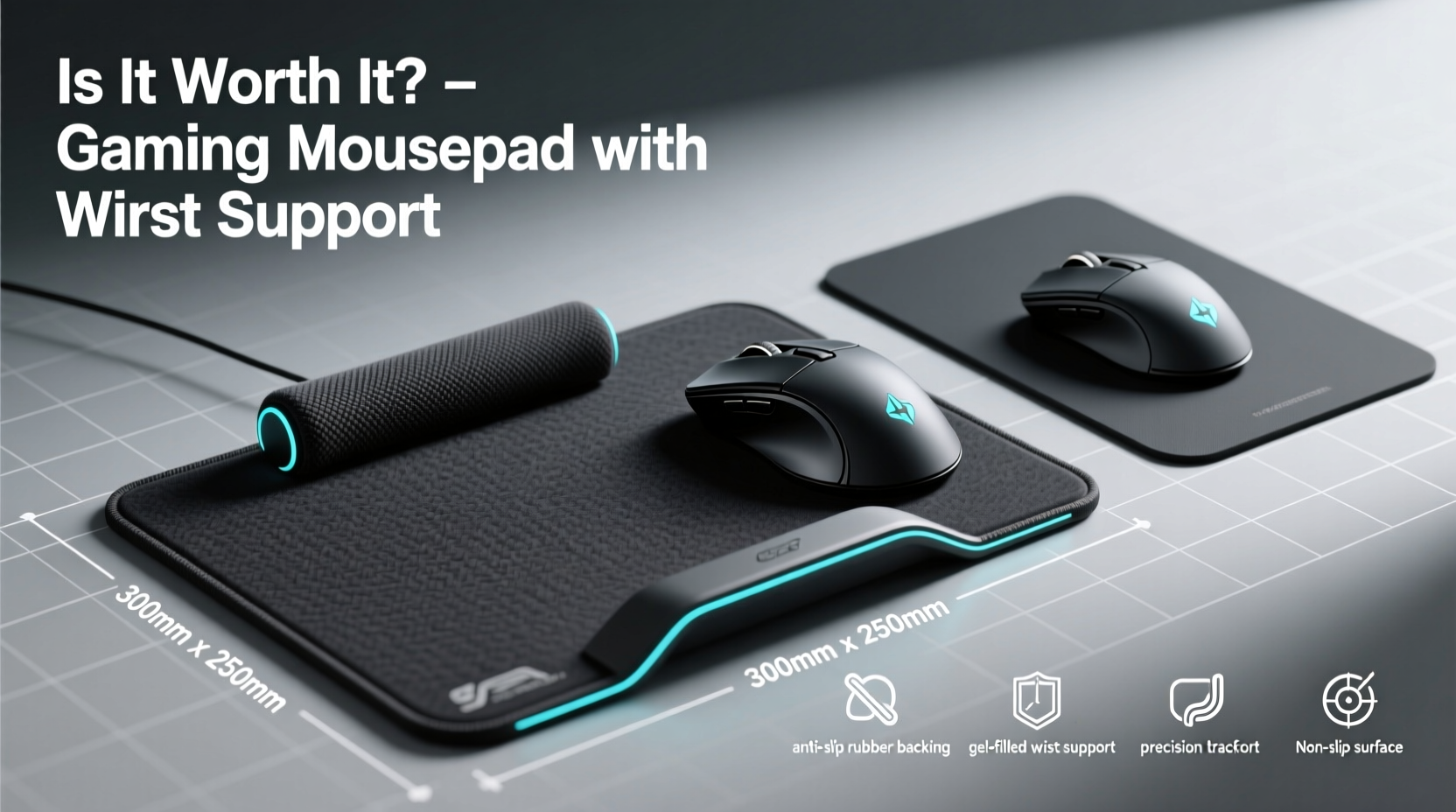
The primary appeal of a wrist-supported gaming mousepad lies in its potential to reduce physical strain. Traditional flat mousepads offer no elevation or cushioning for the wrists, forcing users to maintain a neutral but unsupported position. Over time, especially during marathon gaming sessions or long workdays, this can lead to discomfort, fatigue, and even repetitive strain injuries (RSIs) like carpal tunnel syndrome.
A padded wrist rest integrated into the mousepad elevates and cushions the lower forearm and wrist, aligning the hand more naturally with the forearm. This reduces ulnar deviation (bending the wrist inward) and wrist extension (bending upward), two common postural issues linked to overuse injuries.
Tip: Proper wrist alignment should keep your hand in a straight line with your forearm—like shaking hands with someone. A supported mousepad helps maintain this posture.According to Dr. Laura Chen, an occupational therapist specializing in computer-related injuries:
“Even minor misalignments, when repeated over thousands of mouse movements daily, accumulate stress on tendons and nerves. A supportive surface can significantly reduce that cumulative load.” — Dr. Laura Chen, OTD, Occupational Ergonomics Specialist
This makes wrist-support mousepads particularly valuable for individuals who spend 6+ hours per day using a mouse, whether for gaming, graphic design, programming, or office tasks.
Performance vs. Practicality: Do They Hinder Precision?
One common concern among competitive gamers is that wrist rests might limit movement or reduce control. Some professional players prefer low-profile, hard-surface pads that allow full arm motion without resistance from padding. However, modern wrist-supported mousepads are designed with performance in mind, using memory foam or gel-filled supports that compress slightly under pressure, allowing smooth transitions while still offering cushioning.
The key distinction lies in pad size and material. Larger mousepads (XL or XXL) with wide wrist rests enable full arm movement across the surface, supporting both speed and accuracy. Smaller models may restrict range, forcing users to lift their arms frequently—a disruption in fluid gameplay.
Moreover, surface texture matters. High-end gaming mousepads use tightly woven cloth or hybrid polymer coatings optimized for sensor tracking. These surfaces provide consistent glide for optical and laser sensors, minimizing cursor jitter and improving responsiveness. When combined with a firm yet soft wrist rest, they deliver both comfort and competitive-grade performance.
| Feature | Standard Mousepad | Mousepad with Wrist Support |
|---|---|---|
| Ergonomic Support | Minimal to none | High – reduces wrist strain |
| Movement Range | Limited by size | Extended on XL models |
| Sensor Compatibility | Good on quality pads | Excellent on premium versions |
| Durability | Moderate – edges wear quickly | Higher – stitched edges, reinforced base |
| Price Range | $5–$20 | $25–$70+ |
As shown, wrist-supported pads generally outperform basic alternatives in durability and long-term usability. While not all models are created equal, investing in a reputable brand ensures you're not sacrificing precision for comfort.
Real-World Example: From Pain to Productivity
Consider Mark T., a freelance 3D modeler who works 8–10 hours daily using a mouse-intensive workflow. After two years of using a standard desk mat, he began experiencing numbness in his right hand and occasional tingling in his fingers. His doctor diagnosed early signs of carpal tunnel syndrome and recommended ergonomic adjustments.
Mark switched to a large, cloth-based gaming mousepad with a memory foam wrist rest. Within three weeks, he reported noticeable improvement in comfort. “I didn’t realize how much tension I was holding in my wrist until I stopped feeling it,” he said. “Now I can work longer without breaks, and my hand feels lighter at the end of the day.”
Though not a gamer, Mark found that gaming-grade accessories offered superior build quality and ergonomics compared to standard office products. His experience highlights how features marketed to gamers can benefit any heavy computer user.
Choosing the Right Model: A Buyer’s Checklist
Not all wrist-supported mousepads deliver equal value. To ensure your investment pays off, consider the following criteria before purchasing:
- Size: Opt for XL (at least 400mm x 300mm) if you use broad mouse movements or dual-monitor setups.
- Material Quality: Look for tightly stitched edges, non-slip rubber bases, and durable fabric surfaces.
- Wrist Rest Firmness: Memory foam offers balanced support; gel may feel too firm or cold over time.
- Surface Type: Cloth provides warmth and control; hybrid hard surfaces offer faster glide.
- Cleanability: Removable wrist rests or washable covers extend product life.
- Brand Reputation: Trusted brands like SteelSeries, Razer, Logitech, and Corsair often include warranties and user-tested designs.
When It Might Not Be Worth It
Despite their advantages, wrist-supported mousepads aren't ideal for everyone. Certain scenarios make them less effective or even counterproductive:
- Vertical Mice Users: If you already use an ergonomic vertical mouse, your wrist is naturally aligned, reducing the need for additional support.
- Trackball or Tablet Users: Alternative input devices change hand positioning, making traditional wrist rests less relevant.
- Small Desk Space: Large mousepads require ample room. On cramped desks, they may push the keyboard forward, disrupting typing posture.
- Preference for Arm-Based Movement: Gamers who rely on \"arm flicks\" for fast turns (e.g., in FPS games) may find the raised edge obstructive.
In such cases, standalone ergonomic solutions—like adjustable wrist pads, sit-stand desks, or improved chair armrests—may offer better flexibility and value.
Long-Term Value and Cost Analysis
A high-quality gaming mousepad with wrist support typically costs between $35 and $70. At first glance, this seems steep compared to a $10 pad from a general electronics store. However, lifespan and health impact shift the equation.
Well-made mousepads resist fraying, maintain consistent textures, and retain shape after months of use. Cheaper alternatives often develop curled edges, uneven surfaces, or compressed wrist rests within 6–12 months—requiring replacement and negating initial savings.
More importantly, preventing injury has financial implications. According to the U.S. Bureau of Labor Statistics, the average cost of a workplace carpal tunnel claim exceeds $30,000 in medical bills and lost wages. While a mousepad won’t eliminate risk entirely, it contributes to a preventive ecosystem that includes proper posture, regular breaks, and ergonomic equipment.
Viewed through this lens, a $50 mousepad isn’t an indulgence—it’s a modest investment in sustained productivity and physical well-being.
Frequently Asked Questions
Can a wrist-supported mousepad cause new problems?
Poorly designed models with overly thick or rigid rests may elevate the wrist too high, increasing pressure on the carpal tunnel. Choose a rest that keeps your wrist straight and relaxed, not bent upward. Avoid resting directly on the pad if it causes numbness—your forearm should bear most of the weight, not your palm.
Are gel wrist rests better than memory foam?
It depends on preference. Gel inserts provide firmer, cooler support and resist compression over time, but some users find them uncomfortable in colder environments. Memory foam conforms more closely to your wrist shape and feels warmer, though cheaper versions may flatten after prolonged use. Premium hybrids combine both materials for balanced performance.
Do I need one if I’m not a gamer?
Absolutely. Anyone who uses a mouse extensively—writers, coders, editors, designers—can benefit from reduced strain. The “gaming” label often reflects marketing rather than function. Many so-called gaming accessories meet higher durability and ergonomic standards than standard office gear.
How to Maximize the Benefits: A Step-by-Step Guide
To get the most out of your wrist-supported mousepad, follow this setup process:
- Measure Your Desk Space: Ensure the pad fits comfortably without crowding your keyboard or monitors.
- Position the Pad Correctly: Align the front edge just behind your keyboard, leaving 2–3 inches for key access.
- Adjust Chair Height: Set your chair so your elbows rest at 90–110 degrees, with forearms parallel to the floor.
- Place Your Hand Naturally: Rest your wrist gently on the pad, keeping fingers curved over the mouse. Avoid pressing down hard.
- Take Micro-Breaks: Every 30 minutes, lift your hands off the mouse and stretch your wrists and fingers.
- Clean Regularly: Wipe the surface weekly with a damp cloth; remove and hand-wash the wrist rest monthly if possible.
Consistency in setup and usage amplifies the benefits over time.
Final Verdict: Who Should Invest?
A gaming mousepad with wrist support is more than a luxury accessory—it’s a functional upgrade for anyone prioritizing comfort, efficiency, and long-term health. For competitive gamers, streamers, and creative professionals, the combination of precision tracking and ergonomic support justifies the price difference.
However, it’s not a universal solution. Those with alternative input methods, limited desk space, or specific mobility preferences may find other ergonomic tools more suitable. The decision ultimately hinges on individual needs and usage intensity.
If you regularly experience wrist fatigue, work long hours at a computer, or want to prevent future strain, upgrading to a quality wrist-supported mousepad is a smart, cost-effective step. It bridges the gap between performance and wellness—two priorities that shouldn’t be mutually exclusive.
🚀 Ready to improve your setup? Evaluate your current mousepad, assess your daily usage, and consider trying a premium wrist-supported model. Your hands—and future self—will thank you.