It’s a common scene: you plug in your phone to charge, only to find it growing uncomfortably hot within minutes. While some warmth during charging is normal, excessive heat can signal deeper issues that threaten performance, battery lifespan, and even safety. Most users assume the charger or battery is at fault—but the real culprits are often more subtle. From background apps to environmental factors, multiple hidden causes contribute to overheating. Understanding these less obvious triggers—and how to address them—can protect your device and ensure efficient charging.
The Science Behind Phone Heating During Charging
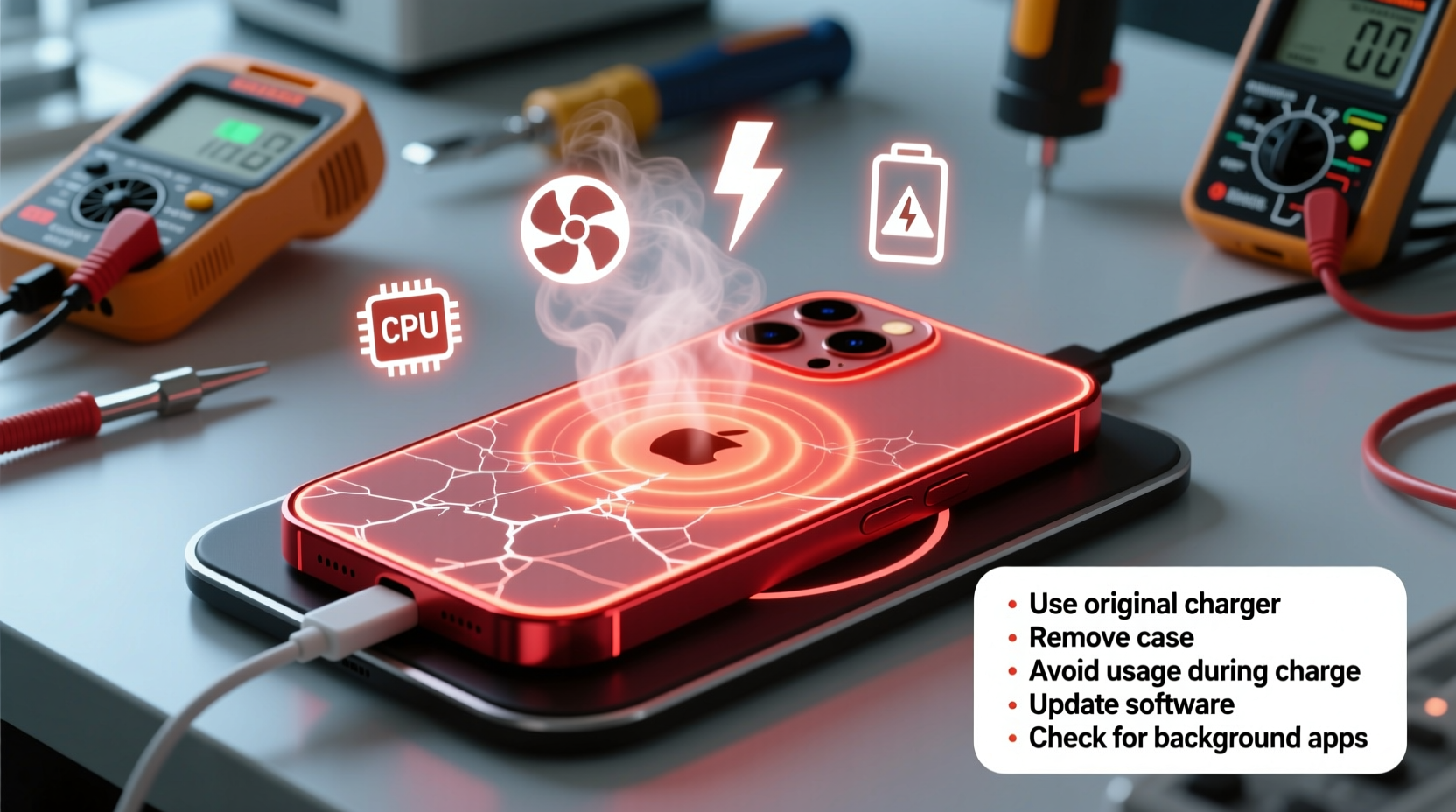
When a phone charges, electrical energy converts into chemical energy stored in the battery. This process generates heat due to internal resistance in the battery and circuitry. Modern smartphones use lithium-ion batteries, which are efficient but sensitive to temperature extremes. According to Dr. Alan Kimura, a power systems engineer at the Institute of Electrical and Electronics Engineers (IEEE), “Even under ideal conditions, a phone may rise 5–10°C above ambient temperature during fast charging.”
However, when temperatures exceed 40°C (104°F), risks increase significantly. Excessive heat accelerates battery degradation, reduces overall capacity, and in extreme cases, can lead to swelling or thermal runaway—a dangerous chain reaction that may result in fire. The issue isn’t just about comfort; it’s about long-term device health and safety.
“Battery longevity is directly tied to thermal management. Every 10°C increase in operating temperature can halve the expected cycle life.” — Dr. Alan Kimura, Power Systems Engineer, IEEE
Unexpected Causes of Overheating You Might Be Ignoring
While faulty chargers or damaged cables come to mind first, several overlooked factors play a major role in why phones overheat during charging. These aren’t always visible or intuitive, making them easy to miss until problems escalate.
1. Background App Activity and System Load
Many users charge their phones while using them—checking social media, watching videos, or navigating. Even if the screen is off, background processes like cloud backups, app updates, GPS tracking, or syncing emails can keep the CPU active. This dual load—charging plus processing—creates significant heat buildup.
Tip: Enable airplane mode or close all apps before charging to minimize system strain and reduce heat generation.2. Poor Ventilation Due to Case Design
Silicone, leather, or thick protective cases trap heat. While they shield against drops, they also insulate the phone, preventing natural cooling. A case might feel harmless, but during fast charging, it can raise surface temperature by up to 7°C.
3. Charging in Direct Sunlight or Hot Environments
Leaving your phone on a car dashboard or near a window while charging exposes it to ambient heat that compounds with internal heating. Even indoor environments like poorly ventilated rooms or near radiators can push temperatures beyond safe limits.
4. Using Non-Certified Accessories
Third-party chargers and cables may not regulate voltage properly. Inconsistent power delivery forces the phone’s power management system to work harder, generating excess heat. Worse, counterfeit adapters may lack essential thermal protection circuits.
5. Battery Aging and Internal Resistance
As batteries age—typically after 300–500 charge cycles—their internal resistance increases. This inefficiency means more energy is lost as heat rather than stored. An older phone may overheat even with minimal usage during charging, signaling battery wear.
Quick Fixes to Cool Down Your Phone Immediately
If your phone is already hot while charging, immediate action can prevent further damage. Here’s what to do right now:
- Unplug and power off – Stop charging and turn off the device. This halts both energy input and internal processing.
- Remove the case – Take off any cover to allow heat to dissipate faster.
- Cool naturally – Place the phone in a shaded, well-ventilated area. Do not put it in the refrigerator or freezer—condensation can cause short circuits.
- Avoid usage during charging – Resist the urge to browse or game while plugged in.
- Switch to a wall outlet – USB ports on computers or power strips often deliver unstable current, increasing heat risk.
Preventive Checklist: Avoid Overheating Before It Starts
Proactive habits make the biggest difference. Use this checklist regularly to maintain optimal charging conditions:
- ✅ Use manufacturer-recommended or MFi-certified (for Apple) chargers and cables
- ✅ Remove phone case during charging sessions
- ✅ Charge in a cool, dry place away from direct sunlight
- ✅ Close unnecessary apps before plugging in
- ✅ Enable optimized battery charging (iOS) or adaptive charging (Android)
- ✅ Avoid fast charging overnight unless necessary
- ✅ Keep software updated for improved power management
- ✅ Monitor battery health monthly via settings
Comparing Charging Methods: Heat Output and Safety
Different charging methods produce varying levels of heat. Understanding these differences helps you choose safer options.
| Charging Method | Avg. Temperature Rise | Heat Risk Level | Best Practices |
|---|---|---|---|
| Original Wall Charger (Fast Charging) | 8–12°C | High | Limited use; avoid during high CPU load |
| Wireless Charging Pad | 6–10°C | Moderate-High | Use without case; ensure alignment |
| Computer USB Port | 4–7°C | Moderate | Slower but cooler; good for maintenance |
| Power Bank (Certified) | 5–9°C | Moderate | Choose brands with thermal regulation |
| Car Charger (Original) | 7–11°C | High | Avoid in parked cars exposed to sun |
Note: Ambient temperature significantly affects all methods. Charging in a 35°C environment can double heat output compared to 22°C.
Real-World Example: How One User Fixed Chronic Overheating
Jamal, a rideshare driver in Phoenix, noticed his Android phone would shut down every few days while charging in his car. Despite replacing the cable twice, the problem persisted. He assumed the battery was failing and considered buying a new phone. Instead, he decided to investigate.
After reading about thermal issues, Jamal realized he charged his phone on the dashboard using a third-party wireless charger. The combination of desert heat (often over 50°C inside the car) and inefficient charging created extreme temperatures. He switched to a ventilated mount, used a certified wired charger, and started charging only when the AC was running. Within days, overheating stopped entirely. His phone’s battery health stabilized, and he avoided an unnecessary $800 replacement.
This case highlights how environmental and accessory choices—not hardware failure—can be the root cause.
Step-by-Step Guide to Diagnose and Resolve Overheating
Follow this systematic approach to identify and fix the source of overheating:
- Observe the pattern – Does overheating happen only during fast charging? Only with certain cables? At specific times of day?
- Test with original accessories – Replace third-party chargers and cables with manufacturer-approved ones.
- Monitor app activity – Go to Settings > Battery and review which apps consume the most power. Disable auto-sync for non-essential apps.
- Check battery health – On iPhone: Settings > Battery > Battery Health. On Android: Dial
*#*#4636#*#*or use a trusted app like AccuBattery. Replace if capacity is below 80%. - Inspect physical condition – Look for bulging battery, cracked casing, or frayed cables. Any deformation requires immediate service.
- Perform a clean boot – Restart in safe mode (Android) or reinstall iOS (backup first) to rule out software conflicts.
- Adjust charging habits – Charge earlier in the day, avoid overnight fast charging, and never leave unattended in hot spaces.
Repeat this process monthly to catch emerging issues early.
Frequently Asked Questions
Is it safe to use my phone while charging?
Light usage like texting is generally safe, but intensive tasks—gaming, video calls, or navigation—generate additional heat and stress the battery. For best results and safety, avoid heavy usage during charging, especially with fast or wireless chargers.
Can overheating permanently damage my phone?
Yes. Prolonged exposure to high temperatures degrades the lithium-ion battery, reducing its maximum capacity and lifespan. It can also damage internal components like the display and processor. Consistent overheating may void warranties, as manufacturers consider it user-induced wear.
Why does my phone get hotter when using wireless charging?
Wireless charging is inherently less efficient than wired. Energy transfers via electromagnetic induction, which loses more power as heat. Misalignment between the phone and pad worsens this. To reduce heat, use a certified Qi2-compatible charger, remove thick cases, and ensure proper centering.
Conclusion: Protect Your Device with Smarter Charging Habits
Phone overheating during charging isn’t just inconvenient—it’s a warning sign that shouldn’t be ignored. The causes are often hidden in daily habits: using the wrong charger, leaving the phone in the sun, or multitasking while plugged in. By understanding the science behind heat generation and taking practical steps to manage it, you can extend your phone’s life, maintain battery efficiency, and avoid potential hazards.
Your smartphone is designed to last years, but only if treated with care. Start today by removing that bulky case during charging, switching to certified accessories, and monitoring your battery health. Small changes create lasting impact. Share your own experiences or tips in the comments—your insight could help someone save their device from irreversible damage.
💬 Have you solved a mysterious overheating issue? Share your story below and help others keep their phones cool and safe!