Smart locks offer convenience, security, and seamless integration into modern smart homes. However, many users report sudden malfunctions during winter—locks failing to respond, dead batteries, or mechanical resistance when turning the bolt. These issues aren’t random; they stem from predictable physical and chemical reactions triggered by cold temperatures. Understanding why your smart lock fails in cold weather is the first step toward preventing disruptions and maintaining reliable access throughout the winter months.
The Science Behind Cold-Weather Smart Lock Failures
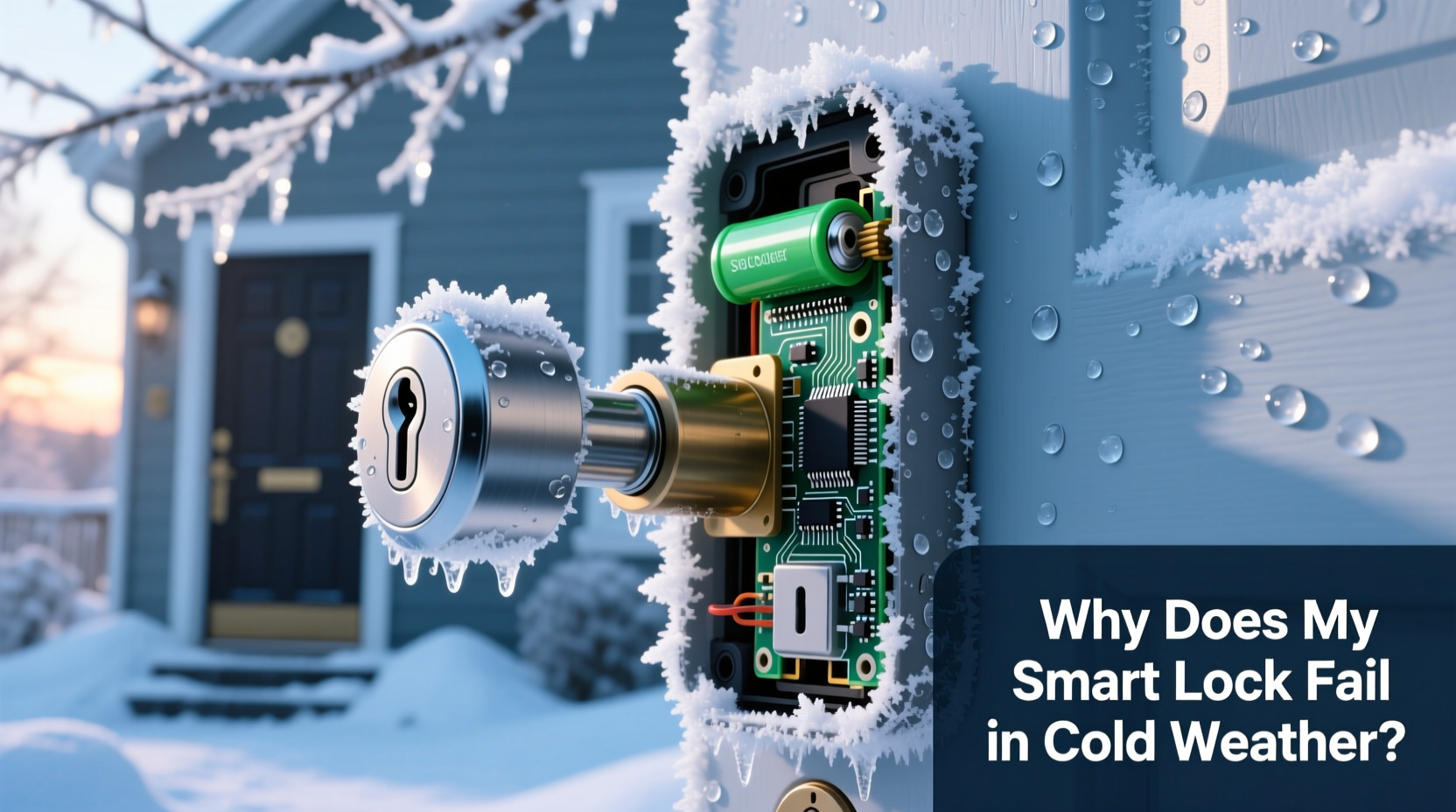
Smart locks combine electronic components, mechanical systems, and battery power—all of which are vulnerable to extreme temperature changes. When temperatures drop below freezing (32°F or 0°C), several interrelated factors can compromise performance:
- Battery chemistry slowdown: Most smart locks use lithium-ion or alkaline batteries. In cold conditions, the chemical reactions inside these batteries slow down significantly, reducing voltage output. This can cause the lock to behave as if it's low on power—even if the battery was recently replaced.
- Condensation and ice buildup: Temperature fluctuations between indoor warmth and outdoor cold create condensation inside the lock housing. Moisture freezes, expanding and potentially jamming internal mechanisms or corroding circuitry over time.
- Material contraction: Metal components contract in cold weather. While minimal, this shrinkage can increase friction within the locking mechanism, making it harder for motors to engage or disengage the bolt smoothly.
- Lubricant thickening: Standard lubricants used in mechanical parts become viscous or even solidify in subzero temperatures, leading to sluggish or failed operation.
“Cold doesn’t just affect electronics—it impacts every layer of a smart lock’s design, from power delivery to mechanical motion.” — Dr. Alan Reyes, Electrical Engineer & IoT Security ConsultantTip: Avoid using water-based cleaners near smart lock exteriors in winter; residual moisture can freeze and damage internal sensors.
Common Failure Modes in Winter Conditions
Not all smart lock failures look the same. Recognizing the specific symptom helps identify the root cause and apply the correct fix. Below are the most frequently reported winter-related issues:
| Failure Mode | Probable Cause | Immediate Action |
|---|---|---|
| No response to app or keypad input | Low battery voltage due to cold | Replace with fresh batteries; warm them slightly before insertion |
| Lock motor hums but doesn’t turn | Frozen mechanism or thickened lubricant | Apply lock-specific de-icer; avoid forceful attempts |
| Bluetooth/Wi-Fi connectivity drops | Signal interference from snow cover or thermal contraction of circuits | Check router proximity; ensure firmware is updated |
| Auto-lock feature disables unexpectedly | System enters power-saving mode due to perceived low charge | Use high-quality batteries; recalibrate settings after warming |
| Touchscreen unresponsive | Glass contraction or moisture under panel | Wipe dry gently; shield from direct snow exposure |
Step-by-Step Guide to Winter-Proofing Your Smart Lock
Prevention is far more effective than troubleshooting mid-storm. Follow this timeline-based approach to prepare your smart lock before cold weather hits—and maintain reliability through the season.
- Early Fall: Inspect and Clean
Remove dust, dirt, and old lubricant from the keyway, bolt, and exterior seams. Use compressed air and a soft brush. Ensure no debris traps moisture that could later freeze. - Late Fall: Upgrade Lubrication
Replace standard lubricants with a silicone- or Teflon-based formula rated for low temperatures (e.g., -20°F). Avoid oil-based lubes—they attract grime and thicken in cold. - Before First Frost: Battery Replacement
Install new, high-performance batteries. Lithium batteries outperform alkaline in cold weather due to more stable chemical activity. Brands like Energizer Ultimate Lithium are specifically designed for extreme climates. - During Cold Snaps: Monitor Responsiveness
Test the lock daily during subfreezing periods. If delays occur, bring the interior module indoors temporarily to warm up (if removable) and check for condensation. - After Snowstorms: Clear Snow and Ice
Use a soft cloth or plastic scraper to remove snow from the keypad and faceplate. Never pour hot water on the lock—thermal shock can crack components. - Mid-Winter Maintenance: Reapply De-Icer Monthly
Spray a small amount of electronic-safe de-icing fluid (like CRC Dry Lube with PTFE) into the key cylinder and around moving parts every 4–6 weeks.
Real-World Case: The Denver Condo Access Crisis
In January 2023, residents of a downtown Denver condominium complex found themselves locked out during a polar vortex event. Temperatures plunged to -15°F overnight. The building used August Wi-Fi Smart Locks on all units. By morning, over half the locks were non-responsive.
Management discovered that while the locks were rated for “indoor/outdoor use,” they lacked proper weather shielding. Condensation had formed inside the exterior housings during prior warm spells, then froze solid. Additionally, many tenants had installed generic alkaline batteries, which failed at low voltage under stress.
The solution involved three steps: replacing all batteries with lithium models, installing protective lock covers, and applying cold-rated lubricant during scheduled maintenance. Since then, no cold-weather outages have occurred—even during similar temperature drops.
This case underscores that product ratings alone aren’t enough. Environmental context and user habits determine real-world reliability.
Do’s and Don’ts for Smart Lock Winter Care
Avoid common mistakes that accelerate winter failure. The following table summarizes best practices:
| Action | Recommended? | Reason |
|---|---|---|
| Use lithium batteries | ✅ Yes | Higher cold-temperature efficiency and longer shelf life |
| Wrap lock in fabric or tape | ❌ No | Traps moisture and restricts ventilation, increasing corrosion risk |
| Install a weather hood or cover | ✅ Yes | Shields from snow, rain, and wind without sealing in humidity |
| Use WD-40 as lubricant | ❌ No | WD-40 is a cleaner, not a long-term lubricant; it evaporates quickly and attracts dust |
| Keep spare batteries indoors | ✅ Yes | Warm batteries perform better upon installation; cold spares remain weak |
| Force the lock if stuck | ❌ No | Risk of damaging motor or stripping gears |
Expert-Recommended Preventative Checklist
Use this checklist annually before winter to ensure your smart lock remains functional:
- ☐ Replace batteries with lithium models
- ☐ Clean exterior and crevices of the lock
- ☐ Apply cold-weather lubricant to bolt and cylinder
- ☐ Install a weather-resistant cover or hood
- ☐ Test all access methods (app, keypad, fingerprint, key)
- ☐ Verify firmware is up to date
- ☐ Confirm cloud and local connectivity stability
- ☐ Store spare batteries at room temperature
- ☐ Educate household members on manual override procedures
- ☐ Schedule bi-monthly functionality checks during winter
Frequently Asked Questions
Can cold weather permanently damage my smart lock?
Yes, repeated exposure to freezing temperatures without protection can lead to permanent damage. Ice expansion may warp casings, moisture can corrode circuit boards, and constant low-voltage strain shortens battery and motor lifespan. However, with proper care, most smart locks can last through multiple winters without issue.
Why does my smart lock work fine indoors but fails outside in the cold?
Indoor environments maintain stable temperature and humidity, ideal for electronics. Outdoor units face rapid thermal cycling, UV exposure, precipitation, and wind-driven moisture. Even \"weather-resistant\" locks have limits. The combination of cold-induced battery drain and mechanical resistance explains the disparity in performance.
Are some smart locks better suited for cold climates?
Yes. Models like the Schlage Encode Plus and Yale Assure Lock 2 are built with enhanced weather sealing and support for Z-Wave or Wi-Fi extenders that improve signal reliability. Look for IP ratings (e.g., IP65) indicating dust and water resistance, and check manufacturer specs for operational temperature ranges—ideally down to -20°F.
Conclusion: Stay Prepared, Stay Secure
Cold-weather smart lock failures are not inevitable. They result from overlooked environmental stresses and preventable maintenance gaps. By understanding how low temperatures impact battery life, mechanical movement, and electronic responsiveness, homeowners can take proactive steps to ensure uninterrupted access.
From selecting the right batteries to applying climate-appropriate lubricants and installing protective covers, each action contributes to a more resilient system. Technology should simplify life, not complicate it during winter storms. With informed preparation, your smart lock can remain a reliable guardian of your home all year round.
🚀 Take action now: Inspect your smart lock this week, update your batteries, and share this guide with neighbors in cold climates. Reliable security starts with smart maintenance.