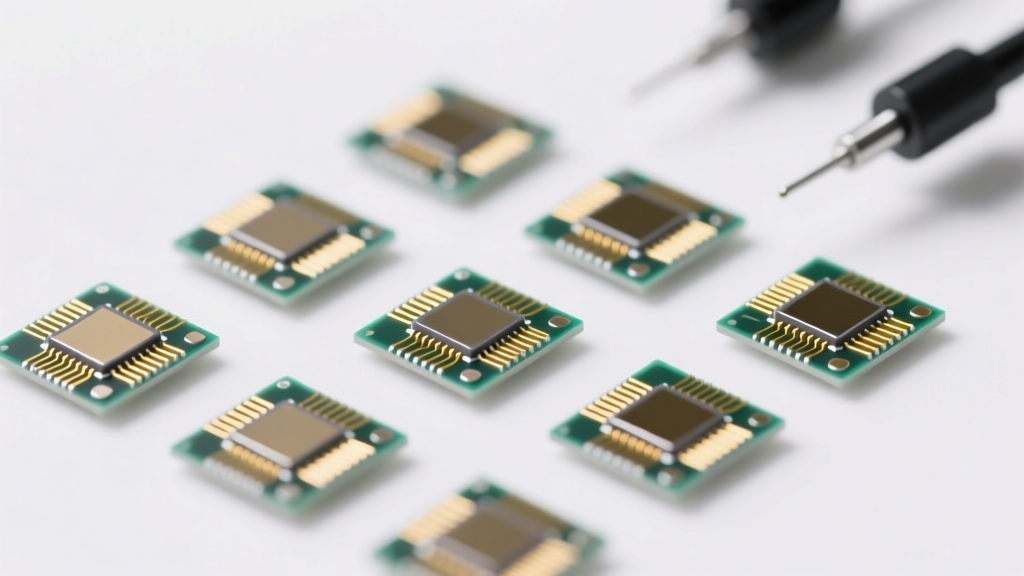
Types of Spare Parts for Electronics
Electronic spare parts are essential for repairing, upgrading, and maintaining various devices. Whether it's a computer, smartphone, or camera, having access to high-quality replacement components ensures longevity, optimal performance, and cost-effective repairs. This guide explores the most common and critical spare parts across major electronic categories, including their functions, types, and compatibility considerations.
Spare Parts for Computers
Computers rely on a combination of hardware components working in harmony. Over time, individual parts may fail or become outdated, making spare parts crucial for repairs and performance upgrades.
Processors (CPUs)
Often referred to as the "brain" of the computer, the processor executes instructions and manages all computing operations. CPUs vary by architecture, socket type, and generation, requiring compatibility with the motherboard.
Advantages
- Directly impacts system speed and multitasking
- Upgradable in many desktop systems
- Available in performance tiers (entry-level to high-end)
Limitations
- Not upgradeable in most laptops
- Requires compatible motherboard and cooling
- High-performance models generate significant heat
Best for: System upgrades, replacing failed units, building custom PCs
Motherboards
The central hub of a computer, the motherboard connects all components—CPU, RAM, storage, GPU, and peripherals. It determines compatibility, expansion options, and overall system capabilities.
Advantages
- Defines system compatibility and upgrade path
- Supports multiple storage and expansion slots
- Available for various form factors (ATX, Micro-ATX, Mini-ITX)
Limitations
- Highly model-specific; not universally compatible
- Complex installation requiring technical knowledge
- Potential BIOS updates needed for new CPUs
Best for: System rebuilds, replacing damaged boards, enabling new hardware support
Hard Disk Drives (HDD) & Solid State Drives (SSD)
Storage devices house the operating system, applications, and user data. HDDs use spinning disks, while SSDs use flash memory—offering faster speeds, durability, and lower power consumption.
Advantages
- SSDs offer significantly faster boot and load times
- HDDs provide high capacity at lower cost per GB
- Available in SATA, NVMe, and M.2 formats
Limitations
- SSDs are more expensive for large capacities
- HDDs are slower and more prone to mechanical failure
- Interface compatibility must match motherboard
Best for: Data recovery, storage upgrades, improving system responsiveness
Graphics Cards (GPUs)
Essential for rendering images, video, and 3D graphics, GPUs are critical for gaming, video editing, and design work. They can be integrated into the CPU or installed as dedicated cards.
Advantages
- Massively improves graphical performance
- Enables high-resolution gaming and rendering
- Supports multiple monitor setups
Limitations
- High-end models consume significant power
- Requires adequate power supply and case space
- Can generate substantial heat and noise
Best for: Gaming rigs, creative professionals, AI and machine learning applications
Power Supply Units (PSUs)
The PSU converts AC power from the wall into DC power used by computer components. Quality and wattage are critical for system stability and longevity.
Advantages
- Ensures stable and clean power delivery
- Available in various wattages (300W–1200W+)
- Efficiency ratings (80 Plus Bronze to Titanium) reduce energy waste
Limitations
- Poor-quality units can damage other components
- Over- or under-sizing can lead to instability
- Not all units support high-end GPUs
Best for: System builds, replacing failing units, upgrading for higher-power components
Spare Parts for Phones
Smartphones are prone to wear and damage, especially screens and batteries. Replacement parts allow users to extend device life and avoid costly replacements.
Display Screens
A cracked or malfunctioning screen is one of the most common phone issues. Replacement screens come in various technologies, including LCD, LED, and AMOLED, with touch functionality integrated.
Advantages
- Restores full visibility and touch responsiveness
- AMOLED offers superior color and contrast
- Available for most popular models
Limitations
- Precision installation required
- May affect water resistance if not sealed properly
- Cheap replacements may lack original quality
Best for: Repairing cracked or unresponsive screens, restoring device usability
Batteries
Lithium-ion batteries degrade over time, reducing charge capacity and performance. Replacement batteries can restore original battery life and device efficiency.
Advantages
- Extends device lifespan significantly
- Improves standby and usage time
- Available in various mAh ratings
Limitations
- Quality varies widely between brands
- Installation may require disassembly tools
- Poor-quality batteries pose safety risks
Best for: Reviving old phones, improving battery performance, reducing charging frequency
Charging Ports
Frequent plugging and unplugging can damage the charging port, leading to connection issues. Replacement ports restore reliable charging and data transfer.
Advantages
- Fixes intermittent charging problems
- Supports fast charging when compatible
- Available for USB-C, Lightning, and micro-USB
Limitations
- Micro-soldering often required
- May require disassembling the entire device
- Incorrect installation can damage the board
Best for: Fixing charging issues, restoring data transfer functionality
Camera Lenses and Modules
Whether for photography or video calls, camera modules are vital. Replacement lenses and sensors can restore image quality after damage or upgrade capabilities.
Advantages
- Restores photo and video quality
- Available in high-resolution options
- Includes front (selfie) and rear camera replacements
Limitations
- Calibration may be needed after installation
- May not support all software features (e.g., portrait mode)
- Quality varies significantly by supplier
Best for: Repairing damaged cameras, upgrading image quality, restoring video calling ability
Frame and Housing
The outer shell protects internal components and maintains structural integrity. Replacement frames are available in materials like aluminum, plastic, and glass, matching original designs.
Advantages
- Restores device aesthetics and durability
- Protects internal components from damage
- Available in various colors and finishes
Limitations
- May affect water and dust resistance
- Installation can be complex
- Aftermarket parts may not fit perfectly
Best for: Cosmetic repairs, structural reinforcement, replacing bent or broken casings
Spare Parts for Cameras
Professional and consumer cameras rely on precision components. Spare parts help maintain performance and extend the life of expensive equipment.
Lenses
Lenses determine image sharpness, depth of field, and zoom capability. Available as prime (fixed focal length) or zoom (variable focal length), they are critical for creative control.
Advantages
- Prime lenses offer superior sharpness and low-light performance
- Zoom lenses provide versatility
- Interchangeable across compatible camera bodies
Limitations
- High-quality lenses are expensive
- Heavy and bulky for travel
- Mount compatibility is brand-specific
Best for: Photography enthusiasts, professionals, creative expression
Image Sensors
The sensor captures light and converts it into digital signals. CMOS sensors dominate modern cameras due to lower power consumption, while CCD sensors offer high image quality in specialized applications.
Advantages
- Determines image resolution and low-light performance
- Available in full-frame, APS-C, and micro four-thirds
- CMOS enables fast shooting and video recording
Limitations
- Replacement requires expert calibration
- Very expensive for high-end models
- Not user-replaceable in most consumer cameras
Best for: Sensor cleaning, professional repairs, specialized imaging applications
Batteries
Camera batteries power extended shooting sessions. Spare batteries ensure uninterrupted photography, especially during events or outdoor shoots.
Advantages
- Enables continuous shooting without downtime
- Original and third-party options available
- Some support quick charging
Limitations
- Third-party batteries may lack reliability
- Limited lifespan with frequent use
- Model-specific; not interchangeable
Best for: Event photography, travel, long shooting sessions
Shutter Assembly
The mechanical or electronic component that controls exposure time. Mechanical shutters have a limited lifespan (typically 100,000–300,000 actuations), making replacement necessary over time.
Advantages
- Restores proper exposure control
- Essential for mechanical shutter functionality
- Enables continued use of high-end cameras
Limitations
- Expensive to replace
- Requires professional servicing
- Electronic shutters reduce wear but have limitations
Best for: High-use cameras, professional gear, restoring shutter functionality
Tripod Mounts
A small but vital component that allows secure attachment to a tripod. A damaged or stripped mount can prevent stable shooting, especially in low-light or long-exposure scenarios.
Advantages
- Restores stability for sharp images
- Inexpensive and easy to replace
- Standardized 1/4"-20 thread fits most tripods
Limitations
- Often requires disassembly for replacement
- Poor-quality mounts may strip easily
- Not needed for all shooting styles
Best for: Portrait, landscape, and long-exposure photography, studio work
| Device Type | Key Spare Part | Primary Function | Replacement Frequency | Compatibility Note |
|---|---|---|---|---|
| Computer | SSD/HDD | Data Storage | Medium | Check interface (SATA/NVMe) and form factor |
| Computer | PSU | Power Conversion | Low | Match wattage and efficiency rating |
| Phone | Display Screen | Visual Output & Input | High | Model-specific; check display type (AMOLED/LCD) |
| Phone | Battery | Power Source | High | Match voltage and mAh rating |
| Camera | Lens | Image Capture | Low (but often upgraded) | Lens mount must match camera brand |
| Camera | Battery | Power Supply | Medium | Brand-specific; check model number |
Expert Tip: Always verify compatibility before purchasing spare parts. Check model numbers, specifications, and reviews. For complex replacements (e.g., motherboards, image sensors), consider professional installation to avoid damage.
Industrial Applications of Spare Parts for Electronics
In modern industrial environments, electronic devices are the backbone of operations across multiple sectors. From data processing to real-time monitoring and mobile workforce management, reliable performance of electronic systems is non-negotiable. Spare parts for electronics play a crucial role in minimizing downtime, ensuring business continuity, and protecting critical data. By maintaining a strategic inventory of replacement components, industries can respond swiftly to hardware failures and extend the lifecycle of essential equipment.
Computers
In industries such as manufacturing, healthcare, finance, and logistics, computer networks support mission-critical applications ranging from patient records and financial transactions to production line automation. A single hardware failure can disrupt entire workflows, leading to data loss, compliance risks, and costly delays.
Spare parts like SSDs, RAM modules, power supplies, motherboards, and processors are vital for rapid repairs and system upgrades. In data centers and server farms, redundant components are often kept on standby to enable hot-swapping—ensuring uninterrupted service during hardware malfunctions. This proactive approach not only enhances system reliability but also strengthens cybersecurity by reducing the window of vulnerability during outages.
Additionally, using certified spare parts ensures compatibility and performance consistency, which is essential for maintaining regulatory compliance and operational integrity in highly controlled environments.
Phones
Smartphones have evolved into powerful industrial tools, enabling seamless communication, field data collection, remote diagnostics, and real-time tracking of assets and personnel. Sectors such as utilities, construction, transportation, and field services rely heavily on ruggedized or standard smartphones for day-to-day operations.
Common wear-and-tear issues—such as cracked screens, degraded batteries, or malfunctioning camera modules—can render these devices ineffective. Access to high-quality spare parts allows organizations to repair devices quickly rather than replace them, significantly reducing operational costs.
For example, replacing a battery in a fleet of field service phones extends their usable life and avoids the expense of purchasing new units. Similarly, repairing camera modules ensures continued functionality for barcode scanning, visual inspections, and documentation. This repair-first strategy supports sustainability goals and enables faster deployment of mobile solutions without waiting for new device procurement.
Cameras
Industrial cameras are integral to surveillance, quality assurance, automated inspection, and event documentation. In security systems, uninterrupted video monitoring is essential for protecting facilities, personnel, and assets. When a camera fails due to lens damage, sensor malfunction, or housing corrosion, having spare parts available ensures minimal disruption to surveillance coverage.
In manufacturing and production lines, machine vision systems use camera modules to inspect product dimensions, detect defects, and guide robotic arms. Downtime in these systems can halt entire production processes. Spare sensors, lenses, and interface boards allow for immediate repairs, maintaining precision and throughput.
For media and live event operations, spare camera components ensure that broadcast equipment remains functional under demanding field conditions. Whether it's replacing a damaged lens or swapping out a faulty image sensor, access to reliable spare parts improves operational resilience and reduces reliance on external repair services.
Benefits of Strategic Spare Parts Management
Industries that proactively manage electronic spare parts gain several competitive advantages:
- Reduced Downtime: Quick replacement of failed components keeps systems online and operations running smoothly.
- Cost Efficiency: Repairing devices with spare parts is often significantly cheaper than full replacements.
- Extended Equipment Lifespan: Timely maintenance and part replacements prolong the usability of electronic devices.
- Improved Sustainability: Reducing electronic waste by repairing instead of replacing supports environmental responsibility.
- Enhanced Operational Flexibility: Ready access to parts enables faster adaptation to changing technological needs.
| Device Type | Critical Spare Parts | Primary Industrial Use | Impact of Spare Availability |
|---|---|---|---|
| Computers & Servers | SSDs, RAM, CPUs, Power Supplies, Motherboards | Data Processing, Automation, Financial Systems | Prevents system outages and data loss; ensures business continuity |
| Smartphones & Tablets | Batteries, Screens, Camera Modules, Charging Ports | Field Service, Logistics, Remote Monitoring | Maintains workforce connectivity and operational efficiency |
| Industrial Cameras | Lenses, Image Sensors, Housings, Cables | Surveillance, Quality Control, Machine Vision | Ensures continuous monitoring and production accuracy |
Important: Always source electronic spare parts from reputable suppliers to ensure authenticity, compatibility, and performance. Using substandard or counterfeit components can lead to system instability, safety hazards, and voided warranties. Establishing a preventive maintenance program that includes regular inspection and timely replacement of aging parts will maximize the return on investment in electronic infrastructure.
Product Specifications and Features of Spare Parts for Electronics
Understanding the technical specifications and key features of electronic spare parts is essential for ensuring compatibility, performance, and longevity. Whether replacing components in computers, smartphones, or cameras, selecting the right part involves evaluating critical parameters such as speed, capacity, durability, and interface standards. This guide provides a detailed breakdown of common spare parts across major electronic devices to help you make informed decisions.
Computers
Computer components are engineered for high performance and reliability. When replacing or upgrading parts, it's crucial to match specifications with the system’s architecture and intended use—be it everyday computing, gaming, or professional workloads.
- Processors (CPUs)
Modern processors operate within a clock speed range of 3.0GHz to 5.0GHz, with high-end models reaching beyond for intensive tasks like video editing and 3D rendering. It's important to note that processing speed is a feature of the CPU, not the power supply unit (PSU), which instead is rated by wattage (e.g., 500W–1000W) and efficiency (80 Plus Bronze to Titanium). Always verify socket compatibility (e.g., LGA1700, AM5) and chipset support when selecting a CPU.
- Storage Drives
Hard Disk Drives (HDDs) offer capacities from 500GB to 8TB, ideal for bulk data storage with cost efficiency. Solid State Drives (SSDs), on the other hand, start at 250GB but commonly range from 1TB and above, delivering significantly faster boot times and data access. NVMe SSDs via M.2 slots provide even greater speeds compared to SATA-based models. SSDs are preferred for operating systems and applications due to their durability and lack of moving parts.
- Graphics Cards (GPUs)
Graphics cards connect via PCI Express slots, primarily using PCIe 3.0 or the newer PCIe 4.0 standard (with PCIe 5.0 emerging). The "16" refers to the lane configuration (x16), indicating maximum bandwidth. VRAM ranges from 4GB to 16GB or higher, with GDDR6 and GDDR6X memory offering improved performance. High-end GPUs are essential for gaming, AI workloads, and 4K video processing, while integrated graphics suffice for basic computing.
Phones
Smartphone spare parts must balance compact design, energy efficiency, and user experience. Replacement components should match the original specifications to maintain optimal functionality and safety.
- Display Digitizer & LCD/AMOLED Assembly
Replacement screens typically feature either IPS LCD or AMOLED technology, with diagonal sizes ranging from 5 inches to over 6.5 inches. AMOLED displays offer superior contrast, deeper blacks, and better power efficiency. The digitizer (touch layer) is often integrated into the display assembly. When replacing, ensure compatibility with the model’s resolution (e.g., Full HD+, Quad HD) and touch protocol.
- Battery
Smartphone batteries are generally non-removable in modern designs, though some rugged or older models still support user-replacement. Capacities typically range from 4,000mAh to 5,000mAh, with larger phones sometimes exceeding this. Fast charging via USB Type-C can reach speeds of 25W or higher, depending on the device and charger. Always use genuine or certified batteries to avoid swelling, overheating, or reduced lifespan.
- Camera Lens
Lens components are often protected by sapphire glass or reinforced optical glass for scratch resistance and clarity. The focal length and aperture vary by model—wide-angle, ultra-wide, and telephoto lenses serve different photography needs. When replacing lenses or entire camera modules, ensure alignment with the image sensor and software calibration to prevent focus or distortion issues.
Cameras
Digital cameras rely on precision components to capture high-quality images. Spare parts must maintain optical and mechanical integrity to preserve image fidelity and operational reliability.
- Image Sensor
The image sensor is the core component that captures light and converts it into digital data. While the description mentions focal length, that actually pertains to the lens, not the sensor. Common sensor sizes include APS-C, Micro Four Thirds, and full-frame. The lens focal length for standard prime lenses typically ranges from 35mm to 50mm, ideal for everyday photography. Zoom lenses can extend from wide-angle to telephoto (e.g., 24–70mm). Sensor resolution (e.g., 20MP–50MP) and low-light performance are key selection factors.
- Shutter Mechanism
Shutter speed determines how long the sensor is exposed to light, ranging from 1/2 second (slow) to 1/4000 second (fast) in most DSLR and mirrorless cameras. The shutter acts as a gatekeeper, protecting the sensor when not in use and controlling exposure duration. Mechanical shutters are durable but have lifespan limits (typically 100,000 cycles), while electronic shutters offer silent operation and faster speeds but may introduce rolling shutter effects.
- Burst Mode (Continuous Shooting)
Burst mode enables rapid capture of multiple frames, essential for action, sports, or wildlife photography. Most mid-to-high-end cameras support 10+ frames per second (fps), with flagship models exceeding 20–30 fps. This feature depends on buffer size, processor speed, and memory card write speed (UHS-II or CFexpress recommended). It allows photographers to capture split-second moments with greater precision.
Expert Tip: When sourcing spare parts, always verify compatibility using the device model number or serial number. Opt for OEM (Original Equipment Manufacturer) or reputable aftermarket brands to ensure quality and safety. For components like batteries and displays, poor-quality replacements can lead to performance issues, safety hazards, or voided warranties.
| Device Type | Component | Key Specifications | Compatibility Notes |
|---|---|---|---|
| Computer | Processor (CPU) | 3.0–5.0GHz clock speed, PCIe interface | Check socket type and chipset support |
| Computer | Storage (SSD/HDD) | SSD: 250GB–2TB+, HDD: 500GB–8TB | Verify SATA/NVMe and form factor (2.5", M.2) |
| Computer | Graphics Card | PCIe 3.0/4.0 x16, 4–16GB VRAM | Ensure power supply and case clearance |
| Phone | Display Assembly | 5–6.8" AMOLED/IPS LCD | Match resolution and touch integration |
| Phone | Battery | 4,000–5,000mAh, 25W fast charging | Use certified replacements only |
| Camera | Lens Focal Length | 35mm–50mm (standard), variable zoom | Match mount type (e.g., EF, E, Z) |
| Camera | Shutter Speed | 1/2 sec to 1/4000 sec | Mechanical vs. electronic shutter options |
| Camera | Burst Mode | 10+ fps continuous shooting | Requires fast memory card and buffer |
Additional Considerations
- Thermal Management: High-performance components generate heat; ensure proper cooling solutions (e.g., heatsinks, thermal paste) are in place.
- Dust and Moisture Resistance: For outdoor or rugged use, look for IP-rated components where applicable.
- Firmware & Driver Support: Some parts require updated drivers or firmware to function correctly, especially GPUs and camera modules.
- Warranty and Return Policy: Choose suppliers offering warranties and easy returns in case of defects or incompatibility.
- Environmental Impact: Consider recyclable packaging and RoHS-compliant parts to support sustainable practices.
Quality and Safety Considerations of Spare Parts for Electronics
Choosing the right spare parts for electronic devices is crucial not only for performance but also for safety, data integrity, and long-term reliability. Using substandard or counterfeit components can lead to system failures, safety hazards, and even personal injury. This guide provides comprehensive insights into selecting high-quality, safe spare parts for computers, smartphones, and cameras, with expert recommendations and critical safety practices.
Safety Warning: Always disconnect devices from power sources before repair. Use anti-static equipment when handling internal components. Never use damaged or uncertified batteries, as they pose fire and explosion risks.
Computers: Ensuring Data Integrity and System Safety
Computer components directly impact data security, system stability, and user safety. Low-quality or counterfeit parts can lead to hardware malfunctions, data corruption, and increased vulnerability to cyber threats through compromised firmware.
- Purchase from Reputable Manufacturers: Choose components from well-known brands such as Intel, Samsung, Crucial, or Kingston, which adhere to strict quality control standards.
- Look for Certifications: Ensure parts carry ISO 9001 (quality management), CE (European safety), FCC (U.S. electromagnetic compliance), or RoHS (restriction of hazardous substances) certifications.
- Beware of Counterfeit Parts: Fake RAM, SSDs, or power supplies may mimic genuine products but often fail under load. Counterfeit memory can cause silent data corruption, leading to file loss or system crashes.
- Use Anti-Static Protection: Always wear an anti-static wristband when installing or replacing internal components. Static discharge as low as 100 volts can damage sensitive circuitry, even if not immediately noticeable.
- Firmware and Compatibility: Verify that replacement parts are compatible with your system’s BIOS/UEFI and firmware requirements to prevent boot failures or instability.
Expert Tip: Before installing new memory or storage, run diagnostic tools like MemTest86 or CrystalDiskInfo to verify authenticity and performance. OEM packaging with holographic seals is a good indicator of genuine parts.
Phones: Prioritizing Battery Safety and Component Reliability
Smartphones contain high-density batteries and precision components, making part quality a critical factor in user safety and device longevity. Poor-quality replacements—especially batteries and screens—can result in dangerous malfunctions.
- Battery Safety: Only use batteries certified by UL (Underwriters Laboratories) or bearing the CE mark. Inferior lithium-ion batteries may lack proper protection circuits, leading to thermal runaway, swelling, or even explosions.
- Screen Durability: Replacement screens should meet drop-test standards (e.g., MIL-STD-810G) and use tempered glass with proper edge sealing to prevent shattering into sharp shards upon impact.
- Avoid Copycat Components: Prefabricated or "compatible" camera modules and charging ports often use subpar materials and lack proper insulation, increasing the risk of short circuits.
- Thermal Management: Camera modules and processors generate heat. Use only high-quality lenses and heat-dissipating materials to prevent overheating and sensor damage.
- Proper Repair Techniques: Use precision screwdrivers, suction tools, and pry tools designed for smartphones. Follow official disassembly guides to avoid damaging ribbon cables or internal connectors.
Warning: Never charge a phone with a newly installed battery immediately after replacement. Allow the device to power on and verify stable operation first. A faulty battery can overheat rapidly if not properly seated or inspected.
Cameras: Maintaining Image Quality and Electrical Safety
Cameras rely on precise optical alignment and stable electronic systems. Using non-genuine or mismatched spare parts can degrade image quality, corrupt media, and create electrical hazards.
- Use Genuine or OEM Parts: Whenever possible, source lenses, shutters, and sensor modules directly from the manufacturer (e.g., Canon, Nikon, Sony) or authorized suppliers to ensure compatibility and performance.
- Prevent Memory Corruption: Low-quality internal circuitry or firmware-incompatible parts can cause errors during write operations, leading to corrupted photo or video files on memory cards.
- Material Safety: Inspect lens housings and viewfinder components for medical-grade plastics or metal alloys. Some cheap plastics contain allergens or irritants that can cause skin reactions with prolonged contact.
- Electrical Safety Checks: Before installation, test for continuity and insulation resistance in electrical components. Faulty wiring or poor soldering can lead to short circuits, risking electric shock or fire.
- Power Disconnection: Always remove the battery and disconnect from any power source before beginning repairs. Capacitors in camera circuits can retain charge even when powered off, posing an electrocution risk.
| Device Type | Critical Components | Key Safety Risks | Recommended Certifications |
|---|---|---|---|
| Computers | RAM, SSD, PSU, Motherboard | Data corruption, static damage, overheating | ISO 9001, CE, FCC, RoHS |
| Phones | Battery, Screen, Charging Port | Fire, explosion, glass shattering | UL, CE, IEC 62133 |
| Cameras | Lens, Sensor, Battery, Circuit Board | Image corruption, electric shock, material irritation | CE, RoHS, IP Rating (for weather resistance) |
Maintenance Tip: Keep a log of all replaced parts, including brand, model number, and purchase source. This helps track performance over time and supports warranty claims or recalls if a batch of components proves defective.
General Best Practices for All Electronic Repairs
- Always purchase spare parts from authorized dealers or directly from manufacturers.
- Verify authenticity using serial numbers, holograms, or official verification tools.
- Use proper ESD (electrostatic discharge) protection in dry environments.
- Test devices in a controlled setting after repair before regular use.
- Dispose of old batteries and electronics responsibly at certified e-waste facilities.
Investing in high-quality, certified spare parts not only extends the lifespan of your electronic devices but also protects your personal data and physical safety. Cutting corners with cheap or counterfeit components may save money upfront but often leads to costly repairs, data loss, or dangerous situations. When in doubt, consult a certified technician or return to the manufacturer for genuine replacements.
Frequently Asked Questions About Electronic Spare Parts
Q1: What are the common spare parts for computers?Computers—whether desktops, laptops, or all-in-one systems—rely on a variety of internal and external components that may need replacement over time due to wear, failure, or upgrades. The most commonly replaced spare parts include:
- Processor (CPU): Central processing units are occasionally upgraded for improved performance, though compatibility with the motherboard is crucial.
- Motherboard: Often replaced when there's a hardware failure or when upgrading to a newer generation of processors and RAM.
- RAM (Memory Modules): One of the most frequently upgraded parts to boost multitasking and system responsiveness.
- Storage Devices: Includes HDDs (Hard Disk Drives) and SSDs (Solid State Drives), which are commonly replaced to increase capacity or improve speed.
- Power Supply Unit (PSU): Especially in desktops, PSUs may fail or need upgrading when adding more powerful components.
- Graphics Card (GPU): Replaced for gaming, video editing, or 3D rendering needs.
- Cooling Systems: Fans, heat sinks, and liquid cooling units may require replacement to prevent overheating.
Keeping spare components on hand can reduce downtime during repairs, especially in business or high-usage environments.
Q2: How to identify genuine phone spare parts?With the growing market for replacement parts, distinguishing between genuine and counterfeit phone components is essential for performance, safety, and longevity. Here are reliable ways to verify authenticity:
- Manufacturer Part Number: Genuine parts carry a unique serial or part number that matches the OEM (Original Equipment Manufacturer) specifications. Cross-reference this with official databases or support sites.
- Branding and Logos: Authentic parts feature crisp, accurately placed logos and branding. Faded, misspelled, or misaligned markings are red flags.
- OEM vs. Aftermarket: OEM parts are made by the original manufacturer, while aftermarket parts are produced by third parties. OEM parts ensure perfect compatibility and quality but are more expensive.
- Warranty and Packaging: Genuine components often come in sealed, branded packaging with a warranty card or service tag. Lack of proper packaging suggests a non-genuine part.
- Build Quality: Compare weight, texture, and fit with the original component. Genuine parts typically feel more durable and precise in design.
- Authorized Resellers: Purchase from certified dealers or directly from the manufacturer to minimize the risk of counterfeits.
Using non-genuine parts may void warranties and lead to issues like poor battery life, touchscreen malfunctions, or camera performance degradation.
Q3: What is the role of telecommunication spare parts?Telecommunication spare parts are critical components that maintain the reliability, efficiency, and continuity of communication networks. These parts ensure that systems such as mobile towers, fiber-optic networks, routers, switches, and satellite systems remain operational even after hardware failures.
Examples include:
- 6x4 Camera Lenses: Used in surveillance and network monitoring systems to capture high-resolution images for security and diagnostics.
- Transceivers: Enable data transmission and reception in fiber-optic and wireless networks.
- Power Amplifiers and Signal Boosters: Maintain signal strength across long distances.
- Circuit Boards and Processors: Found in routers and base stations, these manage data flow and network protocols.
- Antennas and Connectors: Essential for wireless signal transmission and reception.
In the event of a breakdown, having compatible spare parts on hand minimizes downtime and prevents communication blackouts, which is especially vital in emergency response systems, corporate networks, and public infrastructure.
Q4: How to maintain the quality of spare parts for cameras?Camera spare parts—such as lenses, sensors, shutters, and circuit boards—are sensitive to environmental factors and physical damage. Proper handling and storage are crucial to preserving their functionality and extending their usable life.
- Purchase from Reputable Manufacturers: Always source parts from well-known brands or authorized distributors to ensure quality and compatibility.
- Use Protective Storage: Store components in anti-static, dust-proof containers or cases with padding to prevent scratches and electrical damage.
- Control Environmental Conditions: Keep spare parts in a cool, dry place away from direct sunlight, moisture, and extreme temperatures to prevent warping, corrosion, or sensor degradation.
- Avoid Touching Optical Surfaces: Fingerprints on lenses or sensors can cause permanent smudging. Use gloves and lens cleaning tools when handling.
- Label and Organize: Clearly label each part with its model, compatibility, and date of purchase for easy identification and inventory management.
- Regular Inspection: Periodically check stored parts for signs of damage or deterioration, especially if kept long-term.
Proper maintenance ensures that spare camera components perform reliably when needed, reducing the risk of field failures during critical operations like broadcasting, photography, or surveillance.
Q5: Which tools are needed for replacing computer spare parts?Replacing computer components requires precision tools to ensure safe installation and prevent damage to sensitive electronics. The exact tools depend on the part being replaced, but some essentials include:
- Screwdriver Set (Phillips & Flathead): A variety of sizes are needed for removing case panels, drives, and internal components. Magnetic tips help prevent losing small screws.
- Anti-Static Wristband: Prevents electrostatic discharge (ESD) that can damage delicate circuits on motherboards, RAM, and GPUs.
- Spudger: A plastic or metal tool used to safely pry open connectors, disconnect cables, or remove clips without scratching surfaces.
- Needle-Nose Pliers: Useful for retrieving dropped screws or handling small connectors in tight spaces.
- Torx and Hex Drivers: Required for certain laptops and proprietary devices that use non-standard screws.
- Thermal Paste Applicator: Needed when reinstalling a CPU cooler to ensure proper heat transfer.
- Flashlight or Headlamp: Improves visibility inside dimly lit computer cases.
- Cable Ties or Velcro Straps: Help organize internal wiring for better airflow and aesthetics.
Investing in a high-quality toolkit not only makes upgrades and repairs easier but also reduces the risk of damaging expensive components. Always work on a clean, flat surface and power off the system before beginning any replacement task.