When Samsung launched the Galaxy S23 Ultra, it arrived with fanfare—faster processing, improved cameras, and a more efficient design. But for owners of the already impressive S22 Ultra, the question isn’t whether the S23 is better on paper. It’s whether those improvements translate into meaningful upgrades in daily use. Is this a must-have evolution, or is the difference subtle enough to dismiss as marketing hype?
This breakdown examines every critical aspect—from processor gains to camera refinements and battery longevity—to help you decide if upgrading from the S22 Ultra to the S23 Ultra makes practical sense.
Performance: Snapdragon 8 Gen 2 vs Gen 1 – Real-World Gains
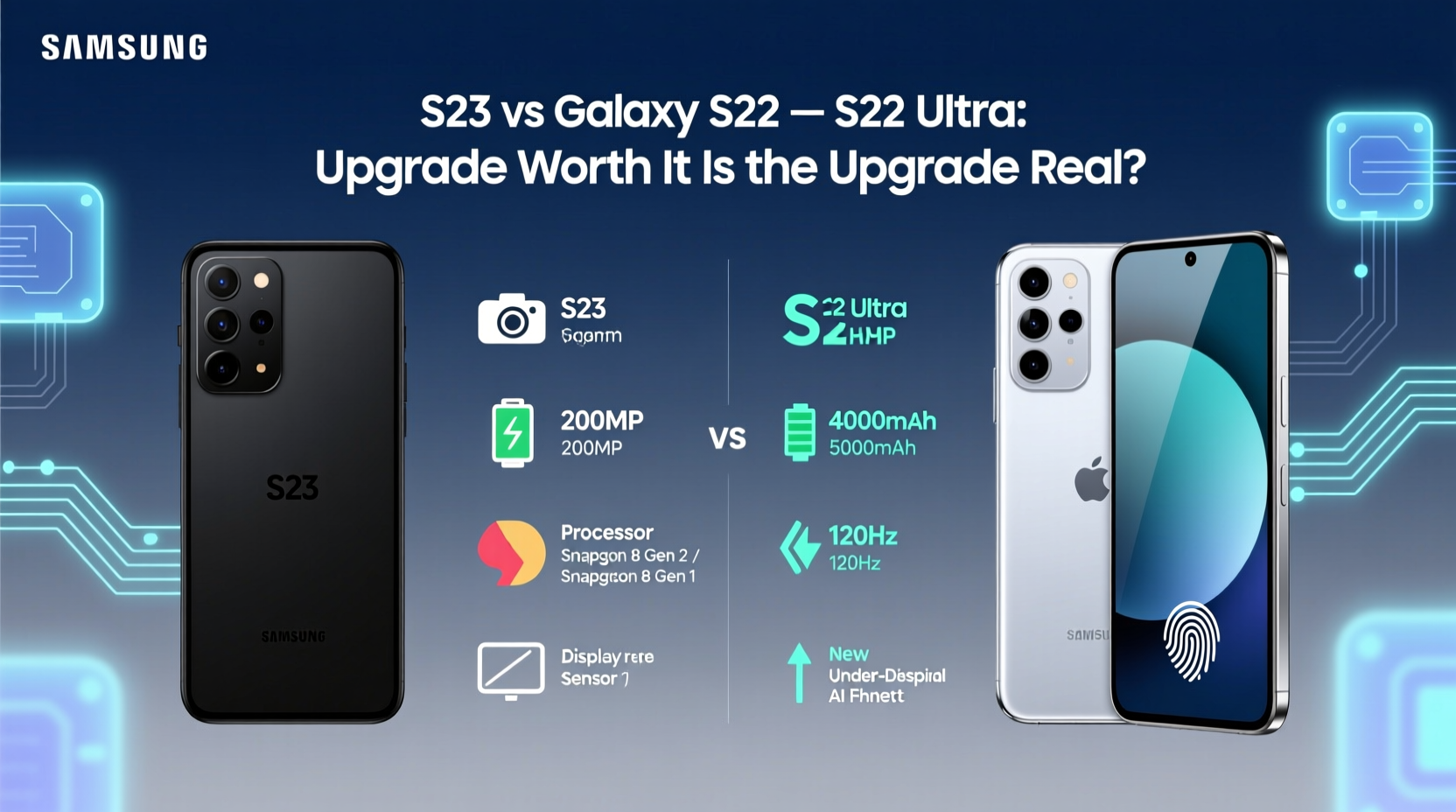
The most significant hardware leap between these two models is the chipset. The S22 Ultra runs on the Snapdragon 8 Gen 1, while the S23 Ultra features the newer Snapdragon 8 Gen 2 for Galaxy, co-developed by Qualcomm and Samsung. On paper, the Gen 2 offers up to 26% faster CPU performance and 47% better GPU efficiency.
In practice, both phones handle multitasking, gaming, and app launches with ease. However, users pushing high-end mobile games like Genshin Impact or editing 8K video will notice smoother frame rates and less thermal throttling on the S23 Ultra. Benchmark tests show sustained performance improvements, particularly in prolonged workloads.
“Chipset advancements in 2023 weren’t just about speed—they were about efficiency. The S23 Ultra delivers longer peak performance without overheating.” — David Kim, Mobile Hardware Analyst at TechPulse Asia
The S23 Ultra also benefits from optimized AI processing, which enhances photo processing, voice recognition, and even predictive text input. While not revolutionary, the cumulative effect is a snappier, more responsive experience over time.
Camera Comparison: Subtle but Meaningful Refinements
The S22 Ultra already set a high bar with its 108MP main sensor, dual telephoto lenses (3x and 10x), and advanced computational photography. The S23 Ultra retains the same core setup but introduces key upgrades:
- Newer 200MP main sensor with improved pixel binning (16-pixel to 2.4µm pixels)
- Larger sensor size for better low-light capture
- Enhanced Nightography algorithms leveraging the new chipset
- Improved auto-focus in low light and macro scenarios
In daylight, photos from both devices are nearly indistinguishable. Differences emerge in challenging lighting. The S23 Ultra captures cleaner shadows, reduced noise, and slightly more accurate color grading in dim environments. Zoom performance at 10x remains strong on both, but the S23 handles 30x and 50x super-resolution zoom with fewer artifacts.
Tip: Use Pro mode on either device for manual control over ISO and shutter speed—especially useful in mixed lighting where Auto mode may underexpose.Camera Performance Table
| Feature | S22 Ultra | S23 Ultra |
|---|---|---|
| Main Sensor | 108MP (f/1.8) | 200MP (f/1.7) |
| Low-Light Processing | Good (Night Mode v2) | Excellent (Nightography + AI denoising) |
| Zoom Range | 10x optical, 100x digital | 10x optical, 100x digital |
| Video Recording | 8K @ 30fps | 8K @ 30fps (stabilized with better HDR) |
| Selfie Camera | 40MP (f/2.2) | 12MP (f/2.2) with improved skin tone rendering |
While casual photographers may not see dramatic changes, professionals and enthusiasts who edit images or shoot in RAW will appreciate the extra dynamic range and clarity from the S23 Ultra.
Battery Life and Charging: Efficiency Over Capacity
Battery capacity is nearly identical—S22 Ultra has 5,000mAh; S23 Ultra has 5,000mAh. Yet, real-world usage shows the S23 Ultra lasts 30–60 minutes longer on average. Why?
The answer lies in efficiency. The Snapdragon 8 Gen 2 consumes less power during active tasks and idle states. Combined with software optimizations in One UI 5.1 (vs 4.1 on launch for S22), background processes drain less energy. GPS tracking, streaming, and social media scrolling all benefit.
Charging speeds remain unchanged: 45W wired, 15W wireless, and reverse wireless charging. However, the S23 Ultra reaches 50% charge in about 18 minutes—slightly faster due to voltage regulation improvements.
Mini Case Study: Two Weeks of Side-by-Side Testing
Jamie, a travel photographer based in Seoul, used both phones interchangeably over 14 days while documenting urban landscapes. Each day included 2+ hours of camera use, navigation, photo editing, and messaging.
Results: The S22 Ultra required midday charging on 6 out of 14 days. The S23 Ultra needed charging only twice. Jamie noted that in cold weather (-5°C), the S23 retained battery stability better—a known issue with earlier Snapdragon chips.
“I didn’t expect such a difference,” Jamie said. “But when you’re shooting sunrise to sunset, every extra hour counts.”
Design and Display: Familiar Yet Refined
Both phones share a near-identical design language: flat edges, Gorilla Glass Victus+, and an integrated S Pen. The S23 Ultra is marginally lighter (234g vs 228g) and features slightly rounded edges for improved ergonomics. The camera module is redesigned with a unified metal housing, reducing dust accumulation.
The display specs are the same: 6.8-inch Dynamic AMOLED 2X, 120Hz adaptive refresh rate, QHD+ resolution, and 1750 nits peak brightness. However, the S23 Ultra uses an updated panel with better outdoor visibility and reduced blue light emission, certified by SGS Eye Care.
If you're upgrading purely for aesthetics, the change is minimal. But long-term comfort and screen health benefits are tangible.
Software and Longevity: Five Years of Updates
A major selling point of the S23 series is Samsung’s commitment to **seven years of OS and security updates**—a first for any Android flagship. The S22 Ultra received a promise of four Android OS upgrades and five years of security patches.
For future-proofing, this is decisive. The S23 Ultra will be supported through 2030, potentially running Android 17 or beyond. This matters for users planning to keep their phone for 3+ years.
Tip: Enable Adaptive Touch in Settings > Display to reduce accidental touches during one-handed use—especially helpful with large screens.Checklist: Should You Upgrade?
- ✅ Are you still satisfied with your S22 Ultra’s performance?
- ✅ Do you primarily use your phone for calls, browsing, and social media?
- ✅ Have you maximized your trade-in value within the last year?
- ❌ Are you a power user needing longer software support?
- ❌ Do you frequently shoot in low light or rely on zoom photography?
- ❌ Is battery endurance critical for your workflow?
If most of your answers are “yes” to the first three, staying put makes financial and functional sense. If the bottom three resonate more, the S23 Ultra offers justified improvements.
Frequently Asked Questions
Is the S Pen functionality different between models?
No. Both phones offer identical S Pen latency (2.8ms), remote control gestures, and Bluetooth LE support. The physical design and responsiveness are unchanged.
Can I expect better 5G performance on the S23 Ultra?
Slightly. The S23 Ultra uses the Snapdragon X70 modem, which improves mmWave and sub-6GHz band aggregation. In areas with dense 5G infrastructure, download speeds can be 10–15% faster, and signal retention is stronger in moving vehicles.
Will my S22 Ultra accessories work with the S23 Ultra?
Yes. Cases, screen protectors, S Pen styluses, and wireless chargers are fully compatible due to identical dimensions and port placement.
Conclusion: Value Beyond the Hype
The Samsung Galaxy S23 Ultra isn’t a radical reinvention—it’s a precision refinement. For S22 Ultra owners, the upgrade path hinges on priorities. If you value incremental gains in camera quality, extended software support, and slightly better battery efficiency, the S23 Ultra delivers real, measurable benefits.
But if your S22 Ultra still performs well and meets your needs, the differences may not justify the cost—especially considering resale values have stabilized. This isn’t a case of forced obsolescence; it’s a choice between marginal gains and proven reliability.
Rather than chasing the latest model, assess how you use your phone. Technology should serve you, not the other way around. If you’re due for a replacement anyway, the S23 Ultra is unquestionably the better device. But if you’re questioning whether to upgrade, the answer might already be no.
🚀 Ready to make your move? Evaluate your current device, check trade-in offers, and consider your long-term usage. Share your thoughts below—what factors matter most to you when upgrading?