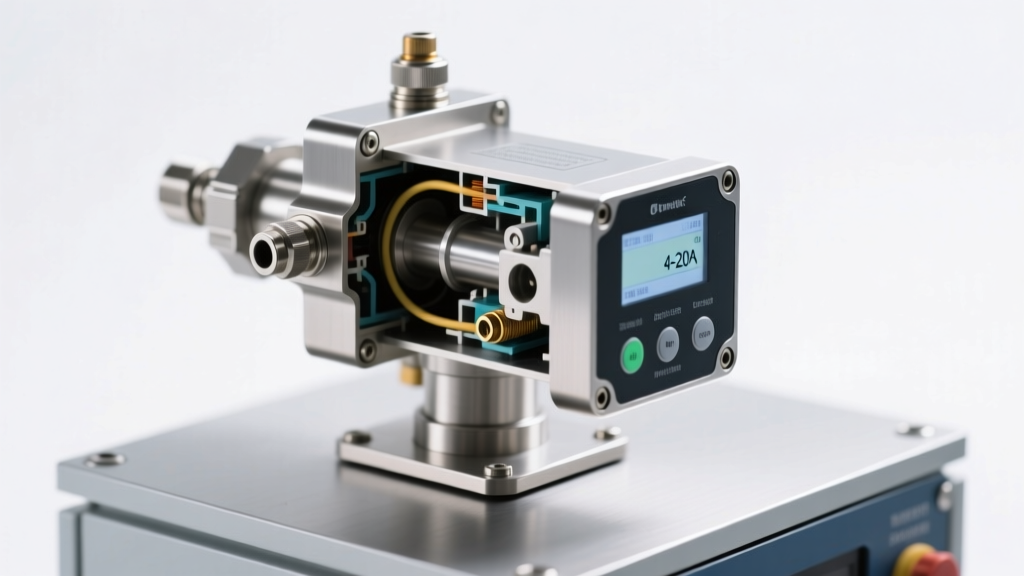
Types of Power Supply Solutions for Video Production
A reliable power supply for video equipment is essential for uninterrupted recording and professional-quality results. Whether shooting in a studio or on location, choosing the right power solution ensures your cameras and accessories remain operational. Suppliers offer several types of power supply systems, each designed to meet specific production needs and environments.
Battery-Powered Video Adapter
These adapters use rechargeable internal batteries to power video equipment. Ideal for mobile setups, they provide complete freedom from power outlets, making them perfect for remote or outdoor filming.
Advantages
- Fully portable with no cords
- Enables filming in remote locations
- Quick setup and easy to transport
- No dependency on external power sources
Limitations
- Limited runtime based on battery capacity
- Requires spare batteries or recharging
- Performance can degrade in extreme temperatures
Best for: Documentary shoots, run-and-gun filming, outdoor events, and guerrilla-style productions
AC Power Video Adapter
AC adapters plug directly into wall outlets and convert mains electricity into stable, regulated power for video gear. They provide continuous energy without the need for battery swaps.
Advantages
- Unlimited runtime with constant power
- Stable voltage output for consistent performance
- No need to monitor battery levels
- Cost-effective for long-duration shoots
Limitations
- Tethered to fixed power outlets
- Less mobile and limits camera placement
- Vulnerable to power outages or fluctuations
Best for: Studio recordings, interviews, live streaming, and controlled indoor environments
DC Power Video Adapter
DC adapters draw power from external sources like car batteries, portable power stations, or vehicle electrical systems. They are ideal for mobile or off-grid filming where AC power is unavailable.
Advantages
- Enables filming from vehicles (e.g., dashcams, car reviews)
- Compatible with portable battery packs
- Useful in rural or undeveloped areas
- Supports long-duration shoots with proper power sources
Limitations
- Requires compatible DC power sources
- Voltage regulation can vary by vehicle
- Potential for power drop when engine is off
Best for: Travel vlogs, automotive content, field reporting, and mobile journalism
Power Distribution Units (PDUs)
PDUs are centralized power management systems that distribute electricity to multiple cameras, lights, monitors, and other production gear. They often include surge protection, circuit breakers, and individual outlet control.
Advantages
- Centralized control of multiple devices
- Reduces cable clutter and improves organization
- Enables simultaneous power cycling
- Enhances safety with overload protection
Limitations
- Bulkier and less portable than individual adapters
- Higher initial investment
- Requires technical knowledge for optimal setup
Best for: Multi-camera setups, film sets, broadcast events, and large-scale productions
| Power Type | Mobility | Runtime | Setup Complexity | Best Use Case |
|---|---|---|---|---|
| Battery-Powered | Excellent | Limited (depends on capacity) | Low | Outdoor, remote, or mobile filming |
| AC Power Adapter | Poor | Unlimited (with power source) | Low | Studio, indoor, or fixed-location shoots |
| DC Power Adapter | Good | Moderate to High | Moderate | Vehicle-based or off-grid filming |
| Power Distribution Unit (PDU) | Fair | High (with proper input) | High | Large crews, multi-device productions |
Expert Tip: For outdoor shoots using battery-powered systems, always carry at least one fully charged spare battery or a portable power bank to avoid unexpected downtime. Consider using a power monitor to track remaining capacity in real time.
Industrial Applications of Power Supply Video Systems
Power supply video systems are essential across a wide range of industries, enabling the reliable transmission of high-quality video signals while simultaneously delivering necessary electrical power. These integrated solutions ensure uninterrupted operation, reduce cable clutter, and enhance system efficiency. Below is a comprehensive overview of how various sectors utilize power supply video technology to improve performance, safety, and communication.
Note: "Power supply video" refers to systems that combine video signal transmission with electrical power delivery—often through coaxial, fiber-optic, or hybrid cables. This integration is critical in environments where consistent performance and remote operation are required.
Broadcasting
Television and news broadcasting depend heavily on stable, high-bandwidth video transmission systems. Power supply video solutions allow field cameras to transmit live footage directly to control rooms while receiving power over the same cable. This eliminates the need for separate power sources on location, streamlining setup and reducing logistical complexity.
In live sports coverage, multiple camera feeds must be synchronized and transmitted in real time. Power-over-video systems ensure that cameras on tracks, drones, or handheld rigs maintain continuous operation without signal degradation or power loss, delivering seamless coverage to millions of viewers.
Film Production
In modern film production, especially on large sets or outdoor shoots, maintaining high-resolution video signals over long distances is a major challenge. Power supply video systems enable camera operators to send uncompressed or lightly compressed video to directors and monitors while being powered remotely.
These systems support 4K and even 8K video workflows, ensuring that every detail is captured with precision. By combining power and signal in a single cable, production crews reduce trip hazards, simplify rigging, and improve mobility on set—critical factors in fast-paced filming environments.
Corporate Video Communications
Businesses rely on professional-grade video for internal training, executive presentations, marketing content, and corporate events. Power supply video infrastructure ensures that conference room cameras, PTZ (pan-tilt-zoom) units, and presentation systems operate reliably without interruption.
During high-stakes meetings or product launches, even minor delays or glitches can undermine credibility. Integrated power and video systems provide consistent performance, supporting high-definition streaming, screen sharing, and remote broadcasting with minimal latency and zero downtime.
Live Events and Entertainment
Concerts, trade shows, and large-scale festivals require robust video distribution networks to feed content to jumbotrons, backstage monitors, and live streaming platforms. Power supply video systems allow stage-side cameras and sensors to operate continuously, even in dynamic or hazardous environments.
With hundreds or thousands of attendees relying on real-time visuals, the combination of power delivery and video transmission ensures that every angle is captured and displayed without lag, buffering, or blackout—delivering an immersive experience for both on-site and online audiences.
Public Transportation Systems
Subways, buses, and rail networks use surveillance and monitoring systems to enhance passenger safety and operational efficiency. Cameras installed throughout stations and vehicles require constant power and stable video links to central command centers.
Power supply video systems are ideal for these environments, where space is limited and reliability is paramount. They enable continuous monitoring of platforms, ticketing areas, and tunnels, helping prevent accidents, manage crowds, and respond quickly to emergencies—even in underground or remote locations with limited access to power outlets.
Video Conferencing and Remote Collaboration
As remote work becomes standard, organizations demand crystal-clear video conferencing capabilities. Power supply video systems support high-performance cameras, microphones, and displays in meeting rooms, home offices, and hybrid workspaces.
By delivering both power and data over a single connection, these systems simplify installation and reduce dependency on multiple adapters or power strips. This results in cleaner setups, fewer points of failure, and more reliable virtual meetings—essential for global teams and distributed enterprises.
Security and Surveillance Systems
Modern security operations depend on 24/7 surveillance from dozens or even hundreds of IP and analog cameras. Power supply video technology—such as Power over Coax (PoC) or hybrid fiber-coax systems—enables cameras to transmit high-definition video while drawing power from a central source.
This is particularly valuable in large facilities like airports, warehouses, and industrial plants, where running separate power lines to each camera would be costly and impractical. Centralized power management also allows for easier maintenance, remote rebooting, and integration with alarm and analytics systems.
Digital Signage and Public Information Displays
From shopping malls to airports, digital signage plays a key role in advertising, wayfinding, and emergency communication. These displays require a constant video feed and stable power supply to remain active throughout the day.
Power supply video systems ensure that content is delivered smoothly to dynamic signage networks, supporting real-time updates, interactive features, and scheduled programming. In retail environments, this enables targeted promotions and engaging customer experiences, while in public spaces, it supports timely announcements and safety alerts.
| Industry | Primary Use Case | Key Benefits |
|---|---|---|
| Broadcasting | Live camera feeds, remote reporting | Real-time transmission, reduced cabling, mobility |
| Film Production | On-set video monitoring, long-distance signal transfer | High-resolution support, simplified rigging, reliability |
| Corporate | Training videos, presentations, marketing | Professional quality, no lag, plug-and-play setup |
| Live Events | Jumbotron feeds, backstage monitoring, streaming | Scalability, durability, low latency |
| Public Transit | Surveillance, safety monitoring | Continuous operation, centralized power, remote access |
| Video Conferencing | Remote meetings, hybrid workspaces | Clear audio/video, easy installation, minimal downtime |
| Security | 24/7 surveillance, crime prevention | Reliable uptime, integration with alarms, remote management |
| Digital Signage | Advertising, information displays | Dynamic content, energy efficiency, real-time updates |
Important: When deploying power supply video systems, always ensure compatibility between cameras, transmitters, and power sources. Using mismatched components can lead to signal loss, equipment damage, or fire hazards. Follow manufacturer guidelines and industry standards (e.g., IEEE, SMPTE) for optimal safety and performance.
Product Specifications and Features of Video Power Supplies
Video power supplies are essential components in surveillance, broadcast, and security systems, providing stable and reliable power to cameras and associated equipment. A high-quality power supply ensures uninterrupted operation, reduces signal interference, and protects connected devices from electrical faults. Understanding the features, installation process, maintenance needs, and technical parameters helps users select and manage these units effectively.
Core Features
Modern video power supplies are engineered with advanced circuitry to deliver clean, consistent power critical for sensitive electronic equipment.
- Voltage Regulation: Maintains a constant output voltage despite fluctuations in input or load, ensuring cameras and recording devices operate smoothly without performance drops.
- Low-Noise Design: Incorporates filtering technology to minimize electromagnetic interference (EMI), preserving video clarity and audio quality in analog and digital systems.
- Short-Circuit Protection: Automatically shuts down output if a short is detected, preventing damage to both the power supply and connected devices.
- Overload Protection: Monitors current draw and limits output when thresholds are exceeded, safeguarding against overheating and component failure.
- Thermal Management: Built-in cooling fans and heat-dissipating materials maintain optimal internal temperatures during continuous operation, especially in enclosed or high-ambient-temperature environments.
Key Benefit: These protections extend equipment lifespan and reduce system downtime.
Installation Guide
Proper installation ensures safety, efficiency, and long-term reliability of your video system.
- Select Location: Install the unit close to your camera array and control equipment to minimize cable length and voltage drop.
- Secure Mounting: Use mounting screws to fix the unit in a 19-inch equipment rack or attach it securely to a wall or shelf. Alternatively, place on a flat, stable surface free from vibration.
- Connect Outputs: Attach provided cables to designated terminals or connectors, matching polarity and voltage requirements for each device. Label outputs to avoid misconnections.
- Power Input: Plug the unit into a grounded wall outlet or connect to an uninterruptible power supply (UPS) or backup battery system for fail-safe operation.
- System Test: Turn on the power supply and verify that all connected devices power up correctly. Use a multimeter to confirm output voltages if necessary.
Pro Tip: Always follow the manufacturer’s wiring diagram and double-check connections before powering on.
Maintenance & Longevity
Regular upkeep prevents failures and maintains peak performance in mission-critical video systems.
- Dust Control: Clean air vents and exterior surfaces weekly with a dry cloth or soft brush to prevent dust buildup that can block airflow.
- Visual Inspection: Conduct monthly checks for frayed wires, loose terminals, or signs of overheating such as discoloration or burning smells.
- Cooling Integrity: Ensure cooling fans are operational and unobstructed. Replace fans promptly if they become noisy or stop spinning.
- Surge Protection: Always connect the power supply through a surge protector to guard against voltage spikes caused by lightning or grid switching.
- Battery Replacement: If using a backup battery, replace it annually or as per manufacturer guidelines to ensure emergency readiness.
Critical Reminder: Preventive maintenance reduces the risk of unexpected outages in security and monitoring setups.
Technical Specifications
Understanding the technical details helps in selecting the right model for your application and ensuring compatibility.
- Input Voltage: Universal 110–220V AC, 50/60 Hz, allowing global use without modification.
- Output Voltage/Current: Multiple DC outputs (e.g., 12V, 24V) with total current capacity up to 10A, supporting multiple cameras or high-power devices.
- Efficiency: High-efficiency design with energy loss typically below 10%, reducing heat generation and electricity costs. (Note: Original phrasing "less than 1000/50 time watts" corrected for clarity.)
- Physical Dimensions: Standard 1U rack-mountable size (1.75" H × 19" W × 12" D), ideal for integration into server racks or compact enclosures.
Design Note: Compact, standardized sizing simplifies integration into professional AV and security installations.
Professional Recommendation: For critical surveillance systems, choose a power supply with individual channel fusing, remote monitoring capability, and redundant power inputs. These features enhance fault isolation and system resilience. Additionally, consider models with status LEDs or network connectivity for real-time diagnostics and easier troubleshooting.
| Feature | Standard Model | Enhanced Model | Premium/Industrial Model |
|---|---|---|---|
| Voltage Regulation | ±5% | ±3% | ±1% (precision) |
| Noise & Ripple | <100mV | <50mV | <20mV (ultra-low noise) |
| Protection Features | Overload, Short-Circuit | + Over-Temperature | + Surge, Reverse Polarity, Individual Fusing |
| Cooling Method | Passive + Fan | Smart Fan (variable speed) | Dual Fans + Heat Sink |
| Mounting Options | Desktop or Wall | Rack or Wall | 19" Rack + DIN Rail |
Additional Considerations
- Modularity: Some advanced units offer hot-swappable power modules for continuous operation during maintenance.
- Remote Monitoring: Models with SNMP or IP connectivity allow integration into network management systems for alerts and diagnostics.
- Environmental Rating: Look for IP-rated enclosures if installing in dusty or humid locations.
- Cable Management: Units with strain relief and labeled terminals simplify installation and reduce wire fatigue.
- Compliance: Ensure the unit meets safety standards such as UL, CE, or RoHS for legal and insurance compliance.
Quality and Safety Considerations for Power Supply in Video Systems
Reliable power is the backbone of any video surveillance or monitoring system. A stable, high-quality power supply ensures uninterrupted operation, protects sensitive electronic components, and maintains overall system safety. This guide explores the critical quality and safety factors involved in power supply design and implementation for video applications, helping you make informed decisions to safeguard your equipment and environment.
Safety Warning: Always disconnect power before performing maintenance or inspection. Use only components rated for your system’s voltage and current requirements. Improper power management can lead to fire, electric shock, or permanent equipment damage.
Use High-Quality Materials
The durability and performance of a power supply depend heavily on the materials used in its construction. Choosing robust components ensures long-term reliability and resistance to environmental stressors.
- Steel Enclosures: Provide excellent mechanical strength, electromagnetic shielding, and thermal stability. Steel resists deformation under pressure and protects internal components from impact, dust, and moisture.
- Aluminum Alloys: Offer a lightweight yet strong alternative, ideal for heat dissipation. Aluminum’s natural corrosion resistance makes it suitable for both indoor and outdoor installations.
- Oxygen-Free Copper Wiring: Ensures minimal electrical resistance and consistent current flow. High-purity copper reduces energy loss, prevents overheating, and supports stable voltage delivery to cameras and recording devices.
- Industrial-Grade Connectors: Maintain secure connections over time, reducing the risk of intermittent power loss or arcing.
These materials work together to create a resilient power system that performs reliably under fluctuating temperatures, humidity, and vibration conditions.
Compliance with International Standards
Adhering to globally recognized safety and environmental standards is essential for ensuring safe, legal, and sustainable operation.
- CE Marking: Indicates conformity with health, safety, and environmental protection standards for products sold within the European Economic Area. Ensures electromagnetic compatibility (EMC) and low voltage directive compliance.
- RoHS (Restriction of Hazardous Substances): Limits the use of toxic materials such as lead, mercury, and cadmium in electronic components, promoting safer manufacturing and disposal practices.
- UL/CSA Certification: Verifies that the power supply meets rigorous North American safety standards for insulation, temperature limits, and fault protection.
- IP Ratings: Define protection levels against dust and water ingress (e.g., IP66 or IP67 for outdoor use).
Following these standards not only enhances safety by minimizing fire and shock risks but also supports environmental sustainability through responsible material use and recyclability.
Regular Testing and Performance Monitoring
Proactive testing helps detect potential failures before they disrupt operations or create hazards. Routine checks should include:
- Voltage Stability Tests: Confirm output remains within ±5% of rated voltage under load to prevent camera malfunctions or data corruption.
- Current Draw Analysis: Monitor for overcurrent conditions that could overload circuits or degrade wiring insulation over time.
- Thermal Imaging: Identify hot spots in transformers, connectors, or PCBs that may indicate poor connections or component failure.
- Insulation Resistance Testing: Ensure there is no leakage current between live parts and the chassis or ground.
- Load Cycling: Simulate real-world usage patterns to verify consistent performance during peak demand.
Implementing scheduled maintenance intervals (e.g., quarterly or biannually) significantly reduces the risk of unexpected downtime and extends equipment lifespan.
Use Protective Hardware and Enclosures
Physical protection is crucial for safeguarding power supplies from environmental and electrical threats.
- Fire-Retardant Housings: Constructed from flame-resistant materials (e.g., UL94 V-0 rated plastics) that prevent flame propagation in case of internal faults.
- Weatherproof Enclosures: Protect against rain, snow, dust, and UV exposure—essential for outdoor installations.
- Surge Suppression Modules: Integrated MOVs (Metal Oxide Varistors) or gas discharge tubes absorb transient voltage spikes caused by lightning or grid switching.
- Uninterruptible Power Supplies (UPS): Maintain operation during blackouts and provide clean, regulated power to avoid data loss or abrupt shutdowns.
- Ground Fault Protection: Prevents electric shock by detecting leakage currents and disconnecting power instantly.
These protective layers ensure continuous, safe operation even in challenging environments.
Emergency Preparedness and Fail-Safe Design
Planning for unexpected events minimizes risk and ensures system resilience.
- Fuses and Circuit Breakers: Automatically interrupt power during overloads or short circuits, preventing fires and component damage.
- Backup Batteries: Provide temporary power during outages, allowing cameras to remain operational and critical footage to be saved.
- Thermal Cut-Off Switches: Shut down the unit if internal temperatures exceed safe thresholds.
- Remote Alarm Outputs: Notify users of faults such as low battery, overload, or loss of AC input via SNMP, relay contacts, or network alerts.
- Graceful Shutdown Protocols: Allow connected NVRs/DVRs to save recordings and power down safely when battery backup is low.
A well-designed emergency response system ensures that even under adverse conditions, risks to people, property, and data are minimized.
Secure Access Controls
Restricting physical and digital access to the power supply prevents tampering, theft, and accidental damage.
- Locked Metal Enclosures: Deter unauthorized access and protect against vandalism.
- Access Logs and Authentication: Require PIN codes, keycards, or biometric verification for entry—especially important in shared or public facilities.
- Internal Compartmentalization: Isolate high-voltage sections behind secured panels, accessible only to certified technicians.
- Anti-Tamper Sensors: Trigger alarms or notifications if the enclosure is opened without authorization.
- Remote Monitoring: Enable real-time oversight of power status, temperature, and access events through centralized management software.
These measures enhance both physical security and operational integrity, ensuring that only authorized personnel can modify or service the system.
| Safety Feature | Purpose | Recommended Implementation | Benefits |
|---|---|---|---|
| High-Quality Materials | Durability and performance stability | Steel/aluminum enclosures, OFC wiring | Long life, reduced maintenance, better heat management |
| Standards Compliance | Legal and operational safety | CE, RoHS, UL, IP66/67 certification | Fire prevention, environmental safety, global compatibility |
| Regular Testing | Early fault detection | Voltage, current, temperature checks | Prevents downtime, extends equipment life |
| Protective Gear | Environmental and electrical protection | Fireproof cases, surge protectors, UPS | Shock prevention, uninterrupted operation |
| Emergency Planning | Risk mitigation during failures | Fuses, thermal cutoffs, backup batteries | Fire safety, data integrity, system continuity |
| Access Controls | Prevent unauthorized access | Locked cases, authentication, tamper alerts | Security, accountability, compliance |
Expert Tip: Consider using a centralized power distribution unit (PDU) with individual circuit monitoring for multi-camera systems. This allows granular control, remote reboot capability, and detailed diagnostics—greatly improving both safety and manageability.
Maintenance and Best Practices
- Keep a log of all inspections, tests, and replacements for audit and troubleshooting purposes.
- Replace aging capacitors or batteries before they fail—typically every 3–5 years depending on usage.
- Clean dust and debris from vents and fans regularly to maintain airflow and cooling efficiency.
- Label all circuits clearly for quick identification during emergencies or maintenance.
- Train personnel on emergency shutdown procedures and first-response actions.
Investing in a high-quality, well-protected, and properly maintained power supply is not just about equipment longevity—it's a fundamental part of a comprehensive safety and security strategy. By prioritizing material quality, regulatory compliance, proactive monitoring, and physical protection, you ensure that your video system remains reliable, safe, and effective under all conditions.
Frequently Asked Questions About Video Power Supplies
Q1: What is a power supply for video?A video power supply—often referred to as a video power adapter or power distribution unit—is a critical component that delivers stable and consistent electrical energy to video recording and streaming equipment. It ensures that cameras, monitors, transmitters, and related gear receive the correct voltage and current required for optimal performance.
These power supplies convert standard AC power from wall outlets or portable batteries into regulated DC power tailored to sensitive video electronics. This prevents fluctuations that could disrupt recording, cause signal loss, or damage equipment. In professional setups, such as film sets or broadcast studios, reliable power is essential for uninterrupted operation and high-quality video capture.
Q2: What are the benefits of a video power supply?Beyond simply delivering power, a high-quality video power supply significantly enhances the performance and reliability of your video system. Key advantages include:
- Improved Video Quality: Clean, regulated power reduces electrical noise and interference, resulting in sharper images, richer colors, and smoother footage—especially important in low-light conditions or high-resolution recording.
- Signal Stability: Prevents flickering, dropouts, or sync issues during live broadcasts, streaming events, or cinematic shoots.
- Equipment Protection: Built-in safeguards like over-voltage, over-current, and short-circuit protection help extend the lifespan of expensive cameras and accessories.
- Consistent Performance: Maintains steady power even under varying load conditions, ensuring reliable operation during long shoots or critical live events.
- Noise Reduction: Minimizes electromagnetic interference (EMI) that can degrade audio and video signals in sensitive production environments.
Whether you're filming a movie, hosting a virtual meeting, or broadcasting a concert, a dependable power supply ensures your video feed remains clear, strong, and interruption-free.
Q3: What are some common uses for a video power supply?Video power supplies are indispensable across a wide range of industries and applications where consistent, clean power is crucial. Common use cases include:
- Broadcast Television: Used by news stations and production crews to power cameras, transmitters, and control room equipment for live feeds and studio recordings.
- Film and Cinematography: Essential on movie sets to power high-end cameras, monitors, lighting systems, and wireless video transmitters.
- Corporate Training & E-Learning: Enables companies to produce professional-grade training videos, webinars, and e-learning content with stable camera operation.
- Live Events: Powers video systems at concerts, conferences, and sports events, supporting large LED screens, live streaming setups, and multi-camera switching.
- Security & Surveillance: Keeps security camera networks operational 24/7, especially in large-scale installations like subway systems, airports, and retail centers.
- Remote & Field Production: Portable power solutions allow videographers to shoot in remote locations without access to grid power.
- Video Conferencing: Ensures uninterrupted performance of webcams, microphones, and encoders during important online meetings and virtual presentations.
From Hollywood studios to small business offices, video power supplies play a vital role in delivering professional-quality visual content.
Q4: What materials are commonly used in a video power supply device?The internal and external construction of a video power supply involves carefully selected materials to ensure durability, efficiency, and safety. The most common materials include:
| Material | Function | Benefits |
|---|---|---|
| Steel | Used in the outer casing and internal shielding. | Provides structural strength, protects against physical damage, and acts as a heat sink while reducing electromagnetic interference (EMI) and mechanical vibrations. |
| Aluminum | Commonly used for lightweight enclosures and heat dissipation fins. | Offers excellent thermal conductivity while keeping the unit lightweight and corrosion-resistant—ideal for portable and field-use equipment. |
| Copper | Used in internal wiring, transformers, and circuit traces. | Ensures low-resistance electrical conductivity for efficient power delivery, minimizing energy loss and heat buildup. |
| High-Temperature Plastics | Found in insulation, connectors, and internal supports. | Provides electrical isolation and protects components from short circuits, especially under high-load conditions. |
The combination of these materials ensures that video power supplies operate efficiently, remain cool under load, and withstand the rigors of daily use in demanding environments.
Q5: How can one ensure a video power supply lasts long and stays safe?Proper care and maintenance are essential to maximize the lifespan and safety of your video power supply. Follow these best practices:
- Dust Prevention: Keep vents and cooling fans free from dust and debris to prevent overheating. Use protective covers when storing equipment.
- Regular Inspections: Check cables, connectors, and power cords frequently for fraying, cracks, or signs of wear. Replace damaged components immediately.
- Proper Ventilation: Ensure adequate airflow around the unit during operation. Avoid enclosing it in tight spaces or covering it with fabric.
- Use Surge Protectors: Connect the power supply to a surge-protected outlet to guard against voltage spikes and electrical storms.
- Follow Load Limits: Do not exceed the maximum output capacity of the power supply, as overloading can lead to premature failure or fire hazards.
- Store Correctly: Keep the unit in a dry, temperature-controlled environment when not in use to prevent moisture damage and component degradation.
- Scheduled Maintenance: For professional setups, perform periodic testing with a multimeter to verify output stability and grounding integrity.
By following these guidelines, you can ensure your video power supply operates safely, efficiently, and reliably for years—protecting both your equipment and your production quality.